
1. Introduction
Thank you for choosing the Fitonme Smart Watch. This manual provides detailed instructions on how to set up, operate, and maintain your new smartwatch. Please read this manual carefully before use to ensure proper functionality and to maximize your experience with the device.
2. Safety Information
- The health data provided by this device (heart rate, blood pressure, SpO2, sleep) is for reference only and should not be used as a basis for medical diagnosis or treatment. Consult a medical professional for any health concerns.
- Do not wear the watch in sea water or during hot water baths/showers. While the watch is IP67 water and dust resistant for daily activities like hand washing, prolonged exposure to high pressure water or hot water can damage the device.
- Keep the device away from extreme temperatures, direct sunlight, and strong magnetic fields.
- Do not attempt to disassemble or repair the watch yourself. This will void the warranty and may cause damage.
3. Package Contents
Please check the package contents upon opening to ensure all items are present:
- Fitonme Smart Watch Unit
- Black Gold Stainless Steel Strap
- Pink Silicone Strap
- Charging Cable
- User Manual (this document)
Image: Top view of the Fitonme Smart Watch packaging box, showing the 'SMART WATCH' text.

Image: Bottom view of the Fitonme Smart Watch packaging box, displaying regulatory marks like CE and FC.
4. Product Overview
The Fitonme Smart Watch features a 1.39-inch HD touch screen with a 360 x 360 HD resolution, offering clear visuals and responsive touch interaction. It includes a built-in speaker and a high-performance microphone for communication features.

Image: The smartwatch display highlighting the 1.39-inch HD touch screen, Always-on Display (AOD) options (analog and numeric), and examples of DIY dials and over 100 watch faces available in the app.
5. Setup
5.1 Charging the Device
Before first use, fully charge your smartwatch. Connect the charging cable to the charging port on the back of the watch and plug the USB end into a compatible power adapter (not included) or a computer's USB port. A full charge takes approximately 2 hours. The watch can operate for 3-5 days with normal use and has a standby time of 7-10 days.
5.2 App Installation and Pairing
To unlock the full features of your Fitonme Smart Watch, you need to download and connect it to the FitCloudPro app on your smartphone.
- Download the App: Search for "FitCloudPro" in your smartphone's app store (Google Play Store for Android or Apple App Store for iOS) and install it.
- Enable Bluetooth: Ensure Bluetooth is enabled on your smartphone.
- Open App and Pair: Open the FitCloudPro app, create an account if prompted, and follow the on-screen instructions to add your device. The app will search for available devices. Select "S51" or the corresponding device name to pair.
- Grant Permissions: Allow necessary permissions (e.g., notifications, location, contacts) for the app to function correctly.
The smartwatch is compatible with most smartphones running iOS 9.0 and Android 6.0 and above, including iPhone, Samsung, Huawei, Xiaomi, and OnePlus devices.
6. Operating Instructions
6.1 Making and Receiving Calls
With the built-in speaker and microphone, you can make, receive, and reject calls directly from your smartwatch when it's connected to the FitCloudPro app via Bluetooth.
- To Make a Call: Access the phone function on your watch, select a contact, or dial a number.
- To Receive/Reject a Call: When a call comes in, you can answer or reject it directly from the watch screen.

Image: The smartwatch showing an incoming call screen, alongside a smartphone's call interface and a user receiving various app notifications on their wrist, illustrating Bluetooth call and smart notification features.
6.2 Notifications
The smartwatch can receive all synchronized calls and messages from your phone, including SMS, Facebook, Instagram, Twitter, WhatsApp, and more. Ensure notification permissions are granted in the FitCloudPro app. Note: This smartwatch does not support sending text messages.
6.3 Always-on Display (AOD)
The watch supports an Always-on Display feature. To enable or customize:
- On the watch, navigate to Settings.
- Select Display.
- Choose your preferred AOD style (digital or analog).
6.4 Voice Assistant
The smartwatch is equipped with a voice assistant function. Simply speak to the watch to activate the voice assistant on your connected phone.
6.5 Music Control
Control music playback on your smartphone directly from your watch. You can play, pause, skip tracks, and adjust volume.

Image: A person wearing headphones and a smartwatch, using the watch to control music playback on their smartphone.
6.6 Other Useful Tools
The smartwatch offers a variety of practical tools for daily convenience:
- Alarm Clock
- Pedometer
- Weather Forecast
- Remote Camera Control
- Timer
- Breathing Training
- Sedentary Reminder
- Water Drinking Reminder
- Brightness Adjustment
- Find Phone
- Stopwatch
- Flashlight
7. Health Tracking Features
The Fitonme Smart Watch is designed to help you monitor key health metrics and promote a healthy lifestyle.
- Heart Rate Monitoring: Continuously tracks your heart rate throughout the day.
- Blood Pressure Monitoring: Provides estimates of your blood pressure.
- Blood Oxygen (SpO2) Monitoring: Measures your blood oxygen saturation levels.
- Sleep Monitoring: Analyzes your sleep patterns, including light and deep sleep stages, to provide detailed sleep reports in the app.
- Female Health Tracking: Includes unique reminders for menstrual cycle and pregnancy care.
All health data can be viewed and analyzed in detail within the FitCloudPro app, helping you understand your health status in real-time and adapt to a healthier lifestyle.
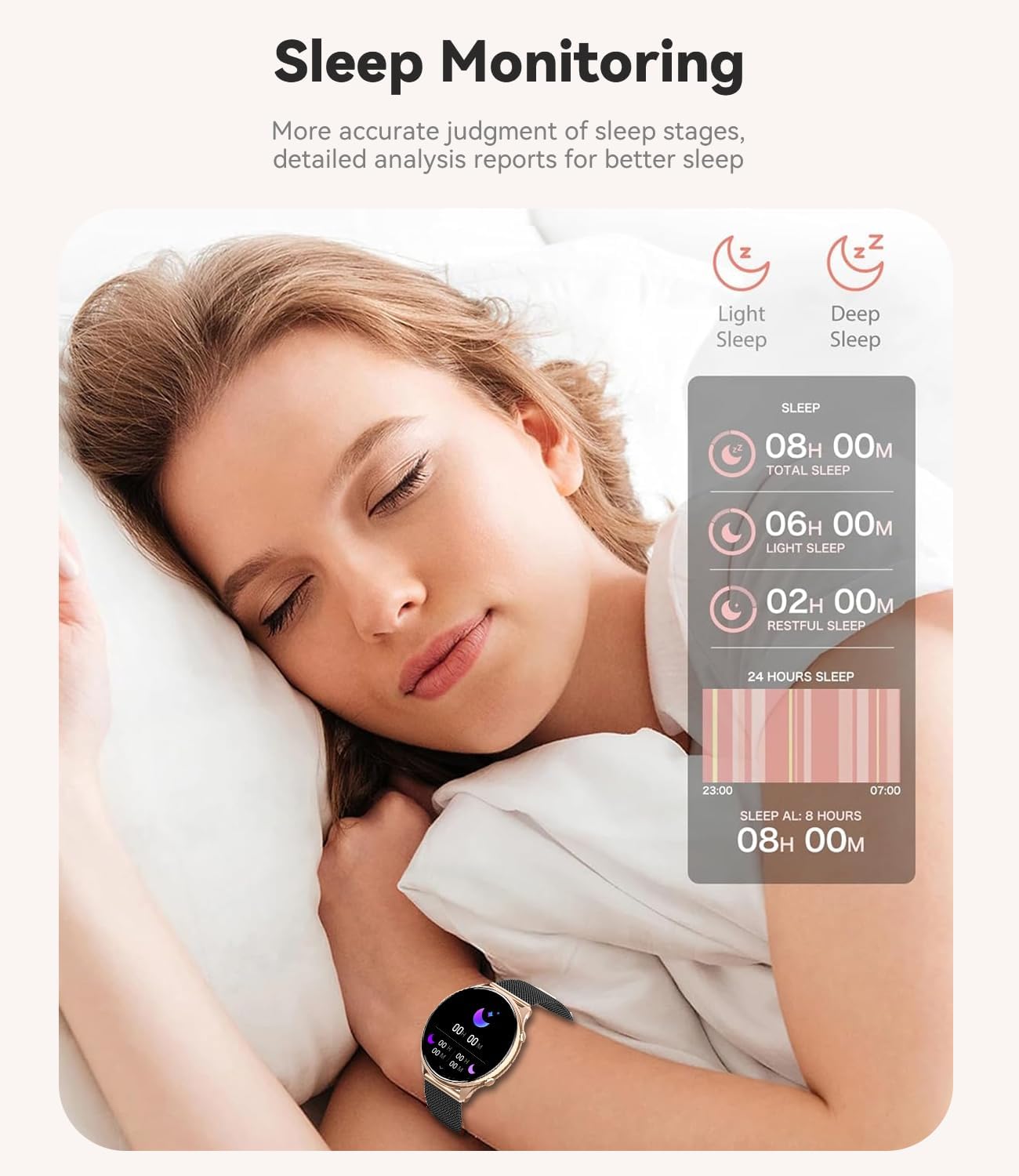
Image: A woman sleeping with the smartwatch on her wrist, illustrating the sleep monitoring feature. An overlay shows detailed sleep data including total sleep, light sleep, deep sleep, and restful sleep duration.
8. Sports Modes
The smartwatch supports over 110 sports modes to track your physical activities accurately. You can select the appropriate mode for your exercise:
- Walking
- Running
- Cycling
- Football
- Basketball
- Swimming
- Rope Skipping
- Badminton
- And many more...
The watch also tracks your daily activity, including steps taken, calories burned, distance covered, and active hours.
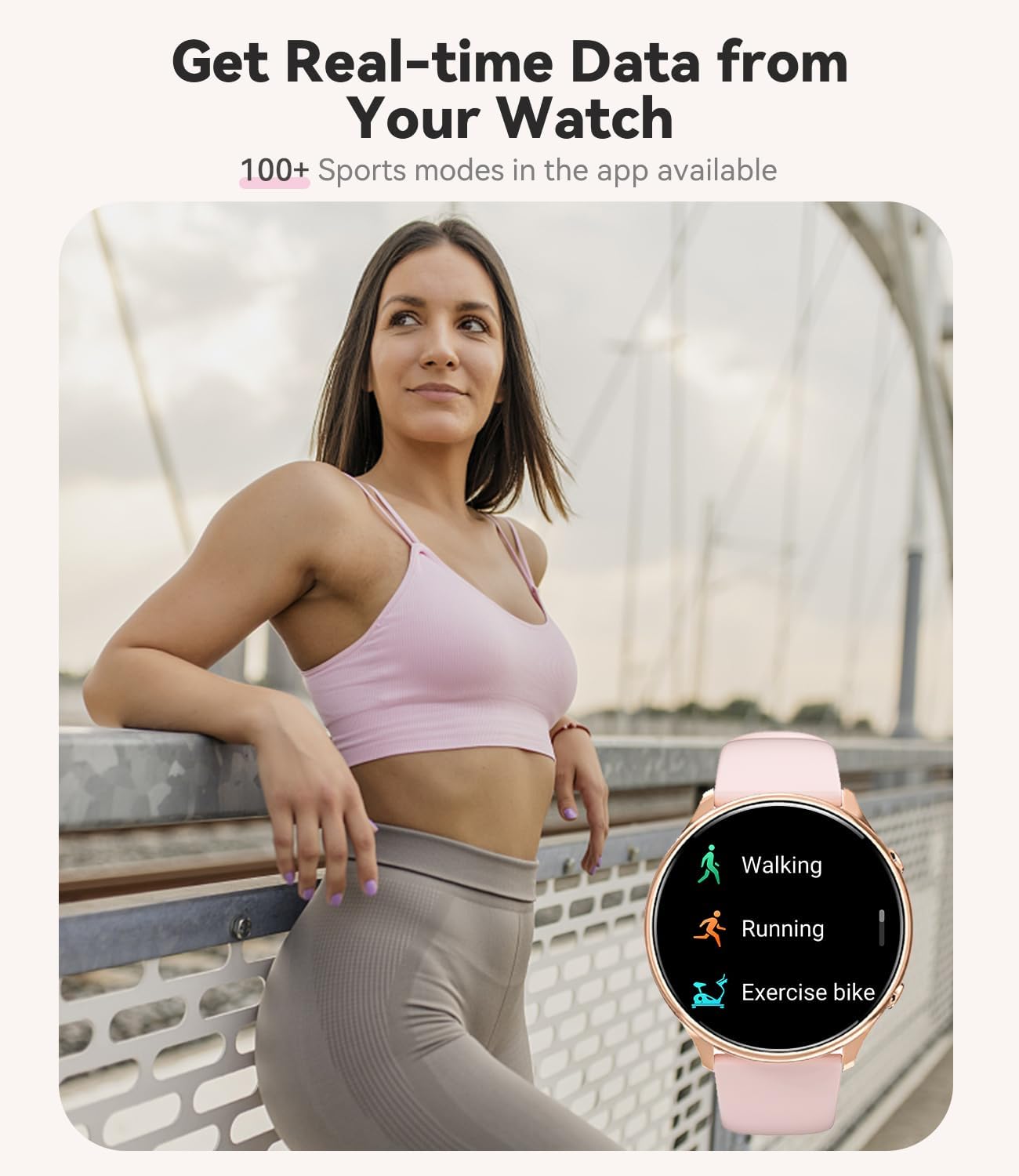
Image: A woman in athletic wear outdoors, with her smartwatch displaying icons for various sports modes such as walking, running, and exercise bike, indicating real-time data tracking.
9. Customization
Personalize your Fitonme Smart Watch to match your style:
- Watch Faces: Choose from over 100 different watch faces available in the FitCloudPro app.
- DIY Watch Faces: Upload your personal photos to create custom watch faces.
- Interchangeable Straps: The watch comes with two straps – a sophisticated black and gold stainless steel bracelet for classic looks and a more casual pink silicone bracelet for sports or everyday wear.
10. Maintenance
10.1 Cleaning
Regularly clean your smartwatch and straps to ensure hygiene and prolong their lifespan. Wipe the watch screen and body with a soft, dry, lint-free cloth. For the straps, use a damp cloth and mild soap if necessary, then dry thoroughly.
10.2 Water Resistance
The Fitonme Smart Watch has an IP67 water and dust resistance rating. This means it is protected against dust ingress and can withstand immersion in water up to 1 meter for 30 minutes. It is suitable for daily use, such as washing hands or light rain. However, it is not recommended for swimming in sea water, diving, or hot water baths/showers, as these conditions can compromise the water seal.
11. Troubleshooting
If you encounter any issues with your smartwatch, please refer to the following common solutions:
| Problem | Possible Solution |
|---|---|
| Watch not turning on | Ensure the watch is fully charged. If it still doesn't turn on, try holding the power button for 10-15 seconds. |
| Cannot pair with phone | Ensure Bluetooth is enabled on your phone. Make sure the FitCloudPro app is open and searching for devices. Restart both the watch and your phone, then try pairing again. |
| No notifications received | Check notification permissions in the FitCloudPro app settings on your phone. Ensure the app is running in the background and not being optimized by your phone's battery saving features. |
| Inaccurate health data | Ensure the watch is worn snugly on your wrist (not too tight, not too loose). Clean the sensor on the back of the watch. Remember that data is for reference only. |
| Short battery life | Reduce screen brightness, disable Always-on Display if not needed, limit frequent heart rate monitoring, and close unnecessary background apps on the watch. |
If the problem persists, please contact customer support for assistance.
12. Specifications
| Feature | Detail |
|---|---|
| Model Number | S51 |
| Manufacturer | Fitonme |
| Screen Size | 1.39 inches |
| Screen Shape | Round |
| Display Resolution | 360 x 360 HD |
| Operating System | AsteroidOS (as per product data) |
| Memory Storage Capacity | 128 MB |
| Connectivity Technology | Bluetooth |
| Battery Type | Lithium Polymer |
| Battery Capacity | 260 mAh |
| Charging Time | Approx. 2 hours |
| Normal Use Time | 3-5 days |
| Standby Time | 7-10 days |
| Water Resistance | IP67 |
| GPS | Via Smartphone |
| Package Dimensions | 28.2 x 9.9 x 1.9 cm |
| Package Weight | 210 grams |
| First Available Date | September 21, 2024 |
| Special Features | Bluetooth Make/Answer Call, Contact Person, Phone Call, Call Recording, 110+ Sport Modes, Messages/SNS Notifications, Heart Rate/Blood Pressure/SpO2 Monitor, Sleep Monitor, Calculator, Find Phone, DIY Watch Face, Menu Style, Weather, Activity Tracker, Alarm Clock, Calendaring, Pedometer, Calorie Tracker, Distance Tracker, Multisport Tracker, Music Player, Sedentary Reminder, Time Display, AI Voice Assistant, Brightness Adjustment, Vibration Adjustment, Theater Mode, Stopwatch, Timer |
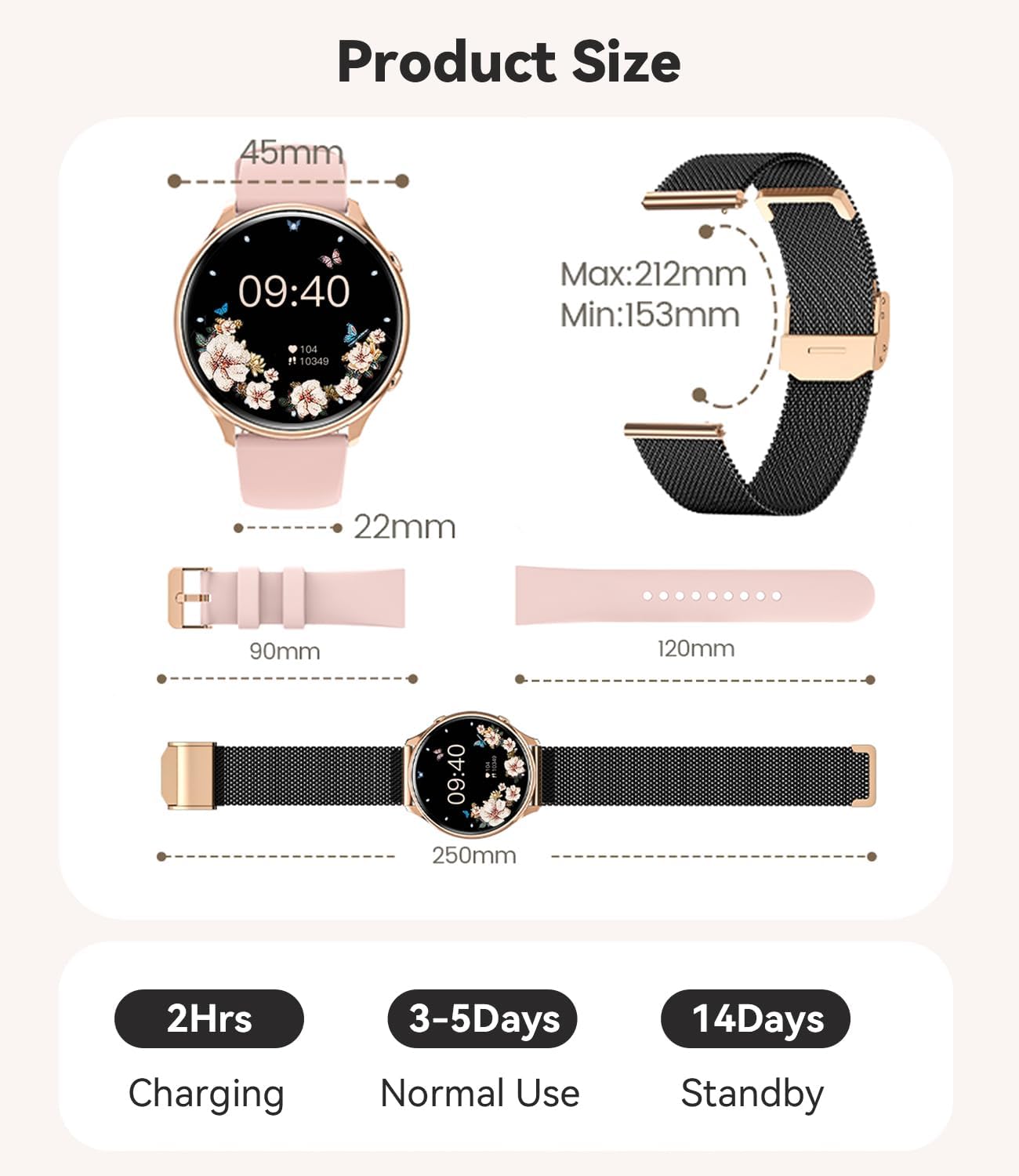
Image: A diagram illustrating the product size, including the watch face diameter (45mm), strap width (22mm), and strap lengths (90mm and 120mm), along with total watch length (250mm) and strap adjustment range (Min: 153mm, Max: 212mm).
13. Warranty and Support
Fitonme offers a 12-month money-back or replacement service for your smartwatch. If you have any questions or encounter any issues with your Fitonme smartwatch, please do not hesitate to contact our customer support. We are committed to providing solutions that satisfy you.
For support, please refer to the contact information provided on the product packaging or the official Fitonme website.