
1. Introduction
The Yintar X17 Bone-Conduction Headphones offer an open-ear listening experience, transmitting sound through your cheekbones to your inner ear. This design allows you to remain aware of your surroundings while enjoying audio, making them ideal for various activities such as sports, driving, and daily commutes. Featuring IPX8 waterproofing, Bluetooth 5.3 connectivity, and 32GB of built-in storage, these headphones are designed for durability and versatility.
2. Package Contents
Verify that all items listed below are included in your package:
- Yintar X17 Bone-Conduction Headphones
- Magnetic Charging Data Cable
- User Manual
- Pair of Ear Plugs

3. Key Features
- Open-Ear Design: Ensures situational awareness by not covering your ears, enhancing safety during outdoor activities.
- IPX8 Waterproof: Fully submersible and resistant to water, sweat, and rain, making them suitable for swimming and intense workouts.
- Built-in 32GB Storage: Allows you to store up to 9,000 songs directly on the device for MP3 playback without needing a Bluetooth connection.
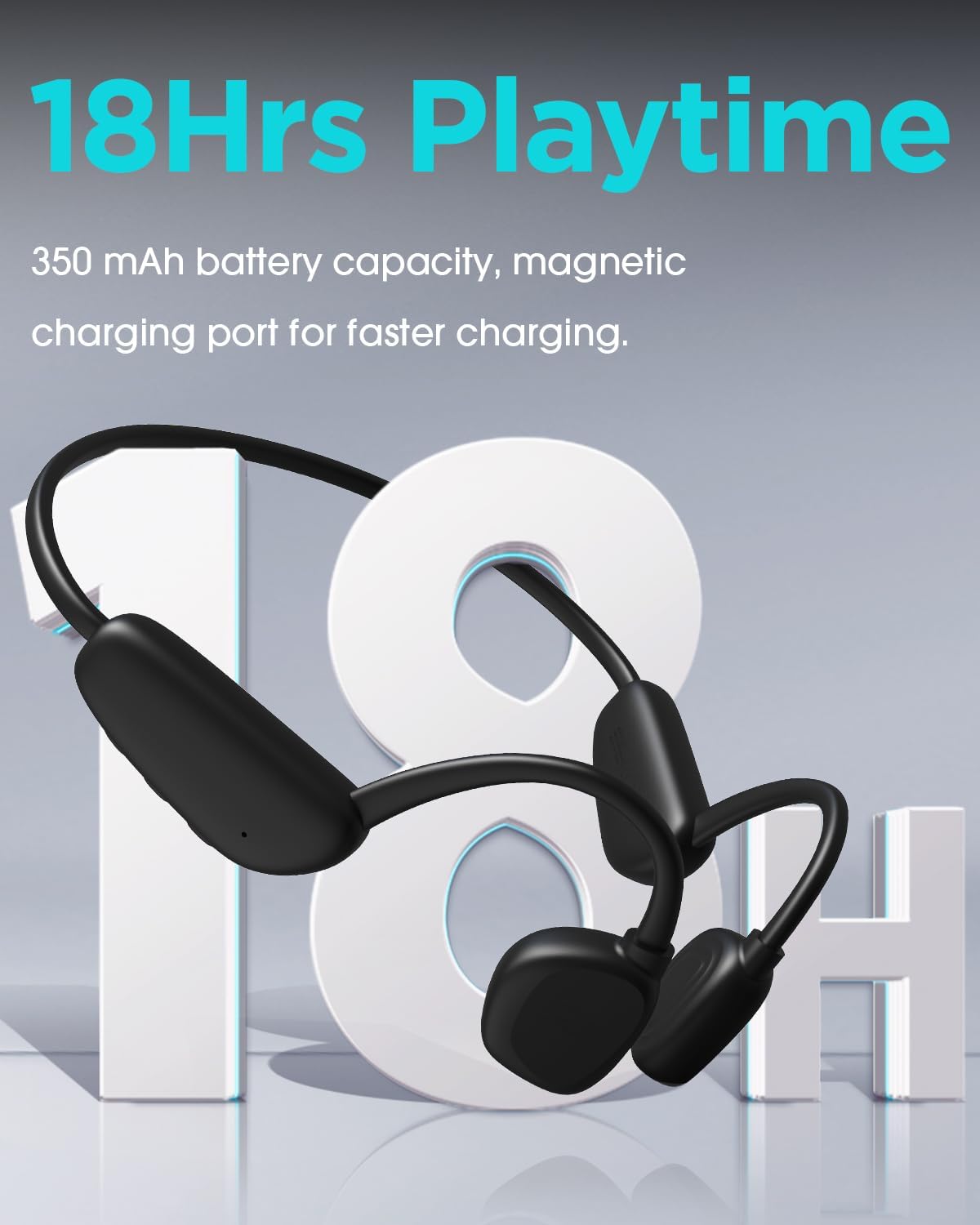
- Extended Playtime: Offers up to 18 hours of continuous music playback and 35 days of standby time on a single charge.
- Bluetooth 5.3: Provides a stable and efficient wireless connection with a range of up to 10 meters (33 feet).
- Secure and Comfortable Fit: Designed to stay in place during rigorous activities like running, cycling, and gym workouts.
- Built-in Microphone: Enables hands-free calls with clear audio.


4. Setup
4.1 Charging the Headphones
Before first use, fully charge your Yintar X17 headphones. Use the provided magnetic charging cable. Connect the magnetic end to the charging port on the headphones and the USB end to a power source (e.g., computer USB port, wall adapter). The LED indicator will show charging status.
4.2 Power On/Off
- Power On: Press and hold the Power button until the LED indicator flashes.
- Power Off: Press and hold the Power button until the LED indicator turns off.
4.3 Bluetooth Pairing
- Ensure the headphones are powered off.
- Press and hold the Power button for approximately 5-7 seconds until the LED indicator flashes red and blue alternately, indicating pairing mode.
- On your device (smartphone, tablet, etc.), enable Bluetooth and search for available devices.
- Select "Yintar X17" from the list of devices.
- Once connected, the LED indicator will flash blue slowly.
4.4 MP3 Mode Activation
To switch to MP3 mode and play music from the built-in 32GB storage, press the Mode button (if available, or refer to specific button functions in the manual). To transfer music, connect the headphones to a computer using the magnetic charging cable; the headphones will appear as a removable disk.
5. Operating Instructions
5.1 Button Functions
- Power Button: Press and hold to power on/off. Short press to play/pause music.
- Volume Up (+): Short press to increase volume. Long press for next track.
- Volume Down (-): Short press to decrease volume. Long press for previous track.
- Multi-function Button (often integrated with Power): Answer/End calls (short press), Reject call (long press), Activate voice assistant (double press).
- Mode Button (if separate): Switch between Bluetooth mode and MP3 mode.
5.2 Call Management
- Answer/End Call: Short press the Multi-function button.
- Reject Call: Long press the Multi-function button.
6. Maintenance
- Cleaning: After use, especially after swimming or heavy sweating, rinse the headphones with fresh water and wipe them dry with a soft cloth. Do not use harsh chemicals or abrasive materials.
- Storage: Store the headphones in a cool, dry place away from direct sunlight and extreme temperatures. Use the provided pouch for protection.
- Battery Care: To prolong battery life, avoid fully discharging the headphones frequently. Charge them regularly, even if not in use for extended periods.
7. Troubleshooting
- Headphones will not power on: Ensure the headphones are fully charged.
- Cannot pair with device: Ensure headphones are in pairing mode (flashing red/blue). Turn off and on your device's Bluetooth. Move closer to your device.
- No sound: Check volume levels on both headphones and connected device. Ensure headphones are correctly paired. If in MP3 mode, ensure music files are loaded.
- Poor sound quality: Ensure there are no obstructions between the transducers and your cheekbones. Adjust placement. If using Bluetooth, reduce distance to the device or minimize interference.
- Water damage: While IPX8 rated, always ensure the charging port is dry before charging. If water enters the port, allow it to air dry completely before attempting to charge.
8. Specifications
| Feature | Specification |
|---|---|
| Model Name | X17 |
| Connectivity Technology | Wireless (Bluetooth) |
| Wireless Communication Technology | Bluetooth 5.3 |
| Compatible Devices | Bluetooth-enabled devices (e.g., smartphones, tablets, laptops, smart speakers) |
| Control Type | Media Control |
| Cable Feature | Without Cable |
| Control Method | Remote |
| Audio Driver Type | Bone Conduction Driver |
| Bluetooth Range | 10 Meters (33 feet) |
| Built-in Memory | 32GB |
| Waterproof Rating | IPX8 |
| Playtime | Up to 18 hours |
| Standby Time | Up to 35 days |
| Item Weight | 5.9 ounces |
| Product Dimensions | 5.4 x 1.9 x 4 inches |
| Color | Black |
| Ear Placement | Open Ear |
9. Warranty and Support
For warranty information and customer support, please refer to the documentation included in your product package or visit the official Yintar website. Keep your proof of purchase for warranty claims.