1. Product Overview
The KISSWILL LMH-1 Mini USB Desktop Humidifier is designed to provide a soothing mist in various personal spaces such as cars, offices, and bedrooms. It features a compact design, quiet ultrasonic operation, and convenient USB power supply.
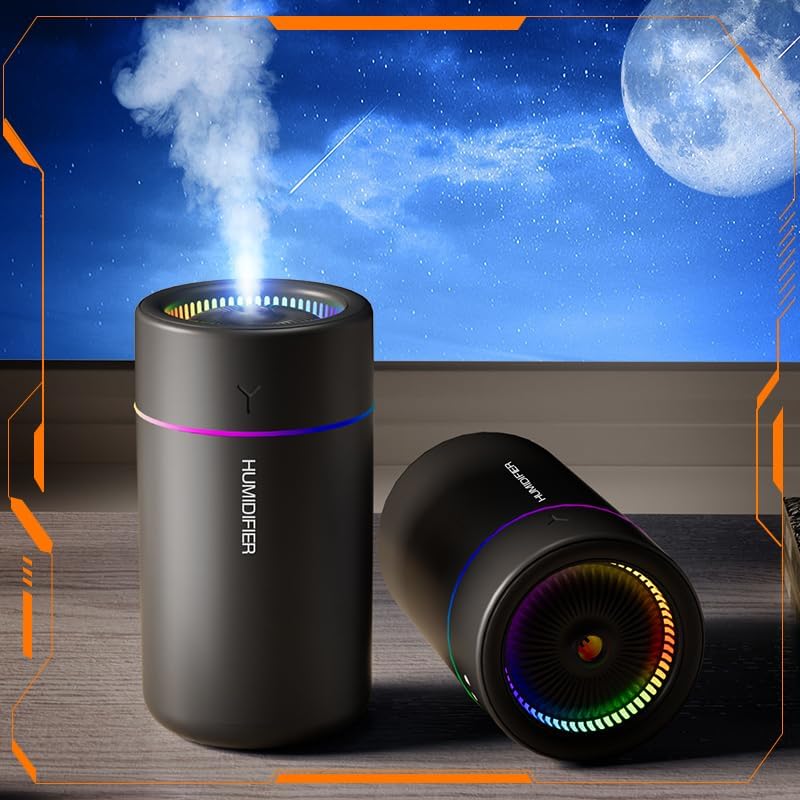
Image 1.1: The KISSWILL LMH-1 Mini USB Desktop Humidifier in operation, showing mist output and ambient lighting.
Key Features:
- Low Noise & Breathing Light: Operates quietly with an integrated warm ambient light.
- Portable & USB Powered: Compact design for easy portability, powered via USB.
- Quiet Ultrasonic Operation: Produces mist at a near-silent frequency (26dB).
- One-Button Control: Simple operation for mist and light functions.
- Two Spray Modes & Auto Shut-Off: Offers continuous and intermittent mist modes with automatic shut-off for safety when water levels are low.
2. Package Contents
Please verify that all items listed below are included in your package:
- Humidifier Body (1 Pcs)
- Instruction Manual (1 Pcs)
- USB-C Cable (1 Pcs)
- Cotton Swab (Pre-installed or spare, 1 Pcs)

Image 2.1: The humidifier body, instruction manual, and USB-C cable as included in the package.
3. Safety Information
- Do not use essential oils or corrosive liquids, as this may damage the humidifier.
- Use only clean tap water or distilled water.
- Ensure the humidifier is placed on a stable, flat surface.
- Do not immerse the device in water or other liquids.
- Keep out of reach of children and pets.
- Unplug the device before cleaning or refilling.
- Do not block the mist outlet.
4. Setup
4.1 Initial Preparation
- Unpack all components from the box.
- Remove the top cover of the humidifier.
- Locate the cotton swab (filter) inside the central tube. Ensure it is properly seated. If it is dry, soak it in water for 5-10 minutes before first use to ensure proper misting.
4.2 Filling the Water Tank
- Carefully fill the water tank with clean tap water or distilled water. Do not exceed the maximum fill line.
- Replace the top cover securely.
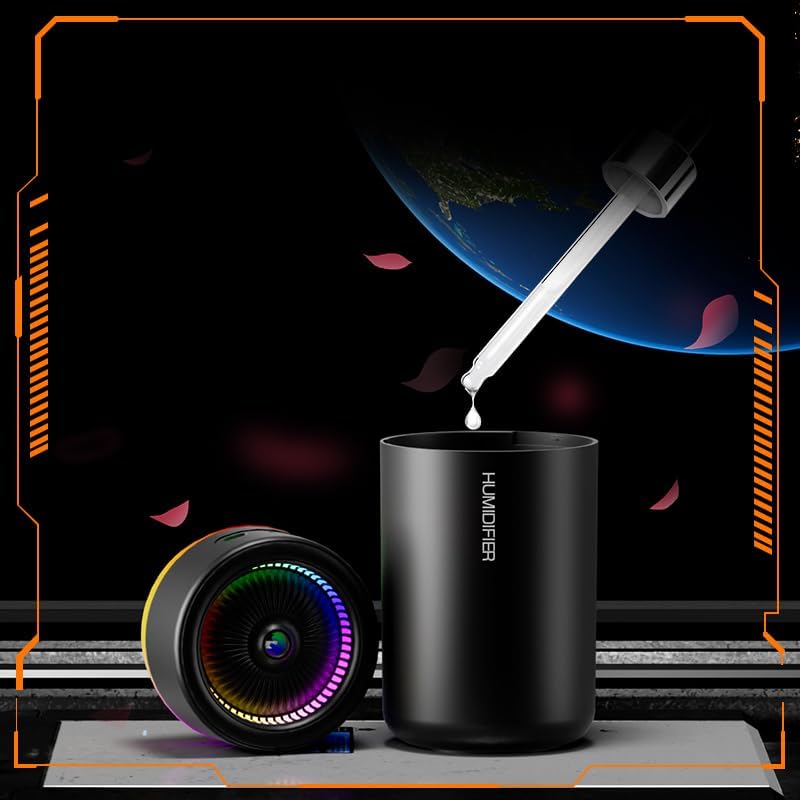
Image 4.1: Illustration of adding water to the humidifier tank.
4.3 Power Connection
Connect the provided USB-C cable to the humidifier's power port and the other end to a compatible USB power source (e.g., computer, power bank, USB wall adapter).
5. Operating Instructions
The humidifier is controlled by a single button located on the device.
5.1 Mist Control
- First Press: Activates continuous spray mode. The humidifier will automatically shut off after 4 hours.
- Second Press: Switches to intermittent spray mode (sprays for a few seconds, then pauses). The humidifier will automatically shut off after 6 hours.
- Third Press: Stops the spray function.
5.2 Light Control
- Long Press (hold for 3 seconds): Turns the ambient light on or off.
5.3 Automatic Shut-Off
The humidifier is equipped with an automatic shut-off feature that activates when the water level is low, preventing dry burning and ensuring safety.
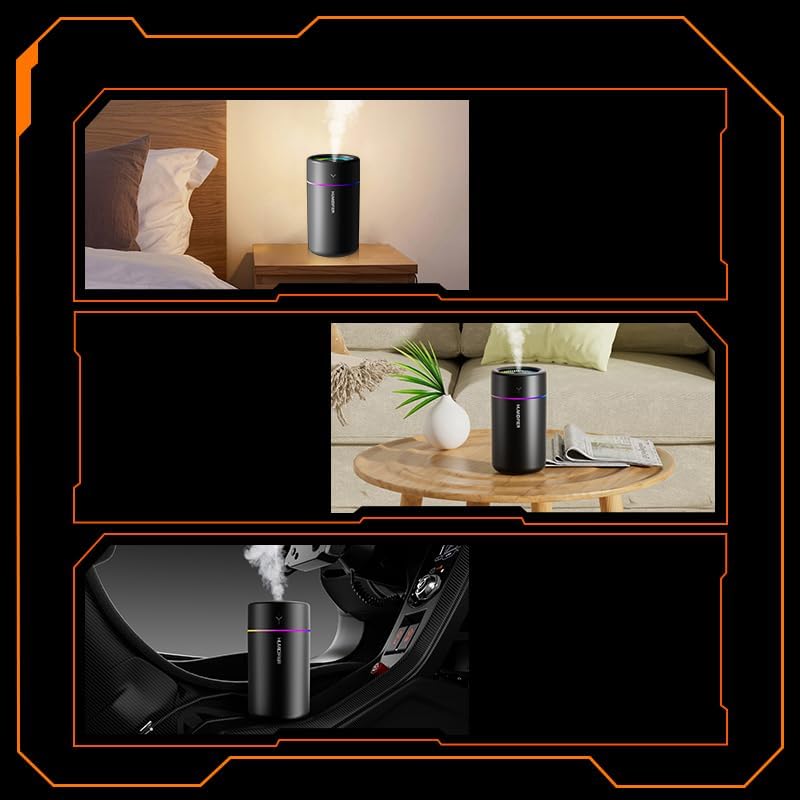
Image 5.1: The humidifier being used in a bedroom, office, and car environment.
6. Maintenance
Regular maintenance ensures optimal performance and extends the lifespan of your humidifier.
6.1 Cleaning the Water Tank
- Unplug the humidifier and remove the top cover.
- Empty any remaining water from the tank.
- Wipe the inside of the tank with a soft, damp cloth. For stubborn mineral deposits, use a small amount of white vinegar diluted with water, then rinse thoroughly.
- Do not use harsh chemicals or abrasive cleaners.
6.2 Replacing the Cotton Swab (Filter)
The cotton swab should be replaced every 1-3 months, or sooner if you notice reduced mist output or a strange odor. Replacement swabs can be purchased separately.
- Unplug the humidifier and remove the top cover.
- Gently pull out the central tube containing the cotton swab.
- Remove the old cotton swab and insert a new one, ensuring it is fully saturated with water before reassembling.
- Reinsert the tube and replace the top cover.
7. Troubleshooting
| Problem | Possible Cause | Solution |
|---|---|---|
| No mist or low mist output |
|
|
| Humidifier not turning on |
|
|
| Leaking water |
|
|
8. Specifications

Image 8.1: The physical dimensions of the humidifier, approximately 2.75 inches in diameter and 5.19 inches in height.
| Feature | Detail |
|---|---|
| Model Name | LMH-1 |
| Product Dimensions | 2.75"D x 2.75"W x 5.19"H |
| Item Weight | 5 ounces |
| Voltage | 5 Volts |
| Wattage | 2.5 watts |
| Operation Mode | Vaporizer (Ultrasonic) |
| Special Feature | Auto Shut Off |
| Noise Level | 26dB (approx.) |
9. Warranty and Support
For warranty information or technical support, please refer to the contact details provided on the product packaging or contact your retailer. Keep your purchase receipt as proof of purchase.