
Introduction
This manual provides detailed instructions for the assembly, operation, maintenance, and troubleshooting of your vidaXL Wall Mounted Bedside Cabinets with LED Lights. Please read this manual thoroughly before beginning assembly or use to ensure safe and correct installation and operation. Keep this manual for future reference.

Image: The vidaXL Wall Mounted Bedside Cabinets installed in a bedroom, showcasing the integrated LED lighting.
Safety Information
- Read all instructions: Ensure you understand all assembly steps and safety warnings before proceeding.
- Two-person assembly: Assembly requires two people for safety and ease of installation.
- Wall mounting: This product is designed for wall mounting. Ensure the wall material is suitable for supporting the weight of the cabinets and their contents. Use appropriate wall fixings (screws, wall plugs) for your specific wall type. Wall fixings are not included.
- Electrical safety: The LED lights operate via a USB plug (5V). Do not connect to power sources exceeding 5V. Ensure the USB power adapter (not included) is certified and in good working condition.
- Indoor use only: This product is intended for indoor use only.
- Children and pets: Keep small parts and packaging materials away from children and pets during assembly.
Package Contents
Your package should contain the following items for two bedside cabinets:
- Engineered wood panels for two cabinets
- Drawer components for two drawers per cabinet
- Drawer slides and hardware
- Mounting brackets for wall installation
- RGB LED light strips (2 sets)
- LED controllers (2 units)
- USB plugs for LED power (2 units)
- Assembly hardware (screws, dowels, etc.)
Note: Wall mounting hardware (screws, wall plugs) and a USB power adapter are NOT included.
Setup and Assembly
Assembly is required and recommended for two people. Please follow the included graphical assembly instructions carefully. The general steps are outlined below:
- Unpack and Identify Parts: Carefully unpack all components and verify against the parts list in your separate assembly guide.
- Assemble Cabinet Frame: Connect the engineered wood panels to form the main cabinet structure using the provided hardware.
- Assemble Drawers: Construct the two drawers for each cabinet. Install the drawer slides onto both the drawers and the cabinet frame.
- Install Mounting Brackets: Attach the mounting brackets to the back of each cabinet using the provided screws.
- Prepare Wall for Mounting:
- Determine the desired height and position for your cabinets.
- Mark the drilling points on the wall, ensuring they are level and spaced correctly for the cabinet's mounting brackets.
- Drill pilot holes suitable for your chosen wall fixings (not included).
- Insert appropriate wall plugs (not included) if necessary for your wall type (e.g., drywall, concrete).
- Mount Cabinets to Wall: With assistance, carefully lift each cabinet and align its mounting brackets with the drilled holes. Secure the cabinets to the wall using appropriate screws (not included) that engage with the wall plugs or studs. Ensure the cabinets are stable and securely fastened before use.
- Install LED Lights:
- Adhere the LED light strip to the designated area on the underside or back of the cabinet.
- Connect the LED strip to the LED controller.
- Connect the LED controller to the USB plug.

Image: Dimensional diagram of the bedside cabinet, showing width, length, and height measurements.

Image: Detail of the cabinet's mounting bracket for wall attachment.
Operating Instructions (LED Lights)
The integrated RGB LED lights offer customizable settings to enhance your room's ambiance.
- Power Connection: Connect the USB plug of the LED light system to a standard 5V USB power adapter (not included) or a compatible USB port.
- Using the Controller: The LED controller allows you to adjust the lighting.
- MODE/DEMO: Press to cycle through different lighting modes and effects.
- SPEED (+/-): Adjust the speed of dynamic lighting modes.
- COLOR: Press to change the static color of the LED lights.
- Brightness (Sun icon): Adjust the brightness level.
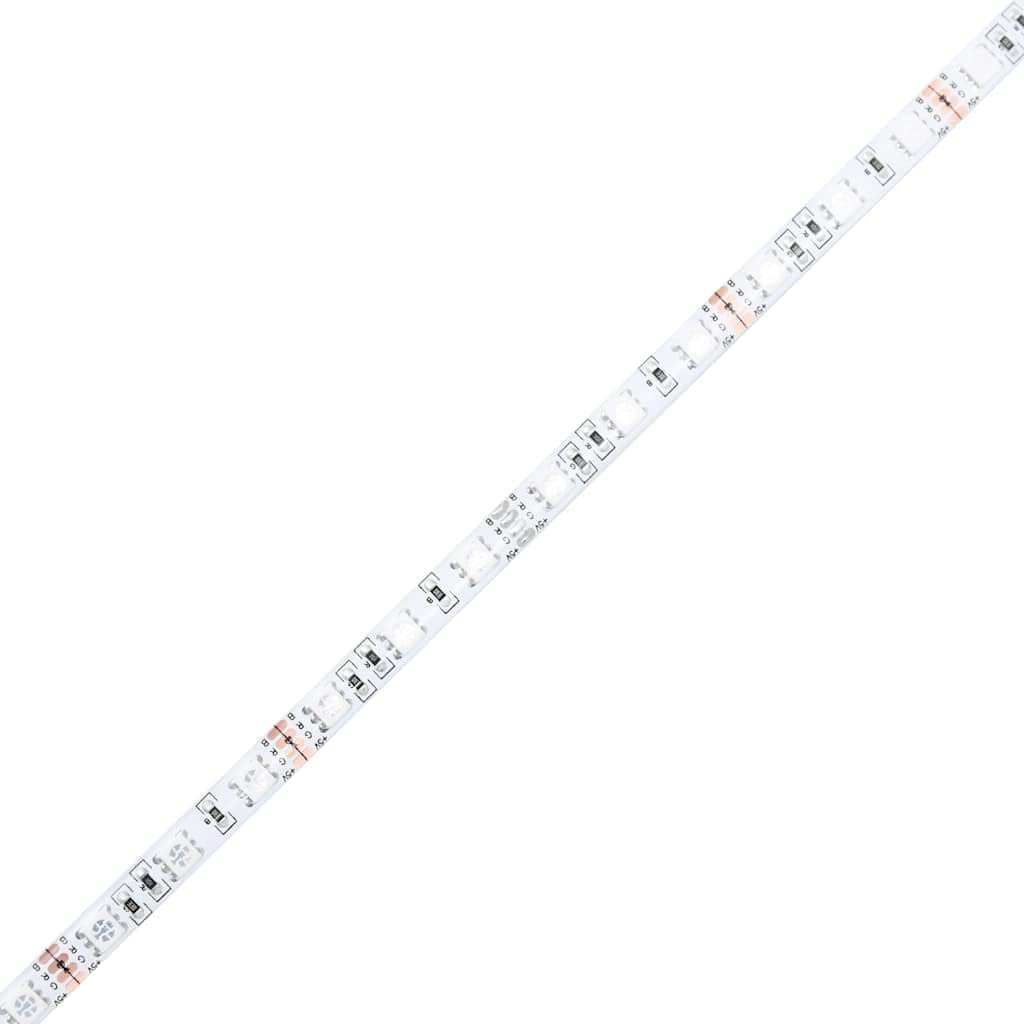
Image: The RGB LED light strip.

Image: The LED light controller with function buttons.

Image: The USB power plug for the LED lights.
Maintenance
- Cleaning: Wipe surfaces with a soft, damp cloth. Avoid abrasive cleaners or harsh chemicals that may damage the engineered wood finish.
- Dusting: Regularly dust the cabinets to prevent buildup.
- Check Connections: Periodically check all screws and connections to ensure they remain tight and secure, especially for wall mounting.
- LED Care: Ensure the LED strips and controller are kept dry. Do not attempt to repair or modify the LED components.
Troubleshooting
| Problem | Possible Cause | Solution |
|---|---|---|
| Cabinet feels unstable after mounting. | Improper wall fixings; loose screws; unsuitable wall material. | Ensure appropriate wall plugs and screws are used for your wall type. Tighten all mounting screws. Consult a professional if unsure about wall suitability. |
| Drawers do not slide smoothly. | Incorrect drawer slide installation; obstruction; misaligned cabinet frame. | Verify drawer slide installation according to the assembly guide. Check for any obstructions. Ensure the cabinet frame is assembled squarely. |
| LED lights do not turn on. | USB power not connected; faulty USB adapter; loose connections; faulty LED component. | Ensure the USB plug is securely connected to a working 5V USB power adapter. Check all connections between the LED strip, controller, and USB plug. Try a different USB power adapter. |
| LED remote control not responding. | Controller not connected; interference; faulty controller. | Ensure the controller is properly connected to the LED strip and USB power. Ensure there are no obstructions between the controller and the LED receiver. |
Specifications
| Model Number | 836813 |
| Brand | vidaXL |
| Material | Engineered Wood |
| Color | White |
| Finish | Matte |
| Number of Items | 2 (Set of two bedside cabinets) |
| Dimensions (W x L x H) | 15.4 x 19.7 x 16.1 inches (39 x 50 x 41 cm) per cabinet |
| Item Weight | 61.7 lbs (27.72 kg) for the set |
| LED Voltage | 5V (USB powered) |
| Assembly Required | Yes |
| Mounting Type | Wall Mounted (fixings not included) |
| Room Type | Bedroom |
Warranty and Support
For warranty information or technical support, please refer to the purchase documentation or contact vidaXL customer service directly. Contact details can typically be found on the retailer's website or on the original product packaging.
You can visit the vidaXL store online for more information: vidaXL Store