1. Introduction
Thank you for purchasing the Generic 750 Lumen Rechargeable Ultra-Compact Magnetic LED Floodlight. This manual provides essential information for the safe and efficient operation of your new floodlight. Please read it thoroughly before use and retain it for future reference.
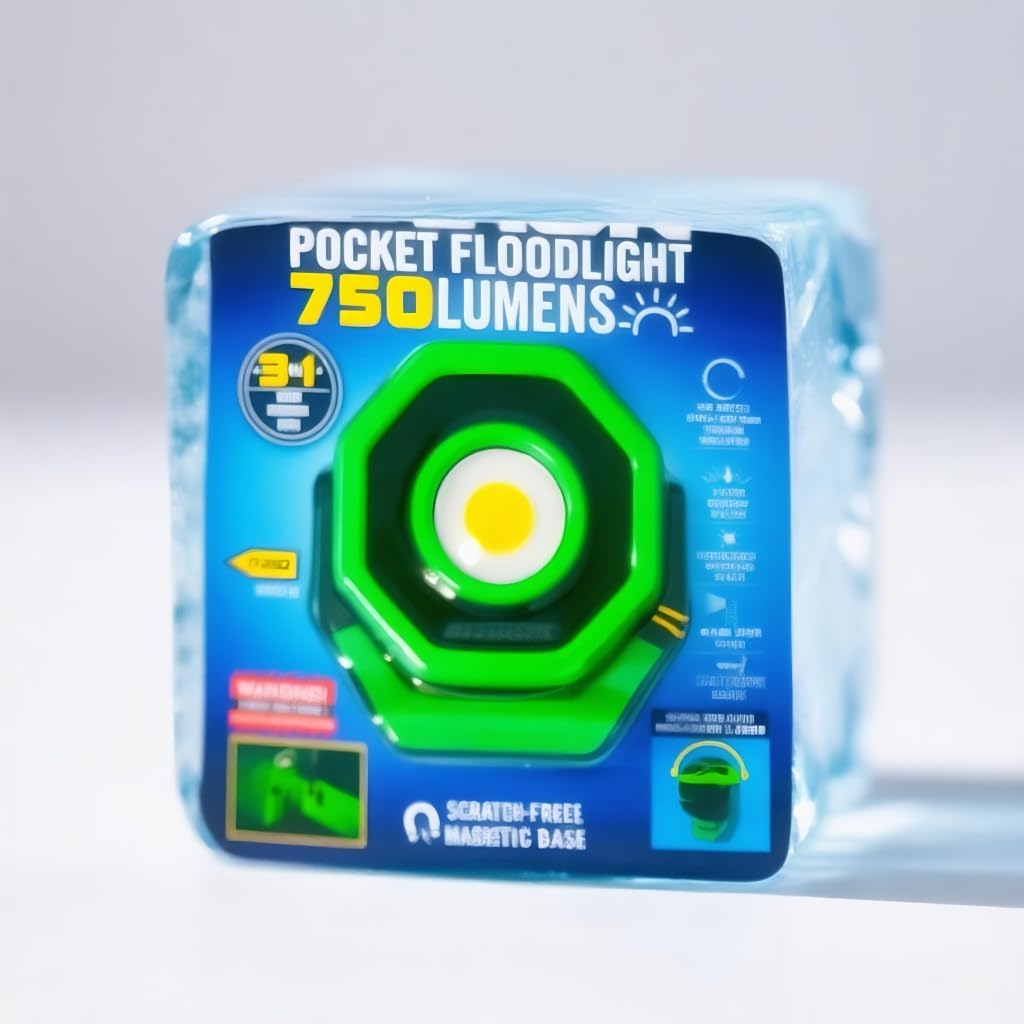
This ultra-compact floodlight delivers 750 lumens of bright, wide-area illumination. Its durable aluminum housing, 360-degree rotating head, and scratch-free magnetic base make it a versatile tool for various tasks. The integrated rechargeable battery and USB-C charging port ensure convenience and portability.
2. Safety Information
- Eye Safety: Do not stare directly into the LED light. The intense light can cause temporary vision impairment or eye damage.
- Heat: The floodlight may become warm during extended use. Avoid prolonged direct contact with the light head when in operation.
- Water Resistance: This product is water-resistant, not waterproof. Do not submerge it in water.
- Battery Care: Use only the provided USB-C cable for charging. Do not attempt to open or replace the internal battery. Avoid exposing the battery to extreme temperatures or fire.
- Children: Keep out of reach of children.
- Magnetic Base: Be aware of the strong magnetic base. Keep it away from sensitive electronic devices, credit cards, and pacemakers.
3. Package Contents
- 1 x Generic 750 Lumen Rechargeable Ultra-Compact Magnetic LED Floodlight
- 1 x Rechargeable Battery (integrated)
- 1 x USB-C Charging Cord
4. Product Features
- Ultra-Bright Illumination: Delivers 750 lumens for wide-area lighting.
- 360° Rotating Head: Allows for precise light positioning.
- Durable Construction: Features impact-resistant aluminum housing.
- Magnetic Base: Scratch-free rubberized magnetic base for secure attachment to metal surfaces.
- Rechargeable: Integrated battery with convenient USB-C charging.
- Compact Design: Small enough to fit in the palm of your hand for easy portability.
5. Setup
5.1 Initial Charging
- Locate the USB-C charging port on the floodlight.
- Connect the provided USB-C charging cord to the floodlight.
- Plug the other end of the USB-C cord into a compatible USB power source (e.g., wall adapter, computer USB port).
- The charging indicator light will illuminate (color may vary) to show that the device is charging.
- Allow the floodlight to charge completely before first use. The indicator light will change or turn off when fully charged.
6. Operating Instructions
6.1 Power On/Off and Light Modes
- Press the power button once to turn the floodlight ON.
- Subsequent presses of the power button will cycle through available light modes (e.g., High, Low, Strobe, Off). Refer to the product packaging or specific model details for exact mode sequences.
- To turn OFF the floodlight, cycle through all modes until the light turns off, or press and hold the power button for a few seconds (if applicable to your model).
6.2 Adjusting Light Direction
- The floodlight features a 360-degree rotating head. Gently pivot the light head to direct the beam to your desired area.
6.3 Using the Magnetic Base
- The integrated magnetic base allows you to attach the floodlight securely to any ferrous metal surface.
- Ensure the surface is clean and free of debris for optimal magnetic adhesion.
- The rubberized coating on the base helps prevent scratching of surfaces.
7. Maintenance
7.1 Cleaning
- Wipe the floodlight with a soft, damp cloth to remove dirt and dust.
- Do not use abrasive cleaners or solvents, as these may damage the finish or internal components.
7.2 Battery Care and Storage
- To prolong battery life, avoid fully discharging the battery frequently.
- If storing the floodlight for an extended period, charge it to approximately 50% every 3-6 months.
- Store in a cool, dry place away from direct sunlight and extreme temperatures.
8. Troubleshooting
| Problem | Possible Cause | Solution |
|---|---|---|
| Light does not turn on | Battery is discharged | Charge the floodlight using the USB-C cable. |
| Light is dim | Low battery charge | Recharge the floodlight. |
| Charging indicator not working | Faulty cable or power source | Try a different USB-C cable or power adapter. Ensure connections are secure. |
| Magnetic base not holding | Surface is not ferrous or is dirty | Ensure the surface is made of a magnetic material (e.g., steel, iron) and clean any debris from the base and surface. |
9. Specifications
| Feature | Detail |
|---|---|
| Brightness | 750 Lumens (Maximum) |
| Light Source | LED |
| Battery Type | Lithium-Ion (Integrated) |
| Charging Port | USB-C |
| Voltage | 3.7 Volts (DC) |
| Wattage | 19 Watts |
| Product Dimensions | 4"L x 2"W x 4"H |
| Item Weight | 14.4 ounces |
| Material | Aluminum (Housing) |
| Finish Type | Powder Coated |
| Water Resistance Level | Water Resistant |
| Special Features | Adjustable Light Modes, Durable, Lightweight, Mountable, Rechargeable, Magnetic Base |
10. Warranty and Support
For warranty information or technical support, please refer to the retailer or manufacturer's official website where the product was purchased. Keep your proof of purchase for any warranty claims.


