
Bomieux T6F-Pink
Bomieux Kids Digital Watch
Model: T6F-Pink
Introduction
The Bomieux Kids Digital Watch is designed for children aged 5-15, offering a range of functions including time display, calendar, alarm clock, stopwatch, pedometer, calorie tracking, and mileage recording. Its user-friendly design and durable construction make it suitable for daily wear and various activities.

Image: Front view of the Bomieux Kids Digital Watch in pink, displaying the time.
Setup
1. Charging the Watch
Before first use, ensure the watch is fully charged. The watch features a convenient USB direct charging port. Simply remove the watch dial from the silicone strap and plug it into any standard USB adapter (e.g., smartphone charger, computer USB port).

Image: The watch module detached from its strap, plugged into a laptop's USB port for charging. A power bank is also visible nearby.

Image: A visual guide indicating a charging time of 1 hour and a battery life of 10-20 days with a 65mAh battery. It also advises rotating the module 180 degrees if charging fails.
A full charge typically takes approximately 1 hour and provides 10-20 days of battery life. If the watch does not charge, try rotating the module 180 degrees and reinserting it into the USB port.
2. Initial Time and Date Setting
Upon first use or after a full discharge, you may need to set the correct time and date. Refer to the 'Operating' section for detailed instructions on navigating the watch's settings using its buttons.
3. Wearing the Watch
Once charged, reinsert the watch dial into the silicone strap. Adjust the strap to ensure a comfortable and secure fit on the wrist. The watch is designed to fit wrist sizes from 14cm (5.51in) to 20cm (7.87in).
Operating Instructions
1. Basic Navigation
To activate the screen and view information, simply press the button located on the side of the watch. Repeated presses will cycle through different display modes.
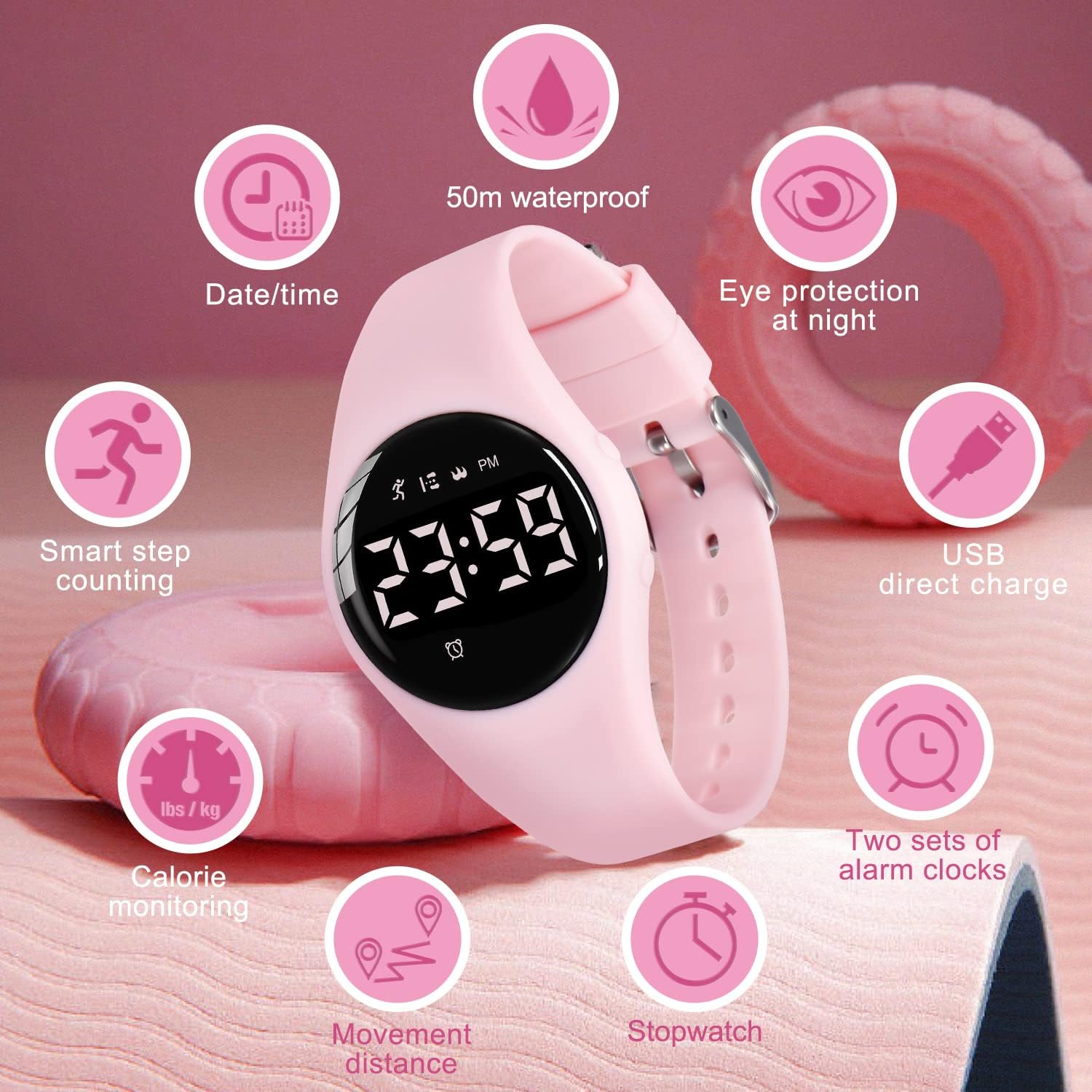
Image: An infographic highlighting the watch's features: Date/Time, 50m waterproof, Eye protection at night, USB direct charge, Two sets of alarm clocks, Stopwatch, Movement distance, Calorie monitoring, and Smart step counting.
2. Fitness Tracking (Pedometer, Calories, Mileage)
The watch automatically tracks steps, calculates calories burned, and records mileage. No app or phone connection is required for these functions. Wear the watch during daily activities to monitor progress.

Image: Three children outdoors, with overlay text showing fitness tracking metrics like 8000 Steps, 1.3km Distance, and 200 Calories, emphasizing no phone linking is needed.
3. Silent Vibration Alarm Clock
The watch allows setting two silent vibration alarms. This feature is ideal for discreet reminders without disturbing others, suitable for quiet environments like classrooms or libraries. To set an alarm, navigate to the alarm setting mode using the watch button and adjust the time as needed.

Image: A child sleeping peacefully with the pink watch on their wrist, illustrating the silent vibrating alarm feature.
4. Water Resistance
The Bomieux Kids Digital Watch is designed to meet daily waterproof needs, including hand washing, splashing, and rainy conditions. It is rated for 50M water resistance. Note: Do not wear the watch when it is completely submerged in water, such as during swimming or bathing, as this may damage the device.

Image: The pink watch with water droplets on its surface, accompanied by text stating "Meet daily waterproof needs 50M Waterproof" and icons for handwashing, rainproof, and splash protection.
Maintenance
Cleaning
To clean the watch, gently wipe the screen and strap with a soft, damp cloth. Avoid using harsh chemicals or abrasive materials, which could damage the watch's finish or components. Ensure the watch is dry before charging or prolonged storage.
Battery Care
To prolong battery life, avoid fully discharging the watch frequently. Charge it when the battery indicator is low. Store the watch in a cool, dry place when not in use for extended periods.

Image: A detailed view of the watch's construction, highlighting its detachable adjustable strap, 1cm shell thickness, rugged stainless steel back cover, and soft and comfortable strap.
Troubleshooting
| Problem | Possible Cause | Solution |
|---|---|---|
| Watch not charging | Incorrect orientation of the watch module in the USB port; faulty USB port/adapter. | Rotate the watch module 180 degrees and reinsert it. Try a different USB port or adapter. |
| Screen not turning on | Low battery; watch is off. | Charge the watch. Press the side button to wake the screen. |
| Fitness tracking inaccurate | Loose fit; unusual arm movements. | Ensure the watch is worn snugly on the wrist. Tracking may vary slightly with non-walking movements. |
| Alarm not vibrating | Alarm not set correctly; watch battery is too low. | Verify alarm settings. Charge the watch. |
Specifications
- Model Number: T6F-Pink
- Case Thickness: 12.4mm (0.49 inches)
- Product Weight: 25g (0.88 oz)
- Band Length: 22.5cm (8.86 inches)
- Fit Wrist Circumference: 14cm (5.51 inches) to 20cm (7.87 inches)
- Battery Capacity: 65mAh
- Charging Time: Approximately 1 hour
- Battery Life: 10-20 days (typical use)
- Water Resistance: 50M (suitable for hand washing, splashing, rain; not for swimming or bathing)
- Display: LED Digital
- Functions: Time, Date, Alarm, Stopwatch, Pedometer, Calories, Mileage

Image: A technical diagram illustrating the watch's dimensions, including case thickness, product weight, and band length, along with wrist fit range.
Warranty and Support
Bomieux is committed to providing high-quality products. If you encounter any issues or have questions regarding your Bomieux Kids Digital Watch, please contact our customer support team. Refer to your purchase documentation for specific warranty details and contact information.
Ask a question about this manual
Ask about setup, troubleshooting, compatibility, parts, safety, or missing instructions. Manuals+ will review the question and use this page’s manual context to help answer it.