
REPTITRIP RP-168-A
REPTITRIP Reptile Fogger User Manual
Model: RP-168-A
4L Terrariums Humidifier for Amphibians and Reptiles
1. Introduction
Thank you for choosing the REPTITRIP RP-168-A Reptile Fogger. This device is designed to provide optimal humidity levels for your reptiles and amphibians in terrariums, mimicking natural environmental conditions. It features a silent ultrasonic atomization process and an adjustable mist output to ensure a comfortable habitat for your pets.

Image: The REPTITRIP RP-168-A Reptile Fogger, showing the main unit, adjustable hose, and a chameleon for scale, illustrating its intended use.
2. Key Features
- Silent & Adjustable Mist Volume: Utilizes ultrasonic waves for quiet operation, with an adjustable mist output up to 400 ml/hour.
- Top Filling and Cleaning: Designed for easy refilling and cleaning without needing to invert the water tank.
- 4L Water Tank: Large capacity tank ensures extended operation, with an automatic shut-off and red light indicator when empty.
- Easy Installation: Simple setup process with an adjustable hose ranging up to 59 inches.
- Wide Applications: Suitable for various reptiles, amphibians, and vivariums, including turtles, tortoises, bearded dragons, frogs, geckos, snakes, lizards, and chameleons. Can also be used for plant humidification.

Image: Illustration of the REPTITRIP fogger's quiet operation, indicating a noise level of 23dB, significantly lower than a typical library environment.
3. Package Contents
Please verify that all components are present and in good condition:
- Main Unit (Base with control knob)
- Water Bucket (4L transparent tank)
- Bucket Lid
- Adjustable Hose (up to 59 inches)
- Suction Cups (for hose placement)

Image: An exploded diagram showing the main unit, water bucket, bucket lid, and the adjustable hose with suction cups, detailing each component of the fogger.
4. Important Safety Information
- Always use distilled water when filling the humidifier to prevent mineral buildup and ensure optimal performance.
- Do not bend or kink the fog output hose during operation, as this can cause water to collect and clog the hose, leading to reduced mist output or leakage.
- Unplug the unit from the power outlet before cleaning or refilling.
- Ensure the humidifier is placed on a stable, level surface away from direct sunlight or heat sources.
- Keep out of reach of children and pets.
5. Setup Instructions
- Place the Unit: Position the main unit on a stable, flat surface near your terrarium.
- Assemble the Hose: Connect the adjustable hose to the mist outlet on the top of the main unit. Use the provided suction cups to secure the hose inside or around your terrarium.
- Fill with Water: Remove the bucket lid and fill the 4L water bucket with distilled water. Do not overfill. Replace the lid securely.
- Position the Hose Correctly: Ensure the hose is positioned so that it does not form a "U" shape where water can collect and block the mist. The hose should ideally slope downwards from the humidifier to the terrarium, or be positioned to allow condensation to drain back into the terrarium or evaporate.

Image: A diagram illustrating the correct (sloping downwards) and incorrect ("U" shaped) positioning of the humidifier hose to prevent water accumulation and clogging.
- Connect Power: Plug the power cord into a standard electrical outlet.

Image: The REPTITRIP Reptile Fogger positioned next to a terrarium, with the hose extending into the enclosure, demonstrating a typical setup.
6. Operating Instructions
- Power On: Turn the control knob clockwise to power on the unit. The indicator light will illuminate.
- Adjust Mist Volume: Continue rotating the control knob clockwise to increase the mist output. Rotate counter-clockwise to decrease the mist output. Adjust the mist level according to the humidity requirements of your pet and terrarium size.
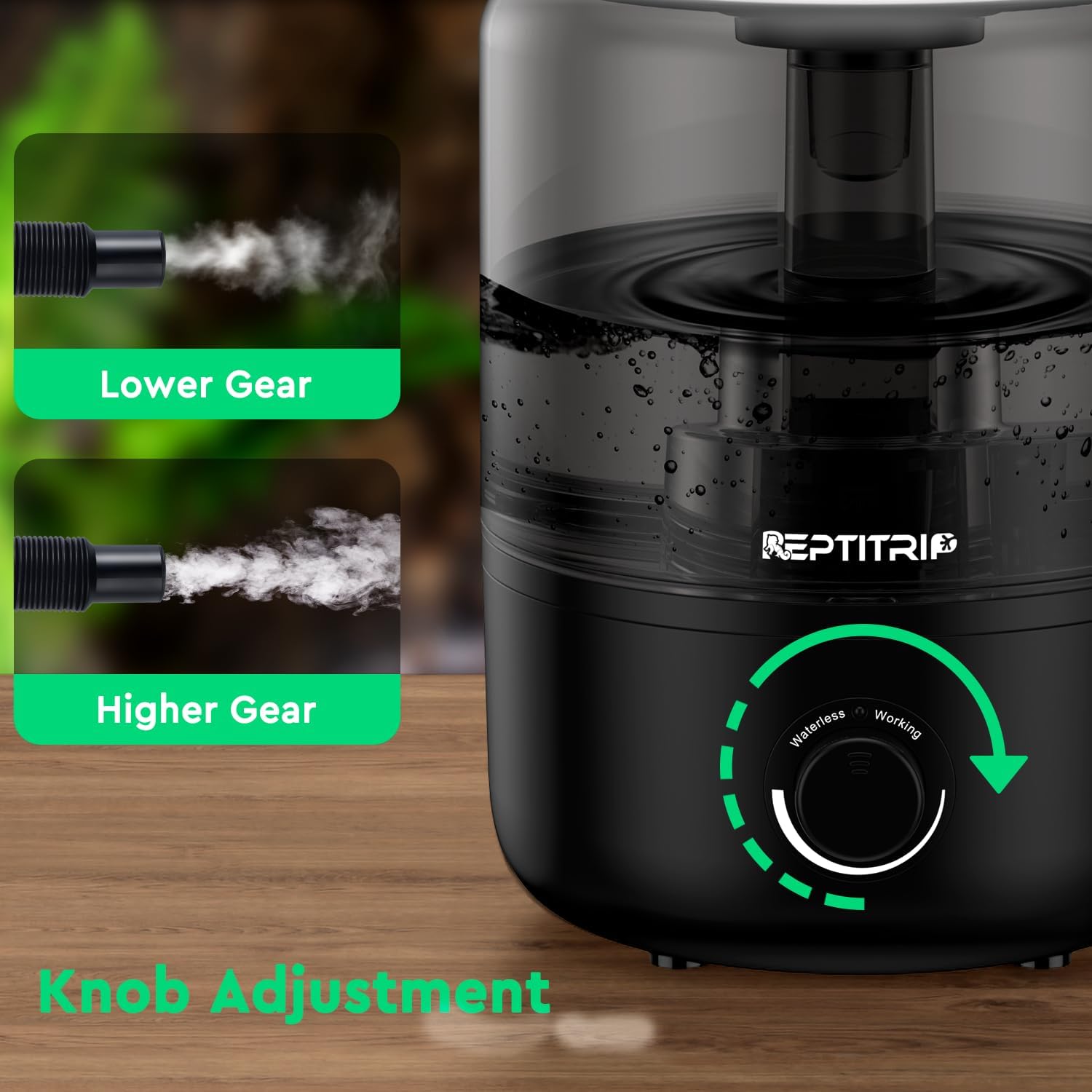
Image: Close-up of the REPTITRIP fogger's control knob, illustrating how to adjust the mist output from lower to higher settings.
- Automatic Shut-off: The unit will automatically shut off and a red light will illuminate when the water tank is empty. Refill the tank as described in the setup section.
- Runtime: A full 4L tank can provide up to 48 hours of continuous runtime on the lowest setting.

Image: Visual representation of the 4L water tank capacity and its ability to provide up to 48 hours of runtime.
7. Maintenance and Cleaning
Regular cleaning is essential to maintain the performance and longevity of your humidifier. Please clean the humidifier regularly, at least once a month.
- Unplug the Unit: Always ensure the humidifier is unplugged from the power outlet before cleaning.
- Empty Water: Remove the water bucket and empty any remaining water.
- Clean Tank and Base: Wipe the inside of the water tank and the base unit with a soft, damp cloth. For mineral deposits, use a solution of white vinegar and water (1:1 ratio) and let it soak for 15-20 minutes before rinsing thoroughly.
- Clean Transducer: Gently clean the ultrasonic transducer (the small metal disc in the base) with a soft brush or cotton swab to remove any mineral buildup. Do not use abrasive materials.
- Rinse and Dry: Rinse all components thoroughly with clean water and allow them to air dry completely before reassembling.
8. Troubleshooting
| Problem | Possible Cause | Solution |
|---|---|---|
| No mist output or very low mist. |
|
|
| Water leaking from the unit. |
|
|
| Unit makes unusual noise. |
|
|
9. Specifications
| Attribute | Detail |
|---|---|
| Brand | REPTITRIP |
| Model Number | RP-168-A |
| Colour | Black |
| Product Dimensions | 18.54 x 18.54 x 26.67 cm (7.3 x 7.3 x 10.5 inches) |
| Capacity | 4 Liters |
| Material | Acrylonitrile Butadiene Styrene, Polycarbonate |
| Item Weight | 1.13 kg (2.5 Pounds) |
| Operation Mode | Ultrasonic |
| Hose Length | Adjustable, up to 59 inches |
10. Warranty and Support
For warranty information or technical support, please refer to the contact details provided with your purchase or visit the official REPTITRIP website. Keep your purchase receipt as proof of purchase.
Ask a question about this manual
Ask about setup, troubleshooting, compatibility, parts, safety, or missing instructions. Manuals+ will review the question and use this page’s manual context to help answer it.