
Huepar S100-LWCA
Huepar 330FT Green Laser Distance Meter S100-LWCA User Manual
Model: S100-LWCA
1. Introduction
This manual provides comprehensive instructions for the safe and effective operation of your Huepar 330FT Green Laser Distance Meter, Model S100-LWCA. Please read this manual thoroughly before using the device to ensure proper functionality and to prevent potential hazards. Keep this manual for future reference.
2. Safety Information
This device emits a Class 2 laser. Observe the following safety precautions:
- Do not stare directly into the laser beam.
- Avoid directing the laser beam at people or animals.
- Do not modify the laser device.
- Keep the device out of reach of children.
- Use the device only for its intended purpose as a distance measuring tool.
- Operating temperature range: 0°C to +40°C (32°F to +104°F).
- Storage temperature range: -10°C to +60°C (14°F to +140°F).
3. Package Contents
Verify that all items are present in your package:
- 1x Huepar 330FT Laser Distance Measuring Tool with Backlit LCD
- 1x Hand Strap
- 1x USB-C Charging Cable
- 2x Rechargeable 1200mAh Capacity NiMh Batteries

Image 3.1: The Huepar 330FT Laser Distance Meter with included hand strap, USB-C charging cable, and two rechargeable NiMh batteries.
4. Product Overview and Features
The Huepar S100-LWCA is a versatile laser distance meter designed for accurate measurements in various applications. Key features include:
- High Accuracy Green Beam: Features a highly visible green laser beam, 4X brighter than standard red beams, with an accuracy of ±1/16-inch (±1.5MM). Laser class: Class 2, type: 490-560nm, <1mW.
- Real-Time Angle Sensor: Built-in digital tilt angle sensor provides real-time measurements with ±1° accuracy.
- 2" Backlit LCD Screen: Large display for easy reading of measurement data.
- Multiple Measurement Modes: Supports angle, area, distance, volume, and 4 Pythagorean measurement modes. Includes continuous measurement, addition, subtraction, and 30 groups of data memory.
- Switchable Units: Easily switch between meters (m), feet (ft), inches (in), and feet+inches (ft+in).
- Durable Design: IP54 rated for water and dust resistance, with a portable size and scratch-proof TPE soft rubber body for a secure grip.
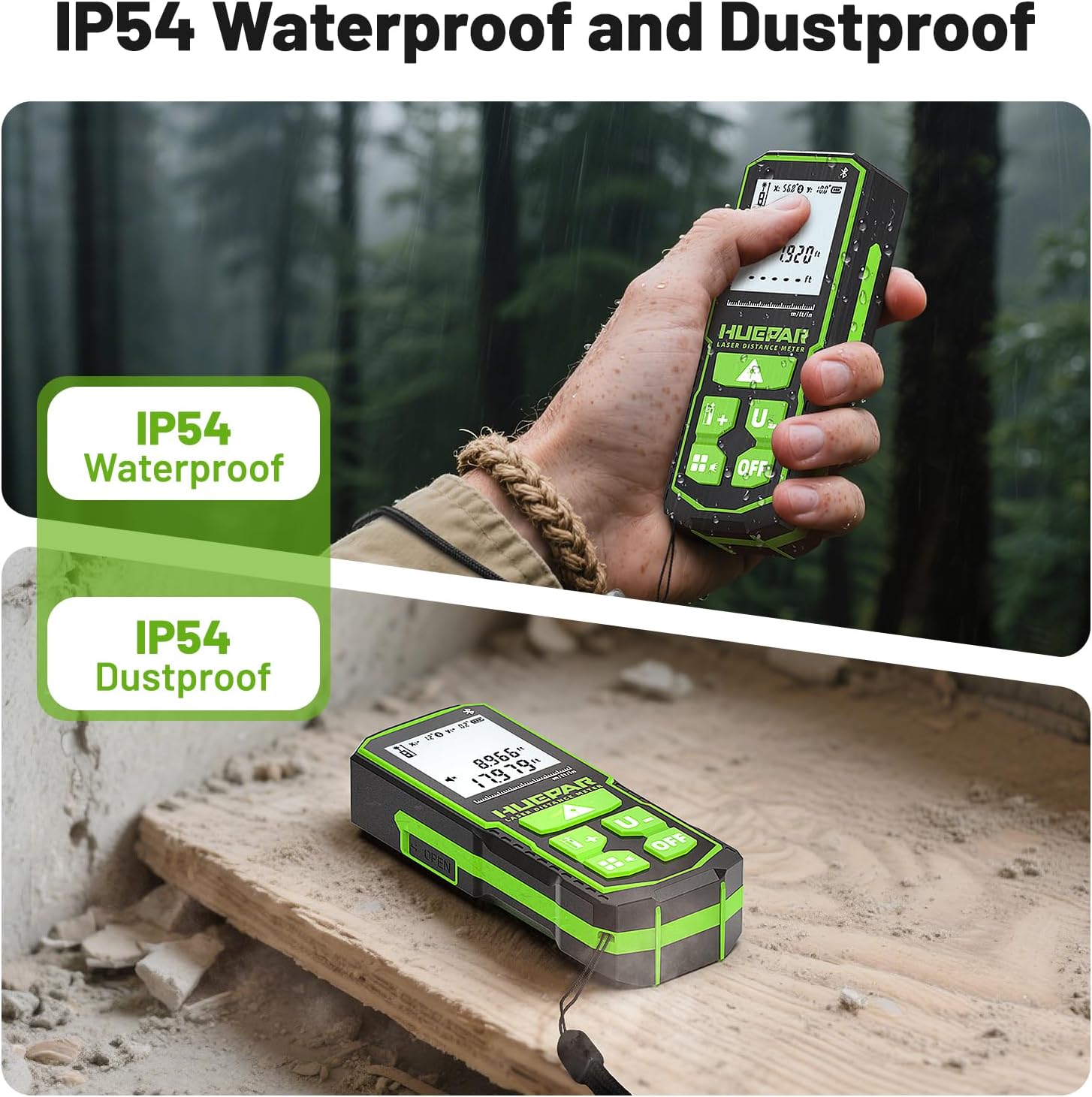
Image 4.1: The device is IP54 rated, providing protection against dust and water splashes.
5. Setup
5.1 Powering the Device
The Huepar S100-LWCA offers three power methods:
- Rechargeable NiMh Batteries: The device comes with two 1200mAh rechargeable NiMh batteries. Insert them into the battery compartment according to the polarity indicators.
- USB-C Power Cord: The device can be powered directly via the included USB-C cable. This also charges the NiMh batteries when installed.
- AA Batteries: The device is compatible with standard AA batteries (not included) as an alternative power source.
The device will automatically shut down after 180 seconds of inactivity to conserve power.

Image 5.1: Illustration of the three power options: rechargeable NiMh batteries, direct USB-C input, and compatibility with AA batteries.
6. Operating Instructions
6.1 Reference Points
The device allows you to select from three reference points for measurement:
- Front Reference: Measures from the front edge of the device.
- Middle Reference: Measures from the tripod mount point (1/4 inch threaded mount).
- Rear Reference: Measures from the rear edge of the device.
Press the reference point button (often indicated by an icon with a ruler and different starting points) to cycle through these options. The selected reference point will be displayed on the screen.

Image 6.1: The device supports measurements from front, middle, and rear reference points for flexibility.
6.2 Basic Distance Measurement
- Turn on the device by pressing the power button.
- Ensure the desired reference point is selected.
- Point the laser beam at the target surface.
- Press the measurement button (often labeled with a triangle or a single line) to take a single distance measurement. The result will be displayed on the screen.
6.3 Continuous Measurement (Tracking)
In continuous measurement mode, the device constantly updates the distance as you move it, displaying the maximum and minimum values. This is useful for finding the shortest or longest distance to a wall or object.
- Press the measurement mode button until the continuous measurement icon appears (often indicated by MAX/MIN).
- Move the device slowly towards or away from the target. The display will show real-time measurements, along with the recorded maximum and minimum distances.
- Press the measurement button again to stop continuous measurement.
6.4 Multiple Measurement Modes
The device supports various measurement functions. Press the mode button (often indicated by a square or multiple lines) to cycle through the following options:
- Distance Measuring: Standard point-to-point distance.
- Area Measuring: Measure two sides (length and width) to calculate the area.
- Volume Measuring: Measure three sides (length, width, height) to calculate the volume.
- Pythagorean Modes (4 types): Used for indirect height or length measurements where direct measurement is not possible. Follow the on-screen prompts to take the required measurements.
- Addition and Subtraction: Add or subtract measurements.

Image 6.2: Overview of the multiple measurement modes available on the device.
6.5 Real-Time Angle Sensor
The integrated angle sensor provides real-time vertical (X) and horizontal (Y) angle readings, enhancing the accuracy of certain measurements, especially in Pythagorean modes.

Image 6.3: The device's display showing real-time angle measurements.
6.6 Switching Measurement Units
To change the measurement unit (m/ft/in/ft+in), long-press the 'U-' button. The unit will cycle through the available options on the display.

Image 6.4: The device supports multiple measurement units for user convenience.
6.7 Data Memory (Record Function)
The device can store up to 30 groups of measurement data. To access or manage stored data, refer to the detailed instructions in the printed user manual (page 13).
7. Maintenance
To ensure the longevity and accuracy of your Huepar Laser Distance Meter, follow these maintenance guidelines:
- Clean the device with a soft, damp cloth. Do not use abrasive cleaners or solvents.
- Keep the laser lens clean and free from dust or debris. Use a lens cleaning cloth if necessary.
- Store the device in a dry, cool place when not in use.
- Remove batteries if the device will not be used for an extended period to prevent leakage.
- Avoid exposing the device to extreme temperatures or direct sunlight for prolonged periods.
8. Troubleshooting
If you encounter issues with your device, refer to the table below for common error codes and corrective measures.
| Error Code | Cause | Corrective Measure |
|---|---|---|
| Err10 | Battery too low | Change batteries or recharge. |
| Err15 | Out of range | Measure target within the specified range. |
| Err16 | Received signal too weak and measuring time too long | Use high reflectivity reflector. |
| Err18 | Background brightness too high | Use low reflectivity reflector. |
| Err26 | Out of display | Measure target within the range. |

Image 8.1: Troubleshooting table from the user manual.
9. Specifications
| Feature | Specification |
|---|---|
| Brand | Huepar |
| Model Number | S100-LWCA |
| Measuring Range | Up to 328 feet (100 meters) |
| Accuracy | ±1/16 inch (±1.5MM) |
| Laser Type | Green Laser, Class 2, 490-560nm, <1mW |
| Angle Range | X: ±90°, Y: ±90° |
| Angular Accuracy | ±1° (for <30° and >60°), ±3° (for ≤85°) |
| Measurement Units | m / ft / in / ft+in |
| Automatic Shutdown | 180 seconds (laser off after 30 seconds) |
| Battery Type | 2x 1200mAh NiMh rechargeable batteries (included), compatible with AA batteries |
| Charging Parameters | 5V-1A |
| IP Rating | IP54 (Water and Dust Resistant) |
| Product Dimensions | 4.72"L x 2"W x 0.78"H (120x50x20mm) |
| Item Weight | 3.53 ounces (100 Grams) |
| Tripod Mount Size | 1/4 inch |
10. Warranty and Support
Huepar provides a 2-Year Free Repair or Replacement warranty for this product. Additionally, customers are offered Lifetime Free Technical Support. For warranty claims or technical assistance, please contact Huepar customer service through their official channels or refer to the contact information provided in the original packaging.
Related Documents - S100-LWCA
 |
Huepar LM50A/LM100A/LM120A Laser Distance Measure User Manual Comprehensive user manual for the Huepar LM50A, LM100A, and LM120A Laser Distance Measure. Learn about product features, safety instructions, operation, and maintenance. |
 |
Huepar LM90C/LM200C Laser Distance Measure with Camera User Manual Comprehensive user manual for the Huepar LM90C/LM200C Laser Distance Measure with Camera, detailing product features, safety guidelines, operational instructions, technical specifications, and warranty information for optimal use. |
 |
Huepar Digital Angle Gauge AG03 User Manual User manual for the Huepar Digital Angle Gauge AG03, detailing product overview, operation, specifications, and warranty information. Includes instructions on battery replacement, power on/off, buzzer prompt, reference measurement, holding measurement values, level measurement modes, menu operations, and calibration. |
 |
Huepar 5011G Self-leveling Cross Line Laser Level User Manual User manual for the Huepar 5011G self-leveling cross line laser level. Provides instructions on product overview, safety, operation, charging, and warranty. |
 |
Huepar Laser Level W04CG Function Introduction and Usage Guide This document provides a detailed introduction to the functions and operation of the Huepar Laser Level W04CG, including status indicators, connection features, laser line control, battery status, and important safety notes. |
 |
Huepar LR-6RG Line Laser Receiver User Manual User manual for the Huepar LR-6RG Line Laser Receiver, detailing safety instructions, product overview, setup, operation, specifications, and warranty information for professional use. |
Ask a question about this manual
Ask about setup, troubleshooting, compatibility, parts, safety, or missing instructions. Manuals+ will review the question and use this page’s manual context to help answer it.