
Sony ILCE-7CM2/B
Sony Alpha 7C II Mirrorless Camera User Manual
Model: ILCE-7CM2/B
Introduction
This manual provides essential information for the safe and effective operation of your Sony Alpha 7C II Mirrorless Full-Frame Interchangeable Lens Camera. The Sony Alpha 7C II is a compact, full-frame mirrorless camera designed for both photography and videography, featuring a 33MP Exmor R CMOS sensor and BIONZ XR processor. It offers advanced autofocus, in-body image stabilization, and high-quality video capabilities.
Please read this manual thoroughly before using the camera and retain it for future reference.
What's Included
Upon unboxing, please verify that all the following items are present:
- Sony Alpha 7C II Mirrorless Camera (Black)
- Sony NP-FZ100 Rechargeable Lithium-Ion Battery (2280mAh)
- Sony ALC-B1EM Body Cap for E-Mount Cameras
- Shoulder Strap
- Accessory Shoe Cap
- Sony 64GB SF-G Tough Series UHS-II SDXC Memory Card
- Soft Bag
- Memory Card Reader
- 12-inch Flexible Tripod
- Cleaning Kit
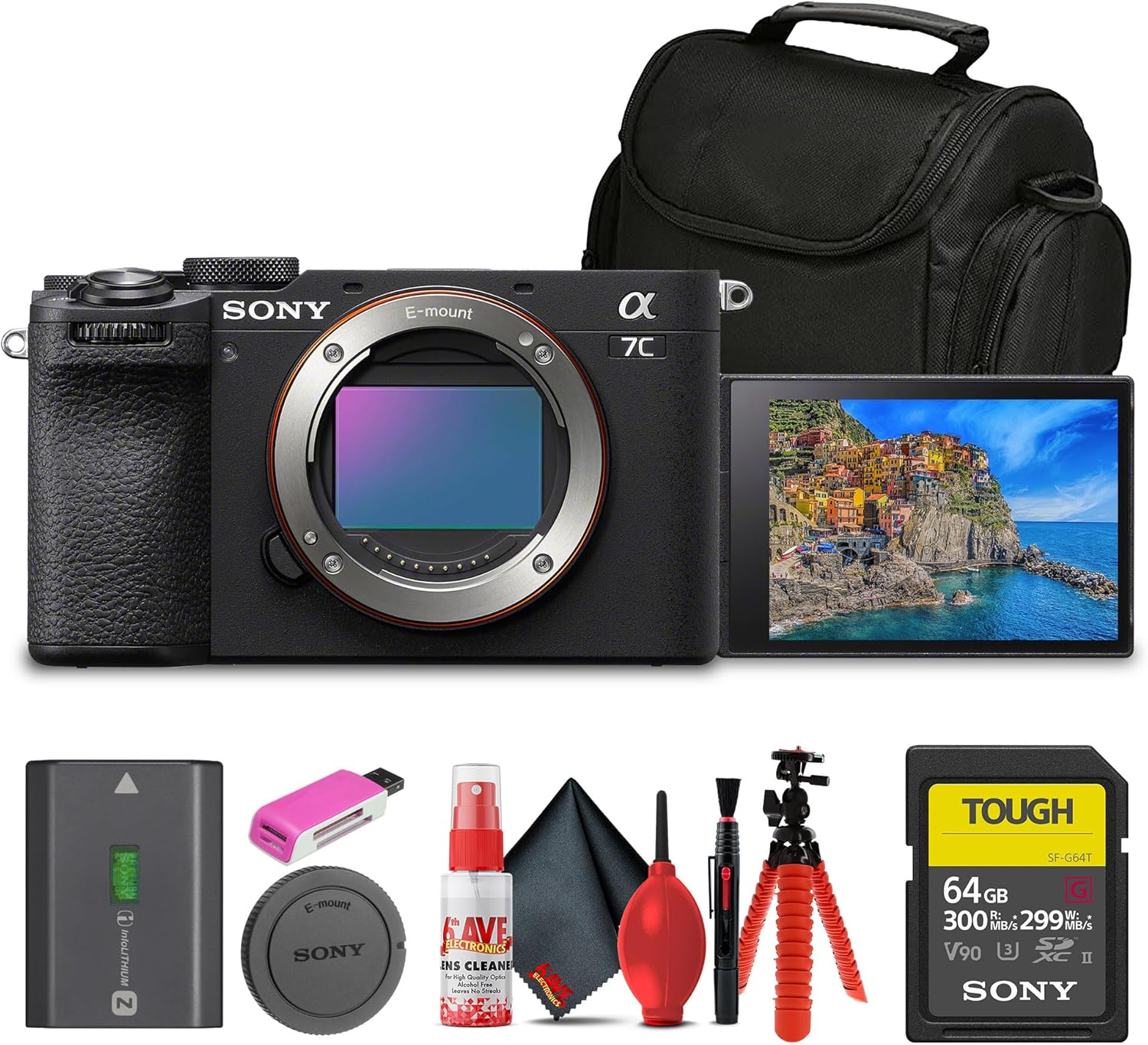
Figure 1: Sony Alpha 7C II camera and its bundled accessories.
Setup Guide
1. Charging the Battery
Before first use, fully charge the supplied NP-FZ100 battery. Insert the battery into the camera and connect the camera to a USB power source using a USB-C cable (not included) or use an external battery charger (sold separately).
2. Inserting the Battery and Memory Card
Open the battery/memory card cover located on the bottom of the camera. Insert the NP-FZ100 battery with the arrow pointing towards the camera, ensuring it clicks into place. Insert the 64GB SF-G Tough Series UHS-II SDXC Memory Card into the card slot with the label facing the correct direction until it locks.

Figure 2: Battery and memory card compartment.
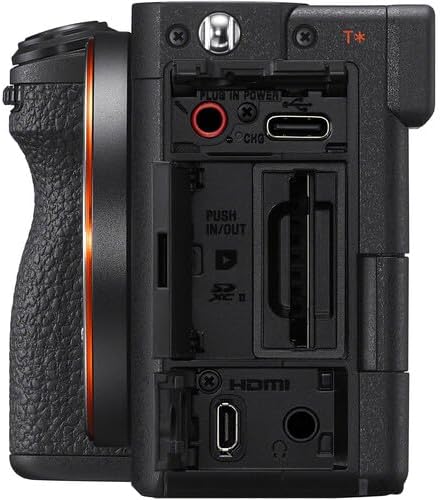
Figure 3: Side ports for connectivity.
3. Attaching a Lens
Remove the body cap from the camera and the rear lens cap from your E-mount lens. Align the white index mark on the lens with the white index mark on the camera body. Insert the lens into the camera mount and rotate it clockwise until it clicks into place.

Figure 4: Front view of the camera body, ready for lens attachment.
4. Initial Settings
Turn the camera on using the ON/OFF switch. Follow the on-screen prompts to set the language, date, time, and time zone. Ensure the memory card is formatted before first use via the camera's menu system (MENU > Setup > Format).
Operating Instructions
1. Powering On/Off
To power on the camera, slide the ON/OFF switch located around the shutter button to the "ON" position. To power off, slide it back to "OFF".

Figure 5: Top controls including the ON/OFF switch.
2. Selecting Shooting Modes
Rotate the Mode Dial on the top of the camera to select your desired shooting mode:
- AUTO: Camera automatically adjusts settings.
- P (Program Auto): Camera sets aperture and shutter speed, you control other settings.
- A (Aperture Priority): You set aperture, camera sets shutter speed.
- S (Shutter Priority): You set shutter speed, camera sets aperture.
- M (Manual Exposure): You control both aperture and shutter speed.
- S&Q (Slow & Quick Motion): For high frame rate or slow motion video.
- Movie: Dedicated mode for video recording.
3. Focusing and Shooting
The camera features advanced autofocus. To focus, half-press the shutter button. The camera will acquire focus. Fully press the shutter button to take a picture. You can also use the touchscreen LCD for touch focus and touch shutter.
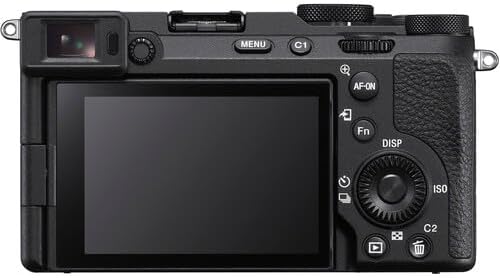
Figure 6: Rear controls and LCD screen.
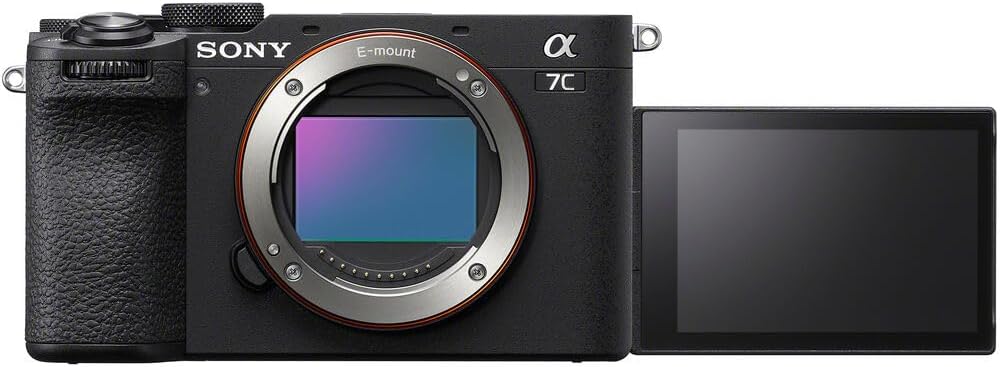
Figure 7: Vari-angle LCD for flexible viewing.
4. Video Recording
To record video, set the Mode Dial to "Movie" or press the dedicated Movie button (if assigned). Press the Movie button again to stop recording. The camera supports 10-bit 4K30p video recording.
5. Playback
Press the PLAY button to enter playback mode. Use the control wheel or touchscreen to navigate through your photos and videos.
Maintenance and Care
1. Cleaning the Camera
- Camera Body: Wipe with a soft, dry cloth. For stubborn dirt, use a cloth lightly dampened with water.
- Lens: Use a lens brush or blower to remove dust. For smudges, use a lens cleaning solution and a microfiber cloth.
- Image Sensor: If dust spots appear on images, use the camera's sensor cleaning function (MENU > Setup > Sensor Cleaning). For persistent dust, professional cleaning is recommended. Do not touch the sensor directly.
- LCD Screen: Gently wipe with a soft, dry cloth. Avoid pressing hard.
The included cleaning kit contains tools suitable for general camera maintenance.
2. Storage
When not in use, store the camera in a cool, dry, and well-ventilated place, away from direct sunlight, high temperatures, humidity, and dust. Remove the battery if storing for extended periods.
Troubleshooting
This section addresses common issues you might encounter. For more detailed troubleshooting, refer to the official Sony support website.
| Problem | Possible Cause / Solution |
|---|---|
| Camera does not turn on. | Battery is depleted. Charge the battery. Battery is inserted incorrectly. Reinsert the battery correctly. |
| Images are blurry. | Lens is not properly attached. Reattach the lens. Shutter speed is too slow. Increase shutter speed or use a tripod. Camera is not in focus. Ensure autofocus is engaged or focus manually. |
| Memory card error. | Memory card is full. Delete unnecessary files or use a new card. Memory card is corrupted. Format the card (this will erase all data). Memory card is not inserted correctly. Reinsert the card. |
| No sound in recorded video. | Microphone settings are off. Check audio recording settings in the menu. External microphone is not connected properly. |
Specifications
| Feature | Detail |
|---|---|
| Model Name | ILCE-7CM2/B |
| Sensor Type | 33MP Full-Frame Exmor R BSI Sensor |
| Image Processor | BIONZ XR |
| Continuous Shooting | Up to 10 fps |
| ISO Range | 50-204800 (Expanded) |
| Video Capabilities | 10-Bit Full-Frame 4K30p Video (S-Log3, S-Gamut3, S-Cinetone, User LUTs) |
| Image Stabilization | 7 Stops of In-Body Image Stabilization |
| Autofocus Points | 759-Point Phase Detection (94% Coverage) |
| Viewfinder | 2.36m-Dot OLED Electronic Viewfinder |
| LCD Screen | 3" 1.03m-Dot Vari-Angle LCD Touchscreen |
| Dimensions (W x H x D) | 5.9 x 5.8 x 2.8 inches |
| Item Weight | 3.26 pounds |
| Compatible Mountings | Sony E |
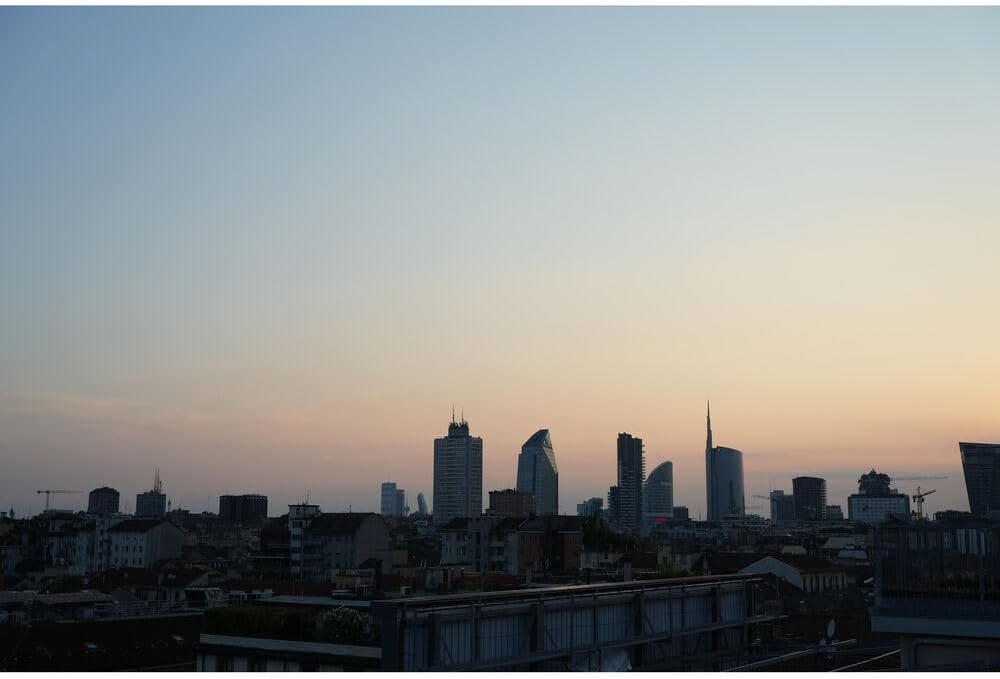
Figure 8: Example of image quality from a Sony camera.
Warranty and Support
This product is sold as "Renewed." Please refer to the specific warranty terms provided by the seller or the Amazon Renewed program at the time of purchase. Typically, renewed products come with a limited warranty from the seller or a third-party refurbisher.
For technical support, product registration, or to download the full, detailed instruction manual, please visit the official Sony support website:
Sony Official Support Page for ILCE-7CM2
No official product videos were provided in the product data for this manual.
Related Documents - ILCE-7CM2/B
 |
Sony α7 IV (ILCE-7M4) Startup Guide & Manual Get started with the Sony α7 IV (ILCE-7M4) full-frame mirrorless camera. This startup guide and manual covers setup, basic shooting, smartphone connectivity, and advanced features for photographers and videographers. |
 |
Sony ILCE-6400/6400L/6400M Service Manual - Technical Guide Detailed service manual for the Sony ILCE-6400, ILCE-6400L, and ILCE-6400M interchangeable lens digital cameras, covering specifications, disassembly, assembly, and repair procedures. |
 |
Sony Alpha α6300: Flagship APS-C Mirrorless Camera with 4K Video and Advanced Autofocus Discover the Sony Alpha α6300, a compact and powerful APS-C mirrorless camera. Featuring a 24.2MP Exmor CMOS sensor, lightning-fast 0.05-second autofocus, 4K movie recording, high-speed shooting capabilities, and a durable magnesium alloy body, it's designed for professional and enthusiast photographers and videographers. |
 |
Sony α9 III (ILCE-9M3) Startup Guide: Get Started with Your New Camera This startup guide for the Sony α9 III (ILCE-9M3) interchangeable lens digital camera provides essential information for initial setup, preparations, and basic operations. Learn how to insert memory cards, attach lenses, prepare the battery, and begin shooting with your new Sony camera. Refer to the comprehensive Help Guide for detailed instructions. |
 |
Sony Alpha 7 IV: Startup Guide and Web Manual Explore the Sony Alpha 7 IV, a high-performance mirrorless interchangeable lens camera. This guide provides essential setup instructions, basic operations, and important usage notes. |
 |
Sony ILCE-7S Service Manual This service manual provides detailed technical information, repair procedures, and parts lists for the Sony ILCE-7S (Alpha 7S) interchangeable lens digital camera. It is intended for trained service technicians. |
Ask a question about this manual
Ask about setup, troubleshooting, compatibility, parts, safety, or missing instructions. Manuals+ will review the question and use this page’s manual context to help answer it.