
Introduction
Thank you for choosing the Marg Replacement 48V AC Adapter Power Supply. This manual provides essential information for the safe and efficient use of your new power adapter. This product is designed to provide reliable power to compatible devices, specifically the LG IPECS LIP-8012D Business IP Phone.
Please read this manual thoroughly before using the product and retain it for future reference.
Important Safety Information
WARNING: To reduce the risk of fire, electric shock, or injury, always follow basic safety precautions when using this product.
- Ensure the power adapter's voltage and current specifications match your device's requirements.
- Do not expose the adapter to water, moisture, or extreme temperatures.
- Avoid dropping or subjecting the adapter to strong impacts.
- Do not attempt to open, modify, or repair the adapter yourself. Refer all servicing to qualified personnel.
- Keep the adapter away from children and pets.
- Unplug the adapter from the power outlet when not in use for extended periods.
- Ensure proper ventilation around the adapter during operation to prevent overheating.
Package Contents
Verify that all items are present in your package:
- 1 x Marg Replacement 48V AC Adapter Power Supply
- (Power cord may be integrated or separate, depending on model)
Setup Instructions
- Inspect the Adapter: Before connecting, visually inspect the power adapter and its cables for any signs of damage. Do not use if damaged.
- Connect to Device: Plug the DC output connector of the power adapter into the power input port of your LG IPECS LIP-8012D Business IP Phone. Ensure a secure connection.
- Connect to Power Outlet: Insert the AC input plug of the power adapter into a standard wall power outlet. Ensure the outlet provides the correct voltage (240 Volts as per specifications).
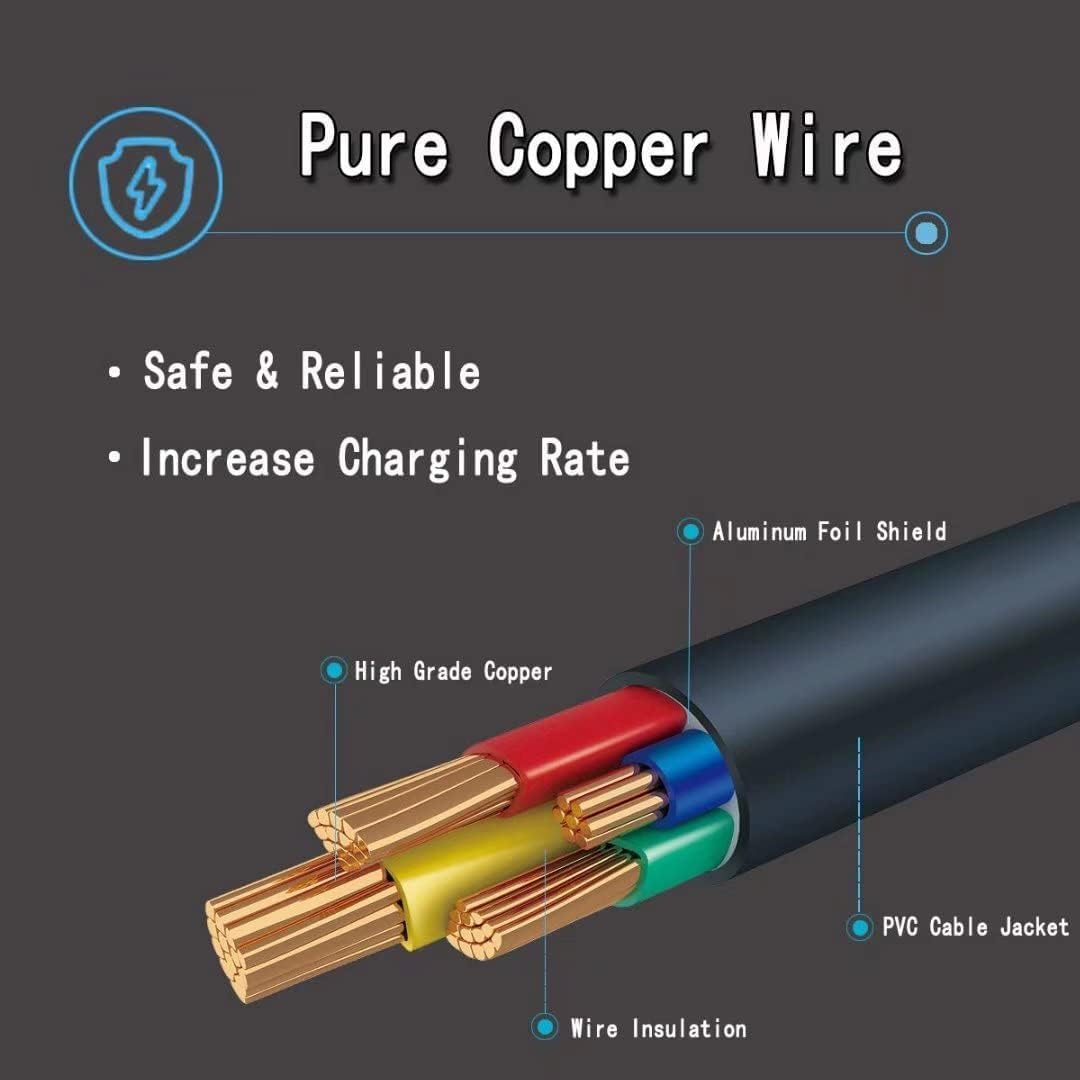
Image: The Marg 48V AC Adapter connected to a wall outlet, providing power to a device (not fully visible) on a wooden desk. A cactus and a globe are also on the desk.
Once connected, your device should power on or begin charging. If not, refer to the Troubleshooting section.
Operating Instructions
The Marg 48V AC Adapter is designed for continuous operation. Once properly connected, it will supply stable power to your compatible device.
- Power On/Off: The adapter itself does not have an on/off switch. Power is controlled by plugging/unplugging from the wall outlet or by the connected device's power controls.
- Charging Indicator: If your device has a charging indicator, observe it to confirm that power is being supplied.
- Disconnecting: To disconnect, first unplug the adapter from the wall outlet, then disconnect it from your device.
Maintenance and Care
- Cleaning: Disconnect the adapter from all power sources before cleaning. Use a soft, dry cloth to wipe the exterior. Do not use liquid cleaners or aerosols.
- Storage: When not in use, store the adapter in a cool, dry place, away from direct sunlight and extreme temperatures. Avoid tightly winding the cables to prevent damage.
- Inspection: Periodically inspect the adapter and cables for any signs of wear, cuts, or damage. Replace the adapter if any damage is found.
Troubleshooting
| Problem | Possible Cause | Solution |
|---|---|---|
| Device not powering on/charging. |
|
|
| Adapter feels hot during use. |
|
|
| Sparking when plugging into outlet. |
|
|
Product Features
The Marg 48V AC Adapter is built with quality components to ensure reliable and safe power delivery.

Image: A detailed diagram illustrating the construction of the power cable, highlighting its pure copper wire core, wire insulation, aluminum foil shield, and PVC cable jacket for safety and durability.
- Efficient Charging: Designed for rapid and efficient power delivery.
- Compact Design: Portable and suitable for various environments.
- Reliable Performance: Provides stable power output.
- Safety Features: Includes protection against overcharging and overheating.
- Durable Construction: Features pure copper wire for safe and reliable power transmission.
Specifications
| Brand | Marg |
| Model Number | B46946658 |
| Input Voltage | 240 Volts |
| Output Voltage/Current | 48V (for compatible devices) |
| Compatible Devices | LG IPECS LIP-8012D Business IP Phone, PC (general compatibility) |
| Connector Type | ACC |
| Special Feature | Charging function |
| Color | BLACK |
| Material | Plastic |
| Certifications | CE, FCC |
| Connectivity Technology | Powerline |
Note: The voltage and current mentioned in the product title (e.g., 48V) refer to the compatible device's requirements. The power supply's actual output specifications are designed to meet these.
Warranty and Support
This Marg power adapter comes with a 2-year warranty from the date of purchase, covering manufacturing defects.
For technical support, warranty claims, or any questions regarding your product, please contact Marg customer service through the retailer where the product was purchased or visit the official Marg website.
Please have your model number (B46946658) and proof of purchase ready when contacting support.