
1. Introduction
This manual provides essential instructions for the assembly, operation, maintenance, and troubleshooting of your CollaredEagle Twin Bed Frame (Model BF002). Please read this manual thoroughly before assembly and use to ensure safe and correct operation. Keep this manual for future reference.
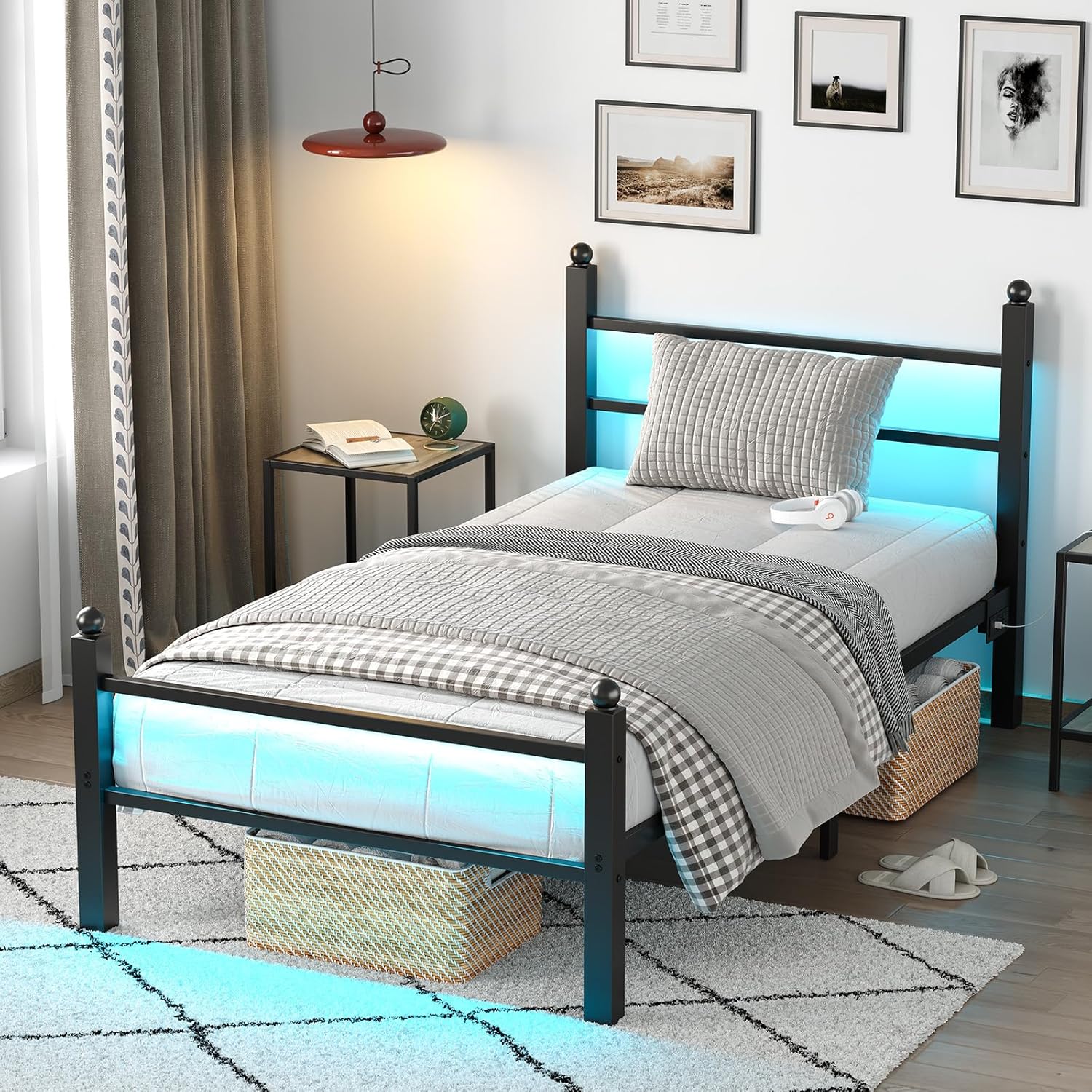
Image 1.1: The CollaredEagle Twin Bed Frame with integrated LED lighting and charging station.
2. Safety Information
WARNING: Failure to follow these safety instructions may result in injury or damage to the product.
- Do not load more than 1000 pounds onto the bed frame.
- Be cautious of pinch points during assembly and use.
- Ensure proper assembly to prevent instability. All bolts and connections must be securely tightened.
- Keep children away from small parts during assembly.
- Do not use power tools for assembly unless specifically instructed, as this may overtighten and strip screws.
3. Setup and Assembly
The CollaredEagle Twin Bed Frame is designed for straightforward assembly with fewer screws and a quick lock-on installation system. Each part is labeled with corresponding numbers to simplify the process.
3.1 Unpacking and Part Identification
- Carefully unpack all components from the packaging.
- Verify that all parts listed in the included installation manual are present and undamaged. If any parts are missing or damaged, contact customer support immediately.
- Lay out all components on a soft, clean surface to prevent scratches.
3.2 Assembly Steps
Refer to the detailed step-by-step instructions provided in the separate Installation Manual included with your product. Follow the numbered steps precisely. It is recommended to have two people for assembly, though it can be completed by one person.

Image 3.1: General assembly diagram illustrating the frame structure.

Image 3.2: Dimensions and weight capacity details for the twin bed frame.
Important: Do not fully tighten all bolts until the entire frame is assembled and aligned. Once all parts are in place, gradually tighten all bolts securely.
4. Operating Instructions
4.1 LED Lighting System
Your bed frame features integrated RGB LED lights with multiple control options:
- Remote Control: Use the included remote to change colors, adjust brightness, and select various modes (e.g., static color, fade, flash). Note: The remote control may require 2x AAA batteries (not included).
- Smartphone App Control: Download the designated app (refer to the LED light instruction sheet for app name and QR code) to access advanced features, including over 60,000 colors, music sync mode, microphone mode, and timing functions.

Image 4.1: Overview of LED lighting features and control options.
Note on LED Strip Adhesion: If the adhesive on the LED strips weakens over time, use the provided clips or additional adhesive solutions to secure them firmly to the frame.
4.2 Integrated Charging Station
The headboard includes a convenient charging station for your electronic devices.
- AC Outlets: 2 x 120V/12A AC outlets for standard plugs.
- USB Ports: 1 x 5V/2.4A USB-A port.
- USB-C Port: 1 x 5V/2.4A Type-C port.

Image 4.2: Detail of the integrated charging station.
Ensure the bed frame is connected to a power source for the charging station and LED lights to function.
5. Maintenance
Regular maintenance helps prolong the life and appearance of your bed frame.
- Cleaning: Wipe the metal frame with a soft, damp cloth. Avoid harsh chemicals or abrasive cleaners that could damage the finish.
- Connection Check: Periodically check all bolts and screws to ensure they remain tight. Retighten if necessary to maintain stability and prevent noise.
- LED Lights: If LED strips become loose, re-secure them using the provided clips or suitable adhesive.
- Under-Bed Storage: The generous under-bed clearance (approximately 10.2 inches) allows for easy cleaning underneath the bed and provides ample space for storage containers.

Image 5.1: Under-bed storage clearance for organization and cleaning.
6. Troubleshooting
This section addresses common issues you might encounter.
- Bed Frame Squeaks: Ensure all bolts are securely tightened. Loose connections are the most common cause of noise. Check that the mattress is properly seated on the slats.
- LED Lights Not Working:
- Verify the power cable for the LED lights is properly connected to a working outlet and to the bed frame's power input.
- If using the remote control, check if its batteries need replacement.
- Ensure the LED strips are correctly plugged into the controller.
- Charging Station Not Functioning:
- Confirm the bed frame's main power cable is plugged into a live electrical outlet.
- Test the outlet with another device to ensure it is working.
- Mattress Slides on Frame: The frame is designed with steel slats. If your mattress tends to slide, consider using a non-slip mattress pad between the mattress and the slats.
- Instability or Wobbling: Recheck all assembly connections. Ensure all bolts are tightened evenly and securely. Avoid overtightening bolts during initial assembly, as this can strip threads; tighten firmly but not excessively.
7. Specifications
| Feature | Detail |
|---|---|
| Brand | CollaredEagle |
| Model Number | BF002 |
| Size | Twin |
| Color | Classic Black |
| Material | Metal |
| Finish Type | Varnished |
| Special Feature | LED Lighting, Charging Station |
| Weight Capacity | Up to 1000 lbs |
| Under-Bed Clearance | Approx. 10.2 inches |
| Charging Station | 2 AC Outlets (120V/12A), 1 USB-A Port (5V/2.4A), 1 USB-C Port (5V/2.4A) |
| Assembly Required | Yes |
| Item Weight | 26.4 pounds |
| Compatible Mattress Size | Twin |
8. Warranty and Support
For warranty information, please refer to the documentation included with your purchase or contact CollaredEagle customer support directly. CollaredEagle is committed to providing quality products and support.
If you encounter any issues not covered in this manual or require further assistance, please contact CollaredEagle customer service through their official website or the retailer where the product was purchased.