
Introduction
The ACEGMET DT30 is a versatile 3-in-1 digital tape measure, combining a 131FT Bluetooth laser distance meter, a 16FT digital tape measure, and various measurement modes. It offers unit switching (Ft/Ft+in/in/M), Pythagorean mode, and capabilities to measure distance, area, and volume. Designed for efficiency and accuracy, this tool is suitable for both professional and DIY projects, enhancing workflow with its data sync and storage features.
Key Features
- Data Sync Display Technology: Real-time precise figures displayed on screen as tape is pulled, ensuring fast, accurate, and mistake-free measurements. Laser measuring function provides 2mm precision (Class II <1mW).
- Bluetooth Data Storage: Seamless data transfer and storage to a smartphone app, ensuring accessibility and secure storage, eliminating manual data entry.
- 20 Values Storage & Rechargeable: Allows quick access and retrieval of intermediate measurements. Ergonomic design and lightweight construction for comfort. Built-in memory saves time.
- Multi-Use & Portable Design: Slim, lightweight design for easy carrying and use in various environments (scaffolding, ladders, elevated workspaces). Ideal for interior design, construction, carpentry, and industrial surveys.
- US/Metric Conversion: Effortless unit switching with the "UNIT" button, supporting mm, cm, m, ft, in, and ft'in.
- Advanced Technology & Digital Accuracy: Laser measurement accuracy of 2mm, digital display precision of ±1.5mm. Blade features both English and metric units.
Setup Guide
- Unboxing: Carefully remove the ACEGMET DT30 from its packaging. Verify all components are present.
- Charging: The device comes with a built-in rechargeable Lithium Ion battery. Connect the included USB Type-C cable to the charging port on the device and to a compatible USB power source. A full charge provides approximately 5 hours of endurance.
- Power On/Off: Press and hold the power button (usually the main red button) to turn the device on or off.
- App Connection (for 131Ft with APP model):
- Download the official ACEGMET app from your smartphone's app store.
- Enable Bluetooth on your smartphone.
- Open the ACEGMET app and follow the on-screen instructions to pair with your DT30 device. This allows for seamless data transfer and storage.
Operating Instructions
1. Digital Tape Measure Mode (16FT)
Pull out the tape measure blade. The digital display will show real-time measurements as you extend or retract the tape. The blade itself also features traditional English and metric markings.

Figure 1: Digital Tape Measure in use, displaying real-time measurements.
2. Laser Distance Meter Mode (131FT)
Press the laser button (red button) to activate the laser. Point the laser at the target surface. The measurement will be displayed on the screen. This mode is ideal for longer distances and hard-to-reach areas.
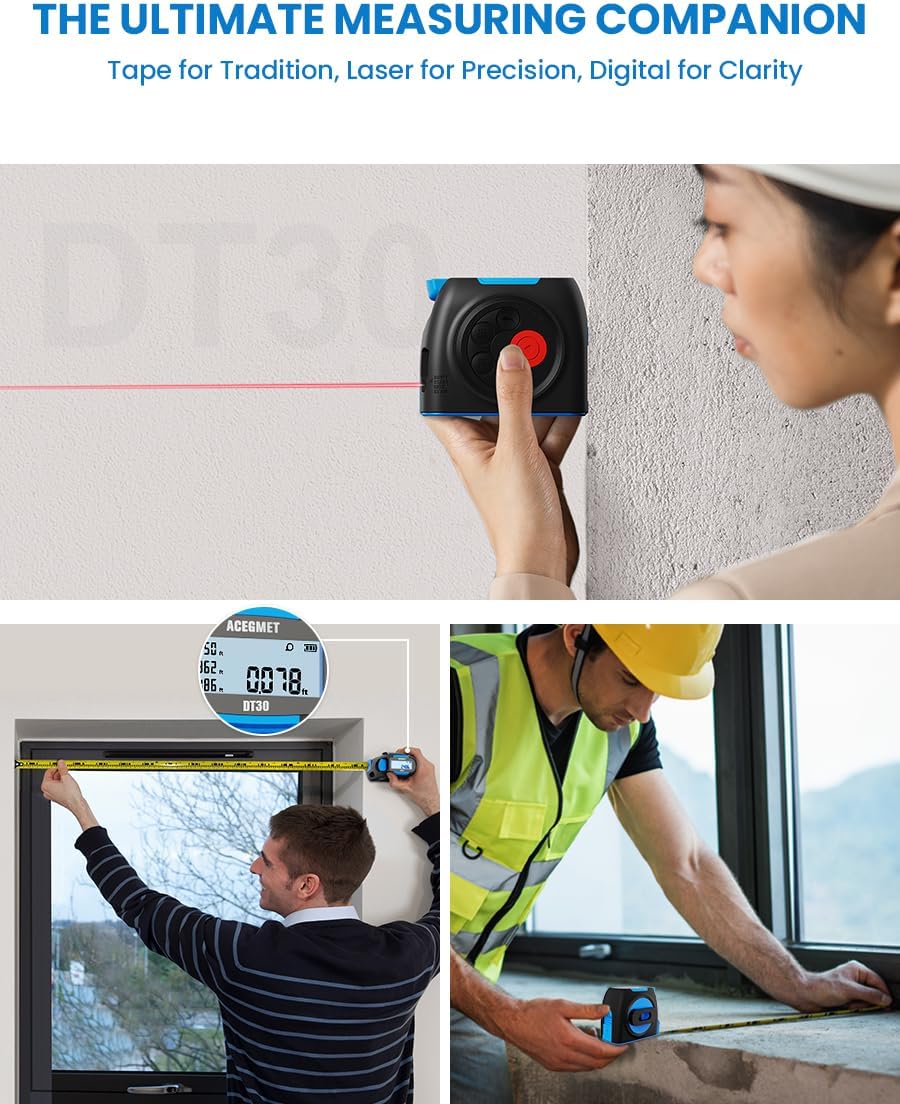
Figure 2: Using the laser distance meter function for precise measurements.
3. Unit Switching
Press the "UNIT" button to cycle through available measurement units: millimeters (mm), centimeters (cm), meters (m), feet (ft), inches (in), and feet+inches (ft'in).
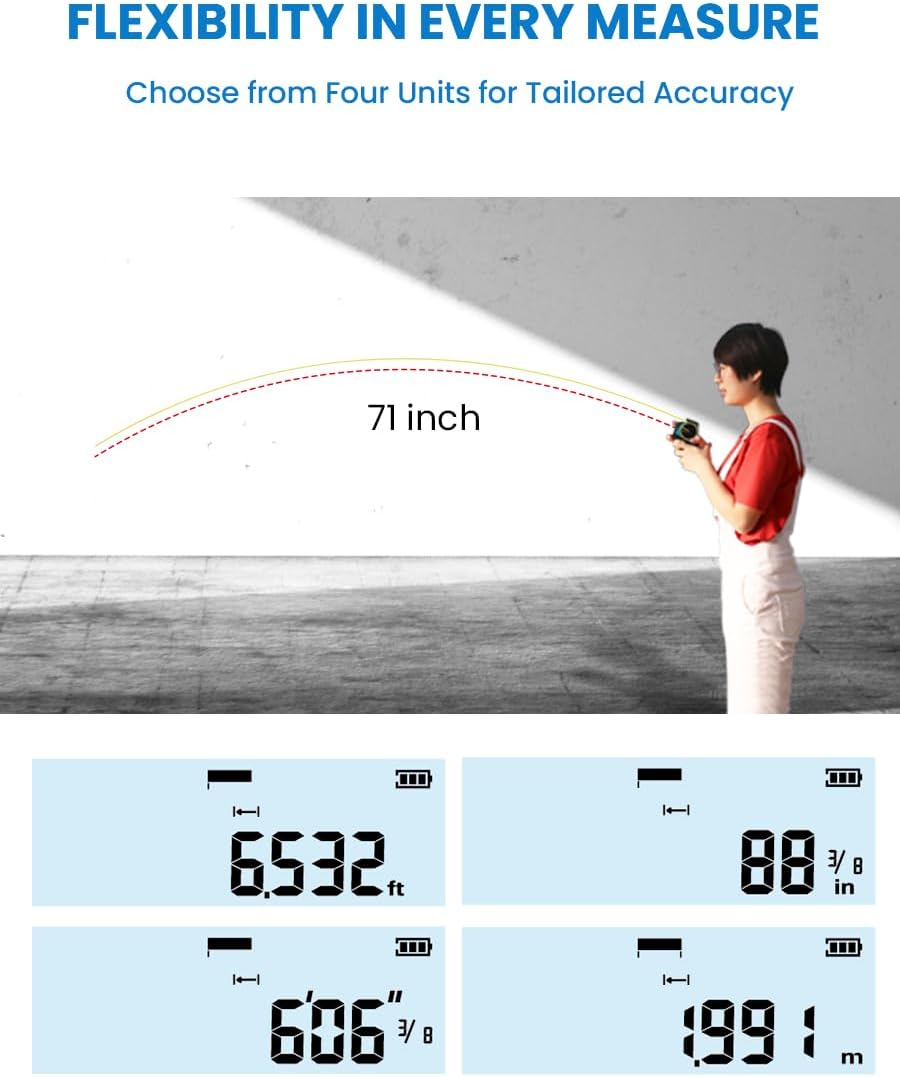
Figure 3: Display illustrating various unit conversions available on the device.
4. Measurement Modes (Area, Volume, Pythagorean)
The DT30 supports various calculation modes. Press the mode button (often indicated by a square or cube icon) to select between single distance, area, volume, or Pythagorean measurements. Follow the on-screen prompts to input the necessary dimensions for calculations.

Figure 4: Examples of distance, area, and volume measurement applications.
5. Data Storage and Synchronization
The device can store up to 20 measurement values. Use the navigation buttons to review stored data. For more extensive data management, sync measurements to the smartphone app via Bluetooth. The app allows for floor plan drafting, data synchronization, and irregular drawing.

Figure 5: The DT30 device displaying measurements alongside a smartphone showing synced data in the app.
6. Auto-Calibration
The DT30 features an innovative error correction system. If the tape is slightly off, extend it by 10cm (approximately 0.328ft) to allow the device to auto-calibrate, correcting minor discrepancies without needing a full reset.

Figure 6: Visual representation of the auto-calibration process for accurate measurements.
Maintenance
- Cleaning: Wipe the device with a soft, dry cloth. Do not use abrasive cleaners or solvents.
- Storage: Store the device in a cool, dry place away from direct sunlight and extreme temperatures.
- Battery Care: Recharge the battery regularly, even if not in frequent use, to maintain battery health. Avoid fully discharging the battery for extended periods.
Troubleshooting
| Problem | Possible Cause | Solution |
|---|---|---|
| Device does not power on. | Low battery; device malfunction. | Charge the device fully. If problem persists, contact customer support. |
| Inaccurate measurements. | Improper use; calibration needed; obstruction. | Ensure proper technique. Perform auto-calibration (extend tape 10cm). Clear any obstructions. |
| Bluetooth connection issues. | Bluetooth off; app not updated; device too far. | Ensure Bluetooth is enabled on phone. Update app. Keep device within range. Restart both devices. |
Specifications
| Feature | Detail |
|---|---|
| Model Number | DT30-WL-2023 |
| Brand | ACEGMET |
| Digital Tape Length | 16 Feet |
| Laser Distance Range | 131 Feet |
| Laser Measurement Accuracy | 2mm |
| Digital Display Precision | ±1.5mm |
| Unit Conversion | mm, cm, m, ft, in, ft'in |
| Data Storage | 20 values |
| Battery Type | Lithium Ion (rechargeable) |
| Charging Port | USB Type-C |
| Item Weight | 11.2 ounces |
| Material | Plastic |
Warranty and Support
The ACEGMET DT30 comes with an 18-month technical support warranty. Your satisfaction is our priority. For any inquiries or assistance, our dedicated customer service team is available 24/7. Please refer to the contact information provided with your product packaging or visit the official ACEGMET website for support details.
Product Media
Official Product Video
Video 1: "3-in-1 Digital Tape Measure" - This video demonstrates the various functionalities of the ACEGMET DT30, including its digital tape, laser measurement, and smart features. It highlights the ease of use and versatility for different measurement tasks.