
1. Product Overview
The Rogbid K21 Smart Watch is a versatile fitness tracker designed for both men and women, offering comprehensive health monitoring and smart features. It boasts a vibrant 1.69-inch curved AMOLED display and a durable, comfortable silicone strap.

Figure 1: Rogbid K21 Smart Watch. This image displays the watch's sleek design with its black square face and matching silicone strap, showcasing the digital time and health metrics.
Key Features:
- Display: 1.69-inch AMOLED curved screen with 320x385 resolution and 350 nits brightness for clear visibility even in direct sunlight.
- Battery Life: Equipped with a 240mAh polymer lithium battery, providing 7-14 days of normal use and up to 30 days in standby mode.
- Water Resistance: IP68 waterproof rating, suitable for daily wear and various activities.
- Memory: 128MB internal memory capacity for storing fitness data.
- Design: Ergonomic curved watch body designed to contour naturally to your wrist, paired with a comfortable and durable silicone strap.
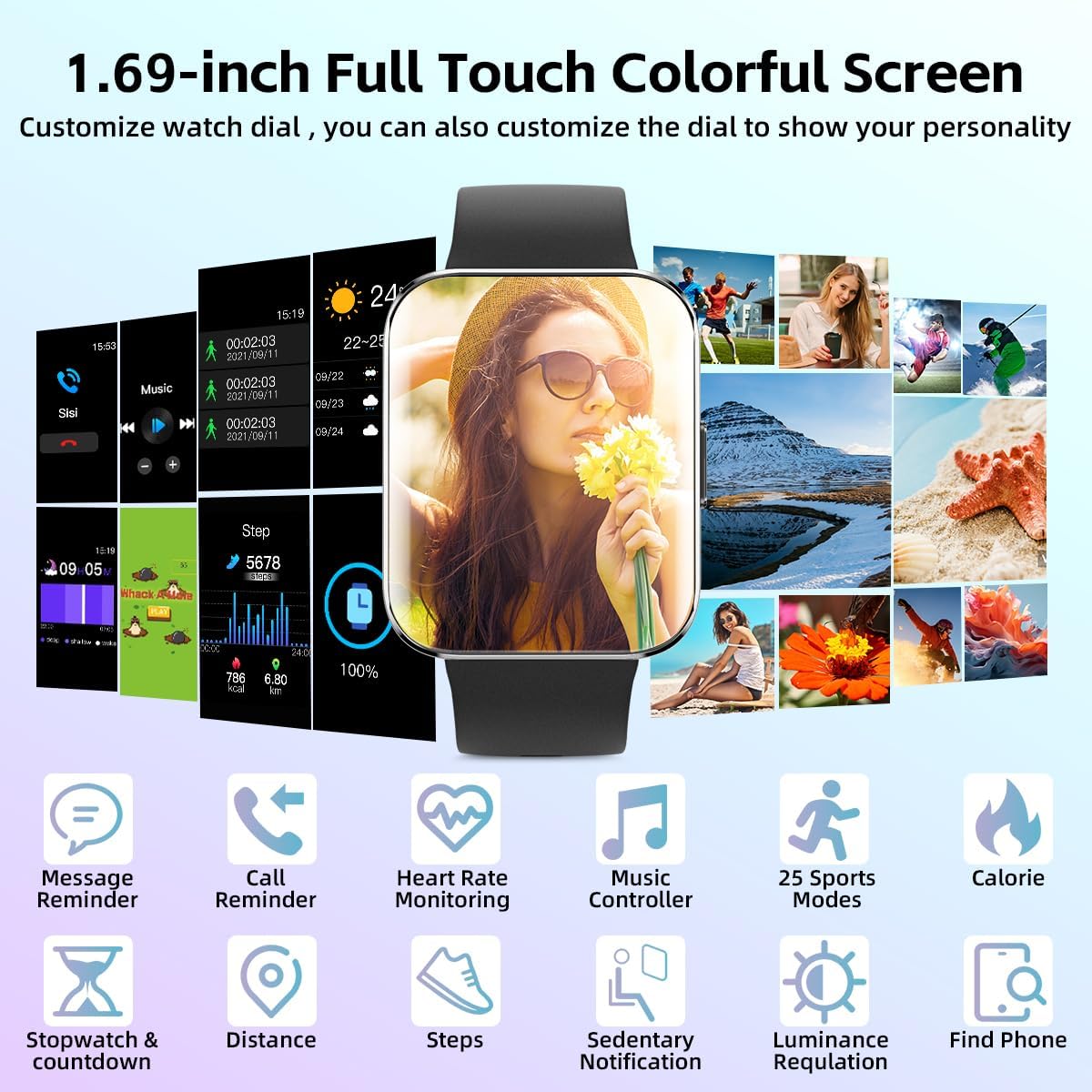
Figure 2: 1.69-inch Full Touch Colorful Screen. This image highlights the watch's vibrant display and its customizable watch faces, along with various feature icons.
2. Setup Guide
2.1 Initial Charging
Before first use, fully charge your Rogbid K21 Smart Watch. Connect the magnetic charging cable to the charging points on the back of the watch and plug the USB end into a compatible power adapter (not included) or a computer USB port. The watch display will indicate charging status.
2.2 App Installation and Pairing
- Scan the QR code provided in the watch packaging or search for the official companion app (e.g., "GloryFit" or similar, as often used by such devices) in your smartphone's app store (Google Play Store for Android, Apple App Store for iOS).
- Download and install the app.
- Ensure Bluetooth is enabled on your smartphone.
- Open the app and follow the on-screen instructions to create an account and set up your profile.
- In the app, navigate to the device pairing section. Select "Add Device" or "Bind Device".
- The app will search for nearby devices. Select "ROGBID K21" from the list of found devices.
- Confirm the pairing request on both your smartphone and the watch if prompted.
- Once paired, the watch will synchronize data with the app, and you can customize settings.
3. Operating Instructions
3.1 Basic Navigation
- Touch Screen: Swipe left/right, up/down to navigate through menus and features. Tap to select.
- Side Button: Press to wake the screen, return to the home screen, or access the main menu.
- Raise to Wake: Enable this feature in the app settings to automatically turn on the screen when you raise your wrist.
3.2 Health Monitoring
The Rogbid K21 continuously monitors various health metrics:
- Heart Rate: Provides 24/7 heart rate monitoring. View real-time data on the watch or detailed historical data in the app.
- Blood Pressure: Tracks blood pressure. For accurate readings, ensure the watch is worn correctly and remain still during measurement.
- Blood Oxygen (SpO2): Measures blood oxygen levels.
- Sleep Tracking: Automatically tracks your sleep patterns, including deep sleep, light sleep, and awake time. Access detailed sleep analysis in the app.
- Menstrual Health Tracking: Provides monitoring for menstrual health, accessible through the companion app.
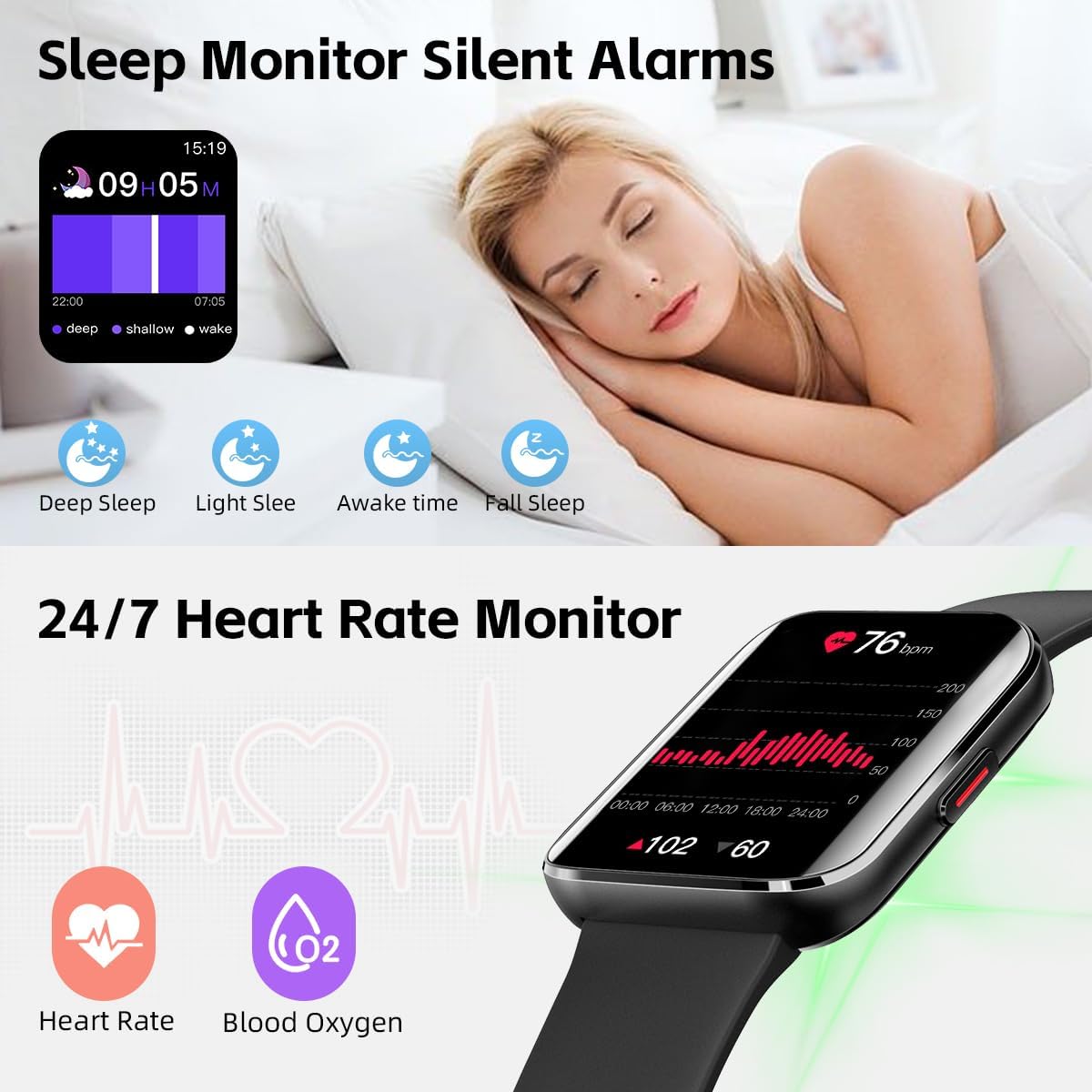
Figure 3: Sleep and Heart Rate Monitoring. This image illustrates the watch's capability to track sleep patterns and provide 24/7 heart rate and blood oxygen monitoring.
3.3 Activity Tracking
The watch supports various activity tracking features:
- GPS Movement Tracking: Utilizes your smartphone's GPS to track workout routes, distance, and pace.
- 25 Sports Modes: Select from a variety of sports modes (e.g., running, cycling, swimming) for accurate activity data.
- Pedometer: Counts your daily steps and calculates calories burned.
- Sedentary Reminders: Receive alerts when you've been inactive for too long, encouraging you to move.
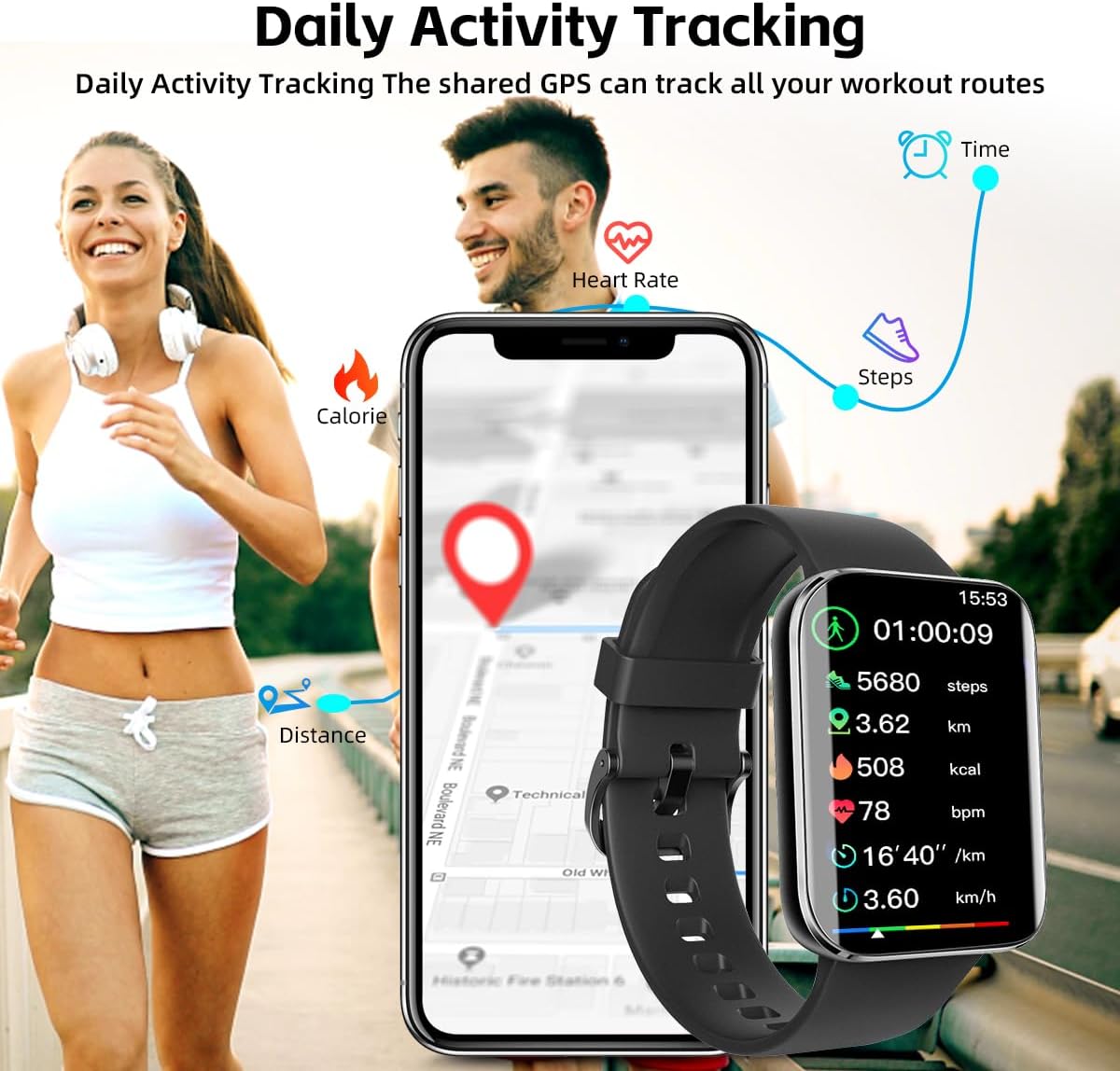
Figure 4: Daily Activity Tracking. This image demonstrates the watch's ability to track various daily activities and workout routes using shared GPS.

Figure 5: IP68 Waterproof and Workout Tracking. This image highlights the watch's water resistance and its suitability for tracking diverse workouts.
3.4 Smart Notifications & Controls
- Call & Message Notifications: Receive alerts for incoming calls, SMS messages, and app notifications directly on your wrist.
- Music Control: Conveniently control your smartphone's music playback (play, pause, skip tracks) from the watch.
- Camera Control: Use the watch as a remote shutter for your smartphone's camera.
- Weather Forecast: Get real-time weather updates on your watch.

Figure 6: Music Control and Smart Notifications. This image shows the watch's ability to control music and display notifications from connected apps.
3.5 Connectivity & Compatibility
- Bluetooth 5.3: Ensures stable and efficient connection with your smartphone.
- Language Support: The watch interface supports 40 different languages, and the companion app supports 100 app languages.
- Compatibility: Functions seamlessly with both Android and iOS devices.
4. Maintenance
- Cleaning: Regularly clean the watch and strap with a soft, dry cloth. For stubborn dirt, use a slightly damp cloth and mild soap, then dry thoroughly.
- Water Exposure: While IP68 waterproof, avoid prolonged submersion in hot water or exposure to high-pressure water jets. Dry the watch thoroughly after exposure to water.
- Charging: Use only the provided charging cable. Avoid using damaged cables or chargers.
- Storage: Store the watch in a cool, dry place when not in use. Avoid extreme temperatures.
- Avoid Chemicals: Do not expose the watch to strong chemicals, detergents, or solvents, as these can damage the materials.
5. Troubleshooting
| Problem | Possible Cause | Solution |
|---|---|---|
| Watch not turning on | Low battery | Charge the watch for at least 30 minutes. |
| Cannot pair with phone | Bluetooth off, app issue, watch not discoverable | Ensure Bluetooth is on. Restart phone and watch. Reinstall app. Forget device in phone's Bluetooth settings and try pairing again. |
| Inaccurate health readings | Improper wearing, movement during measurement | Ensure watch is snug but comfortable on wrist. Remain still during measurements. Note that smartwatches are not medical devices. |
| Notifications not received | App permissions, Bluetooth disconnected, DND mode | Check app notification permissions on your phone. Ensure Bluetooth is connected. Disable Do Not Disturb (DND) mode on watch/phone. |
6. Specifications
- Model: ROGBID K21
- Display: 1.69 Inches AMOLED Curved Screen
- Resolution: 320x385 pixels
- Brightness: 350 nits
- Battery: 240mAh Polymer Lithium Battery
- Battery Life: 7-14 days (normal use), 30 days (standby)
- Water Resistance: IP68
- Memory Storage Capacity: 128 MB
- Wireless Communication: Bluetooth 5.3
- Compatibility: Android, iOS
- Band Material: Silicone
- Band Width: 19.98 Millimeters
- Item Weight: 3.52 ounces
- Package Dimensions: 6.34 x 4.76 x 0.83 inches
- UPC: 768523802395
- Manufacturer: rogbid K21
- Date First Available: December 8, 2023
7. Official Product Video
Video 1: Rogbid K21 Smart Watch Overview. This video provides a visual overview of the Rogbid K21 Smart Watch, highlighting its features and design.
8. Warranty and Support
For warranty information and customer support, please refer to the documentation included with your product packaging or visit the official Rogbid website. You may also contact the seller directly through the platform where the product was purchased for assistance.
For further information, visit the product detail page on Amazon: Amazon Product Page