
1. Introduction
Thank you for choosing the Moongiantgo 5L Dough Maker with Ferment Function. This appliance is designed to simplify the dough preparation process, offering both kneading and fermentation capabilities in one unit. Please read this manual thoroughly before use to ensure safe and efficient operation.
2. Important Safety Instructions
- Read all instructions before using the appliance.
- Do not immerse the main unit in water or other liquids.
- Keep hands and utensils away from moving parts during operation.
- Ensure the lid is securely locked before starting the machine.
- Unplug from outlet when not in use, before putting on or taking off parts, and before cleaning.
- This appliance is for household use only.
3. Product Overview
Familiarize yourself with the components of your Moongiantgo Dough Maker.
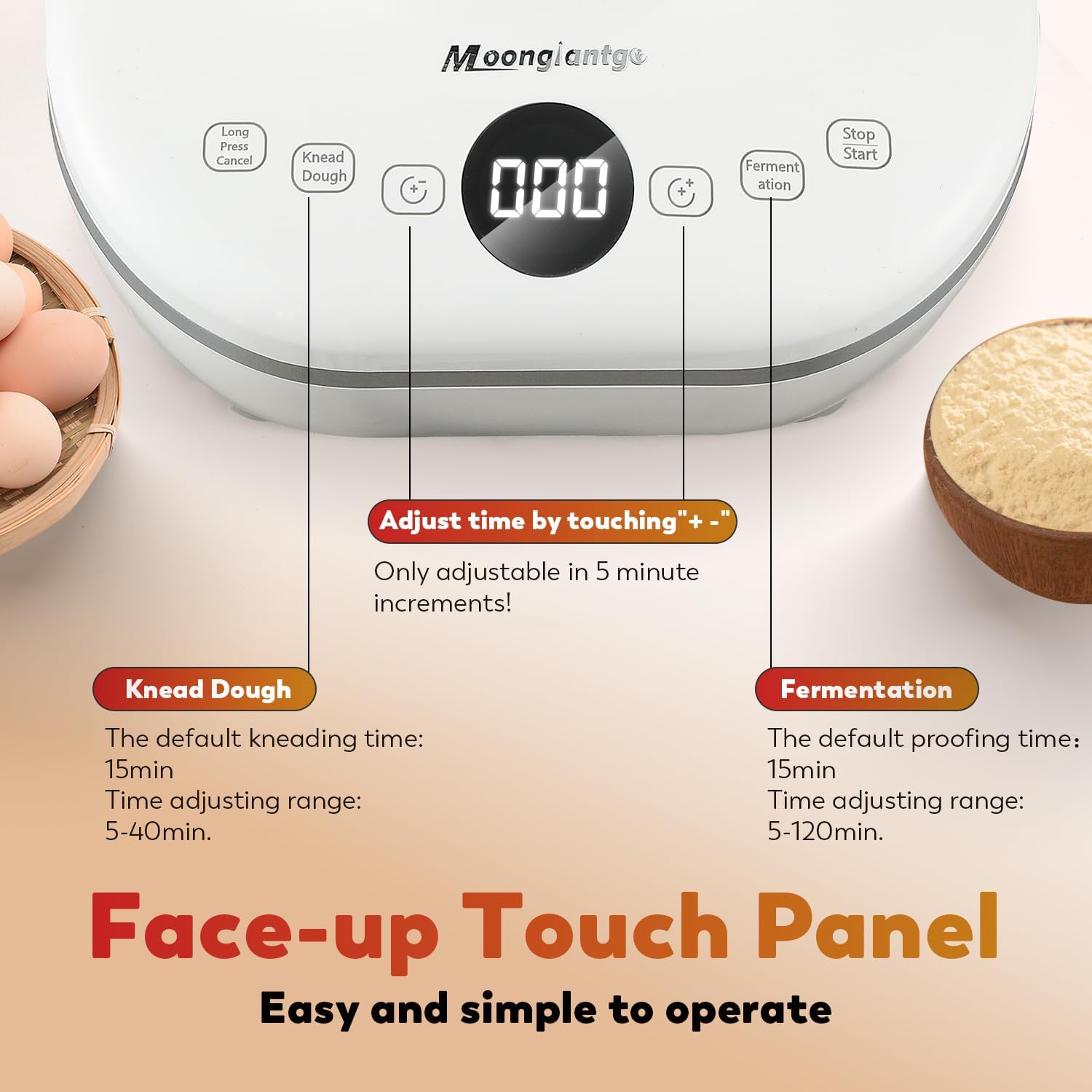
Image: Exploded view showing the PP Small Conical Lid, ABS Mixing Bowl Lid, 304 Stainless Steel Bowl, Die-casting Aluminum Kneading Blade, Face-up Touch Panel, and Suction Foot.
- Main Unit: Houses the motor and control panel.
- 304 Stainless Steel Bowl: 5L capacity for mixing and fermenting dough.
- Kneading Blade: Detachable blade for dough mixing.
- Transparent Lid: Allows observation of the kneading process and has a central opening for adding ingredients.
- Touch Panel: For setting kneading and fermentation times.
- Suction Feet: For stability during operation.
4. Setup and Assembly
Before first use, ensure all packaging materials are removed and clean the bowl and kneading blade. Place the dough maker on a stable, flat, and dry surface.
- Insert the Kneading Blade: Place the kneading blade onto the shaft at the bottom of the stainless steel bowl. Ensure it is securely seated.
- Place the Bowl: Position the 304 stainless steel bowl onto the main unit, ensuring it is properly aligned.
- Secure the Lid: Place the transparent lid onto the bowl and rotate it clockwise until it locks securely into place.
- Connect Power: Plug the power cord into a suitable electrical outlet. The display will light up, indicating standby mode.
Video: Demonstrates how to insert and remove the detachable kneading blade.

Image: Illustrates the process of closing the bowl lid by rotating it clockwise until it locks.
5. Operating Instructions
5.1 Kneading Dough
- Add Ingredients: Pour the desired flour and water into the stainless steel bowl. The suggested flour-water ratio is 100:45-100:50. Recommended flour-yeast ratio is 100:1-100:2.
- Set Kneading Time: Touch the "Knead Dough" key. The default kneading time is 15 minutes. You can adjust the time from 5 to 40 minutes using the "+-" keys (adjustable in 5-minute increments).
- Start Kneading: After setting the time, touch the "Start/Stop" key to begin the kneading process. The machine operates intermittently, simulating hand kneading.
- Pause/Cancel: You can touch the "Start/Stop" key again to pause at any time. To cancel the process, long press the "Long Press Cancel" key.

Image: Shows flour and water being added to the dough maker's bowl.
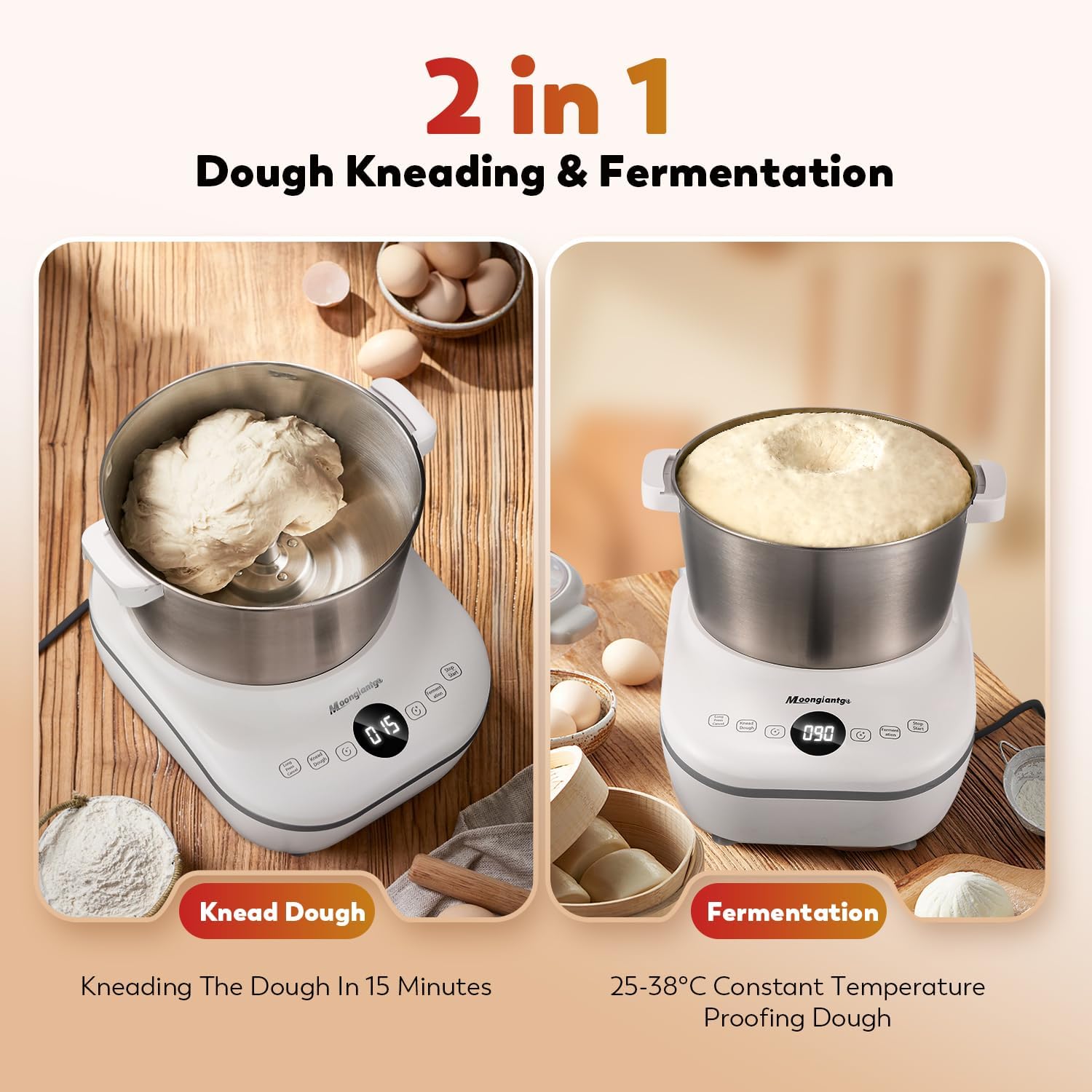
Image: Detailed view of the touch panel, highlighting the 'Knead Dough' button and time adjustment controls.

Image: The dough maker actively mixing ingredients to form dough.
5.2 Fermenting Dough
- Prepare for Fermentation: After kneading, or if you are only fermenting, ensure the dough is in the bowl and the lid is securely closed.
- Set Fermentation Time: Touch the "Fermentation" key. The default fermentation time is 90 minutes. You can adjust the time from 5 to 120 minutes using the "+-" keys (adjustable in 5-minute increments).
- Start Fermentation: Touch the "Start/Stop" key to begin. The machine will maintain a constant temperature between 25~38°C for optimal proofing.
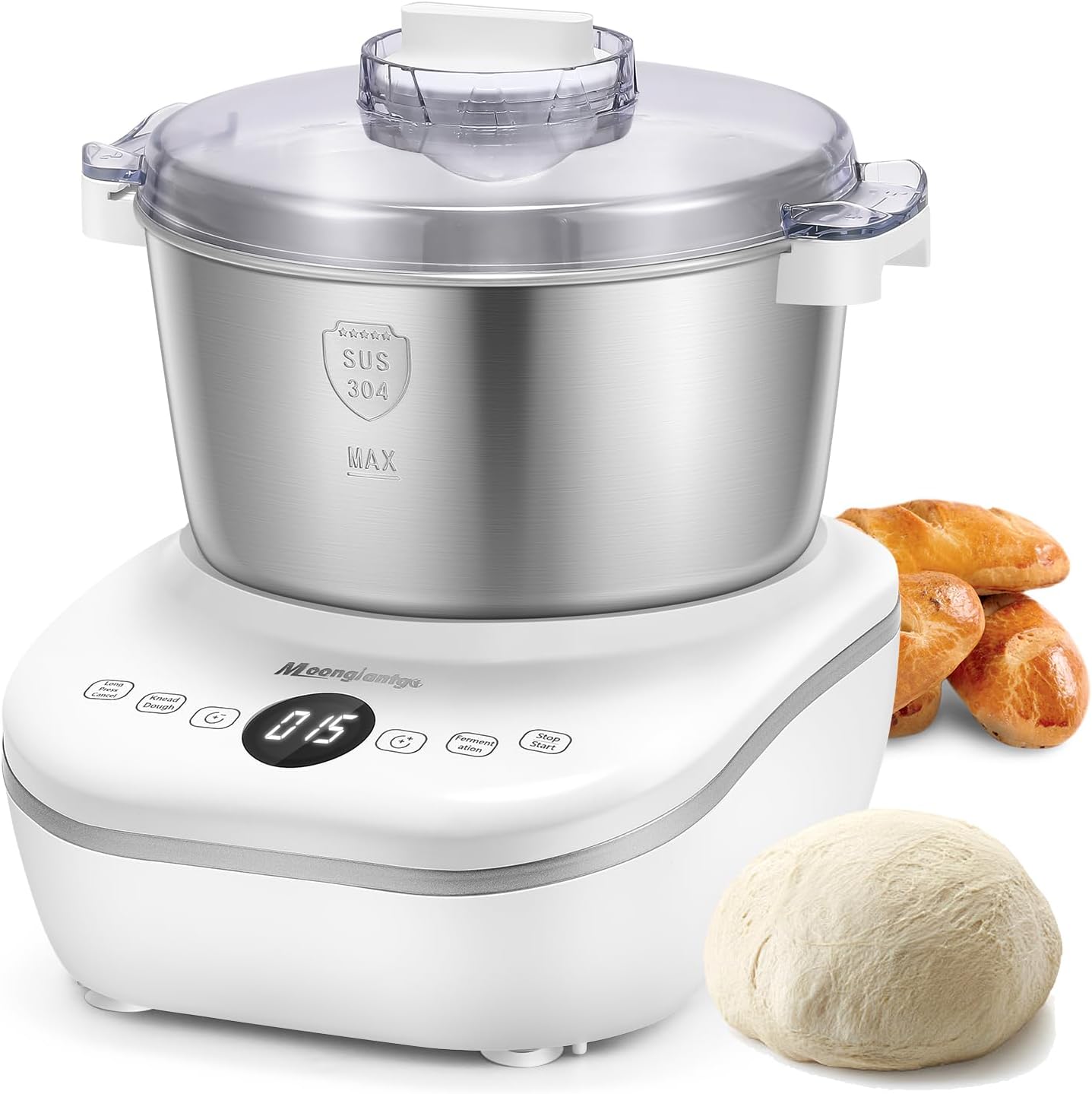
Image: The dough maker displaying both the kneading process and the fermentation process with rising dough.
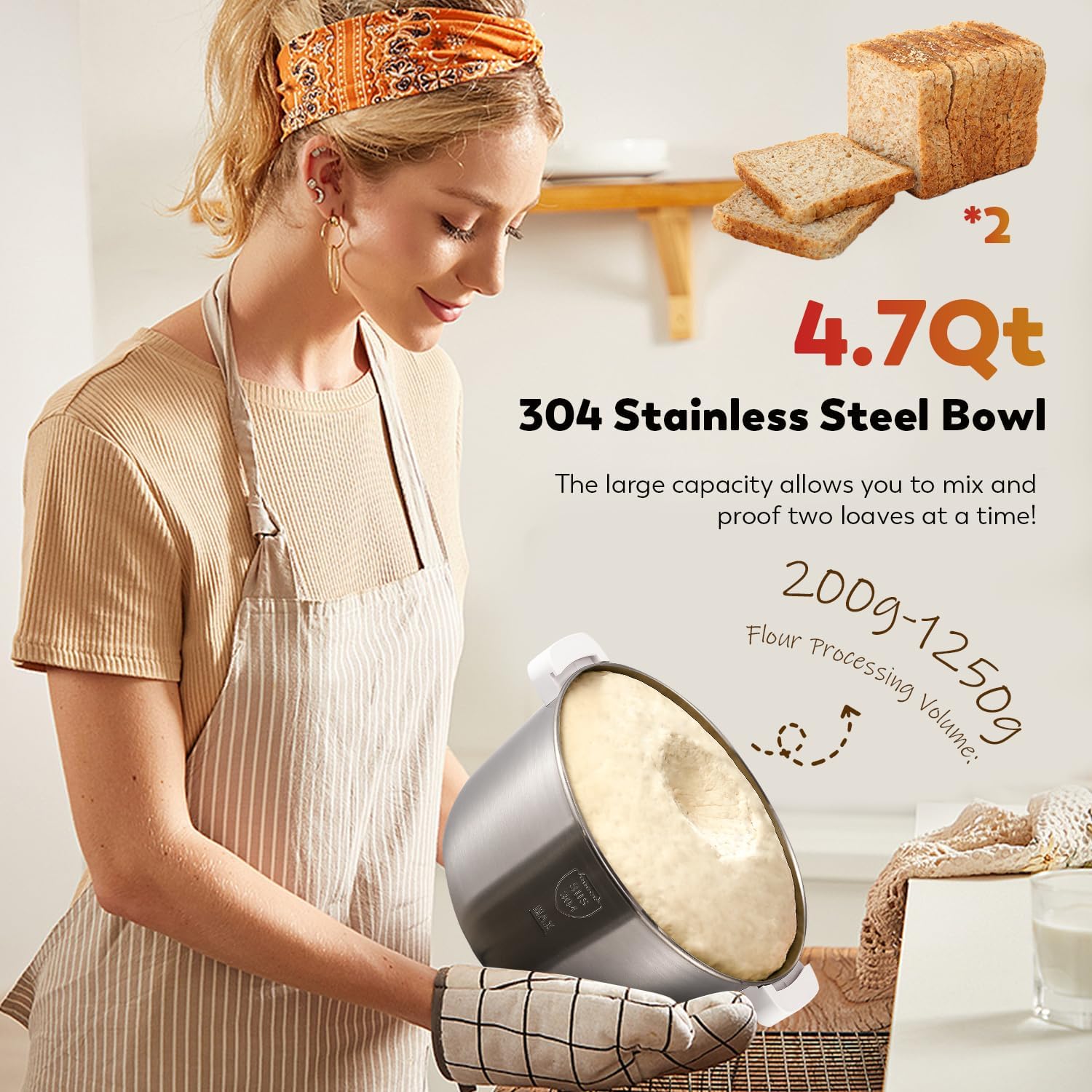
Image: Close-up of dough actively fermenting and rising within the stainless steel bowl.
5.3 Adding Ingredients During Operation
The transparent lid features a small central opening with a removable lid. This allows you to add water or other ingredients while the dough maker is operating without interrupting the process.

Image: A hand pouring water through the small central opening of the transparent lid while the machine is in use.
5.4 Use Tips
- If room temperature is below 20°C, use warm water for better fermentation results.
- Adding a small amount of cooking oil during mixing can reduce dough sticking to the bowl.
- The machine runs intermittently, simulating hand kneading, which is normal.
Video: Demonstrates the dough maker in action, including adding ingredients, kneading, fermentation, and preparing various dough-based foods.
6. Maintenance and Cleaning
Proper maintenance ensures the longevity and hygiene of your dough maker.
- Disassembly: Unplug the appliance. Remove the lid, then detach the stainless steel bowl from the main unit. Remove the kneading blade from the bowl.
- Cleaning the Bowl and Blade: Both the 304 stainless steel bowl and the kneading blade are detachable and can be rinsed directly with water. They are also dishwasher safe.
- Important Note: If you leave dough in the bowl for an extended period after use, it may harden and make removing the blade difficult. Remove the blade from the bowl as soon as possible after use.
- Cleaning the Main Unit: Wipe the main unit with a damp cloth. Do not immerse it in water.
- Drying and Storage: Ensure all parts are completely dry before reassembling or storing the appliance.

Image: Shows the detachable stainless steel bowl and kneading blade, emphasizing ease of cleaning.
7. Troubleshooting
If you encounter any issues, refer to the following common problems and solutions:
| Problem | Possible Cause | Solution |
|---|---|---|
| Appliance does not start. | Not plugged in; Lid not securely closed; Power outage. | Ensure power cord is securely plugged in; Check if the lid is locked; Verify power supply. |
| Dough is too sticky or too dry. | Incorrect flour-water ratio. | Adjust the flour-water ratio (recommended 100:45-100:50). Add small amounts of flour or water as needed. |
| Dough not rising during fermentation. | Yeast inactive; Incorrect temperature; Fermentation time too short. | Ensure yeast is active; Use warm water if room temperature is low; Increase fermentation time. |
| Loud noise during operation. | Unstable surface; Overloaded. | Place on a stable, flat surface; Do not exceed maximum capacity (2500g dough). |
8. Specifications
| Feature | Specification |
|---|---|
| Brand | Moongiantgo |
| Model Name | 5L Dough Maker |
| Color | White |
| Product Dimensions | 11.8"D x 9.8"W x 12.2"H |
| Material | Plastic Base & 304 Stainless Steel Bowl |
| Special Features | Constant Temperature Ferment, Microcomputer Timing |
| Capacity | 5 Liters (4.7 Qt) |
| Voltage | 110 Volts (AC) |
| Wattage | 200 watts |
| Controls Type | Touch |
| Flour Processing Volume | 200g-1250g |
| Dough Weight Range | 500g-2500g (1.1lb-5.5lb) |
| Blade Material | Stainless Steel |
| Dishwasher Safe Parts | Bowl, Blade |
9. Warranty and Support
Your Moongiantgo 5L Dough Maker is covered by a manufacturer's warranty. Please refer to the warranty card included with your product for specific terms and conditions. For technical support, troubleshooting assistance, or to inquire about replacement parts, please contact Moongiantgo customer service through the retailer where the product was purchased or visit the official Moongiantgo website.