
HWWR D20-T Bluetooth Speaker with Microphones
HWWR D20-T Portable Bluetooth Speaker User Manual
Model: D20-T Bluetooth Speaker with Microphones
1. Introduction
Thank you for choosing the HWWR D20-T Portable Bluetooth Speaker. This powerful and versatile speaker is designed to deliver immersive 3D surround sound with deep bass, vibrant LED lights, and dual wireless microphones, making it perfect for parties, karaoke, outdoor adventures, and everyday music enjoyment. This manual provides detailed instructions to help you get the most out of your new speaker.

Image: The HWWR D20-T Portable Bluetooth Speaker in black, featuring a handle, control panel, and colorful LED lights, accompanied by two wireless microphones.
2. What's in the Box
Please check the package contents to ensure all items are present:
- 1 x Bluetooth Speaker
- 2 x Wireless Microphones
- 1 x Type-C Charging Cable
- 1 x Aux-in Cable
- 1 x User Manual
Video: An unboxing video demonstrating the contents of the HWWR D20-T speaker package, including the speaker, microphones, and cables.
3. Product Features
- Immersive 3D Surround Sound: Features 6.5-inch subwoofers and full-range speakers for rich, room-filling Hi-Fi deep bass.
- Bluetooth 5.3 Connectivity: Provides stable, high-fidelity wireless connections up to 20 meters.
- Dual Wireless Microphones: Two microphones with excellent voice pickup, wide transmission range, and anti-howling technology.
- IPX5 Waterproof Design: Ideal for outdoor use, resistant to splashes and light rain.
- Colorful Dynamic Lights: Rhythm-synced disco lighting effects to enhance any gathering.
- Long Play Time: Up to 24 hours of continuous playback on a single charge (2-4 hours charging time).
- Broad Compatibility: Connects with Bluetooth-enabled devices, Micro SD cards, USB flash drives, and AUX-in connections.

Image: An exploded view of the speaker's internal components, highlighting the 3.5-inch subwoofers and dynamic rhythm lights, illustrating Hi-Fi sound and rich bass.

Image: A graphic illustrating the Hi-Res Audio capability of the D20-T speaker, comparing its 800Kbps audio quality to others at 330Kbps.
4. Setup
4.1 Charging the Speaker
Before first use, fully charge the speaker using the provided Type-C charging cable. A full charge takes approximately 2-4 hours and provides up to 24 hours of playback time.

Image: The speaker next to a clock, indicating over 24 hours of playback time and 3-4 hours for a full charge via Type-C.
4.2 Bluetooth Pairing
- Power on the speaker by pressing and holding the power button.
- The speaker will enter Bluetooth pairing mode automatically, indicated by a flashing LED light.
- On your device (smartphone, tablet, etc.), go to Bluetooth settings and select "D20-T" from the list of available devices.
- Once connected, you will hear an audible confirmation, and the LED light will stop flashing.

Image: A group of friends enjoying music and karaoke with the HWWR D20-T speaker, demonstrating its Bluetooth 5.3 connectivity with various devices.
4.3 Connecting Wireless Microphones
The speaker comes with two pre-paired wireless microphones. Simply power on the microphones, and they will automatically connect to the speaker.

Image: Two wireless microphones highlighting features such as noise-cancelling, anti-whistling, AA battery power, and 30m wireless transmit range.
4.4 TWS (True Wireless Stereo) Pairing
If you have two HWWR D20-T speakers, you can pair them for a true wireless stereo experience:
- Ensure both speakers are powered on and not connected to any Bluetooth device.
- Press the TWS button on one speaker (this will be your primary speaker).
- The primary speaker will search for the secondary speaker. Once connected, you will hear a confirmation sound.
- Now, connect your device to the primary speaker via Bluetooth. Audio will play through both speakers for a stereo effect.

Image: Two HWWR D20-T speakers set up for True Wireless Stereo pairing, enhancing the audio experience for a TV or gaming setup.
4.5 Other Connection Methods
In addition to Bluetooth, the speaker supports:
- Micro SD Card: Insert a Micro SD card with music files into the designated slot.
- USB Flash Drive: Insert a USB flash drive with music files into the USB port.
- AUX-in: Use the provided AUX-in cable to connect to devices with a 3.5mm audio output.

Image: The speaker displaying its multifunctional capabilities, including Bluetooth 5.3, AUX, TF Card, and USB Flash Drive inputs.
5. Operating Instructions
5.1 Control Panel Overview
The control panel on top of the speaker allows you to manage various functions:
- Power Button: Press and hold to turn on/off.
- Volume +/-: Adjust the speaker's volume.
- Play/Pause: Control music playback.
- Mode Button (M): Switch between Bluetooth, Micro SD, USB, and AUX modes.
- LED Light Button: Cycle through different light modes or turn lights on/off.
- Mic Reverb Button: Adjust microphone reverb levels.
5.2 Adjusting LED Lights
The speaker features dynamic LED lights that sync with the music. Press the LED light button on the control panel to cycle through various lighting effects or to turn the lights off.
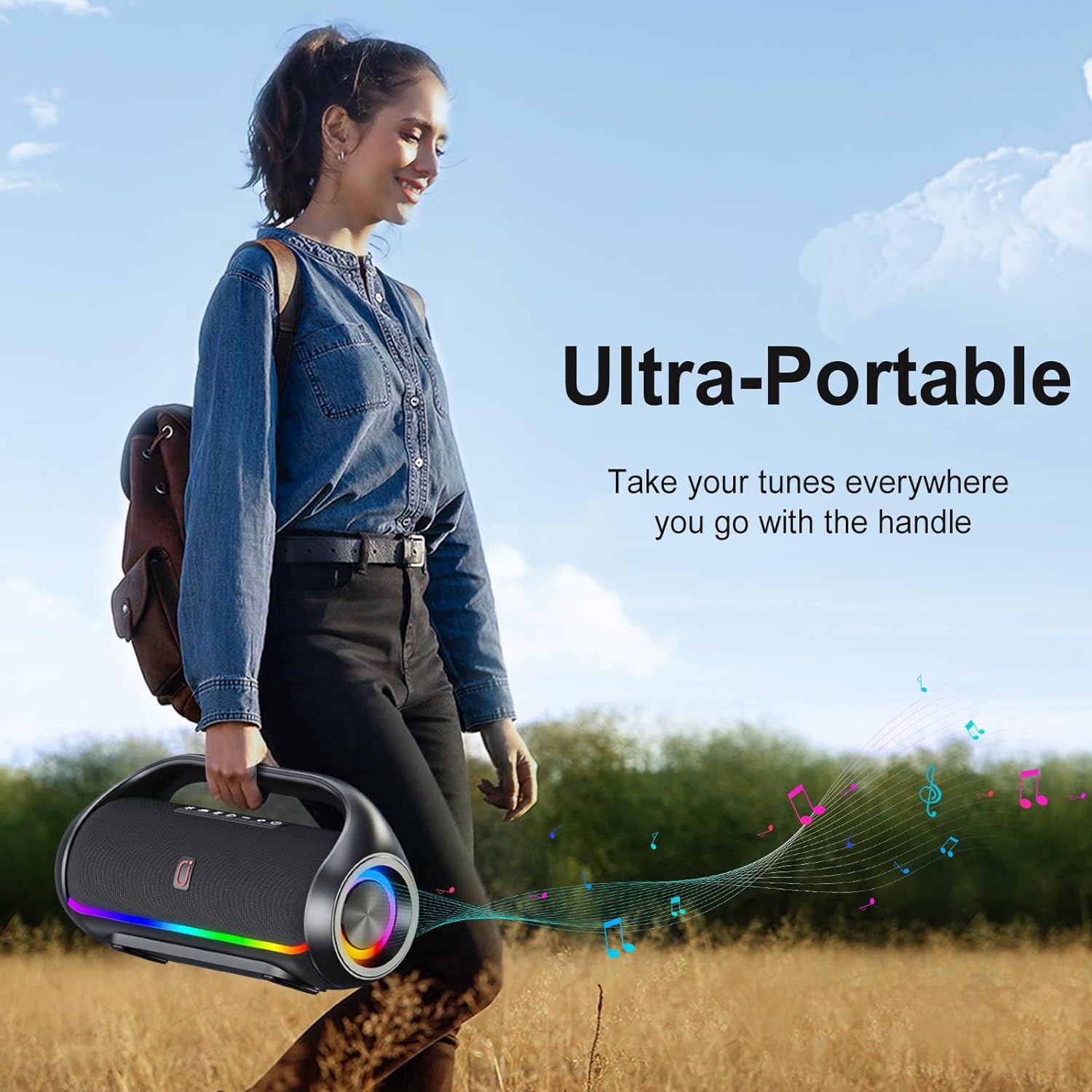
Image: The speaker showcasing its colorful breathing light effects, with different color patterns displayed.
5.3 Using the Microphones
The wireless microphones are designed for clear voice pickup. You can adjust the reverb effect to enhance your singing experience.
- Adjust Reverb: Press the "Mic Reverb" button on the speaker to cycle through different reverb levels.
- Turn Off Reverb/Echo: Press the "Mic Reverb" button 2 times quickly to turn off the microphone reverb and echo effect.

Image: A close-up of the speaker's control panel, highlighting the "Mic Reverb" button and instructions to short press it 5 times to turn off the ECHO reverb.
Video: A demonstration of the speaker's stereo sound capabilities and boombox design, showcasing its audio performance.
Video: A short clip highlighting the HWWR portable speaker with two microphones, ideal for party settings.
6. Maintenance
To ensure the longevity and optimal performance of your HWWR D20-T speaker, follow these maintenance guidelines:
- Cleaning: Use a soft, dry cloth to clean the speaker's exterior. Avoid abrasive cleaners or solvents.
- Water Resistance: The speaker is IPX5 waterproof, meaning it can withstand splashes and light rain. Do not submerge the speaker in water. Ensure all port covers are securely closed before exposure to water.
- Storage: Store the speaker in a cool, dry place away from direct sunlight and extreme temperatures.
- Battery Care: For long-term storage, charge the battery to about 50% every few months to maintain battery health.

Image: A woman relaxing by a pool with the HWWR D20-T speaker, emphasizing its IPX5 waterproof rating.
7. Troubleshooting
If you encounter any issues with your speaker, please refer to the following common problems and solutions:
| Problem | Possible Solution |
|---|---|
| Speaker won't turn on | Ensure the battery is charged. Connect to power adapter and try again. |
| Cannot pair via Bluetooth | Ensure the speaker is in pairing mode. Turn off Bluetooth on other devices. Restart both speaker and device. |
| No sound | Check volume levels on both speaker and connected device. Ensure correct input mode is selected. |
| Microphones not working | Ensure microphones are powered on and have fresh batteries. Check if they are paired with the speaker. |
| Sound distortion | Reduce volume. Ensure audio source is not distorted. Move closer to the speaker if using Bluetooth. |
If the problem persists, please contact customer support for assistance.
8. Specifications
| Feature | Detail |
|---|---|
| Brand | HWWR |
| Model Number | D20T Bluetooth Speaker with Microphone |
| Mounting Type | Floor Standing |
| Power Source | Battery Powered |
| Connector Type | Aux, USB |
| Material | Metal, Acrylonitrile Butadiene Styrene (ABS) |
| Output Wattage | 60 Watts |
| Number of Channels | 4 |
| Audio Input | Microphone |
| Recommended Uses | Parties, Karaoke, Singing, Music Players |
| Frequency Response | 12 KHz |
| Product Dimensions | 15 x 9 x 6 inches |
| Item Weight | 7.7 pounds |
| Connectivity Technology | Bluetooth 5.3, USB, AUX |
| Color | Black |
| Compatible Devices | iPhone/iPad/Tablet/Laptop/PC/Bluetooth enabled devices/USB Devices/Aux-in Devices |
9. Warranty and Support
Your HWWR D20-T Portable Bluetooth Speaker comes with a 12-month warranty from the date of purchase. This warranty covers manufacturing defects and workmanship under normal use.
For any questions, technical support, or warranty claims, please contact our customer support team. We offer round-the-clock customer support to ensure your peace of mind and satisfaction.
For additional resources, you may refer to the official user guide PDF: HWWR D20-T User Guide (PDF)
Ask a question about this manual
Ask about setup, troubleshooting, compatibility, parts, safety, or missing instructions. Manuals+ will review the question and use this page’s manual context to help answer it.