
1. Introduction
This manual provides essential instructions for the setup, operation, and maintenance of your Trands TR-SW120 Smart Watch. Please read this manual thoroughly before using the device to ensure proper function and longevity.
2. Package Contents
Verify that all items are present in the package:
- 1 x Trands TR-SW120 Smart Watch, Black
- 1 x Magnetic Charging Cable
- 1 x User Manual (this document)
3. Product Overview
Familiarize yourself with the physical components of your Trands TR-SW120 Smart Watch.
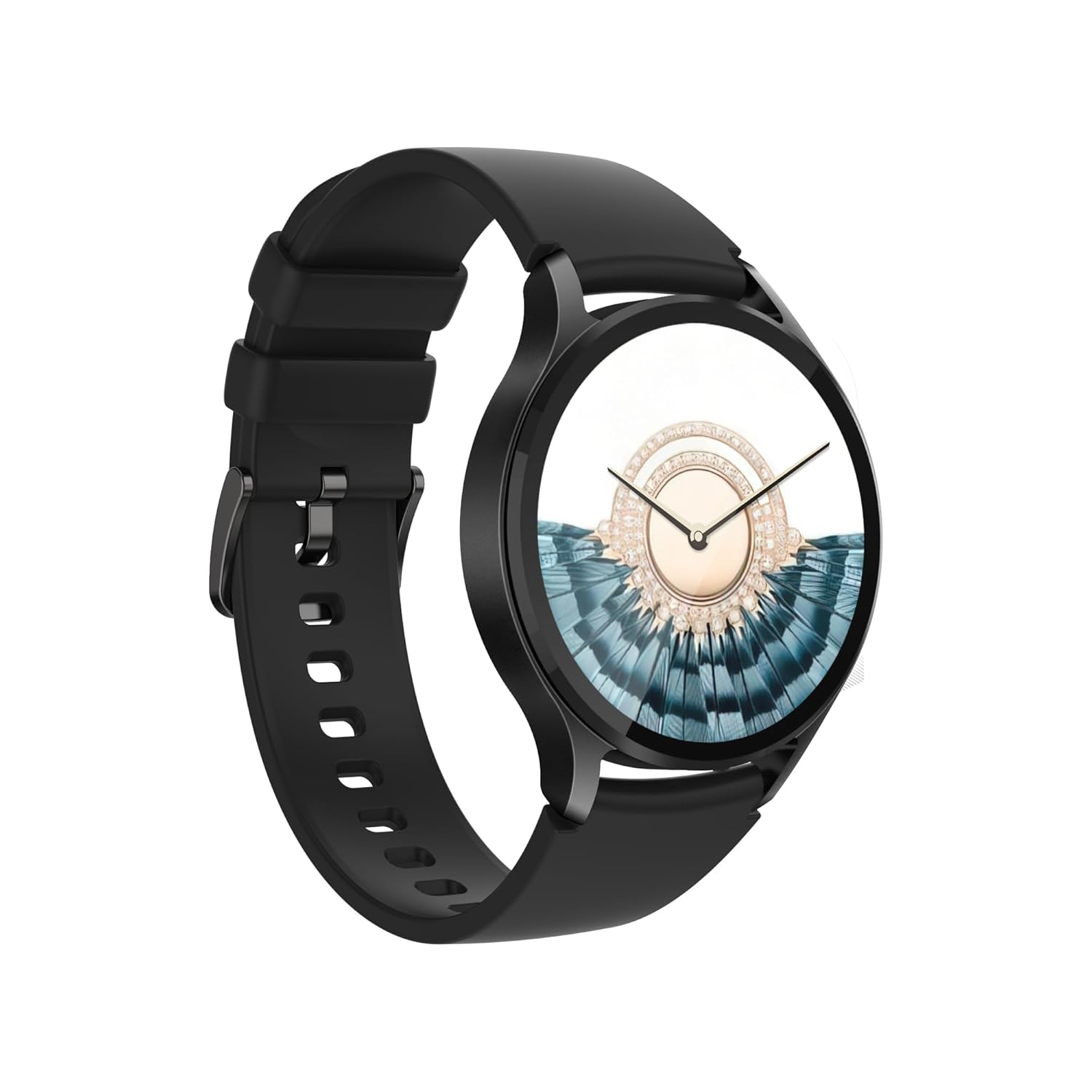
Figure 3.1: Front view of the Trands TR-SW120 Smart Watch, showcasing its round AMOLED display and black silicone strap.

Figure 3.2: Angled view of the Trands TR-SW120 Smart Watch, displaying a watch face with time and health metrics.

Figure 3.3: Rear view of the Trands TR-SW120 Smart Watch, highlighting the heart rate sensor and magnetic charging contacts.
4. Setup
4.1. Charging the Smart Watch
- Connect the magnetic charging cable to a USB power adapter (not included) or a computer's USB port.
- Align the magnetic end of the charging cable with the charging contacts on the back of the watch (refer to Figure 3.3). The magnets will snap into place.
- The watch display will indicate charging status. A full charge takes approximately 1.5 hours.
Note: A fully charged battery provides approximately 2-3 days of usage time and up to 7 days of standby time.
4.2. Power On/Off
- To Power On: Press and hold the side button until the screen lights up.
- To Power Off: Press and hold the side button, then select the 'Power Off' option on the screen.
4.3. Pairing with Your Smartphone
To unlock the full functionality of your Trands TR-SW120 Smart Watch, pair it with your smartphone via Bluetooth.
- Ensure your smartphone's Bluetooth is enabled.
- Download and install the companion application for the Trands TR-SW120 from your smartphone's app store (e.g., Google Play Store for Android, Apple App Store for iOS). Refer to the watch's packaging or quick start guide for the specific app name.
- Open the application and follow the on-screen instructions to create an account or log in.
- Within the app, navigate to the device pairing section and select 'Add Device' or similar.
- The app will search for available devices. Select 'TR-SW120' from the list.
- Confirm the pairing request on both your smartphone and the smart watch.
Compatibility: The watch is compatible with Android 5.1 or above and iOS 8.0 or above.
5. Operating Instructions
5.1. Display Navigation
The Trands TR-SW120 features a 1.43-inch AMOLED Full Touch Display with 466x466 pixels resolution. Navigate the interface using touch gestures:
- Swipe Up/Down: Scroll through menus or notifications.
- Swipe Left/Right: Access different widgets or quick settings.
- Tap: Select an item or confirm an action.
- Press Side Button: Return to the home screen or wake the display.
5.2. Basic Functions
- Time Display: The watch displays the current time and date, which synchronizes with your paired smartphone.
- Notifications: Receive notifications from your smartphone directly on your watch (e.g., calls, messages, app alerts). Manage notification settings through the companion app.
- Watch Faces: Customize your watch face through the companion app to suit your style.
5.3. Health Monitoring
The watch is equipped with a Tianyi Hexin 3605 Heart Rate Sensor.
- Heart Rate Monitoring: Access the heart rate function on the watch or through the app to measure your heart rate. The watch can provide continuous heart rate tracking, configurable in the app.
- Activity Tracking: The watch tracks daily steps, distance, and calories burned. View detailed statistics in the companion app.
5.4. Water Resistance (IP67)
The Trands TR-SW120 Smart Watch has an IP67 waterproof rating, meaning it is protected from dust and can withstand immersion in water up to 1 meter for 30 minutes. It is suitable for daily use, such as washing hands or light rain. It is not recommended for swimming, diving, or showering with hot water.
6. Maintenance
6.1. Cleaning
- Wipe the watch screen and body with a soft, dry, lint-free cloth.
- For stubborn stains, lightly dampen the cloth with water. Avoid using harsh chemicals or abrasive materials.
- Clean the charging contacts regularly to ensure proper charging.
6.2. Strap Adjustment
The watch features an adjustable strap with a range of 155mm to 235mm. Adjust the strap to a comfortable fit that is snug but not too tight, allowing the heart rate sensor to function accurately.
7. Troubleshooting
- Watch not powering on: Ensure the watch is fully charged. Connect it to the charger for at least 15 minutes.
- Cannot pair with smartphone:
- Ensure Bluetooth is enabled on your smartphone.
- Make sure the watch is within Bluetooth range of your phone.
- Restart both the watch and your smartphone.
- Check if the companion app is updated to the latest version.
- Inaccurate heart rate readings: Ensure the watch is worn snugly on your wrist, with the sensor making good contact with your skin. Avoid excessive movement during measurement.
- Short battery life: Reduce screen brightness, disable unnecessary notifications, or limit continuous heart rate monitoring to extend battery life.
8. Specifications
| Feature | Specification |
|---|---|
| Brand | Trands |
| Model | TR-SW120 |
| Display | 1.43-inch AMOLED Full Touch Display |
| Resolution | 466 x 466 pixels |
| Chipset | Realtek RTL8763EWE-VP |
| Bluetooth Version | 5.2 BLE |
| RAM | 270KB |
| ROM | 128MB |
| Heart Rate Sensor | Tianyi Hexin 3605 |
| Battery Type | 250mAh Lithium Polymer |
| Charging Time | Approx. 1.5 hours |
| Usage Time | 2-3 days |
| Standby Time | Up to 7 days |
| Waterproof Level | IP67 |
| Compatibility | Android 5.1+, iOS 8.0+ |
| Strap Adjustment Range | 155mm to 235mm |
| Product Dimensions | 14 x 6 x 10 cm |
| Item Weight | 160 g |
9. Warranty and Support
For warranty information and technical support, please refer to the warranty card included with your product or contact Trands customer service through their official website or the contact information provided in your purchase documentation.


