
Important Safety Information
Please read this instruction manual thoroughly before using your Scian Blood Pressure Monitor. Keep this manual for future reference. Incorrect use may lead to inaccurate readings or device malfunction.
- This device is intended for adult home use to measure blood pressure and pulse rate. It is not intended for diagnosis or treatment of any medical condition.
- Consult your physician for interpretation of blood pressure measurements. Self-diagnosis and treatment based on measurement results can be dangerous.
- Do not use this device on infants, children, or individuals unable to express consent.
- Avoid taking measurements in a moving vehicle, during exercise, or immediately after bathing or consuming alcohol/caffeine.
- Keep the device and cuff away from water and extreme temperatures.
Product Overview
The Scian Automatic Upper Arm Blood Pressure Monitor is designed for easy and accurate blood pressure measurement at home. It features a large LCD display, dual user memory, and a comfortable cuff.
Components
- Blood Pressure Monitor Unit
- Upper Arm Cuff (8.7"-16.5" / 22-42 cm)
- Micro-USB Cable
- Instruction Manual
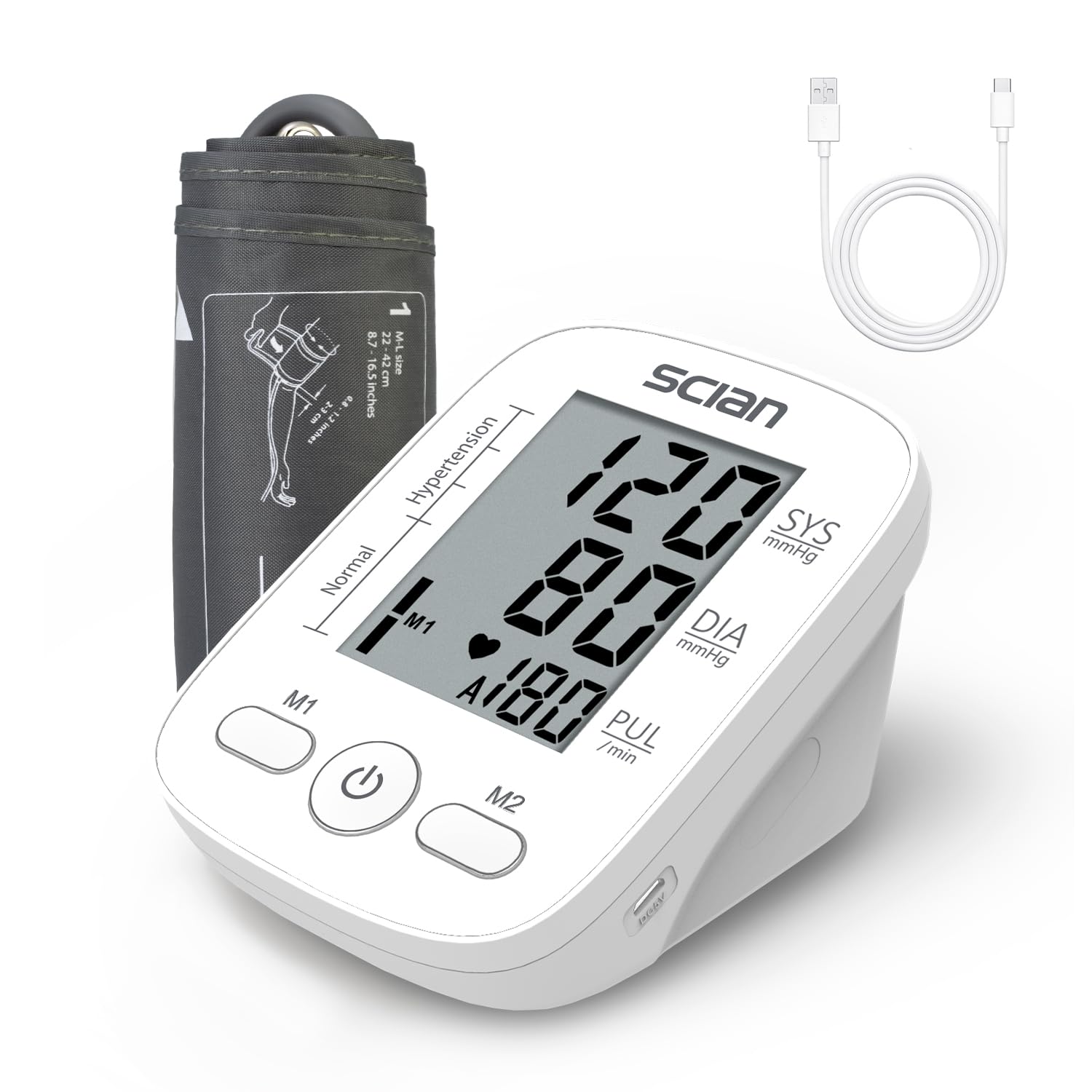
Image: Scian Automatic Upper Arm Blood Pressure Monitor with its components, including the main unit, cuff, and USB cable.
Setup
1. Power Supply
Your monitor can be powered by either AAA batteries or a Micro-USB cable.
- Battery Power: Insert 4 AAA batteries (not included) into the battery compartment, ensuring correct polarity.
- USB Power: Connect the provided Micro-USB cable to the monitor and to a compatible adapter, power bank, or laptop.
Note: The device is not rechargeable. Do not use batteries and the USB cable simultaneously.

Image: Illustration of the two power supply options: 4 AAA batteries (not included) and Micro-USB cable connection to an adapter, laptop, or power bank.
2. Cuff Placement
Proper cuff placement is crucial for accurate readings. The cuff is designed for upper arm sizes 8.7"-16.5" (22-42 cm).
- Put the cuff on your left upper arm with the tube pointing towards your palm.
- Ensure the cuff is wrapped approximately 2-3 cm above the elbow.
- Sit upright with your feet flat on the floor, and ensure your arm is at approximately the same level as your heart.

Image: A visual guide demonstrating the four steps for correctly placing the cuff and positioning the arm for a blood pressure measurement.
Operating Instructions
Taking a Measurement
The Scian Blood Pressure Monitor features one-button operation for ease of use.
- Ensure the cuff is correctly placed and you are in a relaxed, seated position.
- Press the Start/Stop button (power button) to begin the measurement. The cuff will automatically inflate.
- Remain still and silent during the measurement.
- Once the measurement is complete (approximately 30 seconds), your systolic pressure (SYS), diastolic pressure (DIA), and pulse rate (PUL) will be displayed on the large LCD screen.
- The device will automatically power off after 3 minutes of inactivity to conserve battery.

Image: The Scian Blood Pressure Monitor's large LCD display showing readings and the prominent Start/Stop button for easy operation.
Dual User Mode and Memory
The monitor supports two users, each with 90 memory sets, allowing you to track your blood pressure status and heart rate over time.
- Use the M1 and M2 buttons to select User 1 or User 2 before taking a measurement.
- To view past readings, press the M1 or M2 button when the device is off. Repeated presses will cycle through stored measurements.
- The monitor averages the latest 3 readings for a more precise measurement.

Image: The blood pressure monitor displaying its dual user mode capability, showing separate memory records for User 1 and User 2.
Understanding Your Results
The display shows Systolic Blood Pressure (SYS), Diastolic Blood Pressure (DIA), and Pulse Rate (PUL). It also includes an Irregular Heartbeat Detection indicator and a WHO BP Level Indicator.

Image: A detailed diagram illustrating how to interpret the blood pressure monitor's display, including systolic, diastolic, pulse rate, and the World Health Organization (WHO) blood pressure classification chart.
Maintenance
Proper maintenance ensures the longevity and accuracy of your blood pressure monitor.
- Cleaning: Wipe the monitor unit and cuff with a soft, dry cloth. Do not use abrasive cleaners or immerse the device in water.
- Storage: Store the device in a clean, dry place away from direct sunlight, extreme temperatures, and humidity.
- Battery Replacement: Replace all batteries when the low battery indicator appears on the display. Remove batteries if the device will not be used for an extended period.
- Cuff Care: Ensure the cuff is not twisted or kinked during storage.
Troubleshooting
If you encounter issues with your monitor, refer to the following common problems and solutions:
| Problem | Possible Cause | Solution |
|---|---|---|
| Monitor does not power on | Dead batteries or incorrect battery insertion; USB cable not connected properly. | Replace batteries, ensuring correct polarity. Check USB cable connection. |
| Inaccurate readings | Improper cuff placement; movement or talking during measurement; incorrect arm position; recent activity. | Ensure cuff is correctly placed and snug. Remain still and silent. Position arm at heart level. Rest for 5 minutes before measuring. |
| Cuff does not inflate or inflates too little | Cuff not connected securely to the monitor; air leakage. | Check that the cuff's air tube is firmly inserted into the monitor's port. Inspect cuff for damage. |
| Error message on display | Various operational errors (e.g., movement, weak signal, low battery). | Refer to the specific error code in the full manual (if available) or retry measurement after resting. Ensure batteries are fresh. |
Specifications
| Feature | Detail |
|---|---|
| Model Number | LD-562U |
| Product Dimensions | 5"L x 4"W x 3"Th |
| Item Weight | 220 Grams (7.76 ounces) |
| Cuff Size | 8.7" - 16.5" (22 - 42 cm) |
| Power Source | 4 x AAA Batteries (not included) or Micro-USB DC 5V/0.5A |
| Display Type | Digital LCD |
| Memory | 2 Users, 90 memories each (Total 180) |
| Manufacturer | HONSUN (NANTONG) CO., LTD. |
Warranty and Support
For warranty information and customer support, please refer to the documentation included with your product packaging or contact the manufacturer directly.
Manufacturer: HONSUN (NANTONG) CO., LTD.
Brand: Scian
Please retain your purchase receipt as proof of purchase for any warranty claims.