
Leica 10557
Leica M6 Rangefinder 35mm Camera User Manual
Model: 10557
1. Introduction
The Leica M6, originally introduced in 1984, is an iconic 35mm rangefinder camera renowned for its fully mechanical operation, robust construction, and intuitive design. This manual provides essential information for setting up, operating, and maintaining your Leica M6 camera, ensuring optimal performance and longevity.
This contemporary version of the M6 Classic retains the distinctive slanted rewind crank, angled film advance lever, vintage black vulcanite finish, and the recognizable Leica M6 branding with the red dot logo.
2. Setup and Initial Use
2.1. Unboxing Your Leica M6
Carefully remove all components from the packaging. The bundle typically includes the Leica M6 camera body, a deluxe soft case, and a cleaning kit. Ensure all items are present before proceeding.
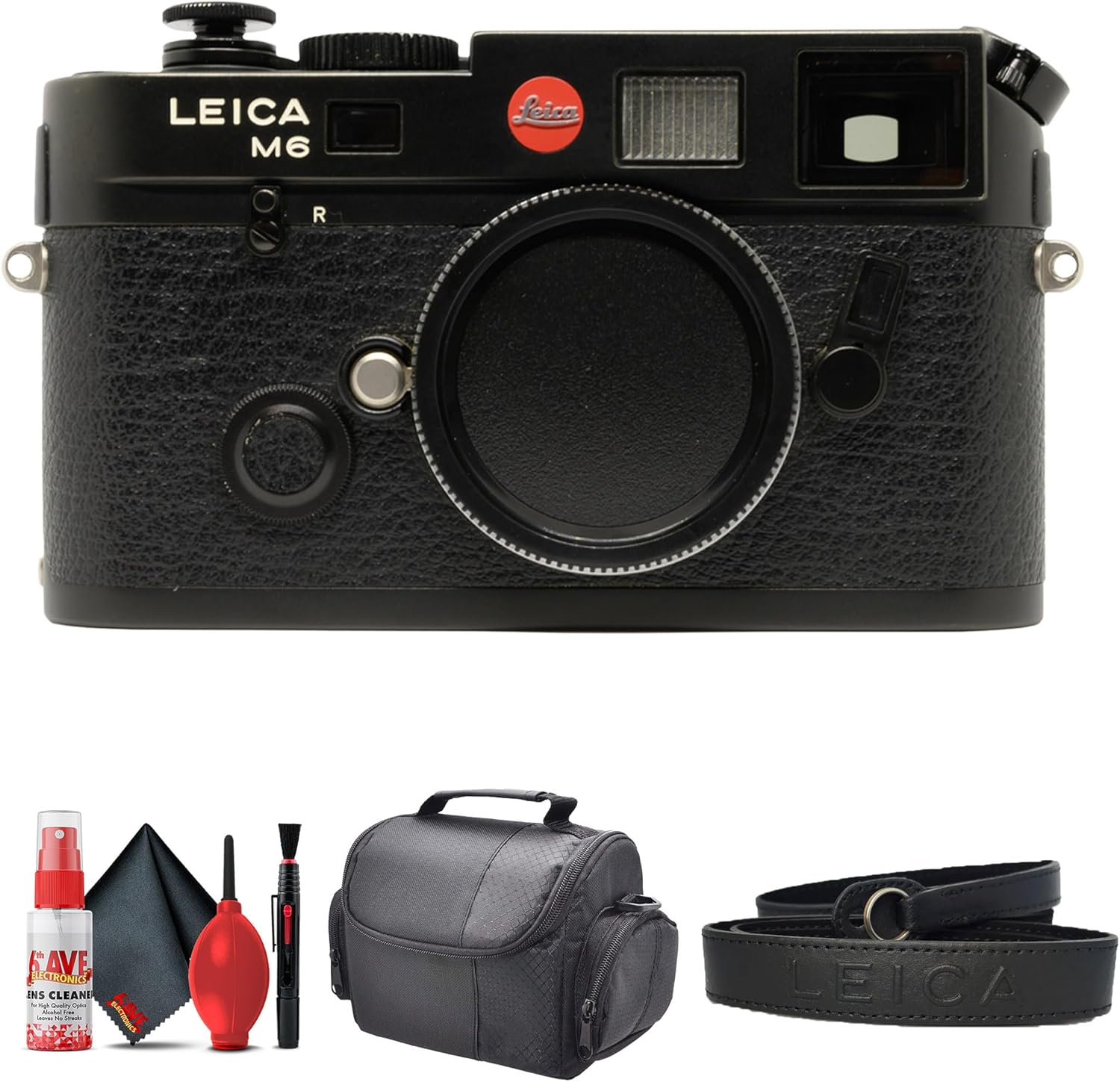
Figure 2.1: Leica M6 camera and bundled accessories.
2.2. Battery Installation
The Leica M6 requires a CR1/3N battery for its light meter. The camera is fully mechanical and can operate without a battery, but the light meter will not function.
- Locate the battery compartment on the bottom of the camera.
- Unscrew the battery cover using a coin or a flat tool.
- Insert the CR1/3N battery with the positive (+) terminal facing inwards.
- Replace the battery cover and tighten it securely.
2.3. Attaching a Lens (Lens Not Included in This Bundle)
While this bundle does not include a lens, the Leica M6 is compatible with a wide range of M-mount lenses. To attach a lens:
- Remove the body cap from the camera and the rear cap from the lens.
- Align the red dot on the lens barrel with the red dot on the camera's lens mount.
- Insert the lens into the mount and rotate it clockwise until it clicks into place.
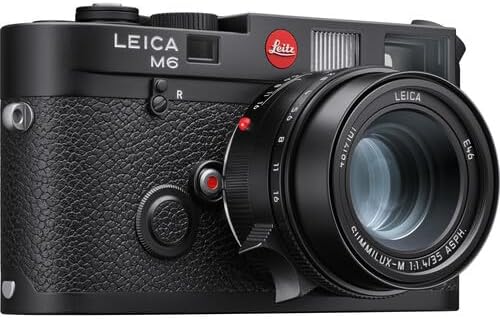
Figure 2.2: Leica M6 with an M-mount lens attached.
2.4. Loading Film
The Leica M6 uses 35mm film. Follow these steps to load a new roll of film:
- Open the camera back by pulling up the rewind crank and turning it counter-clockwise.
- Insert the film cassette into the film chamber on the left side.
- Pull the film leader across to the take-up spool on the right and insert it into one of the slots.
- Advance the film slightly using the film advance lever to ensure it is securely engaged.
- Close the camera back firmly.
- Advance the film two frames (shutter release and film advance) to bring fresh film into position, checking that the rewind crank rotates as you advance, indicating the film is properly loaded.
3. Operating the Camera
3.1. Basic Controls
Familiarize yourself with the main controls of the Leica M6:
- Shutter Speed Dial: Located on the top plate, this dial sets the exposure time.
- Film Advance Lever: Advances the film and cocks the shutter.
- Shutter Release Button: Activates the shutter.
- Rewind Crank: Used to rewind the film back into the cassette.
- Rangefinder Window: Used for precise focusing.
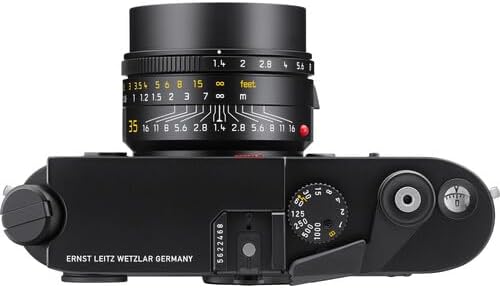
Figure 3.1: Top controls of the Leica M6.
3.2. Focusing with the Rangefinder
The Leica M6 uses a split-image rangefinder for focusing. Look through the viewfinder and align the two superimposed images in the center patch by rotating the lens's focusing ring. Once the images merge, the subject is in focus.
3.3. Setting Exposure
The M6 features a built-in light meter. After setting your film's ISO on the camera, compose your shot and observe the light meter indicators in the viewfinder. Adjust the shutter speed and/or lens aperture (if applicable) until the indicators suggest correct exposure.
3.4. Taking a Photo
Once the film is loaded, the lens is attached, and exposure is set, gently press the shutter release button to take a photograph. After each shot, advance the film using the film advance lever to prepare for the next exposure.
3.5. Rewinding Film
When you have exposed all frames on the roll, rewind the film back into its cassette:
- Press the film rewind release button on the bottom of the camera.
- Fold out the rewind crank and turn it clockwise until you feel the film leader detach from the take-up spool (a slight resistance will be felt, then it will ease).
- Open the camera back and remove the film cassette.
4. Maintenance
Proper care and maintenance will extend the life of your Leica M6.
4.1. Cleaning the Camera
Use the included cleaning kit for best results:
- Camera Body: Wipe the camera body with a soft, lint-free cloth. For stubborn marks, slightly dampen the cloth with water or a mild camera cleaning solution. Avoid getting liquids into openings.
- Lens (if applicable): Use a blower brush to remove dust. For smudges, use a lens cleaning solution and a microfiber cloth, wiping gently in a circular motion from the center outwards.
- Viewfinder/Rangefinder: Gently clean the exterior glass surfaces with a lens cloth. Avoid touching the internal optics.
4.2. Storage
When not in use, store your Leica M6 in a cool, dry place, away from direct sunlight and extreme temperatures. Use the deluxe soft case provided to protect it from dust and scratches.
5. Troubleshooting
- Camera Not Firing: Ensure the film advance lever is fully advanced and the shutter is cocked. Check if the shutter speed dial is set correctly and not on 'B' (Bulb) or 'T' (Time) if you expect an instant release.
- Light Meter Not Working: Check the CR1/3N battery. Ensure it is correctly installed and has sufficient charge.
- Film Not Advancing/Rewinding: Verify that the film is properly loaded onto the take-up spool. For rewinding, ensure the rewind release button is pressed and the crank is turned in the correct direction.
- Images Are Blurry: Ensure proper focusing using the rangefinder. Check that the lens (if attached) is securely mounted and clean.
6. Specifications
| Feature | Description |
|---|---|
| Model Number | 10557 |
| Film Format Type | 35mm |
| Operation | Fully Mechanical |
| Viewfinder Magnification | 0.72x Brightline Viewfinder |
| Image Field Frame Lines | Six |
| Body Finish | Abrasion-Resistant Black Lacquer |
| Top Plate Material | Solid Brass w/ Red Leitz Logo |
| Dimensions (L x W x H) | 1.6 x 5.4 x 3 inches |
| Item Weight | 3.19 pounds |
| Included Components | Leica M6 Rangefinder 35mm Camera, Deluxe Soft Case, Cleaning Kit |
| Date First Available | December 7, 2023 |
| Manufacturer | Leica |
| Country of Origin | Georgia |
| UPC | 094148630045 |
7. Warranty and Support
For information regarding warranty coverage, service, or technical support for your Leica M6 camera, please refer to the official Leica website or contact Leica customer service directly. Keep your purchase receipt as proof of purchase for any warranty claims.
You can visit the official Leica Store for more information: Leica Store on Amazon
Ask a question about this manual
Ask about setup, troubleshooting, compatibility, parts, safety, or missing instructions. Manuals+ will review the question and use this page’s manual context to help answer it.