Introduction
Welcome to your abetap Smart Bird Feeder with Camera, Model N012. This manual provides comprehensive instructions for the setup, operation, and maintenance of your device to ensure optimal performance and an enhanced birdwatching experience. Please read this manual thoroughly before using the product.
Package Contents
Please verify that all items listed below are included in your package:
- abetap Smart Bird Feeder Unit
- HD Camera Module
- 3W Solar Panel
- Mounting Bracket and Screws
- Mounting Straps
- USB Charging Cable
- User Manual (this document)
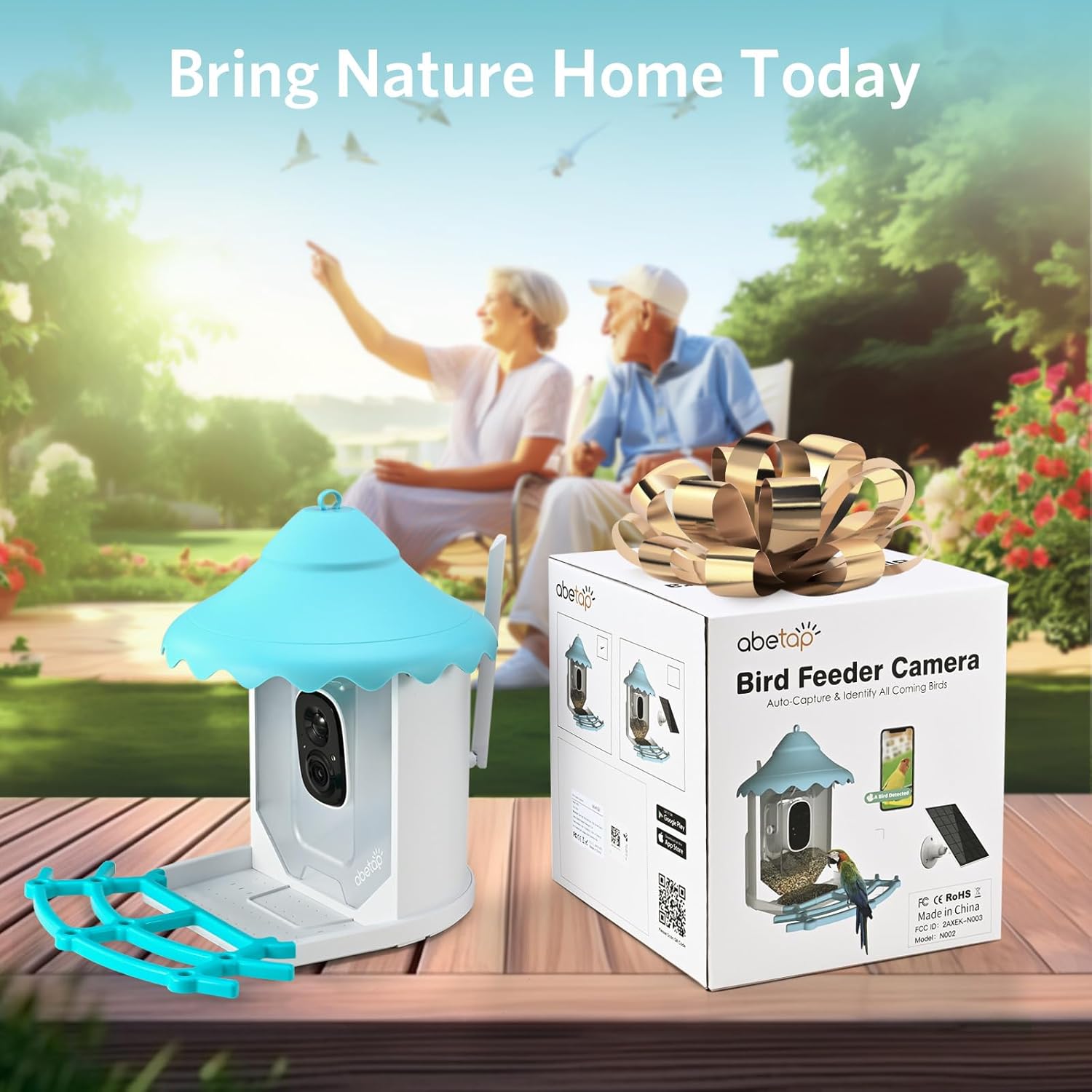
Image: The abetap Smart Bird Feeder with Camera N012 shown in its retail box, indicating the complete product package.
Product Overview
The abetap Smart Bird Feeder with Camera N012 combines a durable bird feeder with advanced camera technology, offering features such as AI bird recognition, 1080p video, and solar power for continuous operation.

Image: The abetap Smart Bird Feeder with Camera N012, showcasing the feeder unit, integrated camera, solar panel, and a colorful bird.
Key Features:
- 1080p HD Camera: Capture clear video and images of visiting birds.
- AI Bird Recognition: Identify over 11,000 bird species instantly.
- Solar Powered: Equipped with a 3W solar panel for continuous charging.
- Large Capacity Feeder: Holds 0.69 gallons (2.6 liters) of bird seed.
- Weatherproof Design: IP65 rated for outdoor use in various weather conditions.
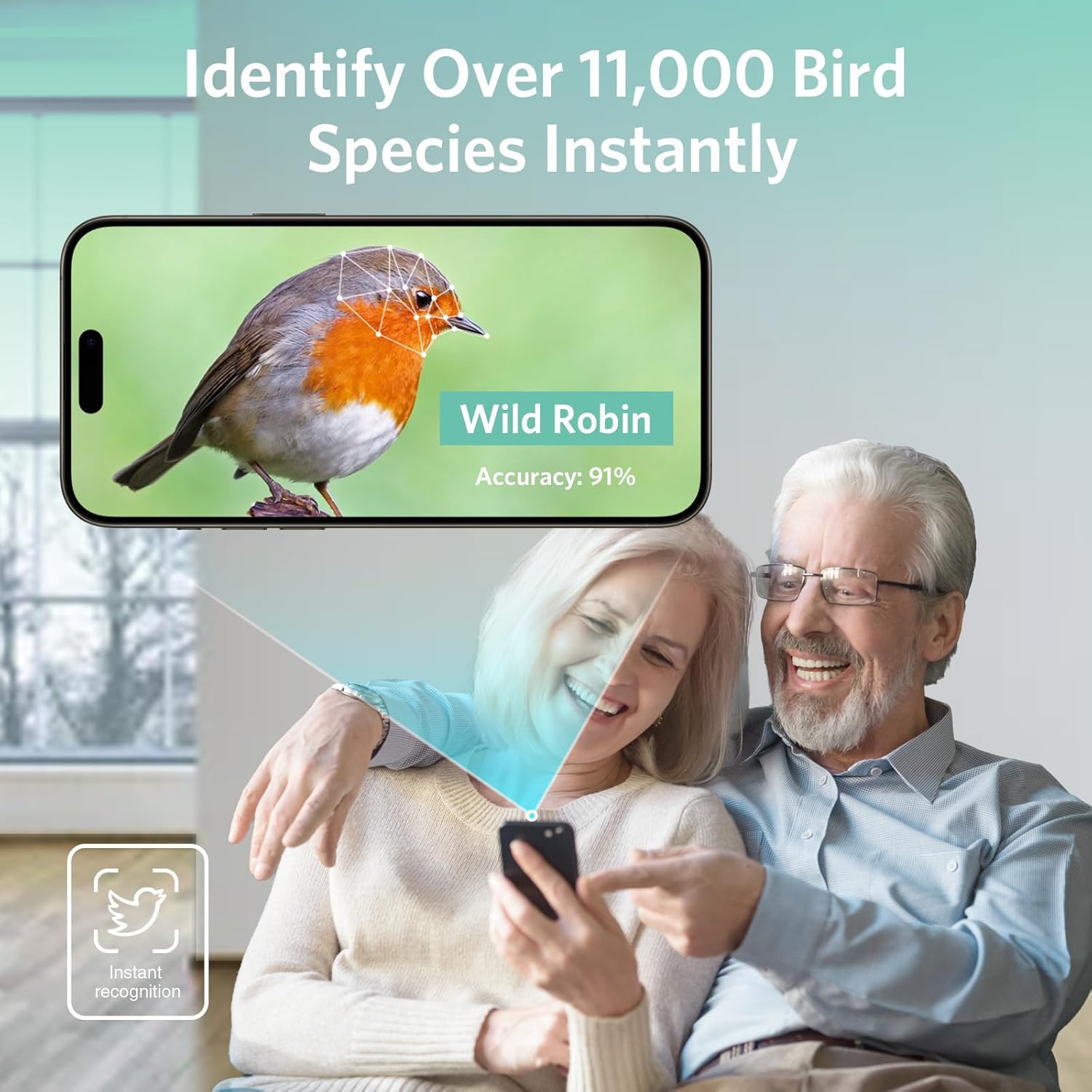
Image: Illustration of the bird feeder's seed capacity, highlighting its 0.69-gallon (2.6-liter) volume for extended feeding.

Image: The abetap Smart Bird Feeder installed outdoors during rain, demonstrating its IP65 waterproof and dustproof rating.
Setup
1. App Installation
Download the companion application to your smartphone. The app is essential for controlling the camera, viewing live feeds, and receiving notifications.
You can download the VicoHome App from your device's app store or by visiting the official download page:

Image: A smartphone screen displaying notifications from the abetap app, with icons for Google Play and Apple App Store, indicating where to download the application.
2. Initial Device Charging
Before initial use, it is recommended to fully charge the camera battery using the provided USB cable. Connect the USB cable to the camera's charging port and a standard USB power adapter (not included).
3. Camera Pairing
Once the app is installed and the camera is charged, follow the in-app instructions to pair your camera with your smartphone. Ensure your smartphone is connected to a 2.4GHz Wi-Fi network during the pairing process.
4. Mounting the Feeder
The abetap Smart Bird Feeder offers versatile mounting options to suit your outdoor environment:
- Wall/Post Mount: Use the included mounting bracket and screws to securely attach the feeder to a wall, fence, or wooden post.
- Strap Mount: Utilize the provided straps to attach the feeder to a tree trunk or pole without drilling.
- Hanging Mount: The feeder features an integrated loop at the top, allowing it to be hung from a sturdy hook or branch.

Image: The abetap Smart Bird Feeder mounted on a tree, showing the camera's 135-degree viewing angle and a smartphone displaying live video feed.
5. Solar Panel Connection
Connect the solar panel cable to the feeder's designated charging port. Position the solar panel in an area that receives direct sunlight for several hours each day to ensure optimal and continuous charging of the camera battery.

Image: The abetap Smart Bird Feeder with its solar panel connected and mounted, illustrating how the solar panel provides continuous power.
Operating Instructions
1. Live View and Recording
Open the VicoHome app to access the live camera feed from your bird feeder. From the live view, you can manually record video clips or capture still photos of visiting birds.
2. AI Bird Recognition
The camera utilizes advanced AI technology to automatically detect and identify over 11,000 bird species. When a bird is detected, the app will provide real-time identification details, enhancing your birdwatching experience.

Image: A smartphone screen displaying a detected bird (Wild Robin) with 91% accuracy, demonstrating the AI bird recognition feature.
3. Motion Detection and Notifications
The camera is equipped with motion detection capabilities. When motion is detected near the feeder, the app will send instant notifications to your smartphone, alerting you to new visitors.
4. Two-Way Audio
Utilize the app's two-way audio feature to listen to the sounds of birds or to speak through the camera's speaker. This can be used to gently deter unwanted visitors like squirrels.
5. Sharing the Experience
The VicoHome app allows you to share access to your bird feeder's live feed and recorded moments with family and friends, enabling multiple users to enjoy the birdwatching experience simultaneously.

Image: A family viewing bird feeder content on various devices, illustrating the feature to share the birdwatching experience.
Maintenance
1. Cleaning the Feeder
Regularly clean the feeder to prevent the buildup of old seeds, mold, and bacteria, which can be harmful to birds. Disassemble the feeder components as needed for thorough cleaning with mild soap and water. Rinse thoroughly and ensure all parts are completely dry before reassembly and refilling.
2. Refilling Seeds
Monitor the seed levels regularly and refill as necessary. The feeder has a generous capacity of 0.69 gallons (2.6 liters) to reduce the frequency of refills.
3. Solar Panel Care
Keep the surface of the solar panel clean and free of dust, leaves, and other debris. A clean solar panel ensures maximum efficiency in charging the camera battery.
Troubleshooting
- No Power/Charging: Ensure the solar panel is clean and positioned to receive direct sunlight. Check the USB cable connection if charging via USB. Verify the camera's battery level in the app.
- Wi-Fi Connectivity Issues: Confirm the camera is within range of your 2.4GHz Wi-Fi network. Restart your Wi-Fi router and the camera. Ensure your Wi-Fi password is entered correctly during setup.
- No Notifications: Check the VicoHome app settings to ensure notifications are enabled for the device. Verify your smartphone's notification settings. Adjust motion detection sensitivity if needed.
- Poor Image/Video Quality: Ensure the camera lens is clean and free from dirt or condensation. Check your Wi-Fi signal strength; a weak signal can affect streaming quality.
- Squirrels/Unwanted Visitors: Utilize the two-way audio feature to deter them. Consider repositioning the feeder or adding physical deterrents if issues with persistent unwanted visitors occur.
Specifications
| Feature | Detail |
|---|---|
| Brand | abetap |
| Model Number | N012 |
| Camera Resolution | 1080p HD (2 Megapixels) |
| AI Recognition | Over 11,000 bird species |
| Power Source | Solar Powered, Battery Powered |
| Feeder Capacity | 2.6 Liters (0.69 Gallons) |
| Product Dimensions (L x W x H) | 27.3 x 37.4 x 48.8 cm |
| Item Weight | 1.96 kg (4.32 Pounds) |
| Weather Rating | IP65 (Waterproof and Dustproof) |
| Manufacturer | Shenzhen Abetap IoT Technology Co.,Ltd |
Warranty and Support
For detailed warranty information, technical assistance, or customer support, please refer to the product packaging or visit the official abetap website. You may also contact abetap customer service directly through the contact information provided with your purchase.