
AUTELO F3698 WH
AUTELO 52" Modern Ceiling Fan with Lights User Manual
Model: F3698 WH
Product Overview
The AUTELO 52" Modern Ceiling Fan with Lights (Model F3698 WH) is designed to provide efficient air circulation and versatile lighting for various indoor spaces. It features a matte white body with five dual-color blades (wooden grain and matte white), an integrated 24W LED light kit with adjustable color temperatures, and a quiet reversible DC motor. All functions are conveniently controlled via an included remote.

Image: The AUTELO 52-inch modern white ceiling fan with its five blades, integrated light, and remote control.
Safety Information
Please read all instructions carefully before installation and use. Retain this manual for future reference. Always turn off the electrical power at the main fuse or circuit breaker before beginning installation or performing any maintenance.
- Ensure all electrical connections comply with local codes and ordinances.
- Consult a qualified electrician if you are unsure about wiring or installation.
- Do not bend the blade holders when installing the blades, balancing the blades, or cleaning the fan.
- Never insert foreign objects between rotating fan blades.
- This appliance is not intended for use by persons (including children) with reduced physical, sensory or mental capabilities, or lack of experience and knowledge, unless they have been given supervision or instruction concerning use of the appliance by a person responsible for their safety.
Package Contents
Verify that all components are present and undamaged before proceeding with installation.
- Ceiling Fan Motor Assembly
- 5 Fan Blades (dual-color: wooden grain & matte white)
- Downrods (5" and 10" included)
- Hanging Bracket
- Canopy
- Light Kit (24W Integrated LED)
- Remote Control
- Mounting Hardware (screws, wire nuts, etc.)
- Installation Manual

Image: All components of the AUTELO ceiling fan, including the motor, blades, downrods, remote, and hardware.
Specifications
| Feature | Detail |
|---|---|
| Brand | AUTELO |
| Model | F3698 WH |
| Size | 52 Inch |
| Mounting Type | Downrod Mount (5" and 10" included) |
| Material | Metal (body), Wood (blades) |
| Motor Type | Reversible DC Motor |
| Light Source | 24W Integrated LED |
| Color Temperature | 3000K (Warm), 4000K (Natural), 6000K (Cool) |
| Brightness | 1% to 100% Dimmable |
| Fan Speeds | 6 Speeds |
| Timer Settings | 1/4/8 Hour |
| Noise Level | Less than 30dB |
| Voltage | 120 Volts |
| Wattage | 24 watts |
Setup and Installation
For a detailed visual guide, please refer to the official installation video provided by AUTELO. Ensure power is OFF at the circuit breaker before starting.
Video: Guidance of Ceiling Fan installation F3698 WH. This video provides step-by-step instructions for installing the ceiling fan, including pre-checks, downrod installation, hanging bracket setup, wiring, and hanging the fan.
Installation Steps:
- Pre-Checked: Before starting, ensure all package contents are present and turn off the electrical power at the main fuse or circuit breaker.
- Install Downrod:
- Choose a suitable downrod (5" or 10").
- Remove the hanger ball from the downrod.
- Insert and fix the downrod into the fan motor assembly, ensuring both screws are locked tightly.
- Place the decorative cover over the downrod.
- Install the hanger ball back onto the downrod.
- Connect the receiver wires to the fan motor wires (Blue to Red, White to Blue, Red & Pink to Grey).
- Install Hanging Bracket:
- Securely install the hanging bracket to the ceiling junction box using appropriate screws.
- Wire & Hang the Fan:
- Assemble the fan into the hanger bracket, ensuring the groove on the hanger ball is fixed with the lug on the bracket.
- Connect the electrical wires: Black to Live, White to Neutral, and Green to Ground.
- Install the canopy, securing it with screws.
- Install Blades:
- Choose the desired blade color (wooden grain or matte white).
- Install the blades onto the leaf frames.
- Remove the pre-installed screws from the fan motor.
- Attach the blades to the fan motor assembly using the provided screws.
- Install Light Kit:
- Loosen the screws on the light kit mounting plate.
- Attach the light shade to the fan motor assembly.
- Fix the screws to secure the light shade.
- Connect the light kit wires to the fan motor wires.
- Install the light cover by twisting it into place.
Operating Instructions
The AUTELO ceiling fan is operated using the included multifunctional remote control. Ensure batteries are installed correctly in the remote.
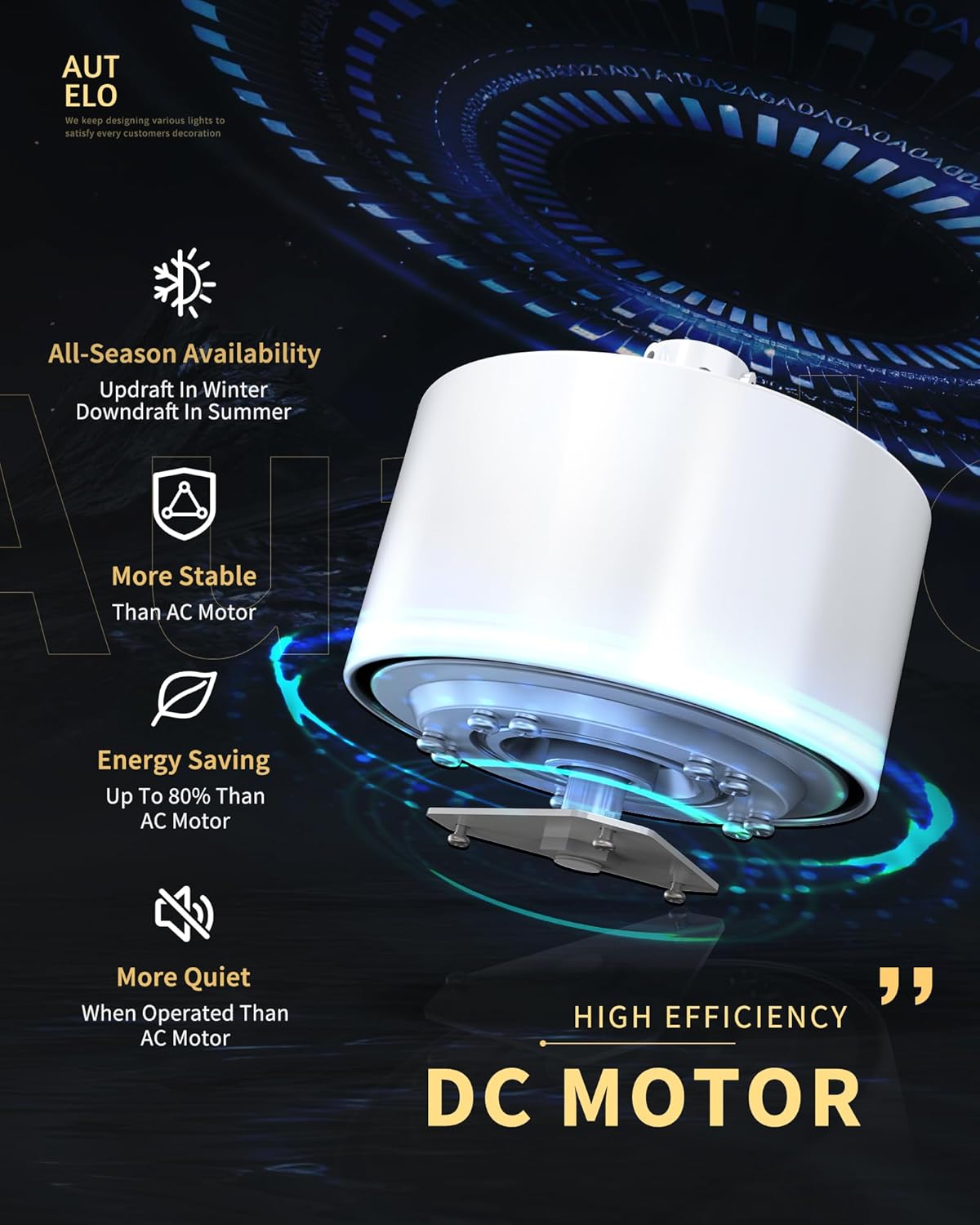
Image: The multifunctional remote control for the AUTELO ceiling fan, showing buttons for fan speed, light control, timer, and reversible function.
- Power On/Off: Use the "FAN OFF" button to turn the fan off. The light can be turned on/off independently.
- Fan Speed Control: Select from 6 wind speeds (1-6) to adjust airflow from a gentle breeze to a powerful gust.
- Reversible Function: Use the reversible button (usually a double-arrow icon) to switch between downdraft mode (summer) and updraft mode (winter).
- Summer Mode (Downdraft): Fan blades rotate counter-clockwise, pushing cool air down.
- Winter Mode (Updraft): Fan blades rotate clockwise, pulling cool air up and distributing warm air evenly.
- Light Control:
- Color Temperature (CCT) Adjustment: Cycle through 3000K (Warm Light), 4000K (Natural Light), and 6000K (Cool Light) using the dedicated CCT buttons.
- Brightness Dimming: Adjust the light brightness from 1% to 100% independently in each color temperature using the LED+ and LED- buttons.
- Timer Setting: Set the fan to automatically turn off after 1, 4, or 8 hours using the timer buttons.
- Silent Option: The fan operates at less than 30dB for a peaceful environment. The remote may have a button to turn off any beeping sounds.
Video: AUTELO White Ceiling Fan with Light F3698 WH. This video demonstrates the fan's features, including light color temperature changes, dimming, and fan speed adjustments.
Maintenance
Regular maintenance ensures optimal performance and extends the lifespan of your ceiling fan.
- Cleaning: Use a soft, damp cloth to clean the fan blades and motor housing. Do not use abrasive cleaners or solvents.
- Blade Balance: If the fan wobbles, check that all blade screws are tightened. Use the included balancing kit if necessary.
- Light Kit: The LED light kit is integrated and designed for a long lifespan (50,000+ hours). No bulb replacement is typically needed.
- General Check: Periodically check all connections and screws to ensure they are secure.
Troubleshooting
If you encounter issues with your AUTELO ceiling fan, refer to the following common troubleshooting steps:
- Fan Does Not Operate:
- Check that the power is turned on at the circuit breaker and wall switch.
- Ensure all wire connections are secure.
- Verify the remote control batteries are fresh and correctly inserted.
- Light Does Not Work:
- Check wire connections to the light kit.
- Ensure the light function on the remote is activated.
- Fan Wobbles:
- Ensure the hanging bracket is securely mounted to the ceiling.
- Check that all blade screws are tightened.
- Verify the downrod is properly secured to the motor housing.
- Use the blade balancing kit if necessary.
- Noisy Operation:
- Ensure all screws are tight.
- Check for any loose parts or wires inside the canopy.
- Allow a 24-hour "break-in" period for the motor to settle.
If problems persist after following these steps, please contact customer support.
Warranty and Support
AUTELO offers a 12-month warranty for this product. For any questions regarding the product or installation, please do not hesitate to contact our 24/7 customer support. You can find contact information on the product packaging or the official AUTELO website.
Ask a question about this manual
Ask about setup, troubleshooting, compatibility, parts, safety, or missing instructions. Manuals+ will review the question and use this page’s manual context to help answer it.