1. Introduction
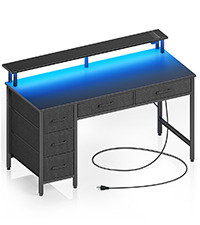
Thank you for choosing the Seventable Computer Desk 55.1" with LED Lights & Power Outlets. This versatile desk is designed to enhance your home office or gaming setup with its integrated features, ample storage, and ergonomic design. This manual provides detailed instructions for assembly, operation, maintenance, and troubleshooting to ensure you get the most out of your new desk.

2. Safety Information
Please read and understand all safety instructions before assembling or using the desk. Failure to follow these instructions may result in injury or damage to the product.
- Always follow the assembly instructions provided in the user manual.
- Ensure all components are securely fastened before use.
- Keep the work area clear of obstacles and other people during assembly.
- Do not exceed the weight limit of the desk.
- Always use the desk on a stable, level surface.
- Keep the power cord away from heat sources and liquids.
- Do not use the desk if any parts are damaged or missing.
- Always unplug the desk before making any adjustments or cleaning.
3. Package Contents
Verify that all parts are present and undamaged before beginning assembly. The package should include the following components:
- Desk tabletop sections
- Monitor stand
- Keyboard tray
- 4 non-woven fabric drawers
- Metal frame components (Alloy Steel)
- Integrated power strip (2 AC outlets, 2 USB ports, 1 Type C port)
- RGB LED light strips
- Assembly hardware (screws, bolts, etc.)
- Instruction manual

4. Setup and Assembly
Assembly of the Seventable Computer Desk is designed to be straightforward. Please follow the step-by-step instructions provided in the separate assembly guide included in your package. Ensure you have adequate space and all tools required before starting.
4.1 Drawer Installation
The four non-woven fabric drawers are customizable and can be arranged based on your specific storage needs. Follow the diagram below for easy installation of the fabric drawers into their designated slots.
4.2 Keyboard Tray and Monitor Stand
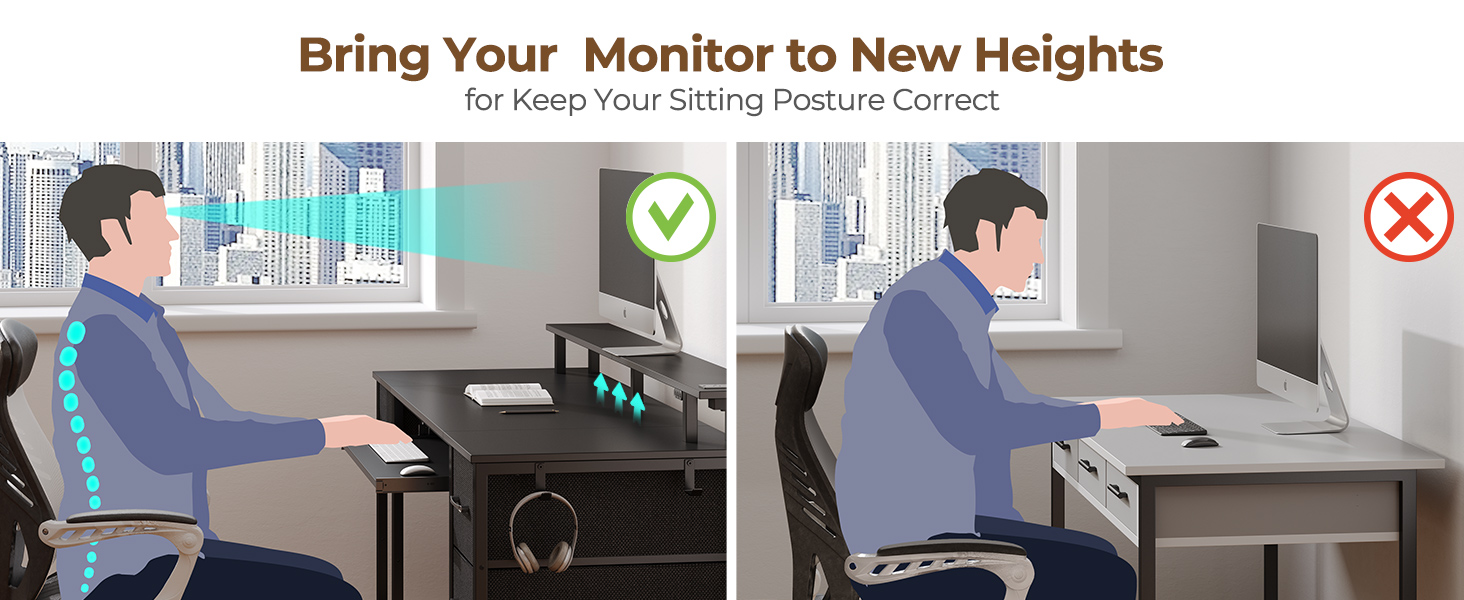
Install the pull-out keyboard tray according to the assembly instructions. This tray is designed to maximize desktop space and promote ergonomic typing. The full-size monitor stand should also be securely attached, providing an optimal height for your monitors to reduce neck and back strain.

5. Operating Instructions
5.1 Integrated Power Strip
The desk features a built-in power strip for convenient device charging. It includes 2 standard AC outlets, 2 USB ports (5V/2.4A), and 1 Type C port (5V/3A). Simply plug your devices into the appropriate ports to charge them directly from your desk.

5.2 Multifunctional LED Lights
The desk is equipped with dynamic multi-color RGB LED light strips. Control the lights using the dedicated phone app or the included controller. You can personalize brightness, color (over 60,000 options), mode, and timer settings. The LED lights can also synchronize with music, creating an immersive atmosphere.

6. Maintenance
To ensure the longevity and appearance of your Seventable Computer Desk, follow these maintenance guidelines:
- Cleaning: Wipe surfaces with a soft, damp cloth. Avoid harsh chemicals or abrasive cleaners that could damage the laminated finish.
- Dusting: Regularly dust the desk and LED strips to prevent accumulation.
- Power Strip Care: Ensure the power strip is kept dry. Do not spill liquids on or near the outlets.
- Drawer Care: The fabric drawers can be spot cleaned with a mild detergent if necessary. Allow them to air dry completely.
- Fasteners: Periodically check all screws and fasteners to ensure they remain tight. Tighten if necessary.
7. Troubleshooting
If you encounter any issues with your Seventable Computer Desk, refer to the following common troubleshooting tips:
- LED Lights Not Working: Check if the power cable for the LED strip is securely connected to the power source and the desk. Ensure the app or controller is properly paired and has fresh batteries (if applicable).
- Power Outlets Not Functioning: Verify that the desk's main power cord is securely plugged into a working wall outlet. Check for any tripped circuit breakers.
- Desk Wobbles: Ensure the desk is on a flat, level surface. Check all assembly screws and bolts to confirm they are tightened securely. Adjust the leveling feet if present.
- Drawers Sticking/Not Sliding Smoothly: Ensure the fabric drawers are correctly assembled and inserted into their slots. Check for any obstructions in the drawer tracks.
For issues not covered here, please refer to the detailed assembly guide or contact customer support.
8. Specifications
| Feature | Detail |
|---|---|
| Brand | Seventable |
| Model Number | hq-dnzh041-08 |
| Product Dimensions | 18.5"D x 55.1"W x 34.4"H |
| Color | Black |
| Material | Alloy Steel (Base), Engineered Wood (Top) |
| Number of Drawers | 4 (Fabric) |
| Power Outlets | 2 AC Outlets (120V/12A) |
| USB Ports | 2 USB (5V/2.4A), 1 Type-C (5V/3A) |
| Special Features | LED Lights, Keyboard Tray, Monitor Stand, Storage |
| Assembly Required | Yes |
| Item Weight | 45 Pounds |
9. Warranty & Support
This product comes with no stated warranty. For any questions, concerns, or support needs regarding your Seventable Computer Desk, please contact Seventable customer service through the retailer's platform or the official Seventable website. Please have your model number (hq-dnzh041-08) and purchase information ready when contacting support.


