Introduction
This manual provides detailed instructions for the installation, operation, and maintenance of your Moman H4R Motorcycle Helmet Earphones. Please read this manual thoroughly before use to ensure proper functionality and safety.
Package Contents
Verify that all items listed below are included in your package:
- H4R Wireless Helmet Headset x1
- Changeable Hard Mic and Soft Mic Speakers x1 set
- Back Clip x1
- Velcro Clip Kit x1
- Type-C Charging Cable x1
- User Manual x1

Image: Overview of the Moman H4R package contents, including the main unit, microphones, mounting clips, charging cable, and user manual.
Product Features
- Wireless 5.3 Connectivity: Equipped with Bluetooth 5.3 technology for stable and efficient connection, reducing interference. Supports simultaneous connection to two smartphones for navigation, calls, and music. (Note: This product does not feature an intercom function.)

Image: Internal view of the Moman H4R, emphasizing the upgraded 5.3 wireless chip for improved efficiency and lower latency.
- 16 RGB Light Modes: Features dazzling RGB lights with 16 light effects designed for night riding. Users can switch between 6 colors and 3 lighting modes (flashing, flowing, steady) for enhanced visibility and personalization.

Image: Moman H4R unit showcasing its 16 RGB light modes, highlighting various color and marquee options.
- AI Voice Assistant: Single-touch activation for voice assistants like Siri, allowing hands-free control for safer riding. Supports automatic answering of hands-free calls.

Image: A rider wearing a helmet with the Moman H4R attached, illustrating the AI voice assistant feature and hands-free operation.
- Long-Lasting Battery & Type-C Charging: Integrated 1000mAh battery provides up to 32 hours of continuous operation and 360 hours of standby time on a single charge. Features a Type-C port for audio, data transfer, and charging.

Image: Close-up of the Moman H4R's Type-C charging port, indicating the 1000mAh battery capacity and charging times.
- IPX6 Waterproof & Dustproof: Designed with IPX6 water and dust resistance, ensuring reliable performance in various weather conditions including rain, dust, and snow. Compatible with most open, modular, and full-face helmets.

Image: The Moman H4R unit being splashed with water and dust, demonstrating its IPX6 waterproof and dustproof capabilities.
- High Stereo Music with 40mm Speakers: Delivers clear and high-quality stereo sound to enhance the riding experience.

Image: A helmeted rider with sound waves emanating from the Moman H4R, representing the high stereo music feature with 40mm speakers.
Setup and Installation
Mounting the Headset
- Choose a suitable location on the side of your helmet, preferably near the bottom edge, where the headset will not obstruct your vision or movement.
- Use the provided back clip to secure the main unit to the helmet. Ensure it is firmly attached.
- Alternatively, use the Velcro clip kit for helmets where the back clip is not suitable. Clean the helmet surface thoroughly before applying the adhesive Velcro.
Installing Speakers and Microphone
- Open the helmet's inner lining.
- Place the 40mm speakers inside the helmet's ear pockets, ensuring they are aligned with your ears for optimal sound.
- Route the speaker wires neatly under the helmet lining to the main unit.
- Select either the hard mic or soft mic speaker based on your helmet type (hard mic for open-face/modular, soft mic for full-face).
- Attach the microphone to a position near your mouth, ensuring it is clear of obstructions. Secure the microphone cable.
- Connect the speaker and microphone cables to the appropriate ports on the main H4R unit.
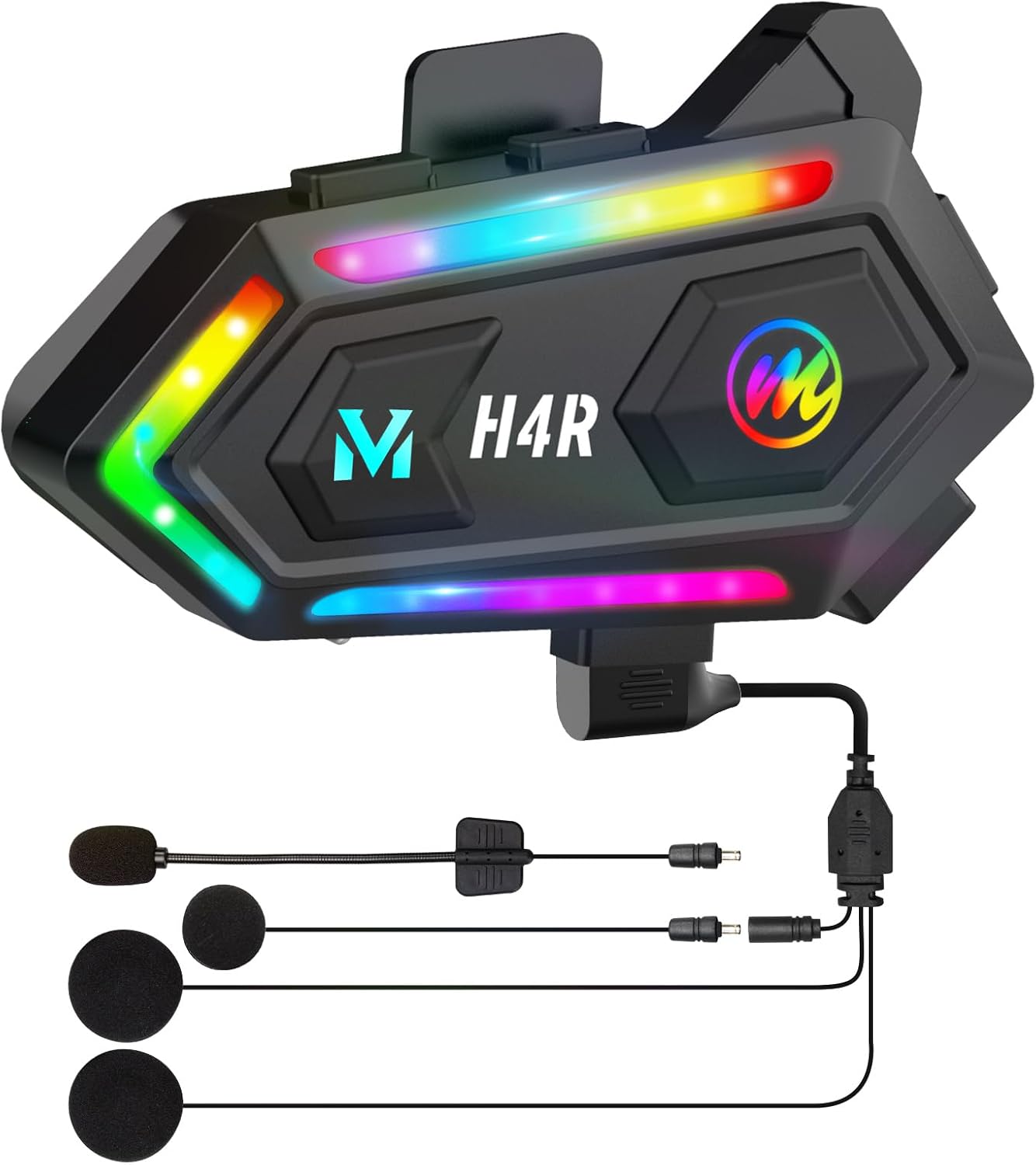
Image: A diagram illustrating the proper placement of the Moman H4R unit, speakers, and microphone inside a motorcycle helmet.
Operating Instructions
Power On/Off
- To Power On: Press and hold the Power button for 3 seconds.
- To Power Off: Press and hold the Power button for 3 seconds.
Bluetooth Pairing
- With the device off, press and hold the Power button until the LED indicator flashes red and blue, indicating pairing mode.
- On your smartphone, enable Bluetooth and search for "Moman H4R".
- Select "Moman H4R" to connect. The LED will turn solid blue once paired.
- To connect a second smartphone, repeat the pairing process with the second device.
Music Playback
- Play/Pause: Short press the Multi-function button.
- Next Track: Short press the Volume Up button.
- Previous Track: Short press the Volume Down button.
- Volume Adjustment: Long press Volume Up or Volume Down.
Phone Calls
- Answer Call: Short press the Multi-function button.
- End Call: Short press the Multi-function button during a call.
- Reject Call: Long press the Multi-function button.
- Redial Last Number: Double press the Multi-function button.
- Automatic Answering: The device will automatically answer incoming calls after a few rings (if enabled).
Voice Assistant
- Activate Voice Assistant (Siri/Google Assistant): Short press the Voice button (microphone icon).
RGB Light Control
- Change Light Mode/Color: Refer to the specific button on the device for light control (likely the RGB button). Short press to cycle through modes/colors.
Maintenance
- Cleaning: Wipe the unit with a soft, damp cloth. Do not use harsh chemicals or abrasive cleaners.
- Storage: Store the device in a cool, dry place when not in use. Avoid extreme temperatures.
- Charging: Use only the provided Type-C charging cable. Do not overcharge the battery.
- Waterproofing: While IPX6 rated, avoid prolonged submersion in water. Ensure the Type-C port cover is securely closed before exposure to water.
Troubleshooting
| Problem | Solution |
|---|---|
| Device does not power on. | Ensure the battery is charged. Connect to a power source using the Type-C cable. |
| Cannot pair with smartphone. | Ensure the H4R is in pairing mode (flashing red/blue LED). Turn off and on Bluetooth on your smartphone. Move closer to the device. |
| No sound from speakers. | Check speaker connections to the main unit. Ensure volume is not muted on the H4R or your smartphone. |
| Microphone not working. | Check microphone connection. Ensure the microphone is positioned correctly and not obstructed. |
| RGB lights not functioning. | Ensure the device is powered on. Try cycling through the light modes. |
If the issue persists, please contact Moman customer support.
Specifications
| Feature | Detail |
|---|---|
| Model Number | H4R |
| Wireless Technology | Bluetooth 5.3 |
| Battery Capacity | 1000 mAh |
| Charging Time | Approximately 2 hours |
| Working Time | Up to 32 hours |
| Standby Time | Up to 360 hours |
| Waterproof Rating | IPX6 |
| Frequency Range | 20 Hz - 20,000 Hz |
| Impedance | 32 ohms |
| Control Method | Touch, Voice Control |
| Speaker Size | 40mm |
Image: A detailed view of the Moman H4R unit, highlighting its sleek design and the integrated RGB lighting.
Safety Information
- Always prioritize road safety. Do not operate the device in a way that distracts you from driving.
- Adjust volume to a level that allows you to hear external sounds and traffic.
- Do not attempt to disassemble or modify the device. This may void the warranty and cause damage.
- Keep out of reach of children.
- Dispose of the device and its components responsibly according to local regulations.
Warranty and Support
Moman products come with a standard manufacturer's warranty. For specific warranty terms and conditions, please refer to the warranty card included in your package or visit the official Moman website.
For technical support, troubleshooting assistance, or warranty claims, please contact Moman customer service.
Image: A graphic depicting Moman's professional customer service, indicating local language support and a 24-hour response time.


