
TAGRY X08
TAGRY X08 Wireless Earbuds User Manual
Your comprehensive guide to setting up, operating, and maintaining your TAGRY X08 Bluetooth Headphones.
1. Introduction
The TAGRY X08 True Wireless Earbuds offer a superior audio experience with advanced features designed for comfort and convenience. This manual provides detailed instructions to help you get the most out of your new earbuds.
What's in the Box
- TAGRY X08 Wireless Earbuds (Ocean Blue and Sunset Pink sets)
- Wireless Charging Case
- USB-C Charging Cable
- Multiple Sizes of Ear Tips
- User Manual (this document)

The package includes two complete sets of TAGRY X08 wireless earbuds, one in Ocean Blue and another in Sunset Pink, each with its own wireless charging case. Also included are a USB-C charging cable and various sizes of ear tips to ensure a comfortable fit.
2. Setup
2.1 Charging Your Earbuds and Case
The TAGRY X08 charging case features a dual digital LED power display, showing the battery level for both the charging case and each individual earbud. When charging the case, the LED light will flash from 1 to 100, indicating the charge percentage. Placing the earbuds into the case initiates their charging process.
The 470mAh battery capacity of the charging case provides up to 4 additional full charges for both earbuds. Each earbud offers approximately 6 hours of playback on a single charge, totaling up to 60 hours of music time when used in rotation with the charging case.

The digital LED display on the charging case clearly shows the remaining battery percentage for the case and the charge status of each earbud, eliminating guesswork.
The charging case supports both wireless charging and USB-C cable charging, providing flexible options for powering up your device.

The charging case can be conveniently charged wirelessly on a compatible charging pad or via the included USB-C cable, offering versatile power solutions.
Both the blue and pink charging cases support dual charging methods for maximum user flexibility.
Video 1: Overview of TAGRY X08 Wireless Bluetooth Earbuds. This video demonstrates the physical features of the earbuds and charging case, including the LED power display and wireless charging capabilities, highlighting their design and ease of use.
2.2 Pairing Your Earbuds
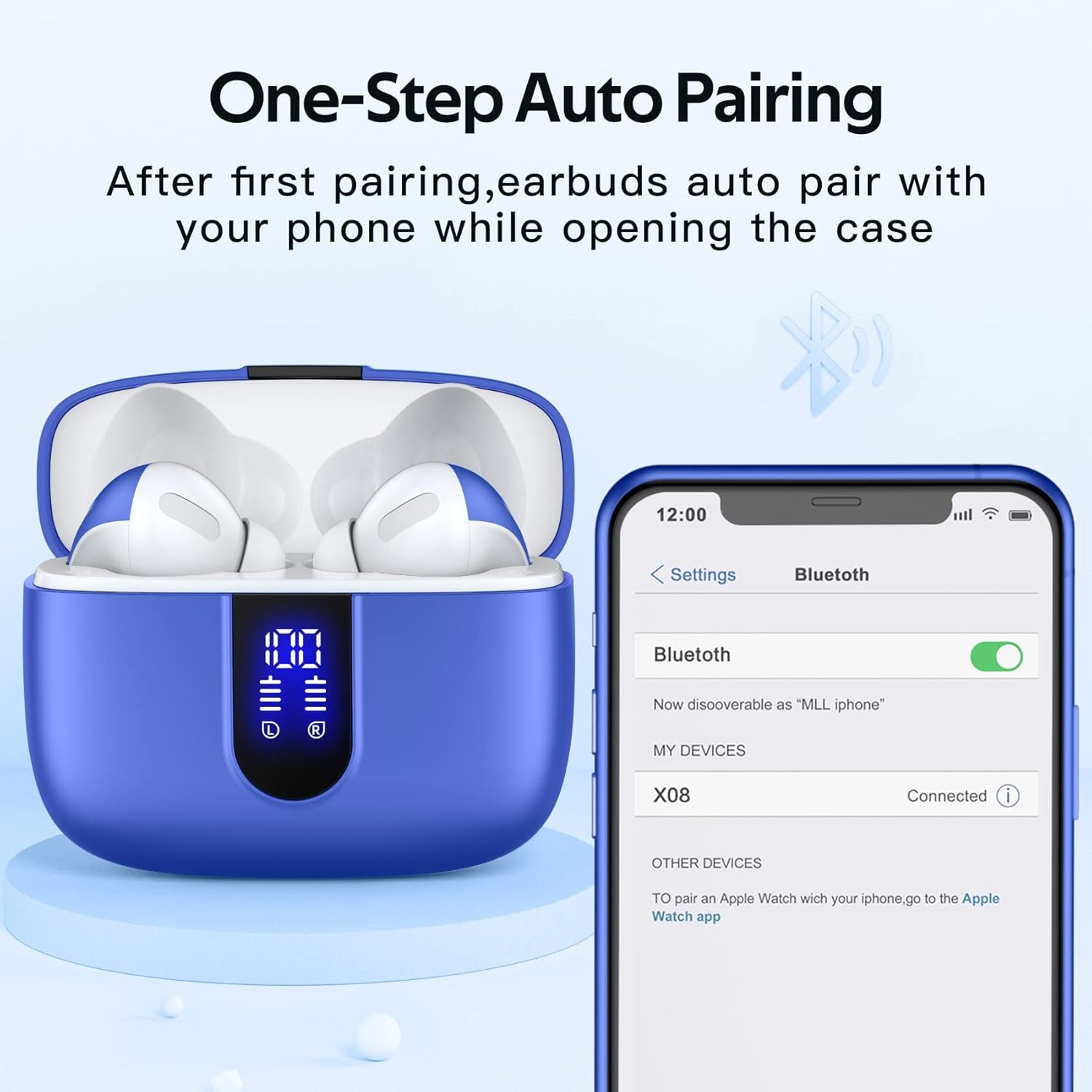
The TAGRY X08 Bluetooth earphones utilize a hall switch for convenient one-step pairing. After the initial connection, the earbuds will automatically connect to your device as soon as you open the charging case, providing a faster and more seamless experience.
- Ensure your device's Bluetooth is turned on.
- Open the charging case. The earbuds will automatically enter pairing mode.
- On your device, search for "X08" in the Bluetooth settings and select it to connect.
- Once connected, the earbuds will automatically pair with your device each time you open the case.

The earbuds automatically connect to your phone when the case is opened after the initial pairing, simplifying the connection process.

This feature is consistent across both the blue and pink versions of the TAGRY X08 earbuds, ensuring quick and easy connectivity.
3. Operating Your Earbuds
3.1 Smart Touch Control
During use, you can control various functions by simply touching either earbud. This eliminates the need to constantly access your mobile phone for adjustments.
- Play/Pause: Single tap.
- Next Track: Double tap right earbud.
- Previous Track: Double tap left earbud.
- Volume Up: Triple tap right earbud.
- Volume Down: Triple tap left earbud.
- Answer Call: Single tap during incoming call.
- Hang Up Call: Single tap during a call.
- Voice Assistant: Long press (specific duration may vary, refer to quick start guide).

The intuitive touch controls allow for easy management of music playback, calls, and voice assistant activation directly from the earbuds.

Both the blue and pink earbuds feature the same comprehensive touch control functionalities for consistent user experience.
3.2 Audio Quality and Modes
These music earphones are equipped with 13mm speakers and triple-layer composite diaphragms, engineered to deliver powerful bass, stunning treble, and clear mids. They are designed to provide an immersive stereo sound experience for music enthusiasts.
Each earbud includes a built-in microphone for phone calls. The CVC noise reduction technology ensures that your voice is heard clearly by others during calls, minimizing background noise.
The earbuds support both mono mode and twin stereo mode. This allows you to use a single earbud independently (e.g., for calls or awareness of surroundings) or both earbuds together for a full stereo audio experience. You can also share one earbud with a friend or family member.

The internal design of the earbuds, featuring 13mm speakers and triple-layer composite diaphragms, is optimized for rich and clear audio reproduction.
3.3 Ergonomic Design and Comfort
The TAGRY X08 headphones are designed with an ergonomic structure, based on extensive study of ear canal shapes, to ensure a comfortable and secure fit for most users. They come with three different sizes of ear tips, allowing you to choose the best fit for your ears.
These wireless Bluetooth headphones are small and lightweight, with a single earbud weighing only 0.14oz. The compact size of the earbuds (1.57*0.78*0.59in) and the charging case (2.56*2.16*1in) makes them highly portable and convenient for daily use, whether for sports, work, or travel.
4. Maintenance
The TAGRY X08 wireless headphones boast an IPX5 waterproof rating. The nano-coating on the earbud surface helps prevent water and sweat from penetrating, making them suitable for use during sports and other activities where exposure to moisture is possible.
- Cleaning: Gently wipe the earbuds and charging case with a soft, dry, lint-free cloth. Avoid using abrasive materials or harsh chemicals.
- Storage: When not in use, store the earbuds in their charging case to protect them from dust and damage.
- Water Exposure: While IPX5 rated for water resistance (e.g., sweat, light rain), avoid submerging the earbuds in water or exposing them to strong jets of water. Ensure they are dry before placing them back in the charging case to prevent damage.
5. Troubleshooting
If you encounter any issues with your TAGRY X08 earbuds, please refer to the following common troubleshooting steps:
- Earbuds not pairing:
- Ensure both earbuds are charged.
- Turn off Bluetooth on your device, then turn it back on.
- Forget "X08" from your device's Bluetooth list and try pairing again.
- Place both earbuds back in the charging case, close the lid, wait a few seconds, then open it again to reset the connection.
- Only one earbud working:
- Ensure both earbuds are charged.
- Place both earbuds back in the charging case, close the lid, and then open it again. This often re-syncs them.
- If the issue persists, try resetting the earbuds and re-pairing them with your device.
- Poor sound quality:
- Ensure the earbuds are clean and free of debris.
- Try different sizes of ear tips to ensure a secure and proper seal in your ear canal.
- Check the audio source device for any issues with its sound output.
- Ensure you are within the 10-meter Bluetooth connectivity range.
- Charging issues:
- Ensure the charging cable is securely connected to both the case and the power source.
- If using wireless charging, ensure the case is properly aligned on the charging pad.
- Try a different charging cable or power adapter.
- Clean the charging contacts on both the earbuds and inside the case.
6. Specifications
| Feature | Detail |
|---|---|
| Model Name | X08 |
| Brand | TAGRY |
| Connectivity Technology | Wireless (Bluetooth) |
| Bluetooth Version | 5.3 |
| Bluetooth Range | 10 Meters |
| Battery Life (Total Playback) | 60 Hours |
| Battery Life (Single Charge) | 6 Hours per earbud |
| Charging Case Capacity | 470mAh (provides 4 additional full charges) |
| Charging Method | Wireless Charging, USB-C Cable Charging |
| Water Resistance Level | IPX5 Waterproof |
| Audio Driver Size | 13 Millimeters |
| Control Type | Touch Control, Voice Control |
| Microphone | Built-in microphone in each earbud with CVC noise reduction |
| Earbud Weight (Single) | 0.14oz |
| Earbud Dimensions | 1.57*0.78*0.59in |
| Charging Case Dimensions | 2.56*2.16*1in |
| Colors | Ocean Blue, Sunset Pink |
| Compatible Devices | TV, Smart Phones, Computers, Laptops |
7. Warranty and Support
TAGRY products are designed for reliability and performance. For specific warranty details and support, please refer to the product packaging or the official TAGRY store page on Amazon.
You can visit the TAGRY Store on Amazon for the latest product information, FAQs, and customer service contact options.