
1. Introduction
This manual provides essential instructions for the safe and effective operation of your Generic Ionic Foot Bath Detox Machine. Please read this guide thoroughly before initial use and retain it for future reference. This system is designed for personal use to facilitate a foot spa experience.
2. Safety Information
Please read and understand all safety warnings before operating this device.
- Electrical Safety: Ensure the power cord is undamaged and connected to a grounded 110V outlet. Do not operate the machine with wet hands or in wet environments. Disconnect power before cleaning or maintenance.
- Health Precautions: Consult a healthcare professional before use if you have any medical conditions, including but not limited to: pregnancy, epilepsy, pacemakers, organ transplants, open wounds, skin lesions, or severe circulatory issues. Discontinue use if you experience discomfort or adverse reactions.
- Children and Pets: Keep the device out of reach of children and pets. This is not a toy.
- Water Temperature: Use warm water for the foot bath. Avoid excessively hot water to prevent burns.
- Device Integrity: Do not attempt to disassemble or repair the unit yourself. Contact customer support for assistance.
3. Package Contents
Verify that all items are present in your package:
- 1 x Foot Bath Detox Machine
- 1 x Ion Array
- 1 x Far Infrared Waistbelt
- 1 x Wrist Strap
- 1 x Power Cord (US Plug)
- 1 x Aluminum Carry Case
- 1 x User Manual (This document)

Figure 3.1: The complete Generic Ionic Foot Bath Detox Machine kit, including the main unit, ion array, far infrared waistbelt, wrist strap, and aluminum carry case.
4. Product Specifications
| Feature | Specification |
|---|---|
| Voltage | 110V |
| Power | 50W |
| Current | 0.1-2.0A |
| Working Modes | Low / Mid / High |
| Material | ABS + Aluminium Alloy |
| Machine Size | Approx. 9.1 x 8.1 x 5.2 inches |
| Ion Array Size | Approx. 2.7 x 2.7 x 3.7 inches |
| Waist Belt Size | Approx. 49.2 x 4.9 inches |
| Carry Case Size | Approx. 14.6 x 10.2 x 5.1 inches |
5. Setup Instructions
Follow these steps to set up your Ionic Foot Bath Detox Machine:
- Unpack Components: Carefully remove all items from the aluminum carry case.
- Position the Machine: Place the main control unit on a stable, dry surface near a power outlet.
- Connect Power: Plug the power cord into the machine's power input, then into a 110V electrical outlet. Ensure the machine's power switch is in the OFF position before connecting.
- Prepare Foot Basin: Fill a non-metallic foot basin (not included) with warm water, enough to cover your ankles. Add 1/4 to 1/2 teaspoon of non-iodized salt to the water to improve conductivity.
- Connect Ion Array: Place the ion array into the center of the foot basin. Connect the array's cable to the designated port on the main control unit.
- Connect Wrist Strap: Secure the wrist strap comfortably around your wrist. Plug the wrist strap cable into its designated port on the main control unit.
- Connect Waistbelt (Optional): If desired, wrap the far infrared waistbelt around your waist. Plug the waistbelt cable into its designated port on the main control unit.

Figure 5.1: Overview of the main control unit, showing connection points.
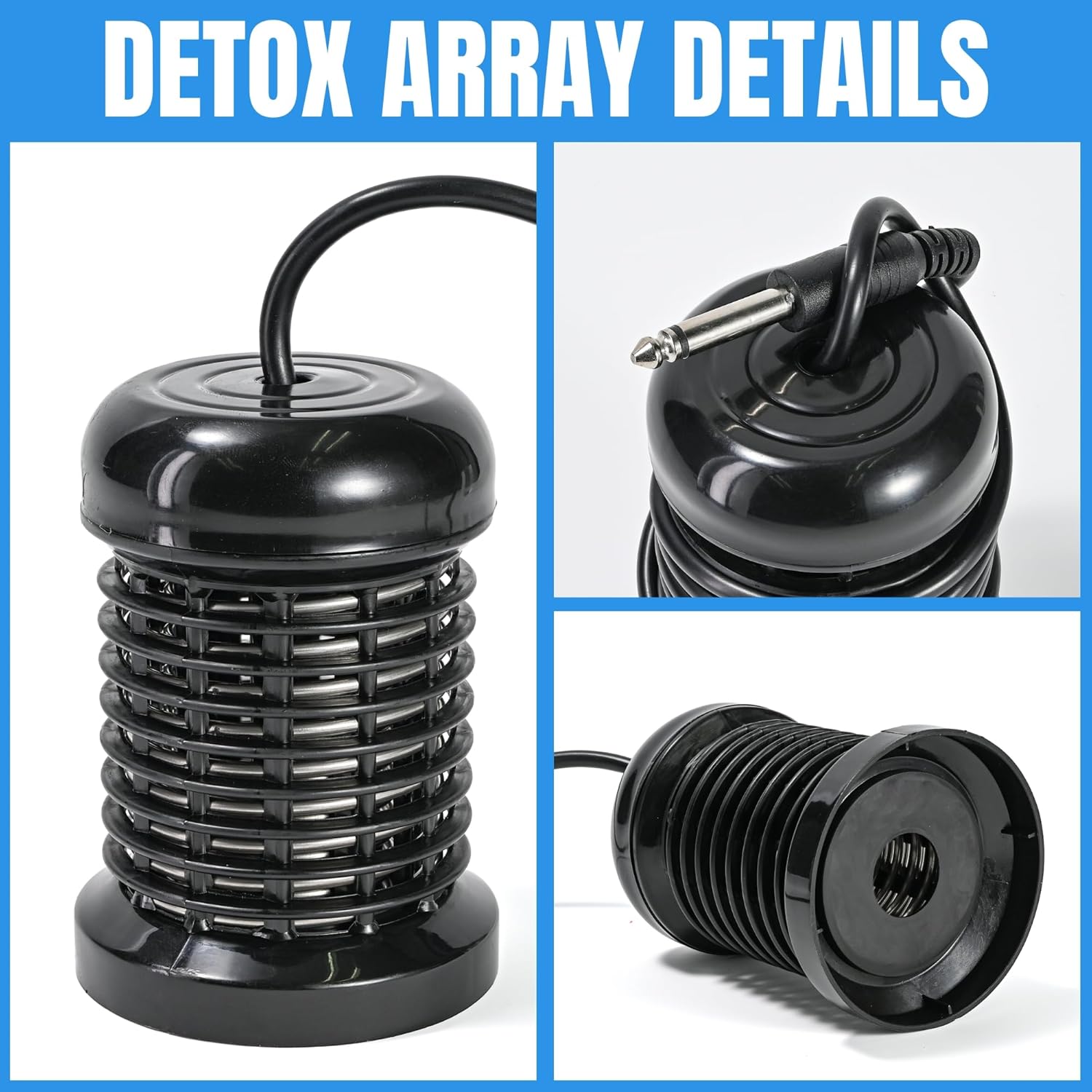
Figure 5.2: Detailed view of the ion array, illustrating its design and connection.
6. Operating Instructions
Once setup is complete, you can begin your session.
6.1. Foot Bath Operation
- Power On: Turn on the main power switch on the control unit.
- Place Feet: Gently place your feet into the foot basin, ensuring they are fully submerged in the water and the ion array is not touching your skin.
- Set Session Time: Use the control panel to set your desired session time. A typical session lasts 30 minutes.
- Select Mode: Choose a working mode (Low, Mid, or High) based on your comfort level. Start with 'Low' for initial sessions.
- Start Session: Press the 'Start' button to begin the process. The machine will operate for the set duration.
- Observe Water: During the session, the water color may change. This is a normal part of the process.
- End Session: The machine will automatically shut off after the set time. Remove your feet, dry them thoroughly, and clean the basin and array.
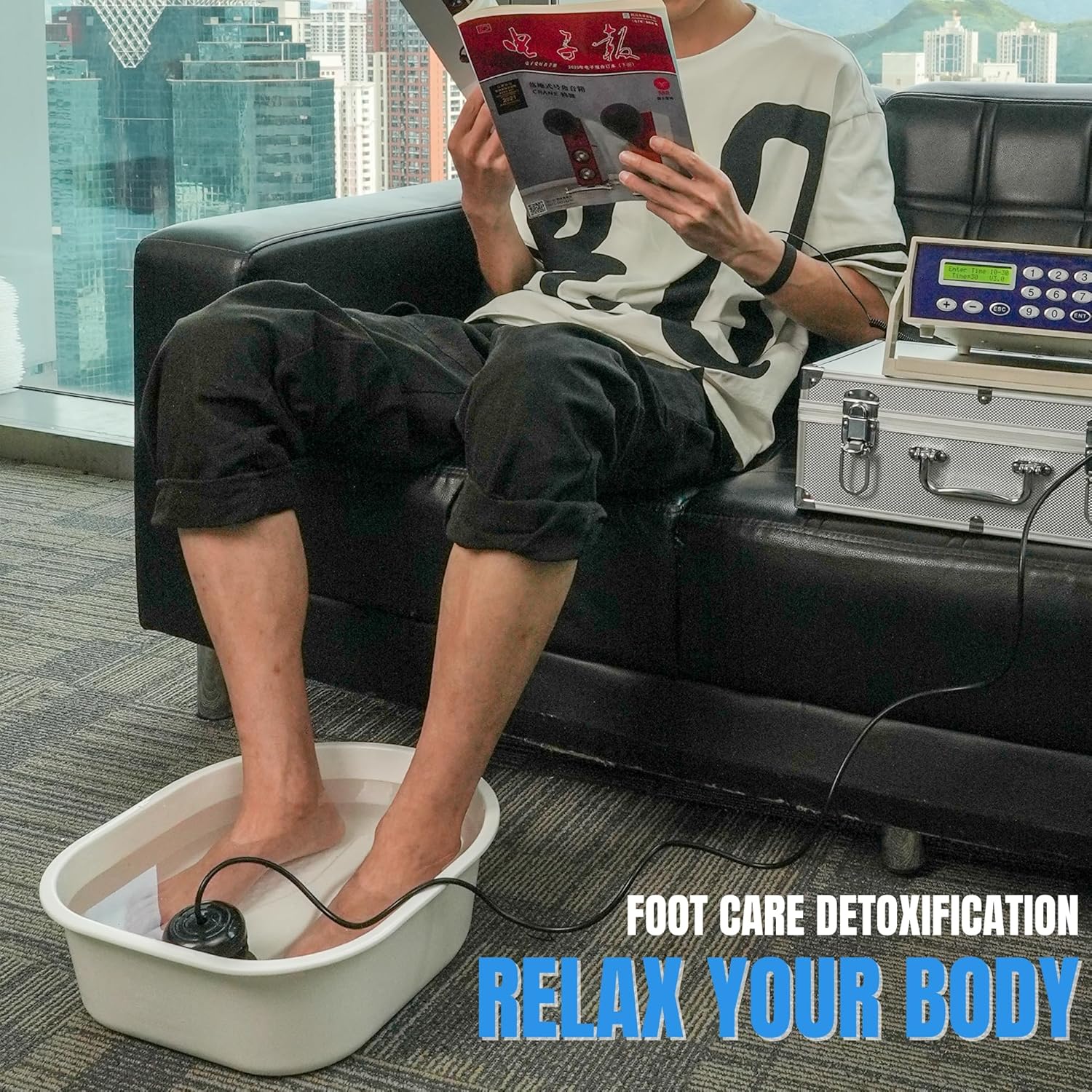
Figure 6.1: Proper positioning of feet in the foot bath during a session.
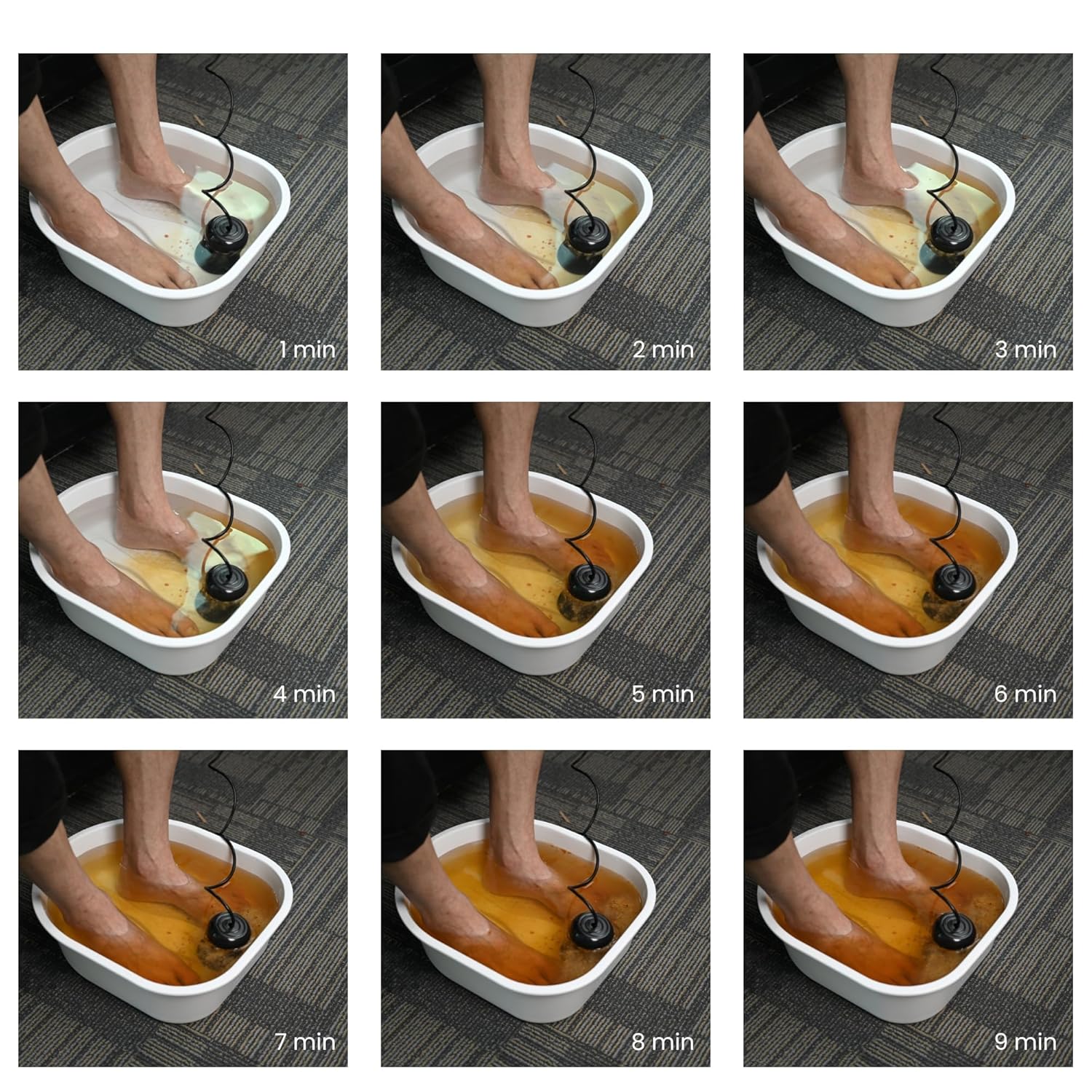
Figure 6.2: Visual progression of water discoloration during a typical foot bath session.
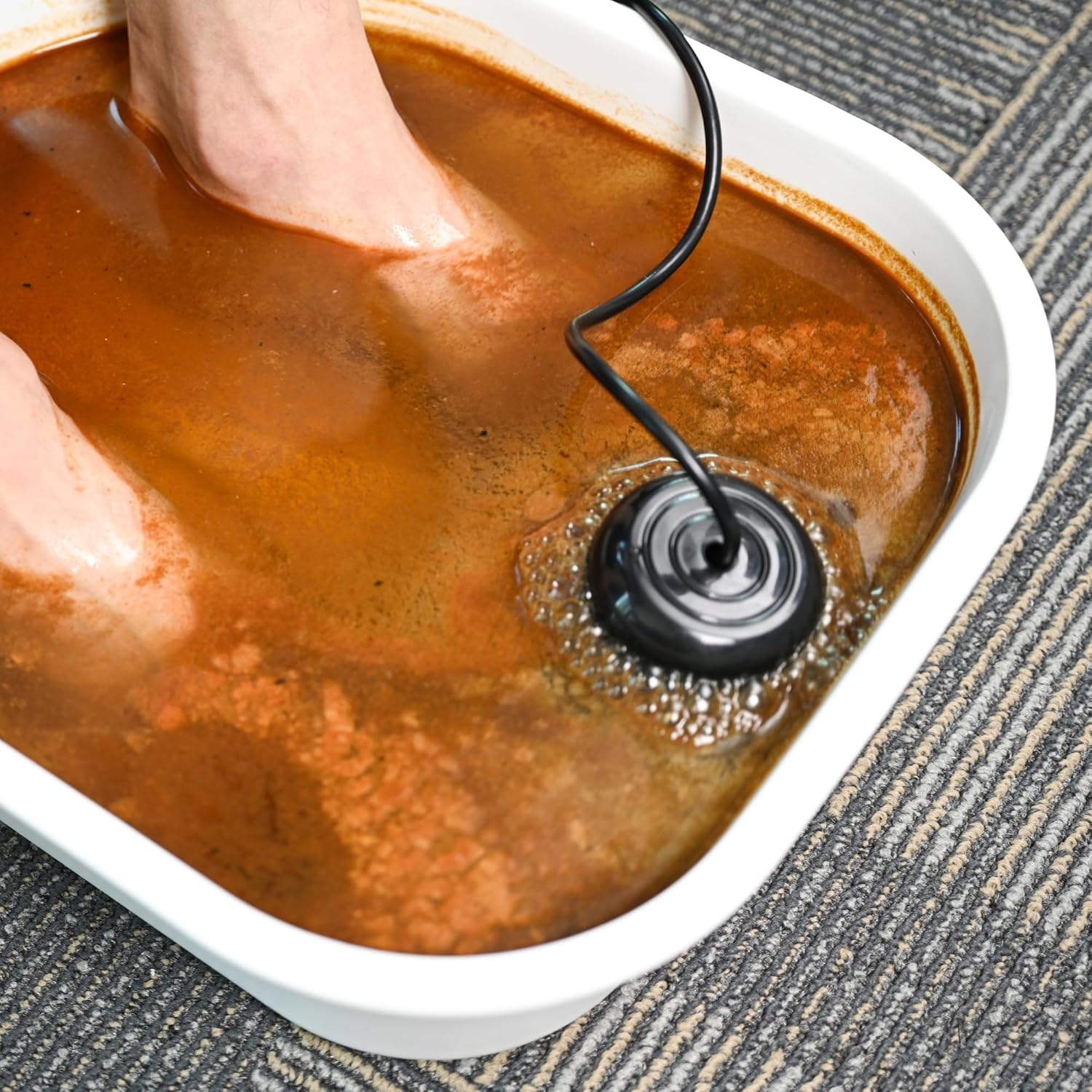
Figure 6.3: Example of water appearance during an active foot bath session.
6.2. Far Infrared Waistbelt Operation
The far infrared waistbelt can be used concurrently with the foot bath or independently.
- Wear Waistbelt: Secure the waistbelt around your waist.
- Connect: Ensure the waistbelt is plugged into the main control unit.
- Activate: The waistbelt's heating function is typically controlled by the main unit's settings. Refer to the control panel for specific activation and intensity adjustments.

Figure 6.4: Example of using the far infrared waistbelt during a session.
6.3. Wrist Strap Operation
The wrist strap ensures proper electrical connection for the system to function effectively.
- Wear Strap: Secure the wrist strap comfortably around your wrist.
- Connect: Ensure the wrist strap is plugged into the main control unit. It should remain connected throughout the foot bath session.

Figure 6.5: Correct placement of the wrist strap during operation.
7. Maintenance
Proper maintenance ensures the longevity and hygiene of your device.
- Cleaning the Ion Array: After each use, rinse the ion array thoroughly with clean water. Use a brush to gently scrub any residue from the coils. Ensure it is completely dry before storage.
- Cleaning the Foot Basin: Wash the foot basin with soap and water after each session.
- Cleaning the Main Unit: Wipe the main control unit with a soft, damp cloth. Do not use abrasive cleaners or submerge the unit in water.
- Storage: Store all components in the aluminum carry case in a cool, dry place, away from direct sunlight and extreme temperatures.
- Array Replacement: The ion array is a consumable part and will degrade over time with use. Replace the array when you notice a significant decrease in performance or visible wear.
8. Troubleshooting
If you encounter issues, refer to the following common problems and solutions:
| Problem | Possible Cause | Solution |
|---|---|---|
| Machine does not power on | Power cord not connected; Power switch off; Outlet issue | Check power cord connection; Ensure power switch is ON; Test outlet with another device |
| No current reading or water color change | Insufficient salt in water; Loose connections; Worn-out ion array; Wrist strap not properly worn | Add more non-iodized salt; Check all cable connections; Replace ion array; Ensure wrist strap is snug and connected |
| Waistbelt not heating | Waistbelt not connected; Machine setting incorrect | Ensure waistbelt is securely plugged in; Check machine's mode settings for waistbelt activation |
| Unusual noise or smell | Internal malfunction | Immediately turn off and unplug the machine. Do not use. Contact customer support. |
9. Warranty and Support
For warranty information or technical support, please contact the seller or manufacturer directly. Retain your proof of purchase for any warranty claims.