
1. Introduction
Thank you for choosing the AUBOR J10 Wireless Video Doorbell Camera. This manual provides essential information for setting up, operating, and maintaining your device. The J10 doorbell offers advanced features such as 1080P HD video, night vision, two-way audio with voice modification, AI motion detection, and seamless integration with your smart home system.

Image 1.1: The AUBOR J10 Video Doorbell allows you to see, hear, and speak to visitors from anywhere.
2. Package Contents
Please ensure all items are present in the package:
- AUBOR J10 Video Doorbell Camera
- Wireless Chime
- 3 AAA Batteries (for Chime)
- Screws & Installation Tool Kit
- Mounting Stickers
- Type-C Charging Cable
- User Manual (this document)
3. Setup Guide
3.1 Charging the Doorbell
Before installation, fully charge the doorbell camera using the provided Type-C charging cable. The LED indicator will show charging status.
3.2 Installing the Chime
Insert the 3 AAA batteries into the wireless chime. Plug the chime into a standard power outlet in your desired location within your home. Ensure it is within range of the doorbell.
3.3 Mounting the Doorbell
The AUBOR J10 features a simple wire-free setup. Choose an ideal mounting location at your front door. The adjustable stand allows for angles of -45°, -22.5°, 0°, 22.5°, or 45° to optimize your viewing area. Use the provided screws and tools or mounting stickers for installation.

Image 3.1: The doorbell offers multi-angle adjustment for optimal viewing. Note: Supports 2.4GHz Wi-Fi only.
3.4 App Connection (CloudEdge App)
- Download the CloudEdge App from Google Play Store or Apple App Store.
- Register for an account and log in.
- Follow the in-app instructions to add your AUBOR J10 doorbell. Ensure your smartphone is connected to a 2.4GHz Wi-Fi network during setup. The doorbell does not support 5GHz Wi-Fi.
- Pair the doorbell with the wireless chime through the app settings.
4. Operating Instructions
4.1 Live View and Recording
Access the CloudEdge App to view live 1080P HD video from your doorbell camera at any time. The 166° wide-angle lens provides a broad view of your doorstep. You can manually record video or capture screenshots directly from the live view.
4.2 Night Vision
The doorbell automatically activates its built-in IR lights to provide clear black-and-white night vision in low-light conditions or complete darkness, ensuring continuous security.

Image 4.1: The doorbell provides clear visibility both day and night.
4.3 Two-Way Talk and Voice Modification
When a visitor presses the doorbell or motion is detected, you will receive an alert on your phone. Open the app to engage in real-time two-way audio communication. The voice-changing feature allows you to alter your voice for added privacy and security.

Image 4.2: Utilize two-way audio and voice modification features via the app.
4.4 Smart Motion Detection and Alerts
The integrated PIR sensor detects motion and sends instant notifications to your phone. Customize motion detection sensitivity (five levels) and define specific motion zones within the CloudEdge App to reduce false alerts.
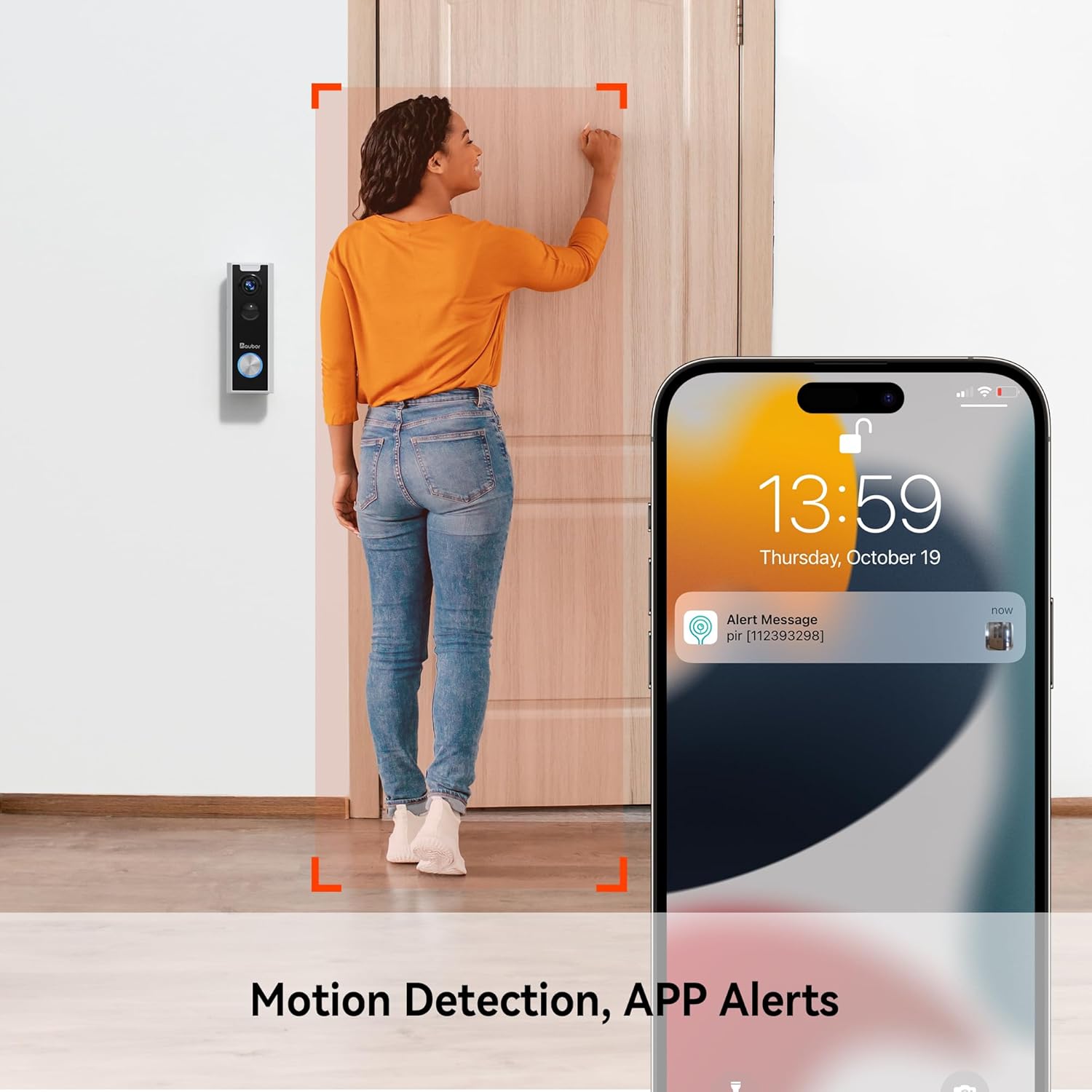
Image 4.3: Receive instant alerts on your phone when motion is detected.
4.5 Cloud Storage
The AUBOR J10 offers cloud storage for your video footage without monthly fees. Access recorded events securely through the CloudEdge App.
4.6 Smart Home Integration
The AUBOR J10 is compatible with Amazon Alexa and Google Assistant. Link your doorbell to these platforms through their respective apps to enable voice commands and view live feeds on compatible smart displays.

Image 4.4: Integrate your doorbell with Amazon Alexa and Google Home for convenient control.
5. Maintenance
5.1 Battery Management
The doorbell camera is powered by a rechargeable Lithium Ion battery. When the battery level is low, you will receive a notification via the CloudEdge App. Recharge the doorbell using the provided Type-C cable. The wireless chime uses 3 AAA batteries, which should be replaced when depleted.
5.2 Cleaning
To maintain optimal performance, periodically clean the camera lens and the doorbell's exterior with a soft, damp cloth. Avoid using harsh chemicals or abrasive materials. The doorbell is waterproof, suitable for outdoor use.
6. Troubleshooting
- Doorbell not connecting to Wi-Fi: Ensure your Wi-Fi network is 2.4GHz. The doorbell does not support 5GHz networks. Check your Wi-Fi password and signal strength.
- No motion detection alerts: Verify that motion detection is enabled in the CloudEdge App. Adjust sensitivity levels and ensure motion zones are correctly configured. Check battery level.
- Poor video quality: Ensure the doorbell has a strong Wi-Fi signal. Move your Wi-Fi router closer or consider a Wi-Fi extender if necessary. Clean the camera lens.
- Chime not ringing: Check if the chime batteries are installed correctly and are not depleted. Ensure the chime is plugged into a power outlet and is paired with the doorbell via the app.
- Two-way audio issues: Check your phone's microphone and speaker permissions for the CloudEdge App. Ensure a stable internet connection for both your phone and the doorbell.
7. Specifications
| Feature | Detail |
|---|---|
| Model Name | J10 |
| Color | White |
| Video Resolution | 1080p HD |
| Viewing Angle | 166 Degrees |
| Connectivity | 2.4GHz Wi-Fi (Does not support 5GHz) |
| Power Source | Battery Powered (Lithium Ion) |
| Special Features | Waterproof, Night Vision, Two-Way Audio, Voice Changer, AI Motion Detection, Works with Alexa |
| Dimensions (L x W x H) | 14.48 x 5.59 x 5.59 cm (5.7 x 2.2 x 2.2 inches) |
| Installation Type | Wall-Mounted |
8. Warranty and Support
For warranty information and technical support, please refer to the official AUBOR website or contact their customer service directly. Keep your purchase receipt as proof of purchase.