
Introduction
Thank you for choosing the BEBANG Pocket Microscope. This manual provides essential information for the safe and effective operation of your new microscope. Please read it thoroughly before use and retain it for future reference.
Product Overview
The BEBANG Pocket Microscope is a portable, handheld device designed for observing small objects with magnification ranging from 60x to 120x. It features an integrated LED light for illumination and comes with prepared slides for immediate use.
Components
- Pocket Microscope Unit
- 5 Prepared Microscope Slides
- User Manual (this document)

Figure 1: The BEBANG Pocket Microscope shown with its included prepared slides.
Setup
Battery Installation
- Locate the battery compartment cover on the side of the microscope.
- Slide the cover open.
- Insert one (1) AA battery, ensuring correct polarity (+/-).
- Slide the battery compartment cover back into place until it clicks securely.
Note: The LED light is powered by 1 AA Battery (not included). In case of long-term disuse, remove the battery to prevent leakage.
Video 1: Demonstration of battery installation and basic operation of the microscope.
Operating Instructions
Powering On/Off the LED Light
- Press the LED button (located on the side) once to turn on the LED illumination.
- Press the LED button again to turn off the light.
Adjusting Magnification
- Locate the zoom adjustment wheel (marked 60x-120x) on the side of the microscope.
- Rotate the wheel to select your desired magnification level between 60x and 120x.
Focusing
- Place the microscope directly over the object you wish to observe. Ensure the object is flat and fits within the viewing area.
- Look through the eyepiece.
- Rotate the focus adjustment dial (located near the bottom lens) until the image appears clear and sharp.
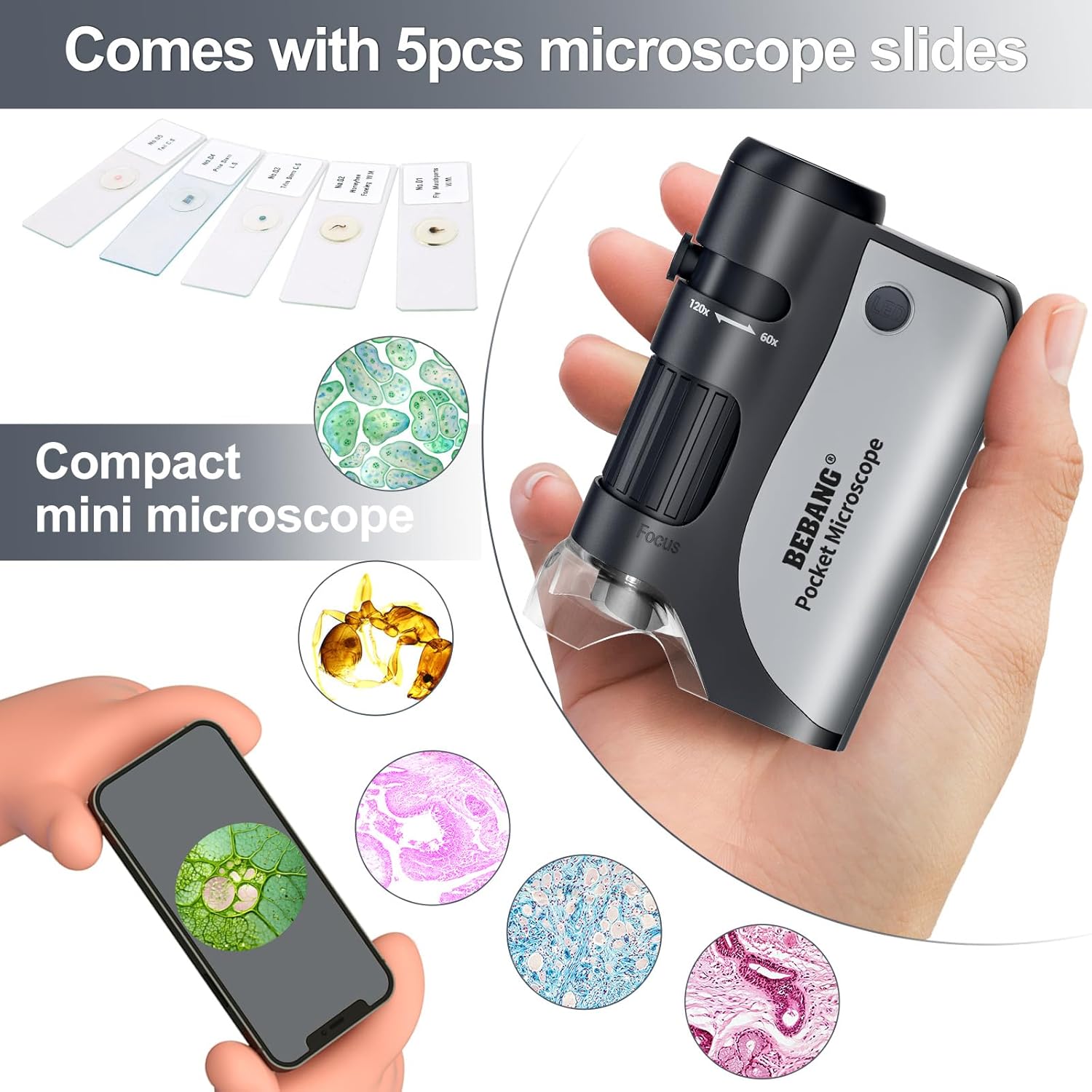
Figure 2: Proper handling of the microscope for observation, showing the compact design and prepared slides.
Using Prepared Slides
- Place a prepared slide directly under the microscope's objective lens.
- Turn on the LED light and adjust focus and magnification as described above.
Using the UV Light Source
- The microscope also features a UV light source.
- To activate the UV light, press and hold the UV button (located on the side).
- The UV light can be used for observing features that fluoresce under ultraviolet light, such as currency verification.

Figure 3: The microscope demonstrating both its standard LED light and UV light illumination features.
Maintenance
Cleaning
- Use a soft, dry cloth to clean the exterior of the microscope.
- For lenses, use a lens cleaning cloth or specialized lens cleaning solution to avoid scratches.
- Do not use abrasive cleaners or solvents.
Storage
- Store the microscope in a cool, dry place away from direct sunlight and extreme temperatures.
- If storing for extended periods, remove the AA battery to prevent potential damage from battery leakage.
Troubleshooting
Image is blurry or out of focus
- Ensure the microscope is placed flat and directly on the object.
- Adjust the focus adjustment dial slowly until the image is clear.
- Verify that the object being viewed is small enough to fit within the microscope's viewing area.
LED light does not turn on
- Check if the AA battery is correctly installed with the proper polarity.
- Replace the AA battery with a new one if it is depleted.
Specifications
| Product Dimensions | 2.36 x 1.34 x 3.54 inches |
| Item Weight | 5.6 ounces (0.16 Kilograms) |
| Magnification Maximum | 120 x |
| Light Source Type | LED |
| Material | Plastic |
| Voltage | 1.5 Volts (1 AA Battery) |
| Model Name | RM |

Figure 4: Detailed specifications and dimensions of the BEBANG Pocket Microscope.
Safety Information
- Do not look directly into the sun or any bright light source through the microscope, as this can cause permanent eye damage.
- Keep the microscope and its accessories out of reach of small children to prevent choking hazards from small parts.
- Handle prepared slides with care to avoid breakage and injury.
- Do not attempt to disassemble or modify the microscope, as this will void the warranty and may cause damage.
Warranty and Support
For any dissatisfaction or issues with your BEBANG Pocket Microscope, please contact BEBANG customer service directly. We are committed to providing you with the best quality service and will do our best to help you solve the problem.
Contact information can typically be found on the product packaging or the official BEBANG website.