
Introduction
This manual provides essential information for the proper setup, operation, and maintenance of your K-Tek KC108 9' Indie 5-Section Carbon Composite Boompole. Designed for independent filmmakers, documentary makers, news gatherers, and vloggers, this boompole offers a lightweight, durable, and reliable solution for audio capture.
The K-Tek KC108 is constructed from a proprietary carbon composite material, ensuring both durability and ease of handling in various recording environments. Its 5-section design allows for versatile length adjustments, collapsing to a compact size for portability and extending to provide optimal microphone placement.
Product Overview
The K-Tek KC108 boompole is a professional audio accessory designed to position microphones precisely for optimal sound recording. It features a multi-section telescopic design with secure locking mechanisms.
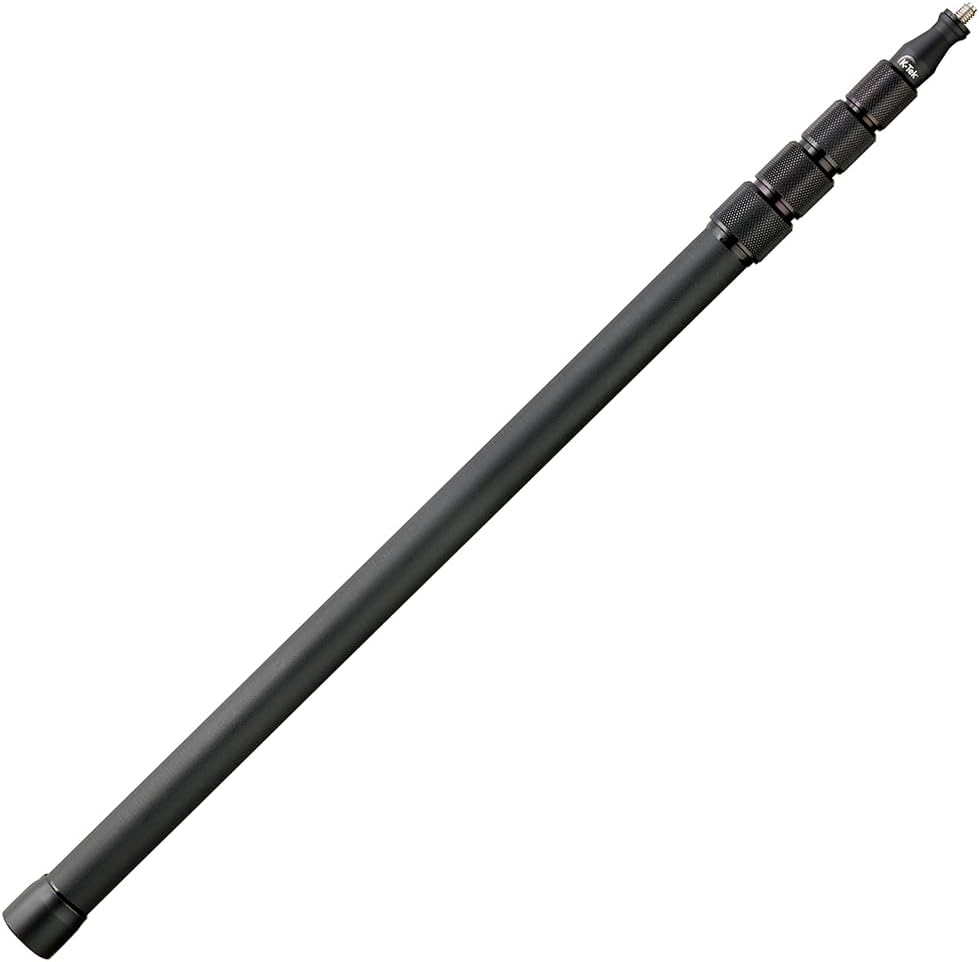
Figure 1: The K-Tek KC108 Boompole in its collapsed state, illustrating its compact and portable design.
Key Features:
- Effortless Portability: Collapses to 29.5 inches (0.75 m) for easy transport and storage.
- Superior Durability: Crafted from robust carbon composite for reliable performance.
- Adjustable Reach: Extends up to 9 feet (3.4 m) with 5 sections for versatile microphone placement.
- Lightweight Design: Weighs only 1.2 lbs (0.54 kg) to minimize operator fatigue.
- Secure & Stable: Features reliable twist-lock mechanisms for firm section locking.
- Standard Thread: Equipped with a 3/8"-16 male thread for microphone attachment.
Setup
1. Unpacking
Carefully remove the boompole from its packaging. Inspect the boompole for any signs of damage during transit. Ensure all sections and locking collars are present and functioning smoothly.
2. Attaching a Microphone
The K-Tek KC108 features a standard 3/8"-16 male thread at its top for microphone attachment. Most professional microphone shock mounts or clips are compatible with this thread size.
- Ensure the microphone or shock mount has a corresponding 3/8"-16 female thread.
- Carefully screw the microphone or shock mount onto the boompole's top thread until it is finger-tight. Do not overtighten.
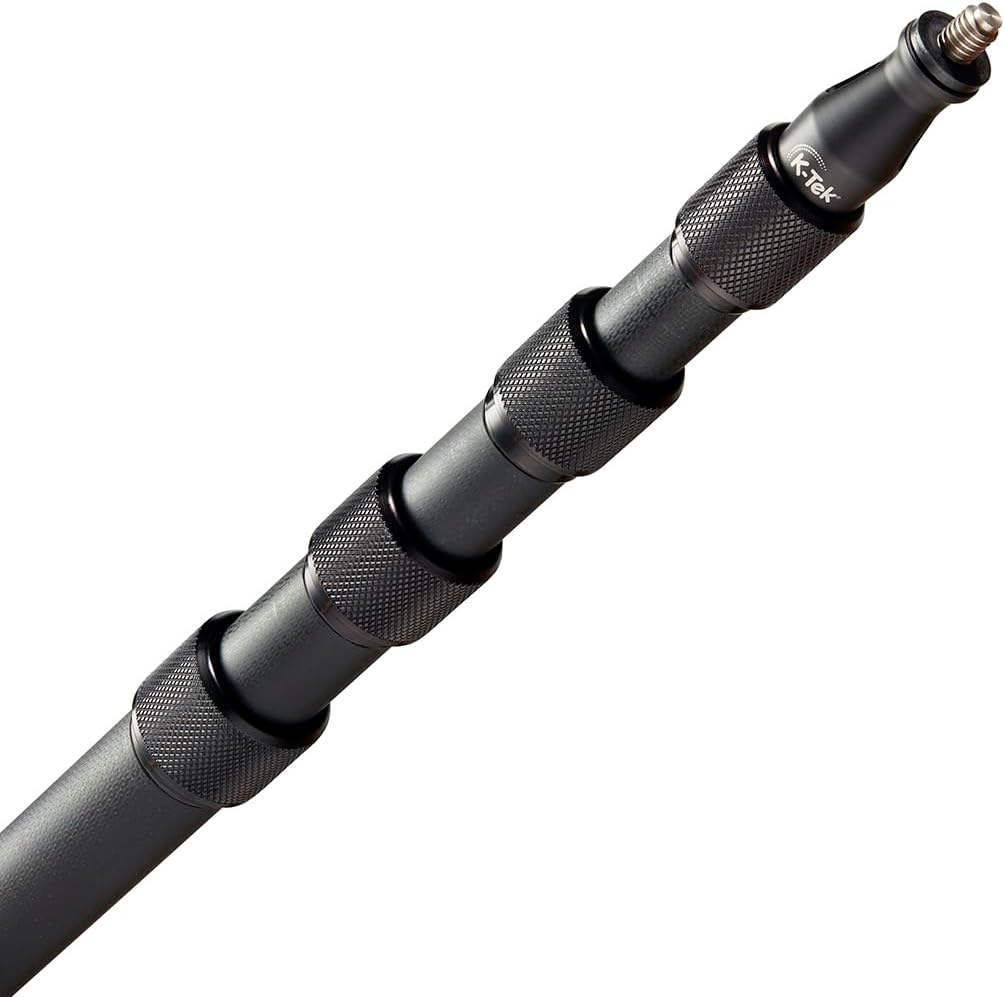
Figure 2: Close-up view of the boompole's top section, showing the 3/8"-16 male thread for microphone attachment and the K-Tek branding.
3. Extending the Boompole
The boompole consists of multiple sections that extend and lock into place using knurled collars.
- Hold the base section of the boompole firmly.
- Grasp the first knurled collar (closest to the base) and twist it counter-clockwise to loosen.
- Gently pull out the next section to the desired length.
- Twist the collar clockwise to tighten and secure the section. Ensure it is firmly locked to prevent slippage.
- Repeat this process for each subsequent section until the desired overall length is achieved.

Figure 3: Angled view of the boompole with multiple sections extended, highlighting the knurled collars used for locking each section.
Operation
1. Adjusting Length During Use
The boompole's design allows for quick length adjustments. If you need to change the length during a recording, carefully loosen the relevant collar, adjust the section, and re-tighten it securely. Always maintain a firm grip on the boompole to prevent accidental drops.
2. Handling and Positioning
Hold the boompole comfortably, typically near the base, to maintain balance and control. Position the microphone as close as possible to the sound source without entering the camera's frame. The lightweight carbon composite construction minimizes fatigue during extended use.
3. Collapsing the Boompole
To collapse the boompole for storage or transport:
- Loosen the top-most knurled collar by twisting it counter-clockwise.
- Gently push the extended section back into the previous section.
- Twist the collar clockwise to secure the collapsed section.
- Repeat this process for all sections until the boompole is fully collapsed to its shortest length.

Figure 4: Comparison of the K-Tek KC108 boompole in its fully extended and fully collapsed states, showcasing its adjustable reach.
Maintenance
1. Cleaning
Regular cleaning helps maintain the boompole's smooth operation and extends its lifespan.
- Wipe down the carbon composite tubes with a soft, damp cloth to remove dust and grime.
- For stubborn dirt, use a mild soap solution, then wipe clean with a damp cloth and dry thoroughly.
- Avoid using harsh chemicals or abrasive cleaners, as these can damage the finish or material.
- Ensure the knurled collars are free of debris to maintain a firm grip and smooth locking action.
2. Storage
When not in use, store the boompole in its collapsed state in a clean, dry environment. Using a protective carrying case (if available) is recommended to prevent scratches and impacts.
3. Inspection
Periodically inspect the boompole for any signs of wear, such as loose collars, cracks in the composite material, or damage to the microphone thread. Address any issues promptly to ensure safe and reliable operation.
Troubleshooting
Sections Not Locking Securely:
- Issue: A section slides back in after being extended and locked.
- Solution: Ensure the knurled collar is twisted clockwise firmly. Check for any debris or dirt inside the collar mechanism that might prevent a secure lock. Clean if necessary.
Difficulty Extending/Collapsing Sections:
- Issue: Sections feel stiff or grind when extending or collapsing.
- Solution: This may indicate dirt or grit between the sections. Collapse the boompole, clean each section thoroughly with a damp cloth, and ensure they are dry before re-extending. Avoid forcing sections.
Microphone Thread Loose:
- Issue: Microphone or shock mount feels wobbly even when tightened.
- Solution: Ensure the microphone's female thread is not stripped. If the boompole's male thread appears damaged, contact K-Tek customer support for assistance.
Specifications
| Feature | Detail |
|---|---|
| Model | KC108 |
| Collapsed Length | 29.5 inches (0.75 m) |
| Extended Length | 9 feet (3.4 m) |
| Number of Sections | 5 |
| Material | Carbon Composite |
| Weight | 1.2 lbs (0.54 kg) |
| Top Attachment | Standard 3/8"-16 Male Thread |
| Product Dimensions (Collapsed) | 30.5 x 1.5 x 1.5 inches |
Warranty Information
K-Tek products are manufactured to high standards and are typically covered by a manufacturer's warranty against defects in materials and workmanship. For specific warranty terms, duration, and claim procedures, please refer to the official K-Tek website or the warranty card included with your purchase. Keep your proof of purchase for warranty validation.
Customer Support
If you encounter any issues not covered in this manual or require further assistance, please contact K-Tek customer support. You can typically find contact information, FAQs, and additional resources on the official K-Tek website: www.ktekpro.com.
When contacting support, please have your product model (KC108) and purchase information readily available.