
Introduction
This manual provides detailed instructions for the installation, operation, and maintenance of your ASVEGE 10.4 Inch Car Stereo Multimedia Player with GPS Navigation, Carplay, and Android Auto. This unit is designed specifically for Maserati GT GranTurismo models from 2007 to 2018. Please read this manual thoroughly before installation and use to ensure proper functionality and to prevent damage.
Setup and Installation
The ASVEGE car stereo is designed for a plug-and-play installation, supporting factory steering wheel controls, radar parking sensors, and A/C information display. It comes with a dedicated plug-and-play cable and CANbus for seamless integration.
Package Contents
Before beginning installation, verify that all components are present:
- 10.4 Inch Car Stereo Head Unit
- Power Harness with CANbus Decoder
- GPS Antenna
- USB Cables
- RCA Cables (Audio/Video Input/Output)
- External Microphone
- Charging Cable
- Installation Brackets and Screws
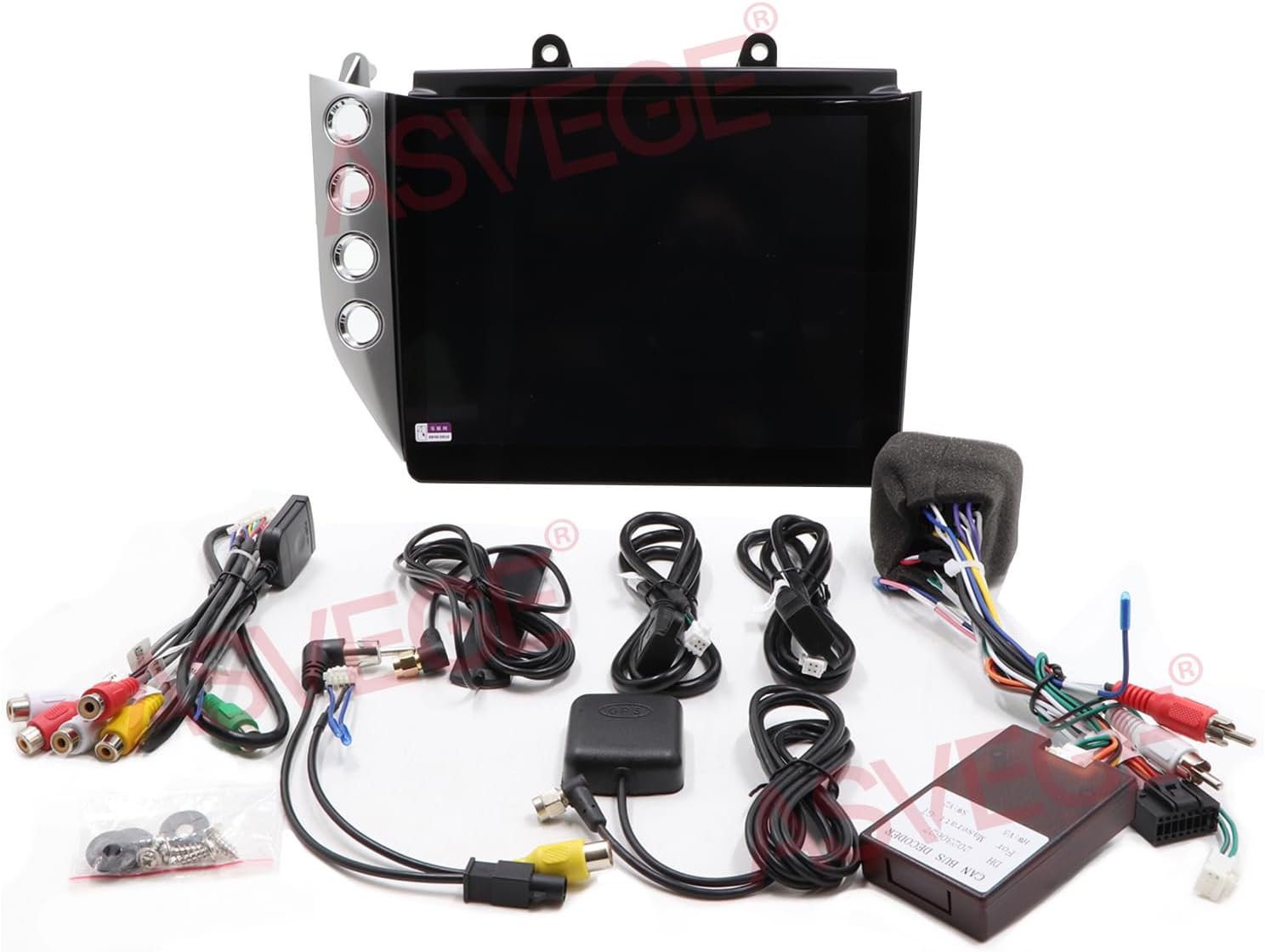
Image: Overview of all included components for the ASVEGE car stereo system.
Installation Steps
- Preparation: Ensure the vehicle's ignition is off and the battery is disconnected before starting any electrical work.
- Remove Factory Unit: Carefully remove the existing car stereo and trim panels from your Maserati GT GranTurismo. Refer to your vehicle's service manual for specific instructions on panel removal.
- Connect Wiring Harness: Connect the provided plug-and-play wiring harness to the vehicle's factory harness. Ensure all connections are secure.
- Amplifier Connection (Important): If your Maserati GT GranTurismo is equipped with a factory amplifier, it may require specific wiring adjustments to ensure audio output. In some cases, two blue wires on the harness may need to be cut and spliced to activate the amplifier. If no sound is produced after installation, consult a professional installer or refer to specific online resources for Maserati GT amplifier integration with aftermarket head units. Additional power wiring to the fuse box might be necessary for proper amplifier function.
- Connect Peripherals: Connect the GPS antenna, USB cables, and any other external accessories (e.g., backup camera, external microphone) to the corresponding ports on the new head unit.
- Mount Head Unit: Secure the ASVEGE head unit into the dashboard opening using the provided brackets and screws.
- Reassemble: Reinstall all trim panels and reconnect the vehicle's battery.
- Initial Power On: Turn on the vehicle's ignition and power on the head unit to test functionality.

Image: Before and after installation view of the ASVEGE 10.4 Inch Car Stereo in a Maserati GT GranTurismo dashboard.
Operating Instructions
Your ASVEGE car stereo runs on Android 12.0, offering a wide range of features and customization options.
Basic Operation
- Power On/Off: The unit powers on automatically with the vehicle's ignition. Press and hold the power button (if available) or use the vehicle's ignition to turn off.
- Touch Screen: Navigate the interface using the 10.4-inch IPS touch screen.
- Volume Control: Adjust volume using the physical buttons on the unit, steering wheel controls, or on-screen controls.
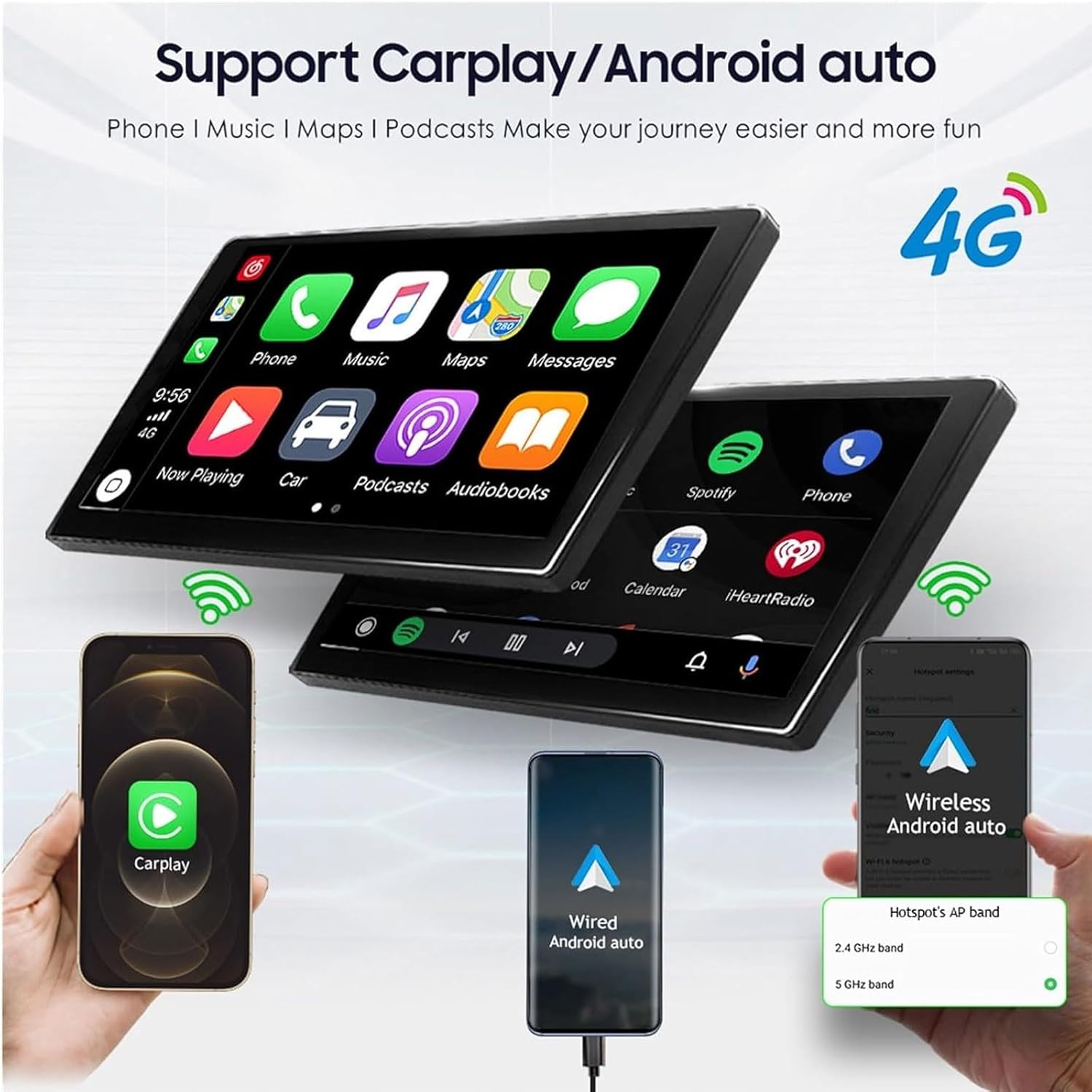
Image: Main user interface displaying various application icons.
Key Features
- Carplay & Android Auto: Supports both wireless and wired USB Carplay for iOS devices, and wired USB Android Auto for Android devices. This allows seamless integration of your smartphone for navigation, music, calls, and messages.
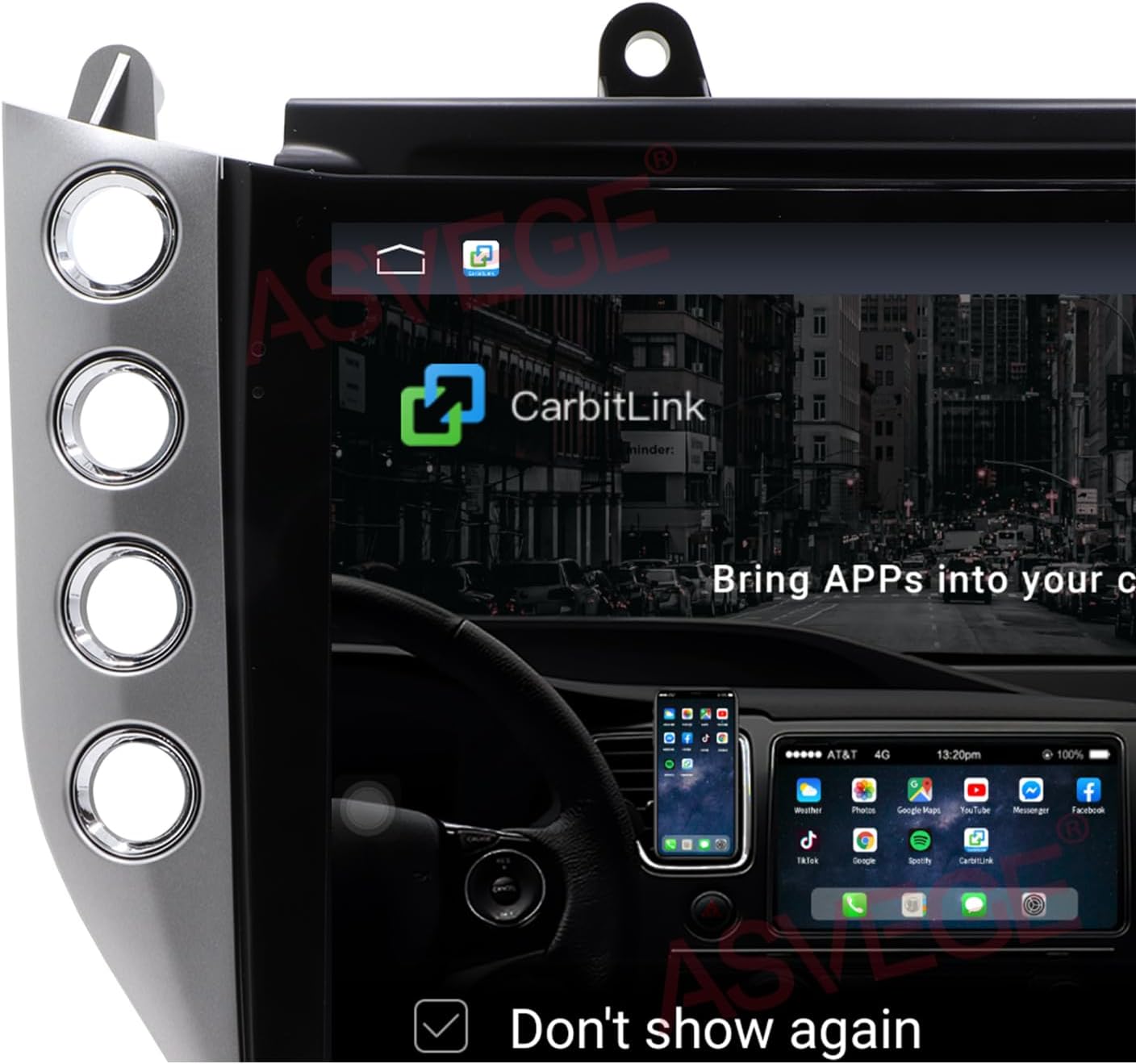
Image: Visual representation of Carplay and Android Auto functionality.
- GPS Navigation: Utilize Android apps of your choice for GPS navigation, including Google Maps, with voice guidance.
- Bluetooth 5.0: Advanced Qualcomm 5.0 solution supports NX TX ATTX lossless sound quality for music streaming and hands-free phone calls. Sync your phone book for easy access to contacts.
- Radio: Built-in FM radio with RDS for excellent sound quality.
- DSP Sound Amplifier: Integrated 4*50W DSP sound amplifier with EQ balanced audio processing technology for enhanced audio experience.
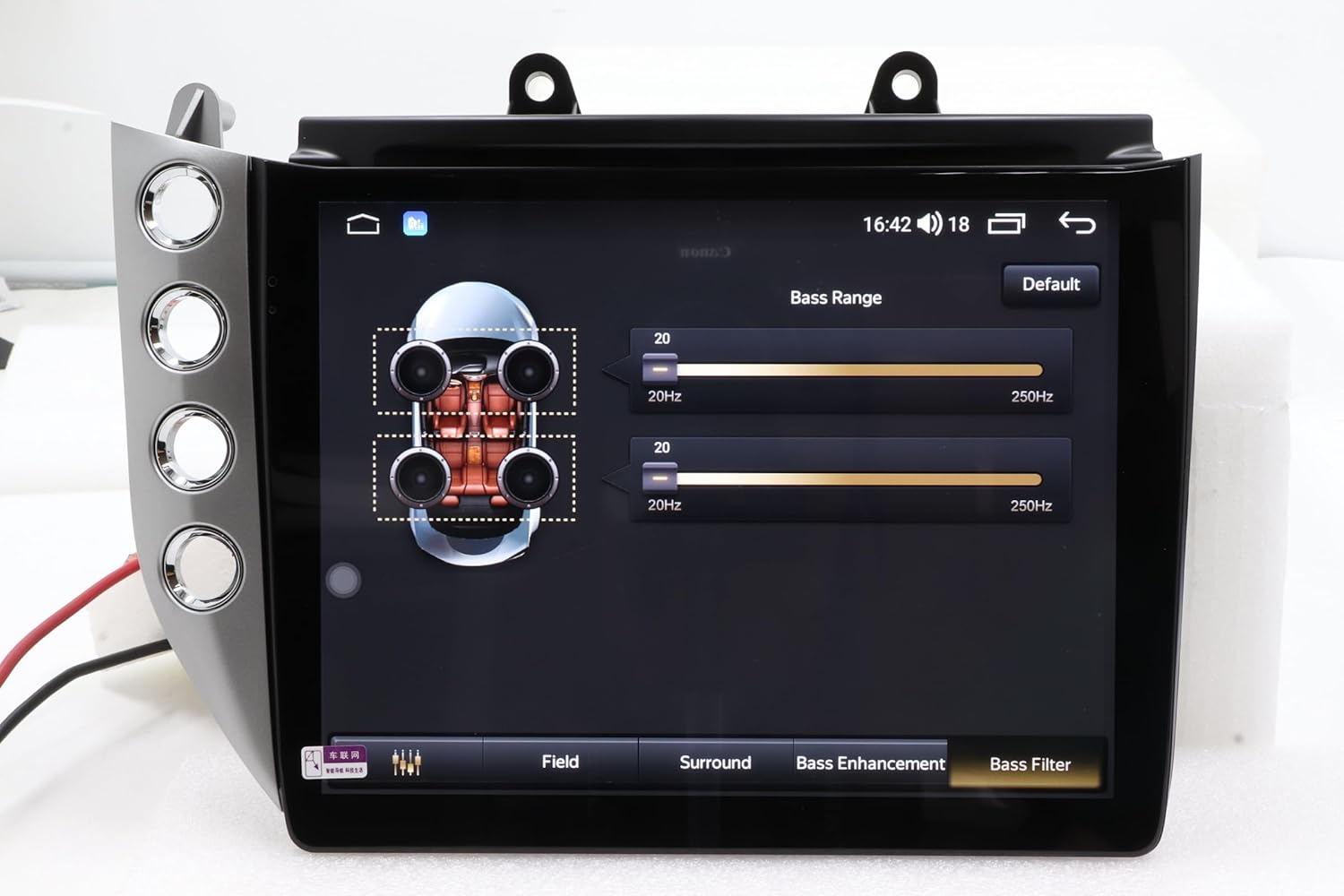
Image: Digital Sound Processor (DSP) settings interface.
- Connectivity: Built-in 4G LTE card slot, WiFi connection, and Mirror Link with smartphones.
- Split Screen: Display two functions simultaneously for multitasking.
- Voice Control: Supports voice control (English only) for convenient operation.
- App Installation: Install Android apps directly from the Google Play Store.
- Media Playback: Supports most audio and video formats, including Picture-in-Picture (PIP) playback for movies.

Image: Video playback interface on the car stereo.
Video Demonstrations
The following videos provide visual guidance on various features and operations of the ASVEGE car stereo.
Video: Demonstration of a feature or function of the car stereo.
Video: Further demonstration of car stereo capabilities.
Video: Detailed overview of a specific function.
Video: Example of user interaction with the system.
Video: Demonstration of another key feature.
Video: Comprehensive walkthrough of system features.
Video: Short demonstration of a specific function in a vertical format.
Maintenance
To ensure the longevity and optimal performance of your ASVEGE car stereo, follow these maintenance guidelines:
- Cleaning: Use a soft, dry cloth to clean the screen and exterior surfaces. For stubborn smudges, a slightly damp cloth with a mild, non-abrasive cleaner can be used, but avoid spraying liquids directly onto the unit.
- Software Updates: Periodically check for software updates through the system settings or the manufacturer's website to ensure you have the latest features and bug fixes.
- Environmental Conditions: Avoid exposing the unit to extreme temperatures, direct sunlight for prolonged periods, or excessive moisture.
- Cable Connections: Periodically check all cable connections to ensure they are secure and free from damage.
Troubleshooting
If you encounter issues with your ASVEGE car stereo, refer to the following common problems and solutions:
| Problem | Possible Cause | Solution |
|---|---|---|
| No Sound Output | Incorrect amplifier wiring; low power to amplifier; volume too low; mute activated. | Verify all audio connections. If your vehicle has a factory amplifier, ensure it is correctly integrated and receiving sufficient power. This may involve splicing specific wires or adding an extra power wire to the fuse box. Check volume levels and ensure the unit is not muted. |
| Unit Does Not Power On | Loose power connection; blown fuse; vehicle ignition off. | Check power cable connections. Inspect vehicle fuses and the unit's fuse (if accessible). Ensure the vehicle's ignition is on. |
| GPS Not Working / Inaccurate | GPS antenna not connected; poor signal; outdated maps. | Ensure the GPS antenna is securely connected and placed in a location with a clear view of the sky. Update navigation maps if necessary. |
| Bluetooth Connectivity Issues | Device not in pairing mode; interference; incorrect pairing process. | Ensure your phone's Bluetooth is on and in pairing mode. Delete previous pairings and try reconnecting. Move closer to the unit to reduce interference. |
| Touch Screen Unresponsive | Software glitch; screen calibration issue; physical damage. | Restart the unit. If the problem persists, perform a factory reset (refer to system settings). If still unresponsive, contact support. |
If you are unable to resolve an issue using the troubleshooting guide, please contact ASVEGE customer support for further assistance.
Specifications
| Feature | Detail |
|---|---|
| Operation System | Android 12.0 |
| CPU | OCTA-Core |
| RAM | 4GB |
| ROM | 64GB |
| Screen Size | 10.4 Inches IPS Touch Screen |
| Resolution | 1024*768 |
| Bluetooth Version | 5.0 |
| DSP Amplifier | Built-in 4*50W |
| Network Connectivity | Built-in 4G LTE card slot, WiFi |
| Special Features | Carplay, Android Auto, GPS Navigation, Touchscreen, FM Radio, Microphone, Voice Command (English only), Split Screen, Mirror Link |
| Vehicle Compatibility | Maserati GT GranTurismo 2007-2018 |
| Item Weight | 4.44 pounds |
| Package Dimensions | 14.17 x 12.8 x 9.06 inches |
Warranty Information
The ASVEGE 10.4 Inch Car Stereo comes with a 12-month warranty from the date of purchase. This warranty covers manufacturing defects and malfunctions under normal use. It does not cover damage caused by improper installation, misuse, accidents, unauthorized repairs, or modifications.
Please retain your proof of purchase for warranty claims. For warranty service, contact ASVEGE customer support.
Customer Support
For technical assistance, troubleshooting, or any questions regarding your ASVEGE car stereo, please contact our customer support team.
- Online Support: Visit the official ASVEGE website for FAQs, support resources, and contact forms.
- Email Support: Refer to your product packaging or the ASVEGE website for the dedicated support email address.
When contacting support, please have your product model number (B0CPF78XNF) and a detailed description of your issue ready.