1. Introduction
The TAXNELE TVPS1-100TP is a smart WiFi-enabled circuit breaker and energy protector designed for residential and commercial electrical systems. This device integrates multiple protection functions, including over/under voltage, over current, and earth leakage protection, with advanced energy monitoring capabilities. It supports bidirectional energy measurement and can be remotely controlled and monitored via the Tuya or Smart Life mobile application, offering seamless integration with smart home ecosystems like Alexa and Google Home.
This manual provides essential information for the safe installation, setup, operation, and maintenance of your TAXNELE TVPS1-100TP device. Please read it thoroughly before use.
2. Product Features
- Bi-directional Energy Measurement: Measures both positive active energy from the power grid and negative active energy from sources like solar PV systems.
- Remote Control & Voice Control: Manage your electrical circuits from anywhere using the Smart Life/Tuya APP. Compatible with Amazon Alexa and Google Home for voice commands.
- Timer and Scheduling: Automate device operation with timing, countdown, and cycle time functions.
- Energy Value Storage: Retains kWh, overvoltage, undervoltage, and overcurrent values even after power interruptions.
- Comprehensive Protection: Features under voltage, over voltage, over current, and electric leakage protection with automatic reconnection.
- Real-time Monitoring: View real-time current, voltage, active power, and energy consumption via the mobile application.

Image: Overview of the multi-protection functions including automatic reconnection, over/under voltage, over current, and earth leakage protection.

Image: Illustration of bi-directional energy measurement, showing how the device measures energy flow from both the utility grid and a solar PV system.
3. Safety Information
WARNING: Risk of Electric Shock. Installation and servicing should only be performed by qualified personnel.
- Always disconnect power at the main circuit breaker before installing or servicing the device.
- Ensure all wiring connections are secure and comply with local electrical codes.
- Do not operate the device if it appears damaged.
- This device is designed for indoor use in dry environments. Avoid exposure to moisture or extreme temperatures.
- Verify the rated voltage and current of your electrical system match the device specifications.
4. Package Contents
Upon opening the package, please verify that all components are present and undamaged:
- TAXNELE TVPS1-100TP Smart WiFi Circuit Breaker & Energy Monitor (1 unit)
- Current Transformer (CT) (1 unit)
- User Manual (this document)

Image: The product packaging box, showing manufacturer details and compliance markings.
5. Installation
The TAXNELE TVPS1-100TP is designed for DIN rail mounting within an electrical panel. Ensure sufficient space and proper ventilation.
- Power Disconnection: Before starting, turn off the main power supply at your electrical panel to prevent electric shock.
- Mounting: Clip the device onto a standard 35mm DIN rail. Ensure it is securely fastened.
- Wiring: Refer to the wiring diagram in Section 6. Connect the Line (L) and Neutral (N) wires to the appropriate terminals. Ensure the CT (Current Transformer) is correctly installed around the load wire.
- Secure Connections: Double-check all wire connections to ensure they are tight and properly insulated.
- Power Restoration: Once installation is complete and verified, restore power to the main circuit breaker.
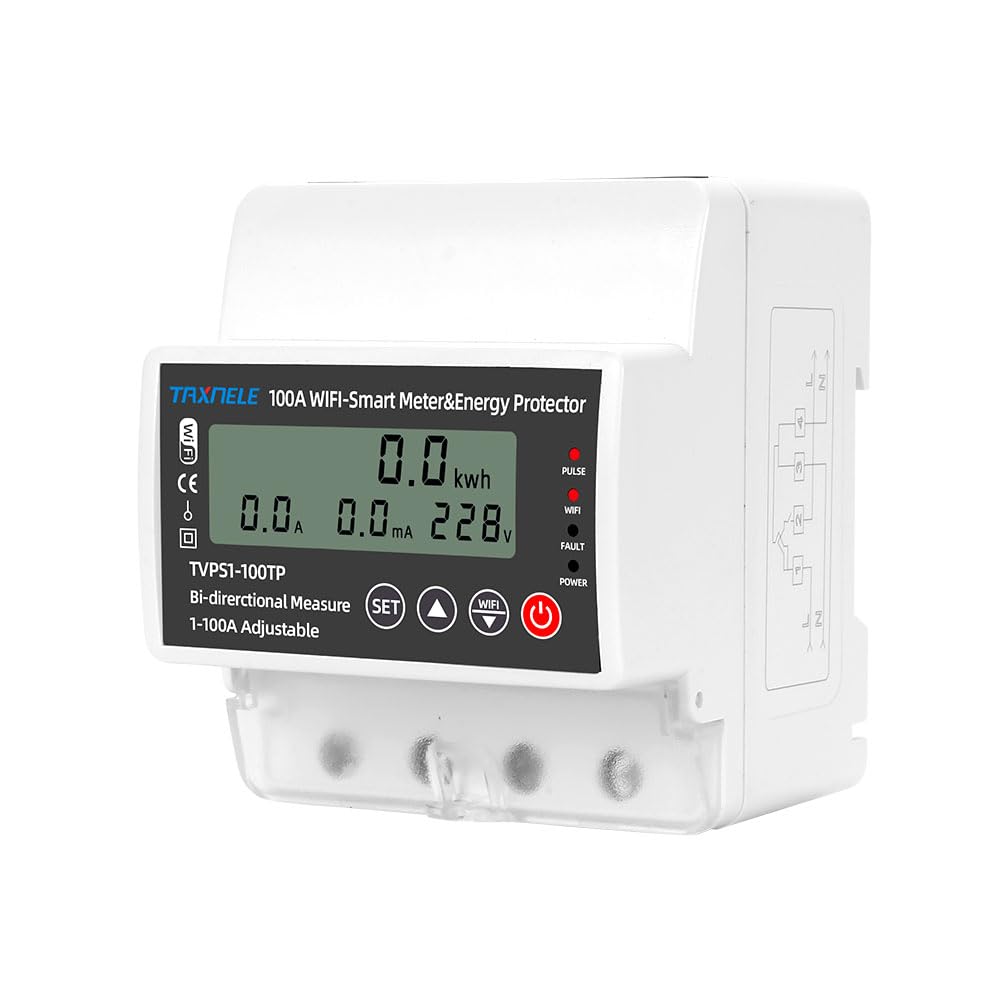
Image: Side view of the device, highlighting the DIN rail mounting mechanism for secure installation.

Image: Back view of the device, showing the terminal layout and mounting points.
6. Wiring Diagram
The device supports both standard AC grid connections and integration with solar PV systems for bidirectional measurement. Ensure correct polarity and secure connections for optimal performance and safety.

Image: Wiring diagram illustrating the connection of the smart circuit breaker in an AC + PV (solar photovoltaic) system, showing grid, solar inverter, and load connections.
Key Connections:
- L (Line): Connect to the live wire from the power source.
- N (Neutral): Connect to the neutral wire from the power source.
- Load Output: Connect to the circuit or appliance you wish to protect and monitor.
- CT (Current Transformer): Install the CT around the live wire of the load to measure current flow.
7. Setup (App Connection)
To utilize the smart features, connect your device to the Tuya Smart or Smart Life application.
- Download App: Download the 'Tuya Smart' or 'Smart Life' app from your smartphone's app store (iOS or Android).
- Register/Login: Create an account or log in to your existing account.
- Add Device: In the app, tap '+' to add a new device. Select 'Electrical' > 'Circuit Breaker (Wi-Fi)' or 'Energy Meter (Wi-Fi)'.
- Pairing Mode: Ensure the device's WiFi indicator is blinking rapidly (usually achieved by pressing and holding the WiFi button on the device for a few seconds). If not, reset the device according to the app's instructions.
- Connect to WiFi: Enter your 2.4GHz WiFi network password in the app. The device does not support 5GHz WiFi.
- Completion: Once connected, the app will confirm the device has been added. You can then rename the device and access its features.

Image: The TAXNELE smart circuit breaker shown alongside a smartphone displaying the mobile application interface, illustrating remote control and monitoring capabilities.
8. Operation
The device can be operated manually via its physical buttons or remotely through the mobile application.
8.1. Manual Operation
- Power Button: Press to manually turn the circuit ON/OFF.
- SET Button: Used for navigating settings on the device's display.
- Up/Down Buttons: Used to adjust values or scroll through options in settings.
- WiFi Button: Used to initiate WiFi pairing mode.
8.2. App Operation (Tuya/Smart Life)
- Remote ON/OFF: Toggle the circuit breaker status from anywhere.
- Energy Monitoring: View real-time voltage, current, active power, and total kWh consumption. The app provides hourly, daily, monthly, and yearly electricity statistics.
- Protection Settings: Adjust parameters for over/under voltage, over current, and leakage protection.
- Scheduling: Set timers, countdowns, or recurring schedules for automatic operation.
- Voice Control: Integrate with Alexa or Google Home for hands-free control. For example, say "Alexa, turn on the living room light" if the device controls that circuit.

Image: A smartphone screen displaying the energy monitoring interface within the app, showing positive and negative active energy, real-time current, voltage, power, and electricity statistics.
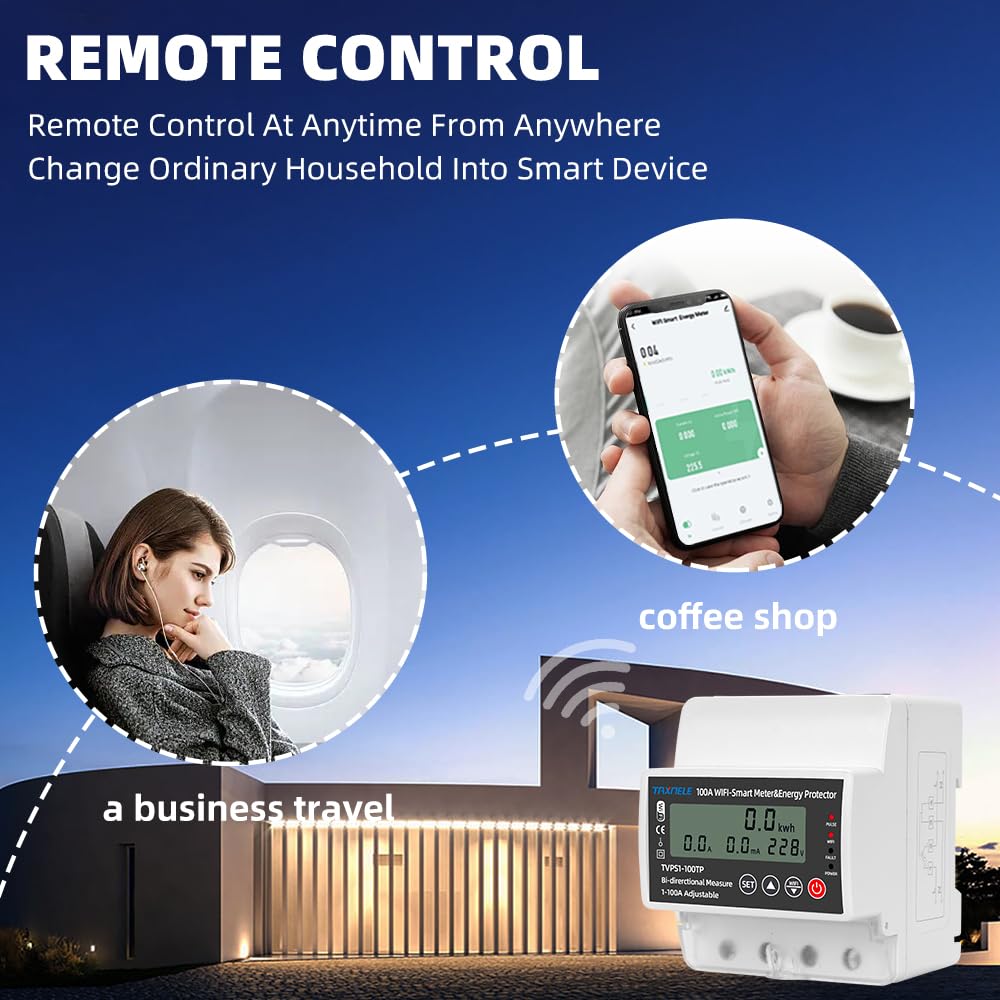
Image: Depiction of remote control capabilities, showing users managing the device from various locations such as during business travel or from a coffee shop.

Image: A smart speaker and the circuit breaker, demonstrating voice control integration with Amazon Alexa and Google Home for hands-free operation.
9. Protection Functions
The device offers robust protection features to safeguard your electrical system and appliances:
- Under Voltage Protection: Automatically cuts off power if the voltage drops below a set threshold (adjustable from 80V-210V, default: 175V).
- Over Voltage Protection: Automatically cuts off power if the voltage exceeds a set threshold (adjustable from 120V-300V, default: 275V).
- Over Current Protection: Automatically cuts off power if the current exceeds a set threshold (adjustable from 1A-100A, default: 100A for this model).
- Electric Leakage Protection: Detects and cuts off power in case of an earth leakage fault (adjustable from 10-99mA).
- Automatic Reconnection: After a protection trip, the device will attempt to restore power after a configurable delay (reconnect time: 10s-90s, default: 30s).
10. Specifications
| Feature | Specification |
|---|---|
| Rated Voltage | 80-300V AC |
| Frequency | 50Hz/60Hz |
| Rated Current (Model 100A) | 100A |
| Under Voltage Protection Range | 80V-210V (Default: 175V) |
| Over Voltage Protection Range | 120V-300V (Default: 275V) |
| Over Current Protection Range | 1A-100A (Default: 100A) |
| Electric Leakage Protection Range | 10-99mA |
| Reconnect Time (Delay On) | 10s-90s (Default: 30s) |
| Connectivity | Wi-Fi (2.4GHz only) |
| App Compatibility | Tuya Smart / Smart Life |
| Voice Assistant Compatibility | Amazon Alexa, Google Home |
| Product Dimensions | 1.38 x 2.56 x 3.35 inches (35 x 65 x 85 mm) |
| Mounting | 35mm DIN Rail |

Image: Dimension diagram providing precise measurements of the device in millimeters (77mm height, 89mm depth, 76mm width, 47mm base depth).
11. Troubleshooting
If you encounter issues with your TAXNELE TVPS1-100TP, refer to the following common problems and solutions:
- Device not powering on: Check main power supply and all wiring connections. Ensure the device is securely mounted.
- WiFi indicator not blinking/connecting: Ensure your WiFi network is 2.4GHz. Try resetting the device to pairing mode by holding the WiFi button. Check router distance and signal strength.
- Device trips frequently: Review the protection settings (over/under voltage, over current, leakage) in the app. Ensure they are appropriate for your load and electrical system. Check for actual electrical faults in the circuit.
- Inaccurate energy readings: Verify the CT (Current Transformer) is correctly installed around the live wire of the load and is facing the correct direction.
- Remote control not working: Ensure your smartphone has an active internet connection and the device is connected to WiFi. Check the app for any error messages.
12. Maintenance
The TAXNELE TVPS1-100TP requires minimal maintenance to ensure long-term performance.
- Regular Cleaning: Periodically clean the exterior of the device with a dry, soft cloth. Do not use abrasive cleaners or solvents.
- Firmware Updates: Check the Tuya/Smart Life app for available firmware updates to ensure optimal performance and security.
- Connection Checks: Annually, or if issues arise, verify that all wiring connections are still secure and free from corrosion. Ensure the device is free from dust accumulation, especially around ventilation points.
13. Warranty and Support
For warranty information, technical support, or service inquiries, please refer to the documentation provided with your purchase or contact TAXNELE customer support directly. Keep your purchase receipt as proof of purchase.


