
1. Introduction
Thank you for choosing the PRSCFUM Q90 Portable Bluetooth Speaker. This device combines high-quality audio with dynamic LED lighting and robust IPX7 waterproofing, making it ideal for various environments, including bathrooms, outdoor activities, and parties. This manual provides essential information for setting up, operating, and maintaining your speaker to ensure optimal performance and longevity.

The PRSCFUM Q90 Portable Bluetooth Speaker, designed for use in wet environments, is shown here with water splashing over its surface, emphasizing its IPX7 waterproof rating.
2. Package Contents
Please check the package for the following items:
- 1 x PRSCFUM Q90 Portable Bluetooth Speaker
- 1 x USB-C Fast Charging Cable
- 1 x Suction Cup
- 1 x User Manual
3. Product Features
- Advanced Bluetooth 5.3: Provides a stable and efficient wireless connection.
- IPX7 Waterproof Rating: Fully submersible up to 1 meter for 30 minutes, perfect for showers, pools, and outdoor use.
- Dynamic RGB LED Light Show: Features 6 lighting colors and 7 lighting modes to create an engaging atmosphere.
- True Wireless Stereo (TWS) Pairing: Connect two Q90 speakers for immersive 360° stereo sound.
- Built-in Microphone: Enables hands-free calling.
- Long Battery Life: Up to 8 hours of playtime on a single charge.
- USB-C Fast Charging: Convenient and quick recharging.
- FM Radio Function: Enjoy your favorite radio stations.
- Powerful Suction Cup: Allows for easy mounting on smooth surfaces.
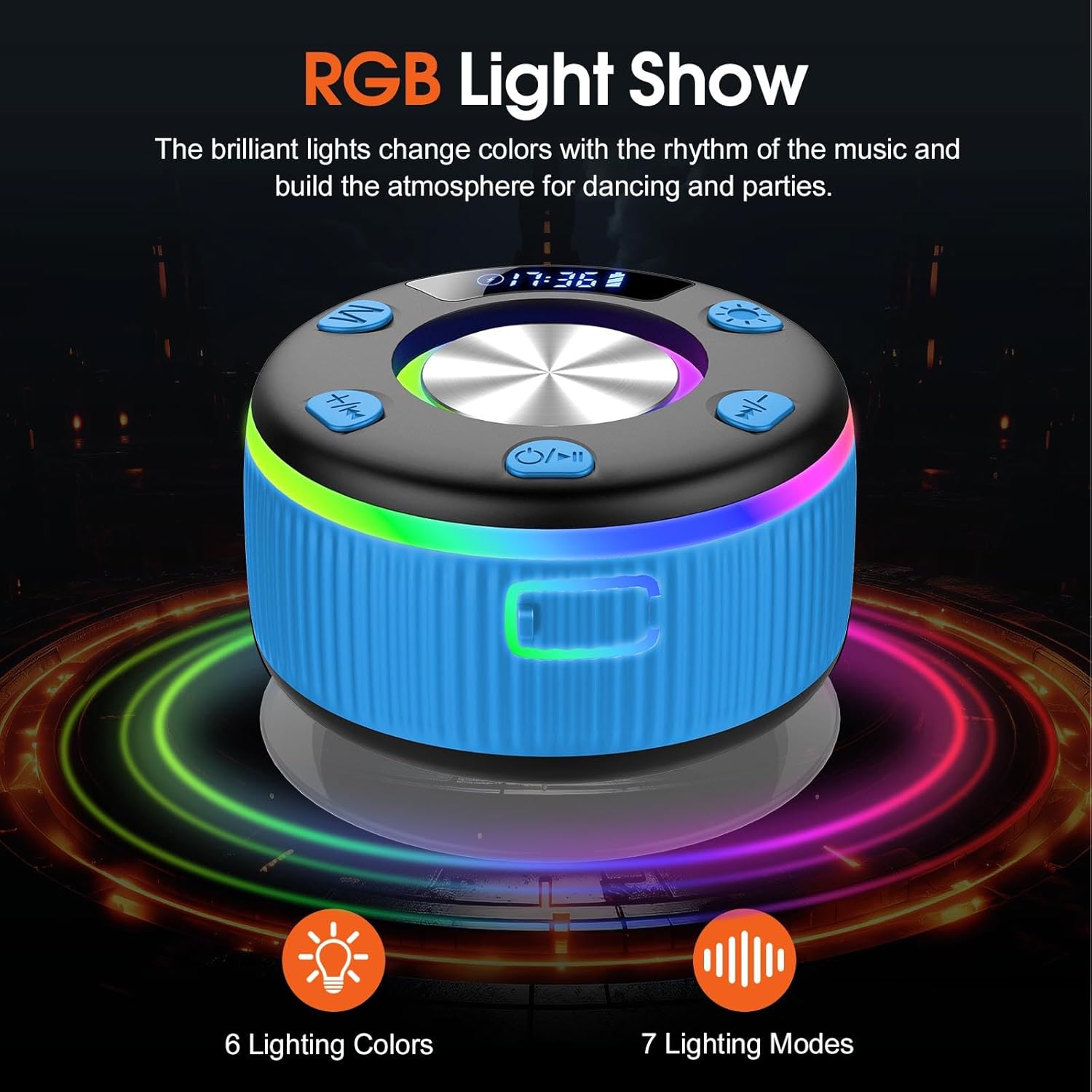
This image illustrates the speaker's dynamic RGB LED light show feature, offering 6 distinct lighting colors and 7 different lighting modes to enhance the audio experience.
4. Controls and Indicators
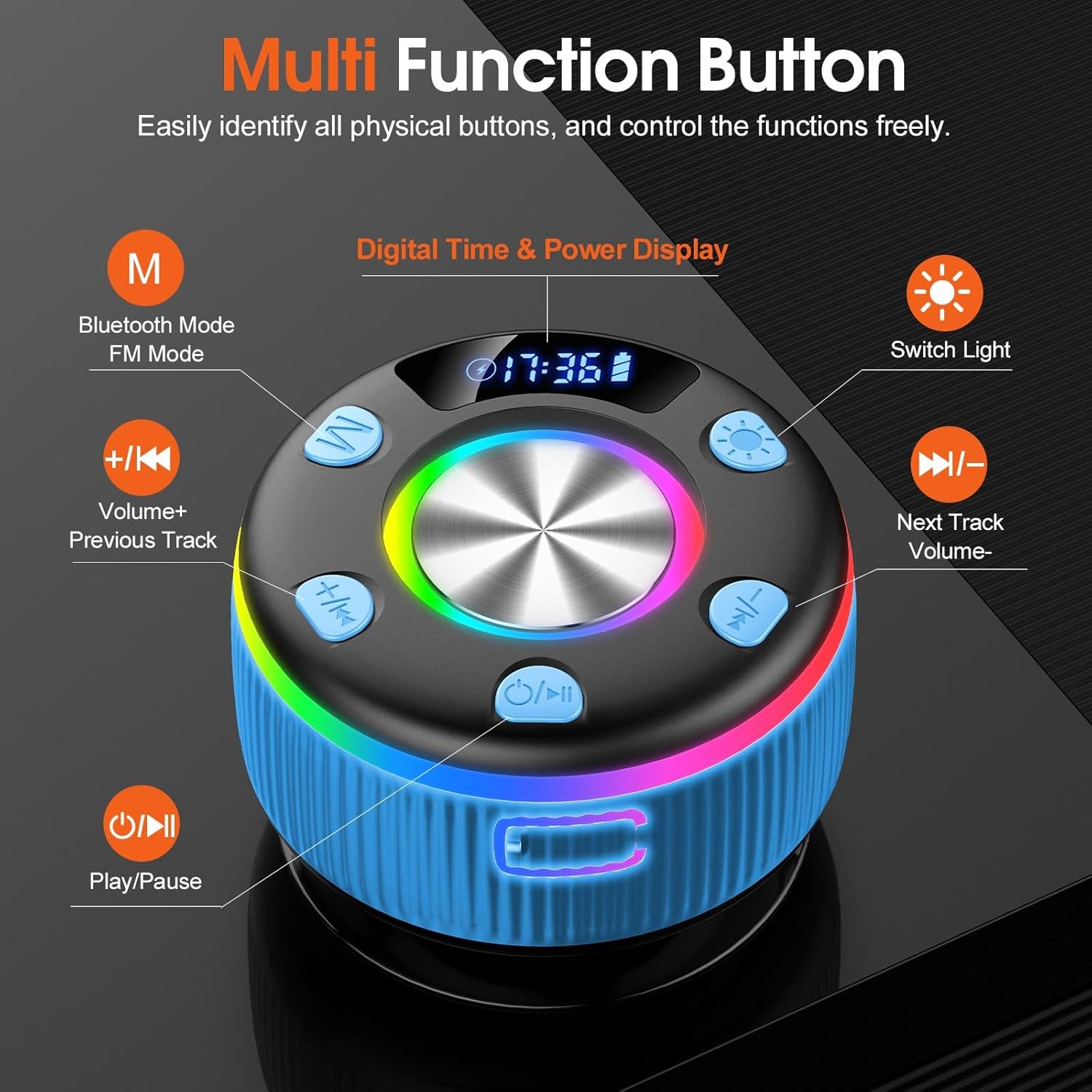
A close-up of the speaker's control panel, clearly labeling each button: 'M' for Bluetooth/FM Mode, '+/K<' for Volume Up/Previous Track, 'Play/Pause', 'Next Track/Volume Down', and 'Switch Light'. A digital display shows time and power.
- M (Mode Button): Press to switch between Bluetooth mode and FM Radio mode.
- +/K< (Volume Up / Previous Track):
- Short press: Increase volume.
- Long press: Go to the previous track (in Bluetooth mode).
- Power / Play/Pause Button:
- Long press: Power On/Off.
- Short press: Play/Pause music (in Bluetooth mode).
- Short press: Answer/End call (when connected to phone).
- >|/- (Next Track / Volume Down):
- Short press: Decrease volume.
- Long press: Go to the next track (in Bluetooth mode).
- Light Switch Button: Press to cycle through different LED light modes or turn off the lights.
- Digital Display: Shows current time and battery level.
5. Setup
5.1 Charging the Speaker
Before first use, fully charge the speaker. Connect the provided USB-C charging cable to the speaker's charging port and the other end to a USB power adapter (not included) or a computer's USB port. The digital display will indicate charging status. A full charge typically takes approximately 2-3 hours.
5.2 Power On/Off
- To Power On: Long press the Power / Play/Pause button until the digital display lights up and you hear an audible prompt.
- To Power Off: Long press the Power / Play/Pause button again until the display turns off and you hear an audible prompt.
5.3 Bluetooth Pairing
The speaker will automatically enter Bluetooth pairing mode when powered on for the first time or if no device is connected. The Bluetooth icon on the digital display will flash.
- Ensure the speaker is powered on and in Bluetooth mode (press 'M' button if necessary).
- Enable Bluetooth on your smartphone, tablet, or other Bluetooth-enabled device.
- Search for available Bluetooth devices and select "Q90" from the list.
- Once paired, you will hear a confirmation sound, and the Bluetooth icon on the speaker's display will stop flashing.
The speaker will automatically reconnect to the last paired device when powered on, if the device is within range and Bluetooth is enabled.

The speaker is shown connected via Bluetooth 5.3 to a smartphone, emphasizing its advanced and stable wireless connectivity. The image also highlights the built-in microphone for hands-free calls.
6. Operating Instructions
6.1 Playing Music (Bluetooth Mode)
- After successful Bluetooth pairing, open your music player application on your device.
- Use the Play/Pause button on the speaker to control playback.
- Use the +/K< and >|/- buttons for volume adjustment (short press) and track navigation (long press).
6.2 FM Radio Mode
- Press the 'M' button to switch to FM Radio mode.
- Long press the Play/Pause button to automatically scan and save available FM stations.
- Use the +/K< and >|/- buttons (long press) to switch between saved stations.
- Short press +/K< and >|/- to adjust volume.
6.3 LED Light Modes
Press the Light Switch button to cycle through the available LED light modes. Continue pressing to find your preferred mode or to turn the lights off.
6.4 True Wireless Stereo (TWS) Pairing
To achieve 360° stereo sound, you can pair two PRSCFUM Q90 speakers together:
- Ensure both Q90 speakers are powered off.
- Power on both speakers. They will enter Bluetooth pairing mode.
- On one of the speakers (this will be the primary speaker), long press the 'M' button until you hear a pairing tone. The two speakers will connect to each other.
- Once successfully paired, the primary speaker's Bluetooth indicator will flash, and the secondary speaker's indicator will be solid.
- Now, connect your device to the primary speaker via Bluetooth as described in section 5.3.
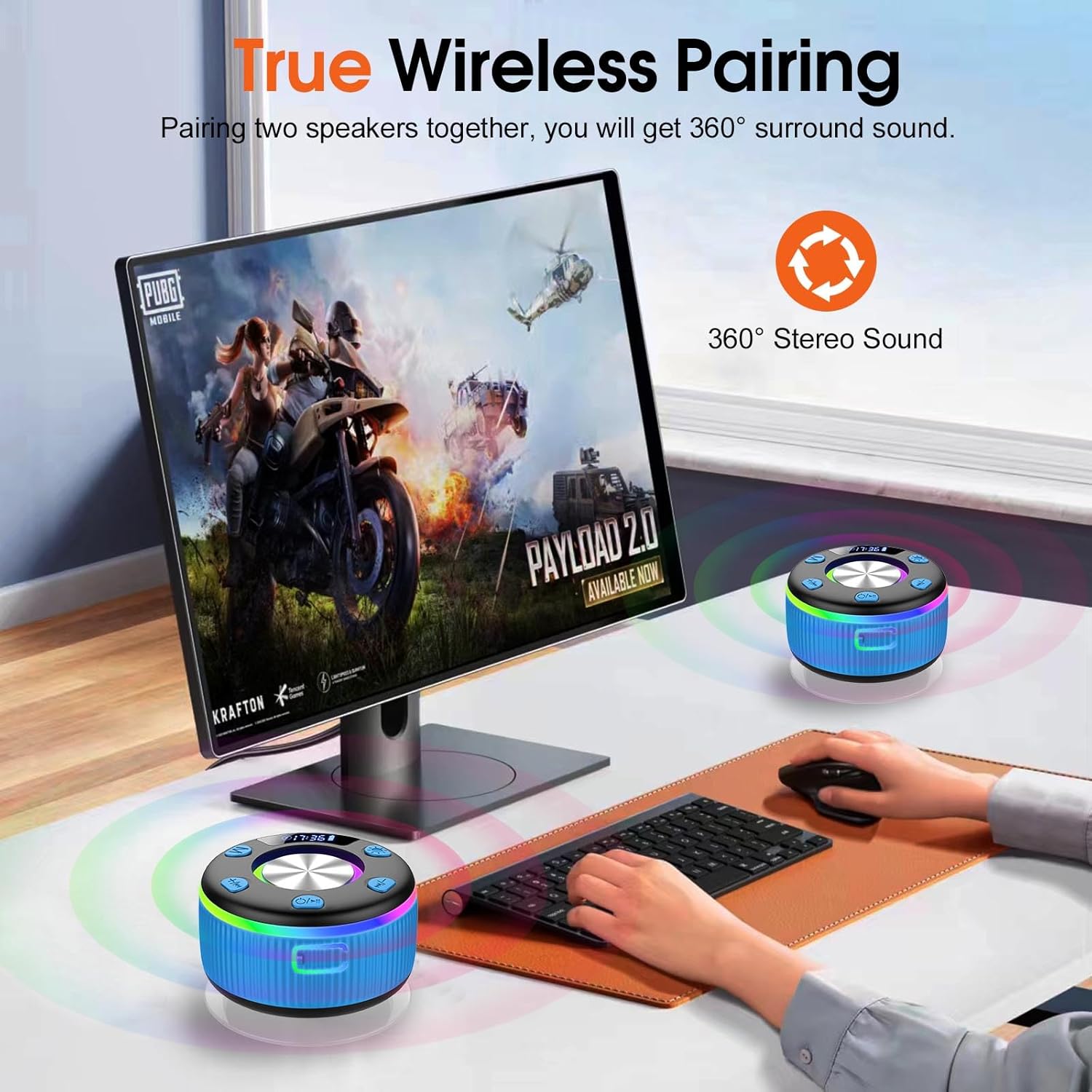
Demonstration of the True Wireless Pairing feature, where two PRSCFUM Q90 speakers are connected to a single device, providing an immersive 360° stereo sound experience.
7. Maintenance
- Cleaning: Wipe the speaker with a soft, damp cloth. Do not use harsh chemicals or abrasive cleaners.
- Storage: Store the speaker in a cool, dry place away from direct sunlight and extreme temperatures.
- Battery Care: To prolong battery life, avoid fully discharging the speaker frequently. Charge it regularly, even if not in use for extended periods.
- Suction Cup: Ensure the suction cup is clean and free of debris for optimal adhesion. Apply to a smooth, non-porous surface.
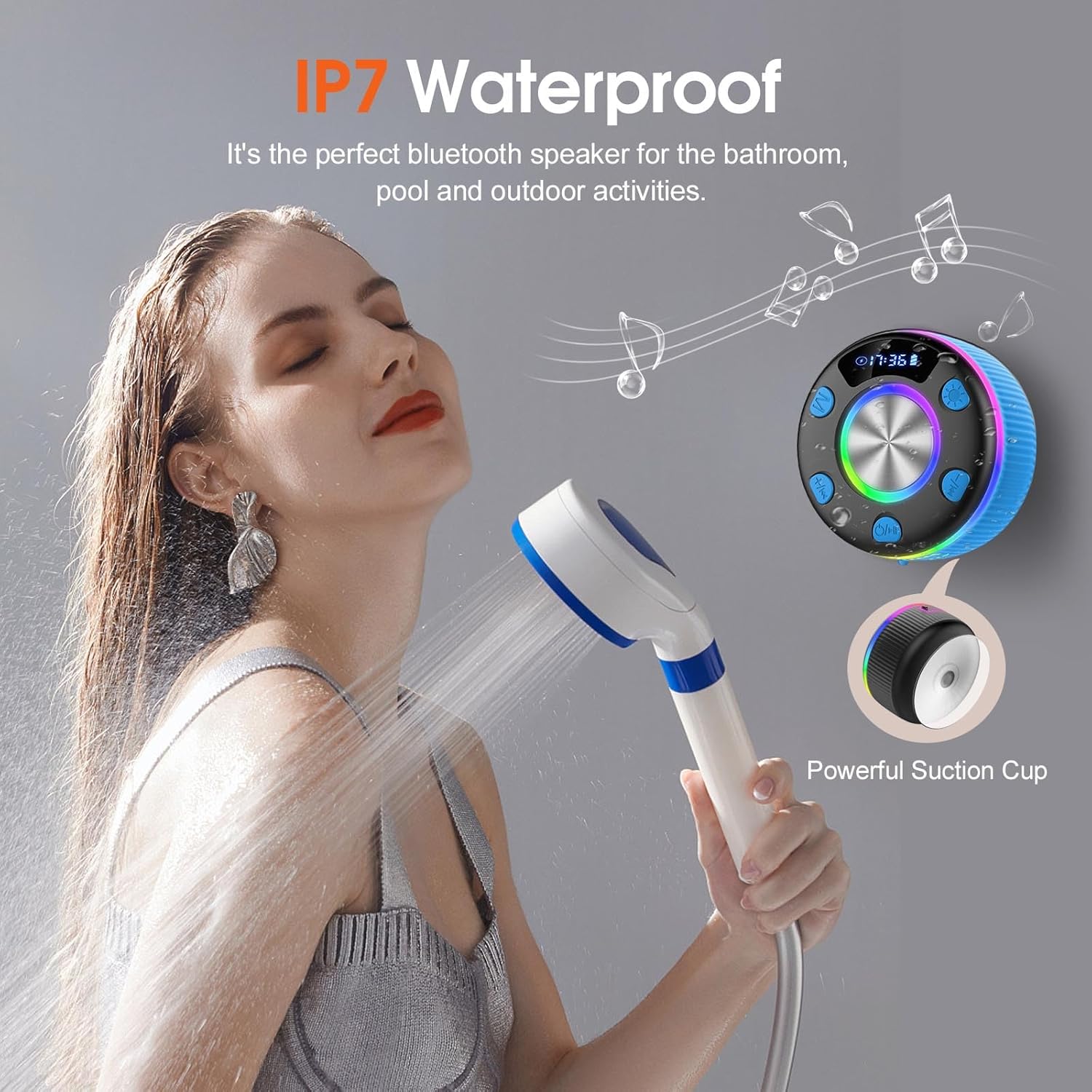
The PRSCFUM Q90 speaker is shown in a shower environment, attached to the wall with its powerful suction cup, highlighting its IPX7 waterproof rating, making it suitable for bathrooms, pools, and outdoor activities.
8. Troubleshooting
| Problem | Possible Cause | Solution |
|---|---|---|
| Speaker does not power on. | Low battery. | Charge the speaker fully using the provided USB-C cable. |
| Cannot pair with Bluetooth device. | Bluetooth not enabled on device; speaker too far; speaker already paired. | Ensure Bluetooth is on and device is within 10 meters. Disconnect from other devices. Restart speaker and device. |
| No sound or low volume. | Volume too low on speaker or device; speaker not connected. | Increase volume on both speaker and connected device. Ensure successful Bluetooth connection. |
| FM radio reception is poor. | Weak signal; interference. | Move the speaker to a location with better signal. Re-scan for stations. |
| TWS pairing fails. | Incorrect pairing procedure. | Ensure both speakers are Q90 models and follow the TWS pairing steps precisely. |
9. Specifications
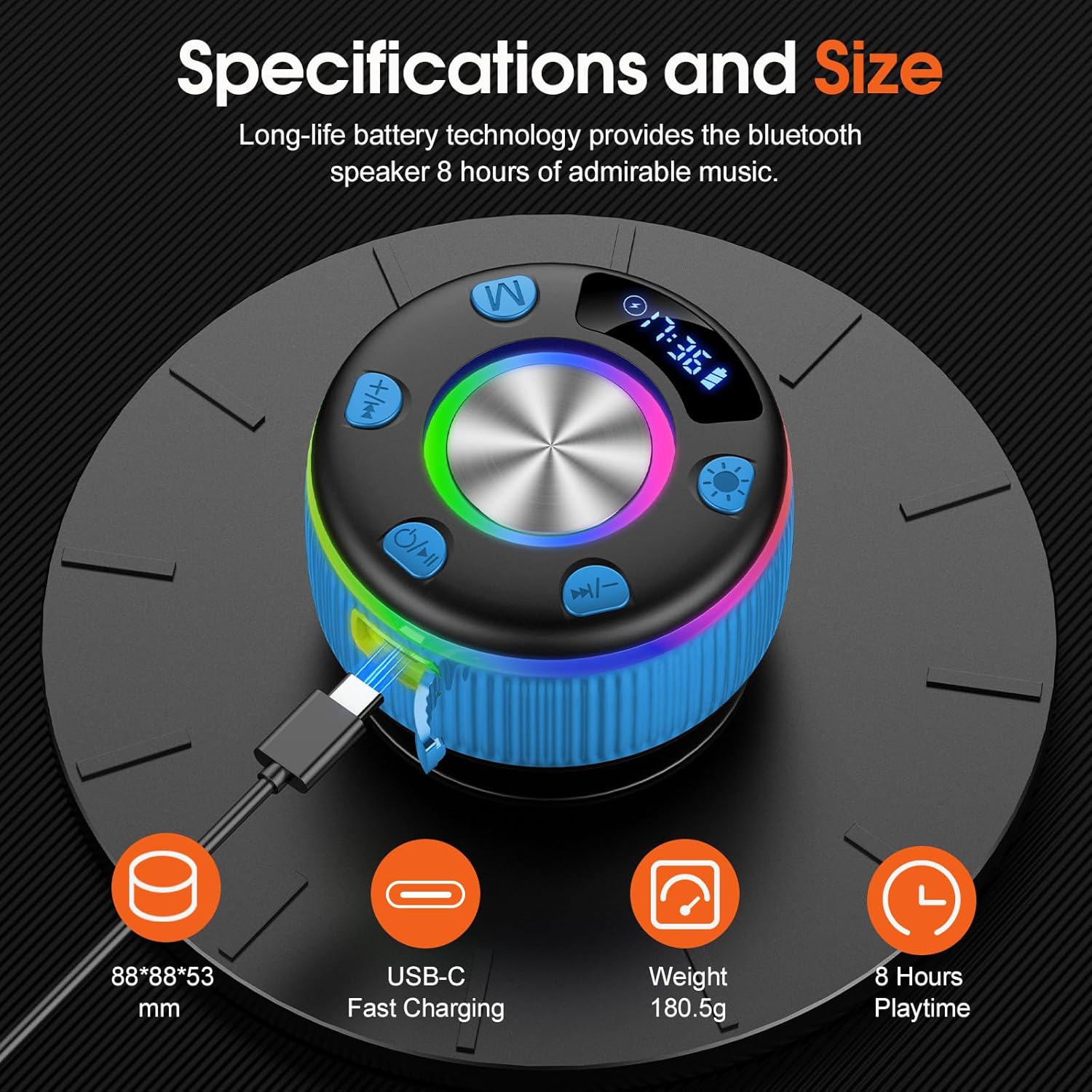
This image provides a visual summary of the speaker's physical specifications, including its compact dimensions (88x88x53 mm), lightweight design (180.5g), USB-C fast charging capability, and an impressive 8 hours of playtime on a single charge.
- Model: Q90
- Brand: PRSCFUM
- Connectivity Technology: Bluetooth 5.3
- Speaker Type: 3D
- Speaker Size: 40 Millimeters
- Maximum Output Power: 5 Watts
- Waterproof Rating: IPX7
- Battery Type: Lithium-polymer (2 included)
- Battery Life: Up to 8 hours
- Charging Port: USB-C
- Item Weight: 200 Grams
- Dimensions: Approximately 88 x 88 x 53 mm
- Maximum Range: 10 Meters (33 feet)
- Special Features: Bluetooth, LED Light, Portable, Built-in Mic, FM Radio, TWS Pairing
10. Warranty and Support
This product comes with a standard manufacturer's warranty. For specific warranty details, please refer to the documentation provided at the time of purchase or contact the retailer. For technical support or inquiries, please reach out to PRSCFUM customer service through the contact information provided on the product packaging or official website.