1. Introduction
This manual provides comprehensive instructions for the setup, operation, and maintenance of your SADES Battle Ram Gaming Keyboard and Mouse. Designed for an optimal gaming experience, this combo features a low-profile backlit RGB keyboard, an ergonomic mouse, and a multi-functional mouse pad.
2. Package Contents
Ensure all items are present in the package:
- SADES Battle Ram Gaming Keyboard
- SADES Battle Ram Gaming Mouse
- Mouse Pad
- Instruction Manual
3. Setup
The SADES Battle Ram Gaming Keyboard and Mouse are designed for plug-and-play functionality, ensuring a quick and easy setup process.
- Connect the Keyboard: Locate an available USB port on your computer. Plug the USB connector of the keyboard into the USB port. The keyboard will automatically be detected and installed by your operating system.
- Connect the Mouse: Locate another available USB port on your computer. Plug the USB connector of the mouse into the USB port. The mouse will also be automatically detected and installed.
- Position the Mouse Pad: Place the included multi-functional mouse pad on your desk to provide an optimal surface for mouse movement.
- Compatibility: The keyboard and mouse are compatible with Windows systems (Win 2000/XP/ME/Vista/7/8/10), as well as various PC games. No additional drivers are typically required for basic functionality.

Figure 3.1: SADES Battle Ram Gaming Keyboard and Mouse connected and ready for use.
4. Keyboard Features
- Low-Profile Backlit RGB Design: The keyboard features low-profile keys with vibrant RGB backlighting, offering customizable lighting options.
- Full-Size Layout: A complete 104-key layout ensures all essential keys are conveniently positioned for various gaming genres and typing tasks.
- Waterproof Membrane Structure: Designed to prevent liquid penetration into internal circuitry, offering protection against accidental spills.
- Ergonomic Wrist Rest: An integrated ergonomic wrist rest provides comfort and reduces fatigue during extended use.
- Premium Materials and Durability: Constructed with wear-resistant materials and a solid structure for long-lasting performance.
- Mecha-Membrane Switches: Provides a tactile, clicky keystroke feel with a soft cushioned touch.
- Dedicated Multimedia Keys: Features 12 multimedia shortcuts (FN+F1-F12) for convenient control of media playback and volume.
- Anti-Ghosting Keys: Ensures accurate registration of multiple simultaneous key presses, crucial for gaming.
- WIN Key Lock: Use FN + WIN to lock the Windows key, preventing accidental interruptions during gameplay.

Figure 4.1: Ergonomic wrist rest for extended gaming comfort.
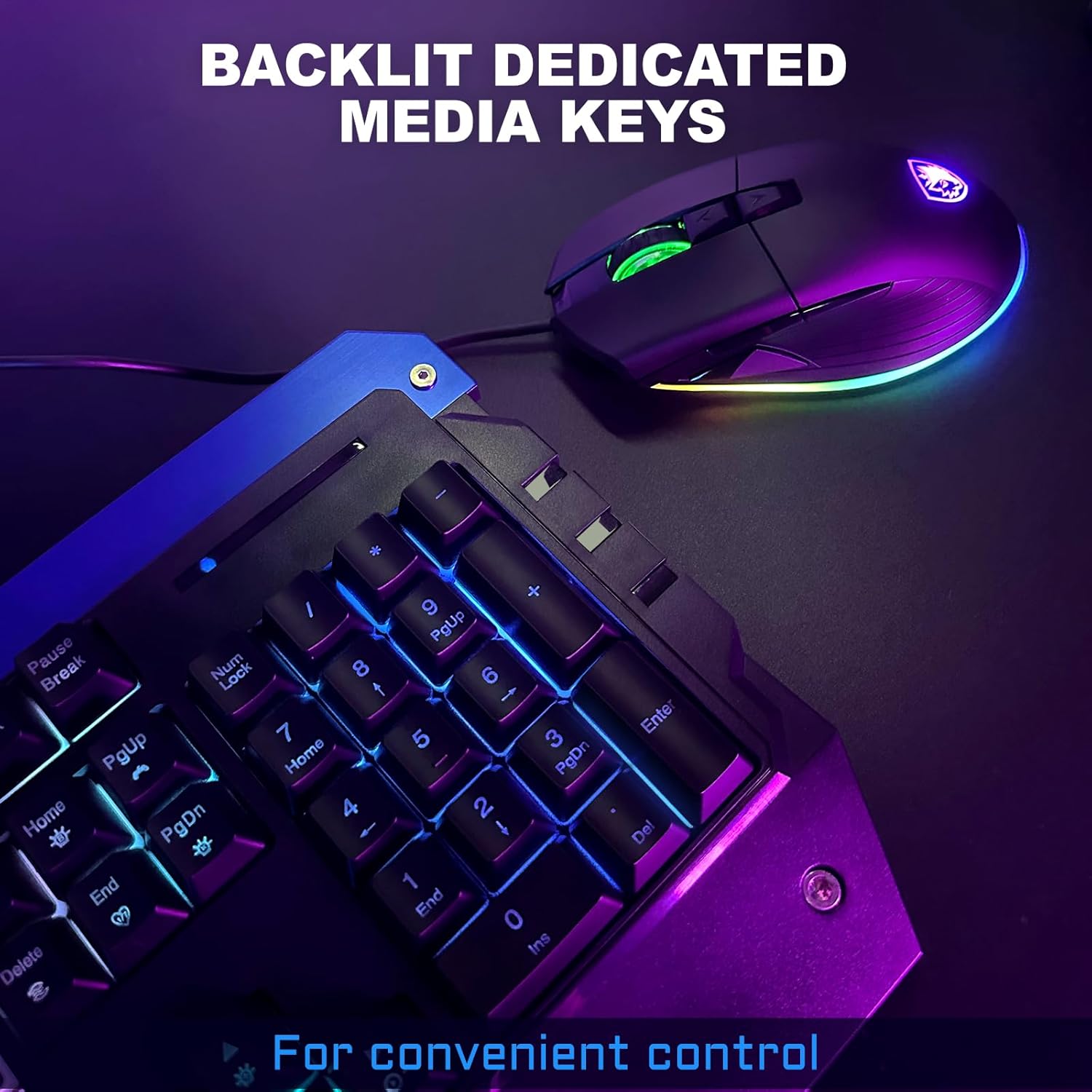
Figure 4.2: Backlit dedicated media keys for convenient control.

Figure 4.3: FN + WIN key lock and multimedia shortcuts for enhanced control.
5. Mouse Features
- Ergonomic Design: The mouse is shaped to conform to the palm curve, providing a comfortable grip and reducing hand fatigue.
- Adjustable DPI Settings: Cycle through multiple DPI settings (1200, 2400, 4800, 7200) to adjust cursor sensitivity for different tasks and games.
- RGB Lighting: The mouse features dynamic RGB lighting that complements the keyboard's aesthetics.
- Additional Buttons: Includes a scroll wheel and two side buttons for enhanced functionality.

Figure 5.1: SADES Battle Ram Gaming Mouse with customizable RGB lighting.
6. Operating Instructions
6.1 Keyboard RGB Lighting Control
- Change Lighting Modes: Press the FN key + 1 key to cycle through various RGB lighting modes.
- Adjust Brightness: Press the FN key + Up Arrow or Down Arrow keys to increase or decrease the brightness of the RGB lighting.
- Adjust Speed: Press the FN key + Left Arrow or Right Arrow keys to adjust the speed of dynamic lighting effects.
6.2 Mouse DPI Adjustment
The mouse features a dedicated DPI button, usually located near the scroll wheel, to cycle through different sensitivity settings. Press this button to switch between 1200, 2400, 4800, and 7200 DPI.
6.3 WIN Key Lock
To prevent accidental activation of the Windows key during gameplay, press FN + WIN to lock or unlock the Windows key function.
Video 6.1: Demonstration of SADES Battle Ram RGB Keyboard and Mouse features, including lighting modes and mouse DPI settings.
7. Maintenance
- Cleaning: Use a soft, damp cloth to clean the surfaces of the keyboard and mouse. For the keyboard, the waterproof membrane structure allows for easier cleaning of spills.
- Keycap Removal: A keycap puller (if included) can be used to carefully remove keycaps for deeper cleaning or replacement. Ensure the device is unplugged before attempting this.
- Avoid Harsh Chemicals: Do not use abrasive cleaners or solvents, as these may damage the product's finish or internal components.
8. Troubleshooting
- Device Not Responding:
- Ensure the USB cables are securely plugged into the computer's USB ports.
- Try plugging the devices into different USB ports.
- Restart your computer.
- RGB Lighting Not Working:
- Verify that the devices are properly connected.
- Cycle through lighting modes using FN + 1 to ensure a mode is selected.
- Adjust brightness using FN + Up/Down Arrow keys.
- Mouse Cursor Jumps or is Erratic:
- Clean the optical sensor on the bottom of the mouse.
- Ensure the mouse pad surface is clean and free of obstructions.
- Adjust DPI settings to a lower sensitivity if needed.
9. Specifications
| Feature | Detail |
|---|---|
| Brand | Globalsades |
| Model | Battle Ram |
| Color | Black |
| Connectivity Technology | USB (Wired) |
| Special Feature | Backlit RGB, Ergonomic Wrist Rest, Waterproof Membrane |
| Compatible Devices | Gaming Console, Laptop (Windows 2000/XP/ME/Vista/7/8/10) |
| Item Weight | 3.19 pounds |
| Package Dimensions | 22.5 x 9.5 x 1.75 inches |
| Manufacturer | SADES |
| Date First Available | December 4, 2023 |
10. Warranty and Support
The SADES Battle Ram Gaming Keyboard and Mouse comes with a hassle-free 30-day return policy and a two-year warranty. For any inquiries or support, please contact our customer service, available 24/7.