
Introduction
The LemonNova Permanent Outdoor Lights Pro are designed to provide versatile and durable outdoor lighting for your home. Featuring warm and cold white LEDs alongside RGB colors, these lights offer 16 million color options and 44 scene modes. They are IP67 waterproof, built for year-round use, and can be controlled via a remote, smartphone app, or voice assistants like Alexa and Google Assistant. This manual provides essential information for safe installation, operation, and maintenance of your lighting system.
Safety Information
- Ensure the power supply is disconnected before installation or maintenance.
- Do not attempt to cut the eaves lights unless you are a qualified professional, as this may damage the product and void the warranty.
- Verify that the power adapter matches the total number of lamp beads if you are customizing the string lights. Refer to the adapter explanation section for details.
- The product is designed for outdoor use with IP67 waterproof lights and an IP65 control box. However, avoid submerging the control box in water.
- Operate within the specified temperature range of -4°F to 140°F (-20°C to 60°C).
Package Contents
Please check the box to ensure all components are present:
- String Lights
- VHB Glue (pre-applied or extra adhesive)
- Clips
- Waterproof Connectors
- Remote Control
- Controller
- Adapter
- User Manual

Figure 1: Overview of the Permanent Outdoor Lights Kit contents.
Installation
The LemonNova Permanent Outdoor Lights Pro are designed for easy installation under eaves. You can choose between adhesive mounting or screw installation.
Installation Steps:
- Prepare the Surface: Clean the surface where the lights will be installed to ensure proper adhesion.
- Positioning: Place the lights close to the wall for the best wall wash light effect.
- Adhesive Installation: If using VHB glue, tear off the protective film from the back of the light and press it firmly onto the surface for 5 seconds.
- Screw Installation: For surfaces where adhesive may not hold long-term (e.g., certain types of wood, concrete), use the prepared screw holes on each light unit to fix them securely. (Screws are not included and must be prepared by the user).
- Secure with Clips: Fasten the provided clips to each light string for added security.
- Connect Light Strings: Connect multiple light strings using the waterproof connectors every 28 feet. Ensure connections are tight to maintain waterproofing.
- Power Connection: Connect the entire string to the controller and then to the power adapter.

Figure 2: Visual guide for light installation methods.

Figure 3: Compatible surfaces for installation.

Figure 4: Detail of a single light unit.
Operation
Your LemonNova Permanent Outdoor Lights Pro can be controlled through multiple methods:
1. Smartphone App Control
Download the Lemon23 app or TUYA APP from your smartphone's app store. Follow the in-app instructions to pair your lights. The app allows for:
- DIY lighting customization
- Timed dimming
- Synchronized music modes
- Access to 16 million colors and 44 scene modes
- Brightness adjustment
- Setting schedules for automatic on/off

Figure 5: Example of app control interface.
2. Remote Control
Use the included remote control for quick adjustments to colors, modes, and brightness. Ensure the remote has a clear line of sight to the control box.

Figure 6: Remote control for the lights.
3. Voice Control
The lights are compatible with Alexa and Google Assistant. Link your Lemon23/TUYA app account to your voice assistant app and use commands such as "Alexa, turn on the eaves lights" or "Hey Google, set the eaves lights to red."

Figure 7: Voice assistant compatibility.
Key Features in Operation:
- Warm and Cold White: In addition to RGB, the lights offer warm (2700K) and cool (6500K) white illumination up to 100 LM per light.
- Music Sync: Lights can change color and rhythm according to music played, enhancing the ambiance for parties or events.
- Timing: Set schedules for the lights to turn on and off automatically at desired times.
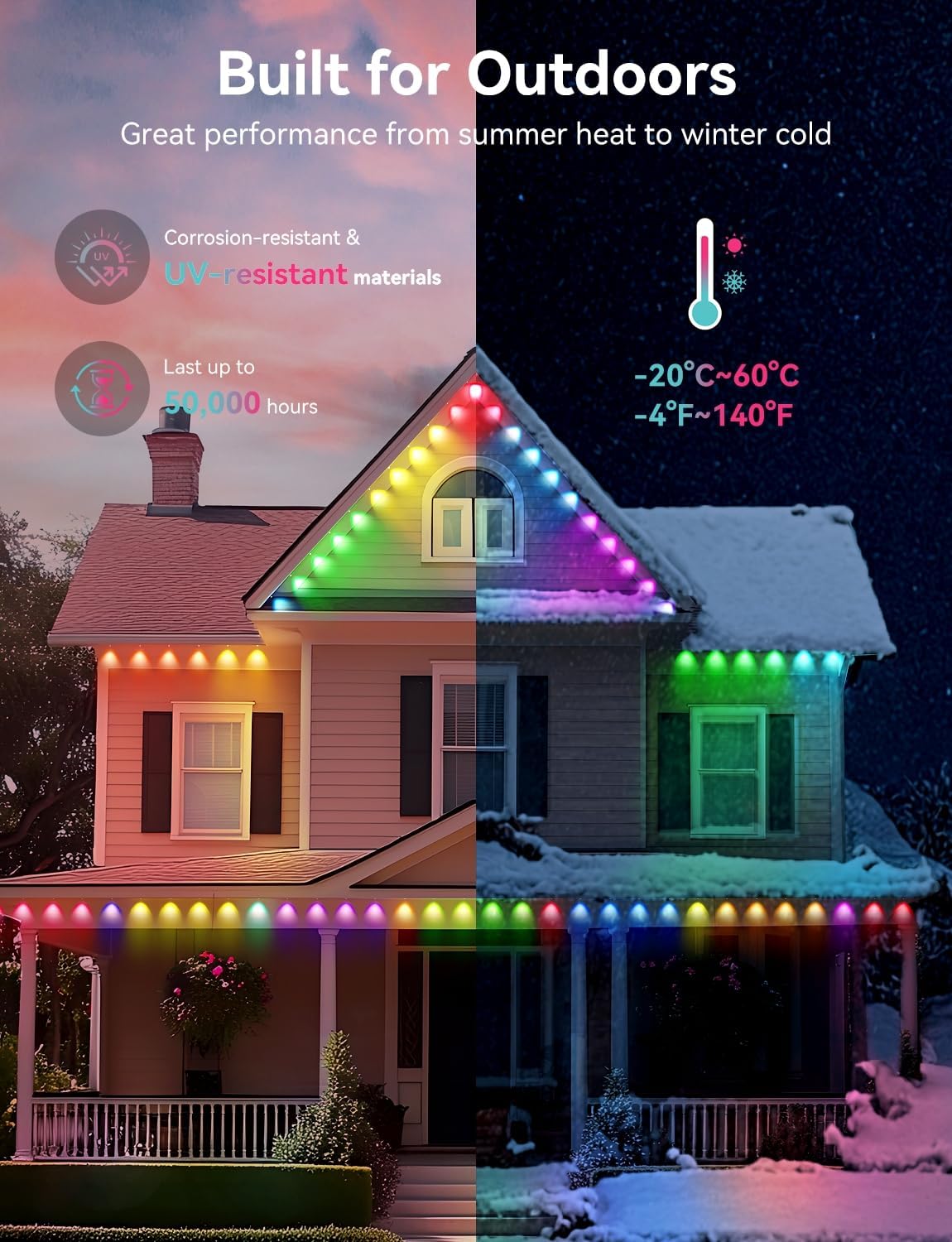
Figure 8: Warm and Cold White lighting options.
Product Specifications
| Brand | LemonNova |
| Model Number | 3130W-W-264 |
| Indoor/Outdoor Usage | Outdoor |
| Light Source Type | LED |
| Light Color | Multicolor (RGB, Warm White, Cold White) |
| White Brightness | Up to 100 LM per light (2700K-6500K CCT) |
| Number of Light Sources | 264 |
| Power Source | Corded Electric |
| Waterproof Rating | IP67 (Lights), IP65 (Control Box) |
| Material | Plastic, UV-resistant materials |
| Operating Temperature | -4°F to 140°F (-20°C to 60°C) |
| Lifespan | Up to 50,000 hours |
| Control Methods | Remote Control, App (Lemon23/TUYA), Voice Control (Alexa, Google Assistant) |

Figure 9: Waterproof ratings for lights and control box.

Figure 10: Adapter and lamp bead compatibility for DIY setups.
Troubleshooting
- Colored Edges with White Light: The eaves light uses RGB mixing to create white light, which can sometimes result in colored edges. To minimize this, install the lights closer to the wall.
- Remote Buttons Not Matching Colors: This is not a product defect. Use the line sequence function within the smartphone app to adjust the colors until they match correctly. Cycle through different line sequence modes as needed.
- Lights Not Turning On: Check all power connections, ensuring the adapter is securely plugged in and the control box is connected to the lights. Verify the power outlet is functional.
- App Connectivity Issues: Ensure your smartphone is connected to a 2.4GHz Wi-Fi network during initial setup. Restart the app and the lights if connection fails.
Care and Maintenance
- Regularly inspect the lights and wiring for any signs of damage, especially after severe weather conditions.
- Clean the light surfaces periodically with a soft, damp cloth to remove dirt and debris. Do not use harsh chemicals or abrasive cleaners.
- Ensure waterproof connectors remain tightly sealed to prevent water ingress.
Warranty and Support
For any questions, technical assistance, or warranty claims, please contact LemonNova customer service. Refer to the product packaging or the LemonNova official website for contact information. Note that the product has passed UL588 test, report number: CTC145H08113SR.