1. Introduction
This manual provides essential instructions for the safe and effective replacement of the MULS L18D1P32 battery in compatible Lenovo Smart Tab M10 series tablets. Please read all instructions carefully before proceeding with the installation.
1.1 Product Compatibility
The MULS L18D1P32 battery is designed as a direct replacement for the following Lenovo Smart Tab M10 series models:
- Lenovo Tab M10 TB-X505F
- Lenovo Tab M10 TB-X505L
- Lenovo Tab M10 TB-X505Xl
- Lenovo Tab M10 TB-X605F
- Lenovo Tab M10 TB-X605FC
- Lenovo Tab M10 TB-X605L
- Lenovo Tab M10 TB-X605LC
- Lenovo Tab M10 TB-X605M
- Lenovo Tab M10 TB-X605Cl

Image 1.1: Compatible Lenovo Smart Tab M10 tablet models.
2. Safety Information
Your safety is paramount. Please adhere to the following precautions when handling and installing the battery:
- Risk of Fire or Explosion: Do not disassemble, crush, puncture, short-circuit, or dispose of the battery in fire or water.
- Temperature Exposure: Avoid exposing the battery to temperatures above 60°C (140°F).
- Damage: If the battery appears damaged, swollen, or leaks, discontinue use immediately and dispose of it properly.
- Tools: Use only the provided tools or appropriate non-conductive tools to prevent short circuits or damage.
- Professional Installation: If you are unsure about the installation process, seek assistance from a qualified technician.
- Children: Keep the battery and tools out of reach of children.
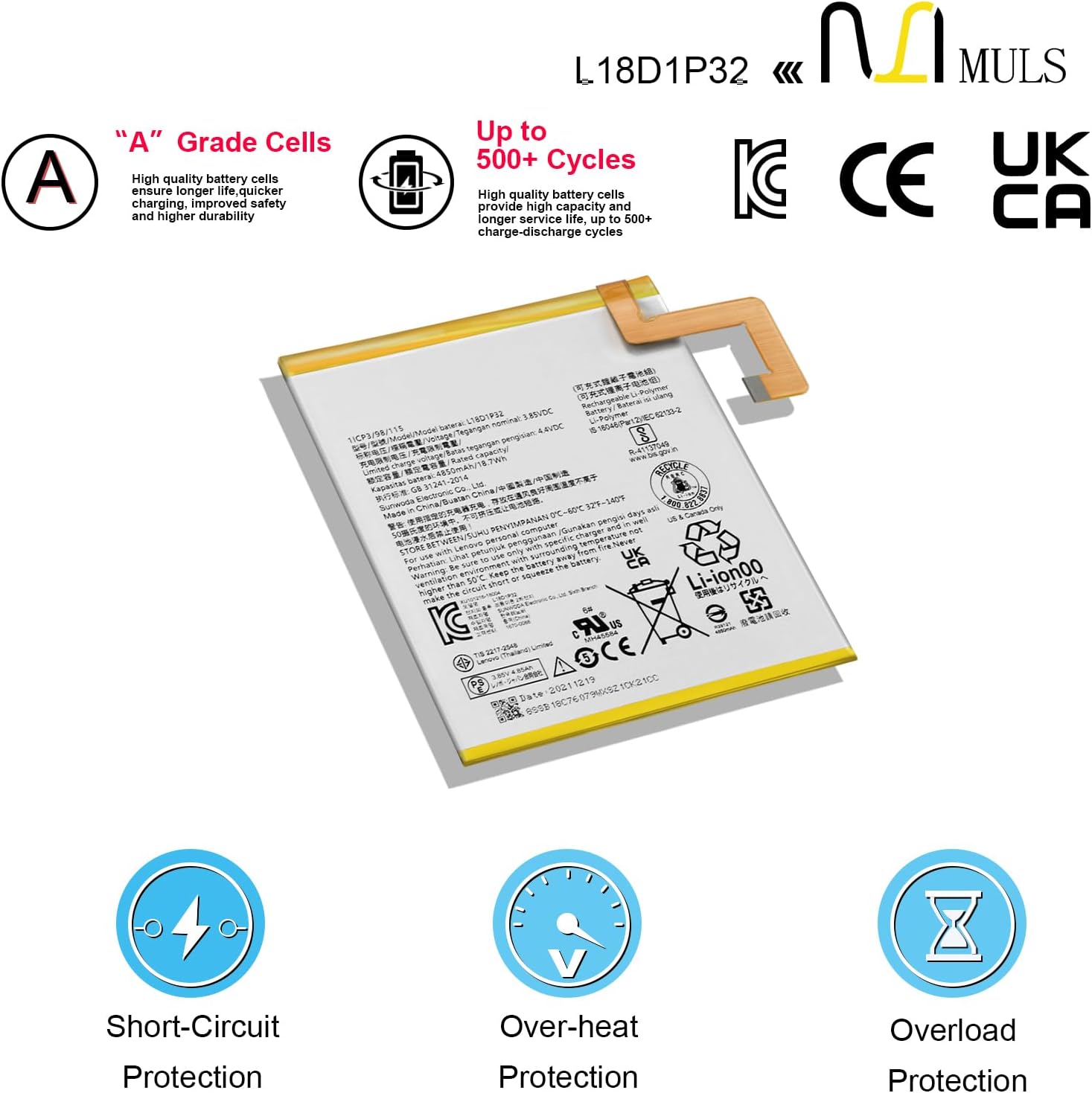
Image 2.1: The MULS L18D1P32 battery features multiple safety certifications.
3. Package Contents
Verify that all items are present in your package:
- 1 x MULS L18D1P32 Tablet Battery
- 1 x Set of Installation Tools (screwdrivers, pry tools, suction cup, picks)

Image 3.1: The MULS L18D1P32 battery replacement kit includes the battery and a set of necessary tools.
4. Installation Guide
Replacing a tablet battery requires careful handling. Proceed with caution and ensure your workspace is clean and well-lit. It is recommended to watch a specific video tutorial for your tablet model (Lenovo Smart Tab M10 TB-Xxxx) before starting.

Image 4.1: The MULS L18D1P32 battery and included tools for replacement.
4.1 General Steps for Battery Replacement
- Power Off Tablet: Ensure your tablet is completely powered off before beginning.
- Discharge Battery: If possible, discharge the old battery to below 25% to reduce potential risks during removal.
- Remove Back Cover: Carefully use the pry tools and suction cup to open the tablet's back cover. Be gentle to avoid damaging internal components or the cover itself.
- Disconnect Old Battery: Locate the battery connector on the motherboard. Carefully disconnect it using a plastic pry tool. Do not pull on the wires.
- Remove Old Battery: The old battery may be secured with adhesive. Gently pry it up from the edges using a plastic tool. Avoid bending or puncturing the battery.
- Install New Battery: Place the new MULS L18D1P32 battery into the tablet's battery compartment. Ensure it sits flat and aligns correctly.
- Connect New Battery: Carefully connect the new battery's flex cable to the motherboard connector. Ensure it is seated firmly.
- Test Functionality: Before sealing the tablet, briefly power it on to ensure the new battery is recognized and the tablet functions correctly. Power off again after testing.
- Reattach Back Cover: Carefully align and reattach the tablet's back cover, ensuring all clips snap into place.
- Initial Charge: Proceed to the operating instructions for initial charging.
5. Operating Instructions
After successful installation, follow these steps for optimal battery performance:
- Initial Activation: For the first 3-4 charge cycles, use the battery until it reaches 5% charge, then charge it fully to 95%. This helps activate the battery's maximum capacity.
- Charging: Use only the original or certified compatible charger for your tablet.
- Avoid Over-Discharge: Do not let the battery completely drain to 0% frequently, as this can reduce its lifespan.

Image 5.1: Battery dimensions and important charging notice for optimal performance.
6. Maintenance
Proper maintenance can extend the life of your battery:
- Storage: If storing the tablet for an extended period, charge the battery to approximately 80% and store it in a cool, dry place. Recharge to 80% at least once every three months.
- Temperature: Avoid using or storing the tablet in extreme hot or cold temperatures.
- Physical Damage: Protect your tablet from drops or impacts that could damage the internal battery.
7. Troubleshooting
If you encounter issues after battery replacement, consider the following:
- Tablet Not Powering On: Ensure the battery connector is securely attached. Try connecting the charger to see if it powers on.
- Battery Not Charging: Verify the charger and charging port are functional. Recheck the battery connection.
- Rapid Battery Drain: Ensure all background apps are closed. Check for any software issues or excessive power consumption by specific apps. If the issue persists, the battery connection might be loose, or the battery itself could be faulty (though rare for new batteries).
- Tablet Overheating: Discontinue use immediately. This could indicate a serious issue with the battery or other components.
If troubleshooting steps do not resolve the issue, contact customer support.
8. Specifications
Key technical specifications for the MULS L18D1P32 battery:
| Feature | Specification |
|---|---|
| Model Number | L18D1P32 |
| Battery Type | Li-Polymer |
| Capacity | 4850 mAh |
| Watt-hours | 18.7 Wh |
| Nominal Voltage | 3.85 V |
| Recharge Cycles | Up to 500 cycles |
| Certifications | CE, FCC, RoHS |
| Dimensions (L x W x T) | 4.52 x 3.81 x 0.11 inches (approx.) |

Image 8.1: Detailed specifications printed on the MULS L18D1P32 battery.
9. Warranty and Support
MULS provides customer support for any issues or questions you may have regarding your L18D1P32 battery. For assistance, please refer to the contact information provided with your purchase or visit the official MULS website.
Our batteries are certified by CE, FCC, and RoHS, and are designed with multiple protection features including short circuit, overheat, and overcharge protection to ensure performance and durability.