
1. Introduction and Overview
The Hotone Pulze is a modern, portable digital modeling amplifier designed for a wide range of electric and acoustic instruments. It features a minimalist design with a meticulously engineered enclosure and speakers to deliver high-quality audio playback and professional instrument tones. The Pulze integrates a full-color touchscreen for intuitive operation, Bluetooth 5.0 connectivity, and a companion mobile app, offering a user-friendly and intelligent experience. It also supports recording and live streaming, making it a versatile tool for musicians.

Figure 1: Front view of the Hotone Pulze amplifier, showcasing its sleek design and speaker grille.
The Pulze is equipped with Hotone's signature CDCM HD and F.I.R.E. digital modeling technology, powered by a high-quality dual-core digital processing platform, ensuring authentic sound reproduction.

Figure 2: Hotone Pulze highlighting its advanced CDCM HD and F.I.R.E. digital modeling technology.
2. Key Features
- 30-watt Stereo Output: 15W + 15W stereo power delivered through two 3.5-inch full-range speakers.
- Digital Modeling: Advanced modeling technology for a wide array of amplifier and effect tones.
- 200 Presets: Access to a vast library of pre-configured tones.
- 2-in/2-out Audio Interface: USB connectivity for direct recording and re-amping.
- Bluetooth 5.0: Seamless wireless audio playback and app control.
- Drum Machine: Built-in drum patterns for practice and songwriting.
- Full-Color Touchscreen: Intuitive interface for easy navigation and control.
- Mobile App Control: Comprehensive control and customization via a dedicated smartphone application.
- Space+ Stereo Enhancing Technology: Hotone's self-developed technology for an immersive soundstage.
- Portable Design: Compact ABS cabinet with a comfortable PU shoulder strap for easy transport.

Figure 3: The Pulze offers a wealth of tones with over 170 effects and 200 preset slots.
3. Setup
3.1 Initial Power-Up
- Connect the provided power adapter to the DC IN port on the rear of the Pulze amplifier.
- Plug the power adapter into a suitable electrical outlet.
- Press and hold the power button on the top panel until the screen illuminates.
3.2 Connecting Your Instrument
Connect your guitar or other instrument to the 1/4-inch INPUT jack on the top panel of the Pulze.

Figure 4: Connecting a guitar to the Pulze amplifier for practice or performance.
3.3 Connecting to Mobile App (Bluetooth)
The Pulze amplifier can be controlled and customized via its dedicated mobile application using Bluetooth 5.0.
- Download the official Hotone Pulze app from your device's app store.
- Ensure Bluetooth is enabled on your mobile device.
- Open the Pulze app and follow the on-screen instructions to pair with your amplifier. The app will guide you through the connection process.
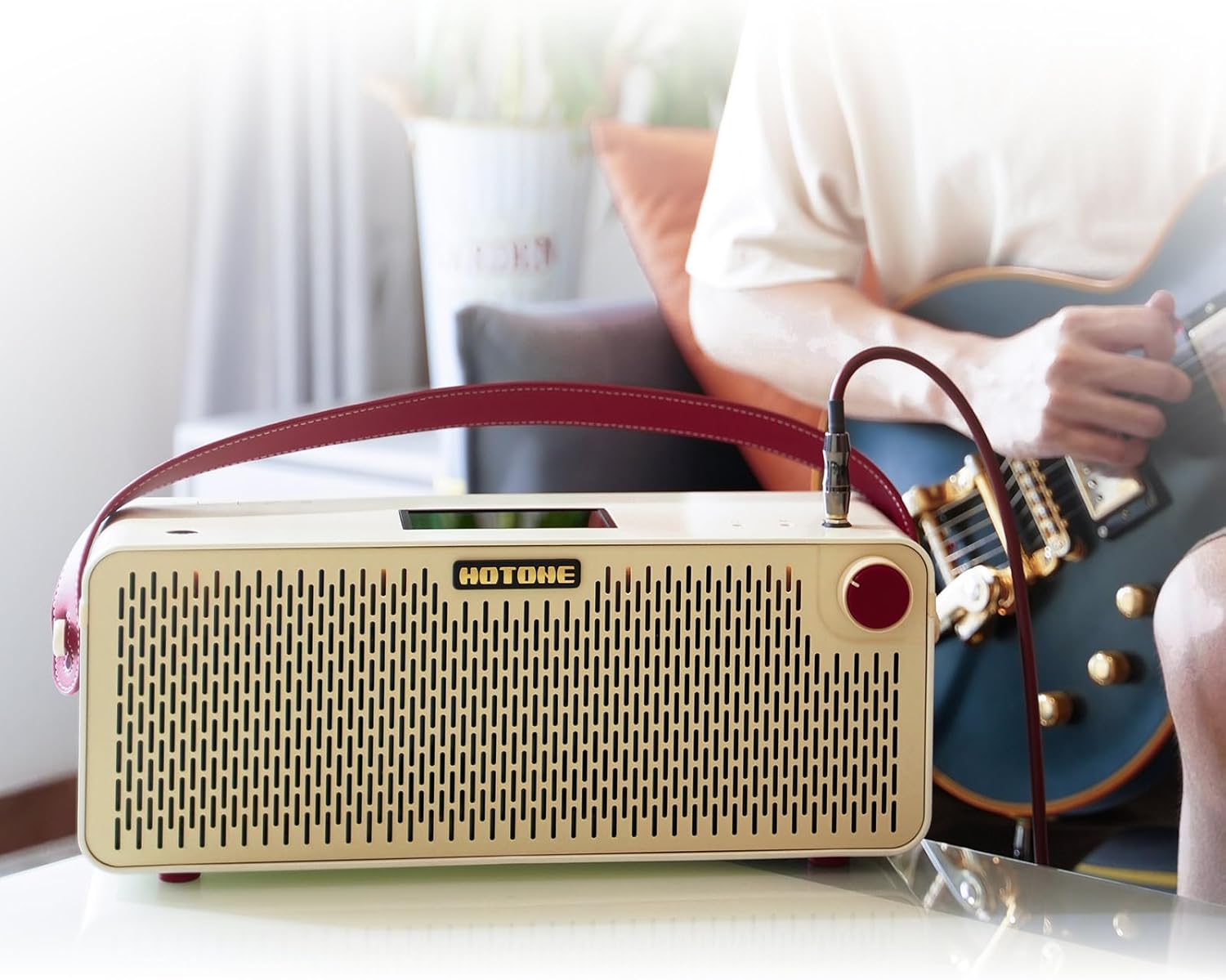
Figure 5: The Pulze's customizable touchscreen interface and mobile app for personalized control.
4. Operating Instructions
4.1 Basic Controls and Touchscreen Navigation
The Pulze features a dynamic touchscreen for intuitive control. Use touch gestures to navigate menus, select presets, and adjust parameters. The main rotary knob on the right side controls the master volume and can also be used for menu selection.

Figure 6: Top panel of the Pulze, showing the touchscreen and various input/output ports.
4.2 Using Presets and Effects
The Pulze comes with 200 preset slots, allowing you to save and recall your favorite tones. Navigate through presets using the touchscreen or the mobile app. You can customize amplifier models, cabinet simulations, and various effects to create your unique sound.
4.3 Drum Machine
Activate the built-in drum machine via the touchscreen or app to practice with various rhythms. Adjust tempo and volume to suit your needs.
4.4 Audio Interface Functionality (Recording & Livestreaming)
The Pulze can function as a 2-in/2-out USB audio interface. Connect it to your computer via the USB-C port for direct recording of your instrument and playback of audio. This feature supports loopback and re-amping.
For livestreaming, the Pulze offers both Bluetooth on-the-go recording and traditional AUX IN jack recording, simplifying the process of sharing your music live.
Video 1: Hotone Pulze Amplifier Main Features and Using Scenarios. This video demonstrates the various features of the Pulze amplifier, including its use as an audio interface for recording and livestreaming.
4.5 Bluetooth Audio Playback
Stream high-quality music from your computer or smartphone to the Pulze amplifier via Bluetooth. This allows you to play along with backing tracks or simply enjoy your music through the Pulze's speakers.
4.6 Silent Practice
For silent practice, connect your headphones to the dedicated headphone jack on the top panel. This allows you to practice without disturbing others, utilizing the built-in interface and drum machine.
5. Maintenance
- Cleaning: Use a soft, dry cloth to clean the exterior of the amplifier. Avoid using abrasive cleaners or solvents.
- Storage: Store the Pulze in a cool, dry place away from direct sunlight and extreme temperatures. If transporting, use a compatible bag to protect it.
- Firmware Updates: Periodically check the Hotone official website for firmware updates to ensure optimal performance and access to new features. Updates are typically performed via the USB connection.

Figure 7: The Pulze is designed for portability, making it easy to transport in a dedicated bag.
6. Troubleshooting
| Problem | Possible Cause | Solution |
|---|---|---|
| No power | Power adapter not connected or faulty; power outlet issue. | Ensure power adapter is securely connected to both the amplifier and a working power outlet. Try a different outlet. |
| No sound output | Instrument cable faulty; volume too low; incorrect input selected; headphones connected. | Check instrument cable. Increase master volume. Ensure correct input is selected on the touchscreen. Disconnect headphones if sound is desired from speakers. |
| Bluetooth connection issues | Bluetooth not enabled; device too far; interference. | Ensure Bluetooth is on for both devices. Move device closer to the amplifier. Restart both devices. |
| App not responding | App crash; outdated app version. | Close and restart the app. Check for app updates in your device's app store. |
7. Specifications
| Feature | Detail |
|---|---|
| Output Wattage | 30 Watts (15W + 15W Stereo) |
| Speakers | 2 x 3.5" Full-range Speakers |
| Audio Interface | 2-in/2-out USB |
| Bluetooth Version | 5.0 |
| Presets | 200 |
| Item Weight | 13.05 pounds |
| Product Dimensions | 6.34 x 17.91 x 6.73 inches |
| Material Type | ABS Plastic |
| Color | White |
| Compatible Devices | Guitar |
| Connector Type | USB, 6.35mm Jack |

Figure 8: Dimensions of the Hotone Pulze amplifier.
8. Warranty and Support
For detailed warranty information and technical support, please refer to the official Hotone Audio website or contact their customer service directly. Keep your purchase receipt as proof of purchase for warranty claims.

