
1. Product Overview
This manual provides instructions for the M93DVN Electronic Control Board, a replacement component designed for specific General Electric dishwasher models. The control board is a critical internal part responsible for managing the dishwasher's various functions, including wash cycles, water temperature, and drying operations.
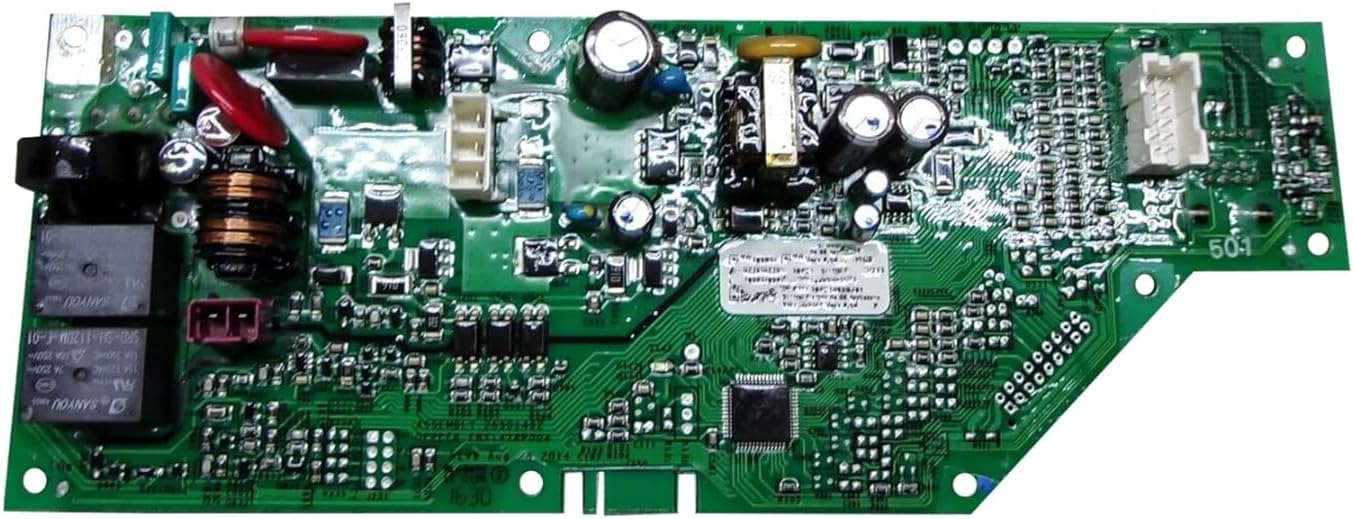
Image 1.1: Top view of the M93DVN Electronic Control Board, showing various electronic components, circuits, and connectors.
2. Compatible Models
This M93DVN Electronic Control Board is compatible with the following General Electric dishwasher models:
- GDF610PMJ2ES
- GDF610PMJ4ES
- GDF520PSJ4SS
- GDF620HGJ2BB
- GDF620HGJ2WW
- GDF610PSJ2SS
- GDF610PSJ4SS
- GDF610PGJ4BB
- GDF610PGJ4WW
- GDF610PGJ2BB
- GDF610PGJ2WW
Please verify your dishwasher's model number before attempting installation.
3. Important Safety Instructions
Read all instructions before beginning installation. Failure to follow these safety guidelines may result in electric shock, fire, or personal injury.
- Disconnect Power: Always disconnect power to the dishwasher at the circuit breaker or fuse box before performing any service or maintenance.
- Professional Installation Recommended: Installation of this component requires technical knowledge and experience with appliance repair. If you are unsure about any step, consult a qualified technician.
- Wear Protective Gear: Use appropriate personal protective equipment, such as gloves and safety glasses, during installation.
- Handle with Care: Electronic components are sensitive to static electricity. Handle the control board by its edges and avoid touching the circuit paths or components directly.
- Check Connections: Ensure all wire connections are secure and correctly reattached after installation.
4. Installation Guide (Setup)
4.1 Tools Required
- Screwdriver set (Phillips and flathead)
- Nut driver or socket set
- Needle-nose pliers
- Multimeter (for testing, optional)
4.2 Step-by-Step Installation
The following steps provide a general guide for replacing a dishwasher control board. Specific procedures may vary slightly depending on your dishwasher model. Refer to your dishwasher's service manual for precise instructions.
- Disconnect Power: Ensure the dishwasher is completely disconnected from its power source at the circuit breaker.
- Access the Control Panel: Depending on your dishwasher model, you may need to remove screws from the inner door panel or the top edge of the control panel to access the control board.
- Document Wiring: Before disconnecting any wires, take clear photos or make a diagram of all wire connections to the existing control board. This will be crucial for correct reassembly.
- Disconnect Wires: Carefully disconnect all wire harnesses and connectors from the old control board. Note any clips or locking mechanisms.
- Remove Old Board: Unscrew or unclip the old control board from its mounting brackets.
- Install New Board: Position the M93DVN replacement control board in the same location as the old one and secure it with the original screws or clips.
- Reconnect Wires: Using your photos or diagram, carefully reconnect all wire harnesses and connectors to the new control board. Ensure each connection is firm and correctly seated.
- Reassemble Control Panel: Reattach the control panel or inner door panel, securing all screws.
- Restore Power and Test: Restore power to the dishwasher at the circuit breaker. Run a short test cycle to ensure the dishwasher operates correctly.

Image 4.1: Angled view of the M93DVN Electronic Control Board, highlighting its compact design and various connection points.
5. Operation
The M93DVN Electronic Control Board is an internal component that facilitates the proper functioning of your General Electric dishwasher. Once correctly installed, it operates automatically in conjunction with the dishwasher's user interface and internal sensors. There is no direct user interaction required with the control board itself.
To operate your dishwasher, refer to your dishwasher's original user manual for instructions on selecting wash cycles, starting, and stopping operations.
6. Maintenance
The electronic control board itself does not require routine maintenance. It is a sealed unit with no user-serviceable parts. To ensure the longevity and proper function of your dishwasher and its control board, follow these general maintenance tips:
- Keep Dishwasher Clean: Regularly clean the dishwasher's interior, filters, and spray arms to prevent blockages and ensure efficient operation.
- Avoid Overloading: Do not overload the dishwasher, as this can strain components and lead to inefficient cleaning.
- Proper Detergent Use: Use only recommended dishwasher detergents and rinse aids in appropriate quantities.
- Inspect Door Seal: Periodically check the door seal for any damage or debris that could lead to leaks, which might affect internal electronics.

Image 6.1: Angled view of the M93DVN Electronic Control Board, illustrating its robust construction designed for durability.
7. Troubleshooting Common Issues
If your dishwasher is experiencing issues after replacing the control board, or if you suspect a problem with the board, consider the following:
- No Power: Ensure the dishwasher is properly plugged in and the circuit breaker has not tripped. Verify all wire connections to the control board are secure.
- Incorrect Cycle Operation: If cycles are not starting, stopping, or progressing as expected, double-check all wire connections to the control board. A loose connection can cause erratic behavior.
- Error Codes: If your dishwasher displays an error code, consult your dishwasher's original user manual or a service manual for the meaning of the code and recommended troubleshooting steps.
- Component Failure: If basic troubleshooting does not resolve the issue, the problem may lie with another component of the dishwasher or require professional diagnosis.
Important: Do not attempt to repair the control board itself. If the board is determined to be faulty, it should be replaced.
8. Product Specifications
| Specification | Detail |
|---|---|
| Manufacturer | M93DVN |
| Part Number | GDF610PMJ2ES (Primary listed) |
| Product Dimensions | Approximately 1 x 1 x 1 inches (Refer to physical product for exact measurements) |
| ASIN | B0CPDWV3Z6 |
| Compatibility | General Electric Dishwasher models listed in Section 2 |

Image 8.1: Bottom view of the M93DVN Electronic Control Board, displaying solder points and the underside of the circuitry.
9. Warranty and Support
9.1 Warranty Information
This M93DVN Electronic Control Board typically comes with a 90-day warranty from the date of purchase. Please retain your proof of purchase for warranty claims. The warranty covers defects in materials and workmanship under normal use. It does not cover damage resulting from improper installation, misuse, accidents, or unauthorized repairs.
9.2 Customer Support
For technical assistance, warranty claims, or further inquiries regarding the M93DVN Electronic Control Board, please contact the seller or manufacturer through the platform where the purchase was made. Provide your order details and a clear description of the issue to facilitate prompt support.
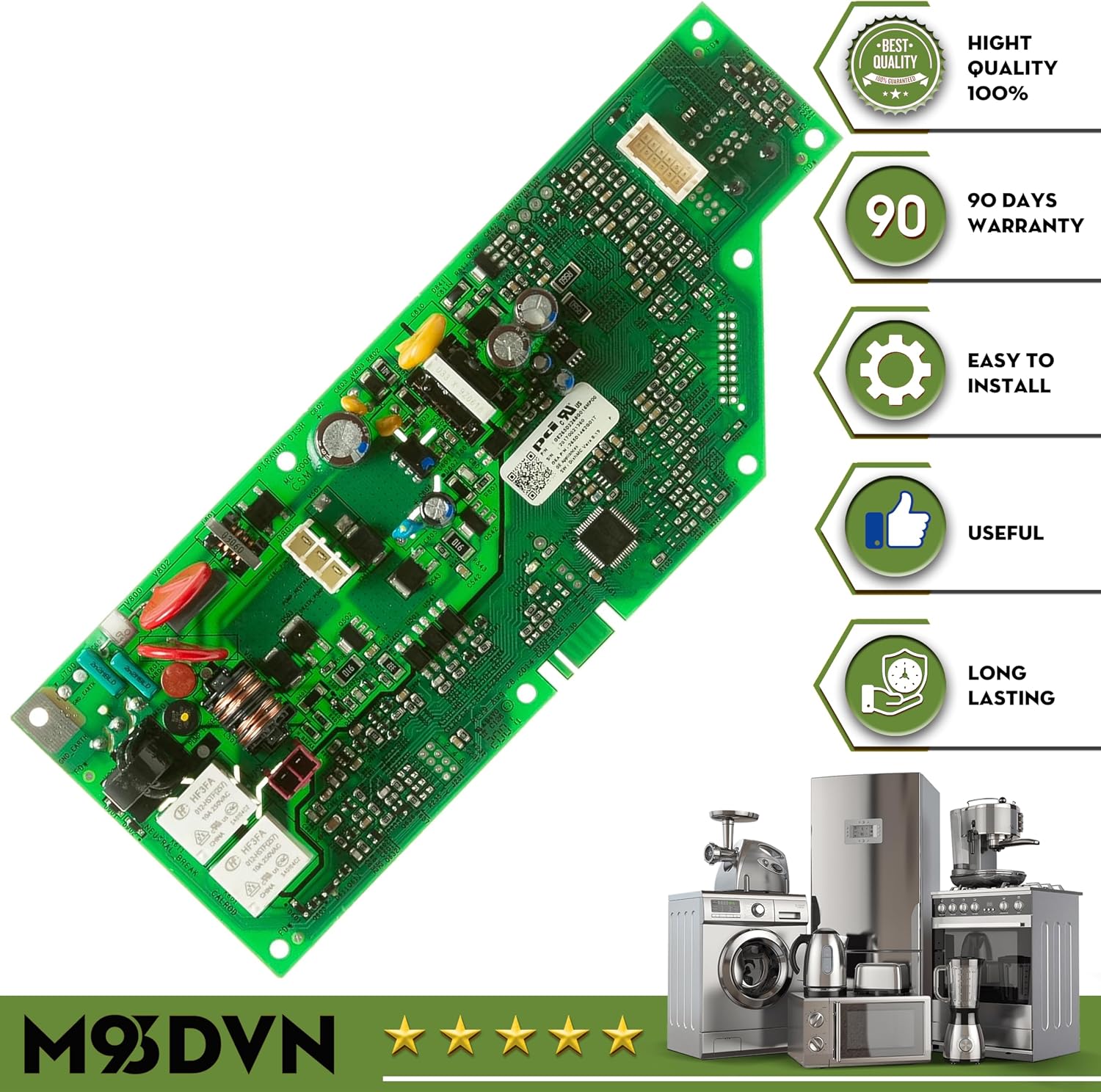
Image 9.1: Angled view of the M93DVN Electronic Control Board, visually representing its quality and the 90-day warranty.