
Pro Chaser PCIV400-SRD
Pro Chaser 400W Power Inverter User Manual
Model: PCIV400-SRD
1. Introduction
This manual provides comprehensive instructions for the safe and efficient operation of your Pro Chaser 400W Power Inverter. Designed for vehicles, this inverter converts DC 12V power from your car's battery into AC 110V household power, along with dual USB charging ports. It is ideal for powering various electronic devices on the go, including laptops, breast pumps, DVD players, and charging mobile devices.

Figure 1.1: Pro Chaser 400W Power Inverter with cigarette lighter plug.
2. Product Overview
2.1 Key Features
- 400W Continuous Power: Provides a steady 400W of DC to AC power with a peak output of 800W.
- Dual AC Outlets: Equipped with two 110V AC sockets for powering household devices.
- Dual USB Charging Ports: Features two high-speed 3.1A USB ports for fast charging of mobile devices.
- Compact and Portable: Cellphone-sized design (4.8 x 3.07 x 1.81 inches, 14.1 ounces) with a 30-inch (75cm) cord for maximum flexibility.
- Built-in Safety Protections: Includes protection against overloads, voltage issues (over-voltage, low-voltage), short-circuits, and overheating.
- Smart Cooling Fan: Activates automatically at 113°F (45°C) to maintain optimal operating temperature.
2.2 Component Identification
Familiarize yourself with the main components of the Pro Chaser Power Inverter:

Figure 2.1: Front and rear view of the inverter with labeled components.
- 1. Cigarette Lighter Plug: Connects to your vehicle's 12V DC power socket.
- 2. Aluminum Alloy Body: Durable casing for heat dissipation.
- 3. 3.1A USB Charging Ports: Two ports for charging USB-powered devices.
- 4. LED Power Indicator: Green light indicates power is on.
- 5. Fault Indicator: Red light indicates a fault or protection mode.
- 6. US Sockets: Two 110V AC outlets for standard electrical plugs.
- 7. AC Power Switch: On/Off switch for the inverter.
- 8. Cooling Fan: Automatically operates to prevent overheating.
3. Setup Instructions
- Vehicle Compatibility: Ensure your vehicle has a 12V DC power socket (cigarette lighter socket).
- Connect to Vehicle: Insert the inverter's cigarette lighter plug firmly into your vehicle's 12V DC power socket.
- Power On: Flip the AC Power Switch on the inverter to the "ON" position. The green LED Power Indicator should illuminate.
- Connect Devices:
- For AC devices, plug them into the 110V US Sockets.
- For USB devices, connect them to the 3.1A USB Charging Ports.
- Placement: Place the inverter in a cool, dry, and well-ventilated area, away from direct sunlight, heat sources, and moisture. Ensure the cooling fan is not obstructed.
Important Safety Note: Always ensure the total power consumption of connected devices does not exceed the inverter's rated continuous power (400W) to prevent overload.
4. Operating Instructions
4.1 General Operation
- Once connected and powered on, the inverter is ready to supply power.
- The dual AC outlets can power devices requiring 300W–400W, such as laptops, small appliances, or portable electronics.
- The dual USB ports provide fast charging for smartphones, tablets, cameras, and other USB-powered gadgets.
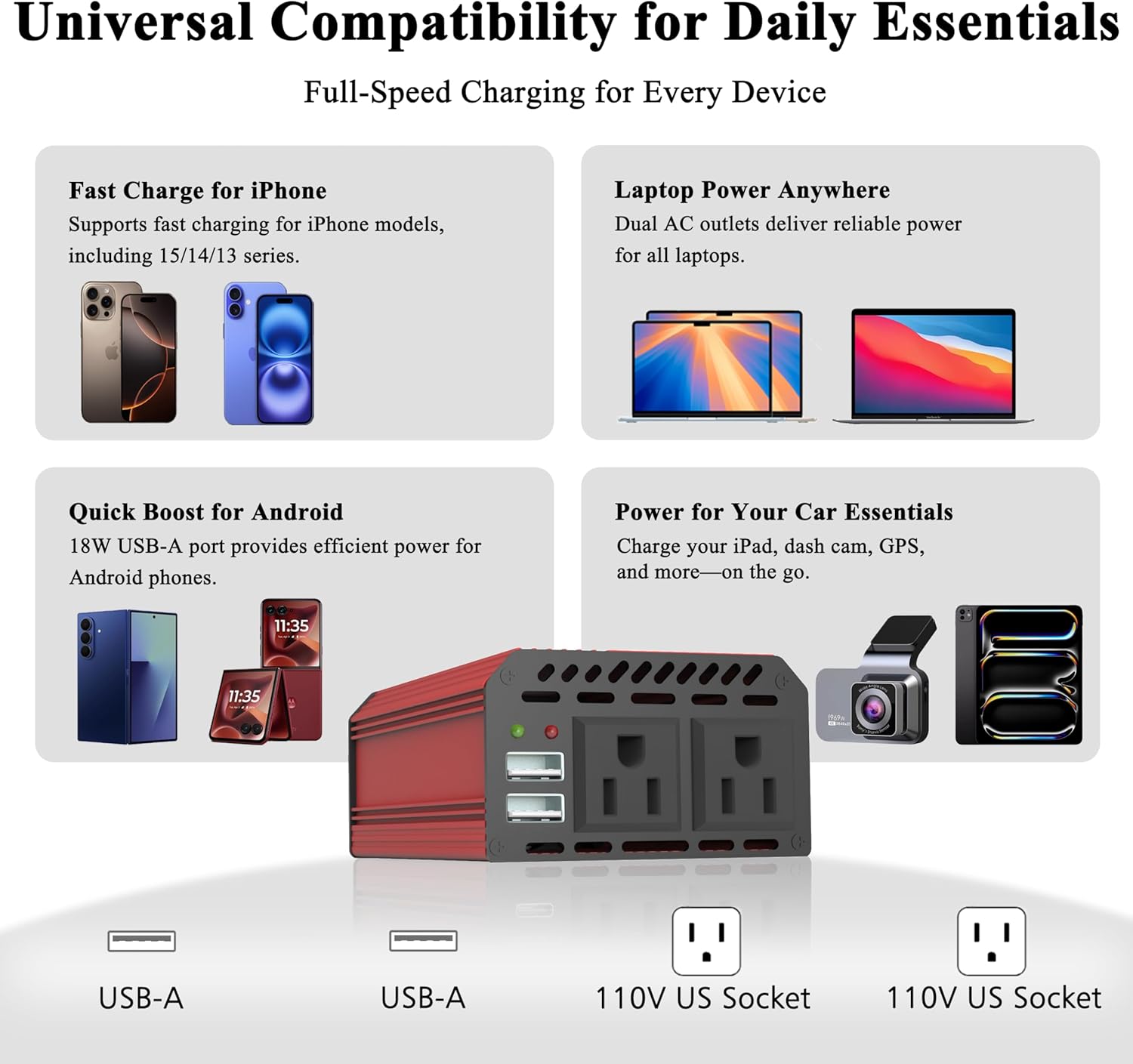
Figure 4.1: Universal compatibility for various devices.
4.2 Powering Devices
- Ensure the inverter is properly connected to the vehicle's 12V DC socket and turned on.
- Plug your device's power cord into one of the AC outlets or a USB charging cable into a USB port.
- Turn on your device.
- When finished, turn off the inverter using the AC Power Switch, then disconnect your devices and finally unplug the inverter from the vehicle.
4.3 Thermal Management
The smart cooling fan will automatically activate when the inverter's internal temperature reaches approximately 113°F (45°C) to dissipate heat and ensure stable operation. This is normal and indicates the protection system is functioning correctly.
5. Maintenance
- Cleaning: Regularly wipe the exterior of the inverter with a dry, soft cloth. Do not use liquid cleaners or solvents.
- Ventilation: Ensure the cooling fan vents are free from dust and debris to maintain proper airflow.
- Storage: When not in use, store the inverter in a cool, dry place, away from direct sunlight and extreme temperatures.
- Cable Inspection: Periodically inspect the power cable and plug for any signs of damage. Do not use if damaged.
6. Troubleshooting
The Pro Chaser Power Inverter is equipped with multiple safety features to protect itself and your devices. If you encounter an issue, refer to the following table:
| Problem | Possible Cause | Solution |
|---|---|---|
| No power output / Inverter not turning on |
|
|
| Red Fault Indicator light is on |
|
|
| Cooling fan not running |
|
|

Figure 6.1: Built-in safety protection mechanisms.
7. Specifications
| Specification | Value |
|---|---|
| Manufacturer | Pro Chaser |
| Part Number | PCIV400-SRD |
| Item Weight | 14.1 ounces |
| Product Dimensions | 4.8 x 3.07 x 1.81 inches |
| Power Source | Vehicle DC Power Socket |
| Input Voltage | 12 Volts DC |
| Output Voltage | 110 Volts AC ±5% |
| Continuous Power | 400W |
| Peak Power | 800W |
| USB Output | 3.1A each port |
| Cord Length | 30 inches (75 cm) |
| Certification | UL, CE, UKCA |

Figure 7.1: Compact size for easy portability.
8. Warranty and Support
The Pro Chaser 400W Power Inverter comes with a 12-month worry-free warranty from the date of purchase. This warranty covers manufacturing defects and workmanship under normal use.
For technical support, warranty claims, or any questions regarding your product, please contact Pro Chaser customer service through the retailer's platform or visit the official Pro Chaser website for contact information.
Please retain your proof of purchase for warranty validation.
Ask a question about this manual
Ask about setup, troubleshooting, compatibility, parts, safety, or missing instructions. Manuals+ will review the question and use this page’s manual context to help answer it.