
1. Introduction
Welcome to the ZeaCotio ZS-02 Self-Cleaning Cat Litter Box user manual. This guide provides comprehensive instructions for the safe and efficient operation, setup, maintenance, and troubleshooting of your new automatic litter box. Please read this manual thoroughly before using the product to ensure optimal performance and the well-being of your pet.
The ZeaCotio ZS-02 is designed to simplify pet care by automating the litter cleaning process, providing a clean and odor-controlled environment for your cat and home.
2. Important Safety Information
Please read and understand all safety warnings before operation.
- Electrical Safety: Ensure the power adapter is connected to a grounded outlet. Do not use if the power cord is damaged. Keep the unit away from water sources to prevent electric shock.
- Pet Safety: This appliance is intended for use with cats weighing between 3.3 lbs (1.5 kg) and 22 lbs (10 kg). Do not allow children or individuals with reduced physical, sensory, or mental capabilities to operate the unit without supervision.
- Placement: Place the unit on a firm, level surface. Avoid placing it directly on carpets or soft mats, as this may interfere with the weight sensors and affect operation. Ensure there is at least 5 cm (2 inches) of space between the unit and any walls or furniture.
- Litter Type: Use only clumping cat litter. Non-clumping litter, crystal litter, or absorbent pellets are not suitable and may cause malfunction.
- Maintenance: Always unplug the unit before cleaning or performing any maintenance. Do not immerse the unit in water.

3. Product Overview
3.1 Components
Familiarize yourself with the various parts of your ZeaCotio ZS-02 litter box:

- Top Cover: The upper housing of the unit.
- Roller Drum: The rotating inner chamber where the litter is contained and cleaned.
- Front Pedal: Provides a step for cats and helps collect stray litter.
- Waste Collection Box: Located beneath the drum, it collects waste after cleaning cycles.
- Garbage Bags: Specifically designed liners for the waste collection box.
- Air Duct: Connects to the ventilation system for odor control.
- Filter Screen: Interchangeable screens for different litter types.
3.2 Features
The ZeaCotio ZS-02 is equipped with advanced features for convenience and hygiene:
- Automatic Self-Cleaning: Automatically sifts and collects waste after each use, ensuring a fresh litter box for your cat.
- Smart Ventilation System: An integrated air vent system with an exhaust duct neutralizes odors, maintaining a fresh home environment.
- 10 Safety Sensors: Includes anti-pinch sensors, gravity sensors, and hatch detection to ensure the safety of your pet during operation.
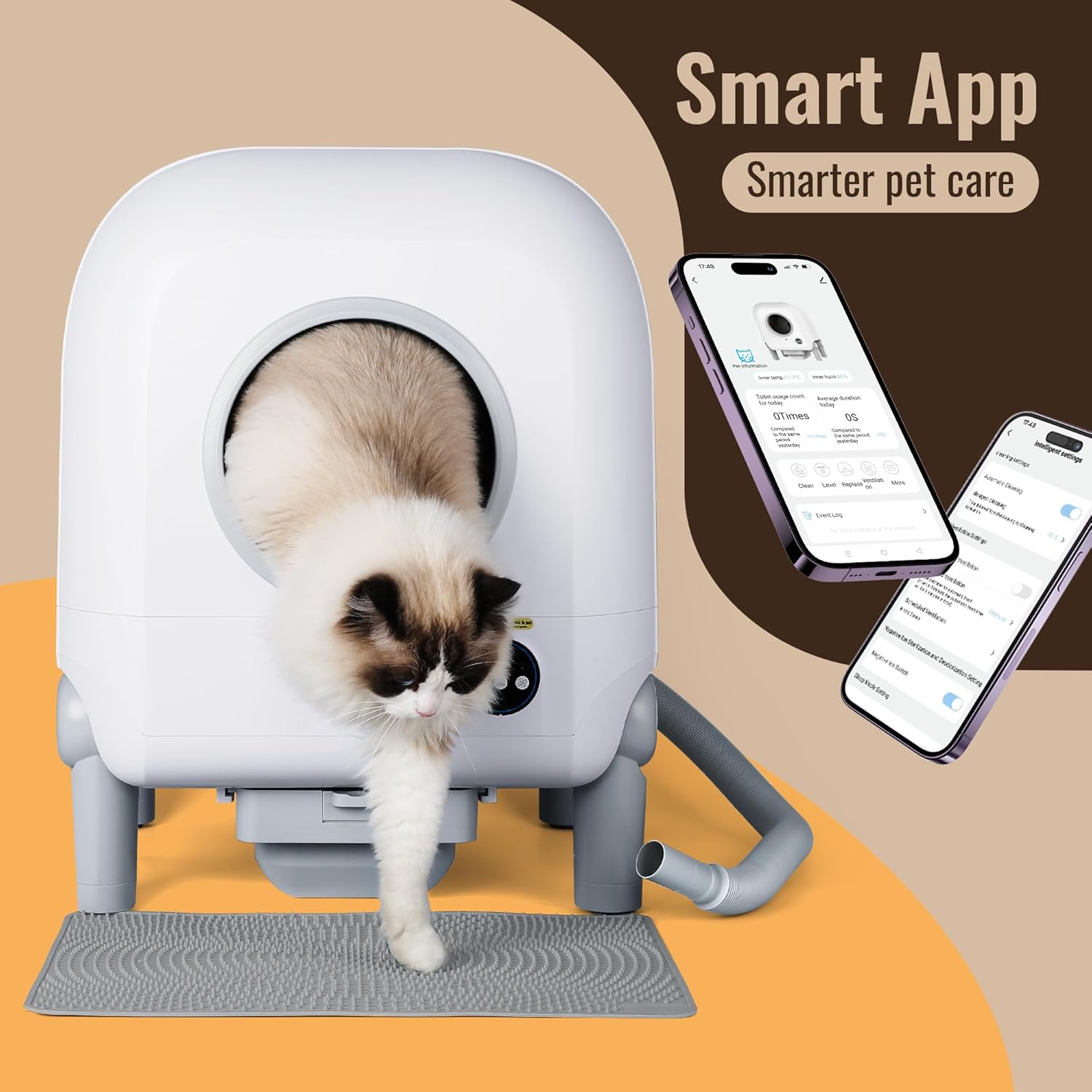
- Mobile App Control: Manage settings, monitor usage, and initiate cleaning cycles remotely via a dedicated smartphone application.
- Large Capacity: X-Large design suitable for multi-cat households.
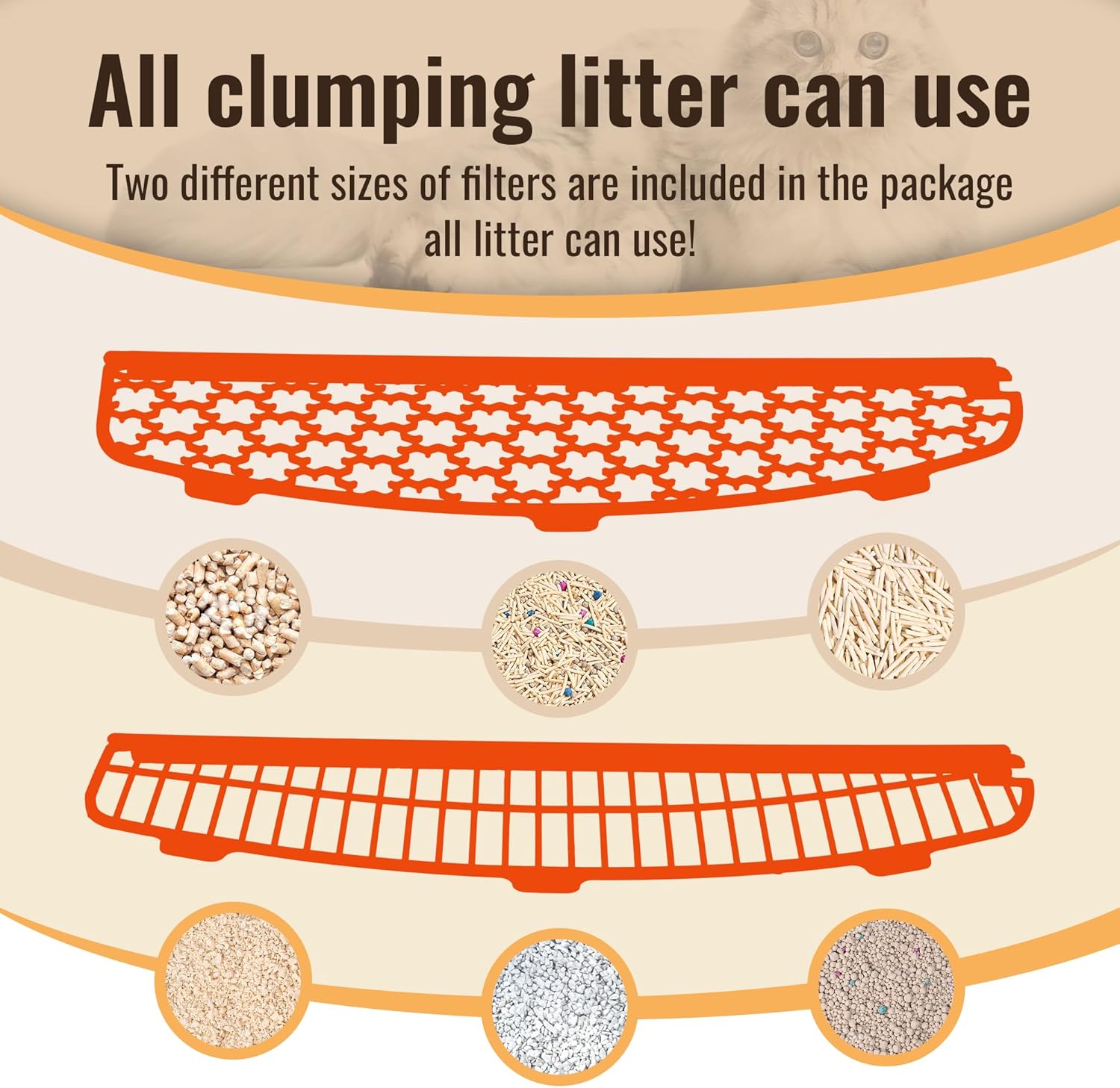
- Litter Compatibility: Designed to work with various types of clumping cat litter, including plant-based, bentonite, and tofu litter, with interchangeable filter screens.


4. Setup Guide
Follow these steps to set up your ZeaCotio ZS-02 litter box:
- Unpack: Carefully remove all components from the packaging. Check the packing list to ensure all parts are present.
- Assemble: Follow the assembly instructions provided in the quick start guide or refer to the exploded view in Section 3.1 to connect the top cover, roller drum, front pedal, and waste collection box.
- Install Waste Bag: Line the waste collection box with a compatible garbage bag. Ensure the bag is properly secured to prevent leakage.
- Add Litter: Pour clumping cat litter into the roller drum. Do not exceed the MAX fill line indicated inside the drum.
- Connect Air Duct (Optional): If using the exhaust duct for enhanced odor control, connect it to the designated port on the unit and route it to a suitable ventilation point.
- Placement: Position the unit on a firm, level surface, ensuring it is at least 5 cm (2 inches) away from walls or furniture. Avoid placing it on carpets or soft mats.
- Power On: Connect the power adapter to the unit and then plug it into a grounded electrical outlet. The unit will perform an initial calibration cycle.

5. Operating Instructions
5.1 Powering On/Off
- Power On: Plug the unit into a power outlet. The unit will automatically power on and perform a self-check.
- Power Off: Unplug the unit from the power outlet.
5.2 Automatic Cleaning Cycle
The ZeaCotio ZS-02 is designed to automatically clean after your cat uses it. The sensors detect when your cat enters and exits the unit, initiating a cleaning cycle after a preset delay (adjustable via the app).
5.3 Manual Cleaning Cycle
You can initiate a cleaning cycle manually using the control panel buttons on the unit or through the mobile application.
5.4 App Control
Download the dedicated ZeaCotio app from your smartphone's app store. Follow the in-app instructions to connect your litter box. The app allows you to:
- Monitor litter box usage and status.
- Initiate manual cleaning cycles.
- Adjust cleaning delay times.
- Receive notifications (e.g., waste bin full).
- Access event logs and statistics.

5.5 Litter Compatibility
The ZeaCotio ZS-02 is compatible with various types of clumping cat litter. Two different filter screens are included to accommodate different litter particle sizes:
- Fine Filter Screen: Ideal for fine-grained clumping litters like bentonite.
- Coarse Filter Screen: Suitable for larger particle litters such as tofu or plant-based litters.
6. Maintenance
Regular maintenance ensures the longevity and hygienic operation of your ZeaCotio ZS-02.
6.1 Emptying Waste Bin
The waste collection box should be emptied regularly, typically every 7-15 days for a single cat, depending on usage. The app will notify you when the bin is full.
- Unplug the unit from the power outlet.
- Pull out the waste collection box from the bottom of the unit.
- Remove the sealed garbage bag and dispose of it.
- Install a new garbage bag in the waste collection box.
- Slide the waste collection box back into the unit until it clicks into place.
- Plug the unit back in.

6.2 Cleaning the Unit
Perform a deep clean of the unit periodically (e.g., monthly or as needed).
- Unplug the unit.
- Empty all litter from the roller drum.
- Remove the roller drum and other removable components as shown in the exploded view.
- Clean all parts with a mild detergent and water. Avoid abrasive cleaners or harsh chemicals.
- Ensure all components are completely dry before reassembling.
- Wipe down the exterior of the unit with a damp cloth.
6.3 Replacing Filters
The air filter within the ventilation system should be checked and replaced every 1-3 months, depending on usage and household odor levels, to maintain effective odor control.
7. Troubleshooting
If you encounter issues with your ZeaCotio ZS-02, refer to the table below for common problems and solutions.
| Problem | Possible Cause | Solution |
|---|---|---|
| Unit not powering on | Power cord not connected; Power outlet issue | Ensure power cord is securely plugged in; Try a different outlet. |
| Drum not rotating / Cleaning cycle not starting | Waste bin full; Unit on uneven surface; Cat detected inside; Litter level too high/low; Obstruction | Empty waste bin; Relocate unit to a level surface; Ensure no cat is inside; Adjust litter level; Check for obstructions in the drum. |
| Odor persists | Waste bin full; Air filter needs replacement; Unit needs deep cleaning; Poor quality litter | Empty waste bin more frequently; Replace air filter; Perform a deep clean; Use high-quality clumping litter. |
| Litter leakage | Waste bag not installed correctly; Overfilled litter; Damaged drum seal | Ensure waste bag is properly secured; Do not overfill litter; Contact support if drum seal is damaged. |
| App connectivity issues | Wi-Fi signal weak; Incorrect network settings; App outdated | Ensure strong Wi-Fi signal; Reconfigure network settings in app; Update app to latest version. |
8. Specifications
| Feature | Detail |
|---|---|
| Model Number | ZS-02 |
| Brand | ZeaCotio |
| Type | Automated Self-Cleaning Litter Box |
| Dimensions (L x W x H) | 20.65 x 22.43 x 22.43 inches |
| Weight | 35.4 pounds |
| Material | Plastic |
| Target Audience | House Cats |
| Litter Compatibility | All clumping litter types |
| Safety Features | 10 Safety Sensors (Anti-Pinch, Gravity, Hatch Detection) |
| Odor Control | Smart Ventilation System with Air Duct |
| Connectivity | Mobile App Control |
9. Warranty and Support
ZeaCotio products are manufactured with high-quality standards. For information regarding warranty coverage, technical support, or service inquiries, please refer to the warranty card included with your product or visit the official ZeaCotio website. Please have your model number (ZS-02) and purchase information ready when contacting support.


