
1. Introduction
This user manual provides detailed instructions for the installation, operation, and maintenance of your E-YEEGER V100PRO 4K WiFi Front Dash Camera. Please read this manual thoroughly before using the device to ensure proper functionality and safety.

Figure 1.1: E-YEEGER V100PRO 4K Dash Cam
2. Package Contents
Verify that all items listed below are present in your package:
- 1 x V100PRO Dash Cam
- 1 x Car Charger
- 2 x Electrostatic Sticker
- 1 x Spare 3M Adhesive Pad
- 1 x User Manual
- 1 x Easy Pry Tool
- 1 x 32GB SD Card (pre-installed or included separately)

Figure 2.1: Package Contents
3. Product Features
- 4K Ultra HD Resolution: Captures video at 3820*2160P@30fps for clear and detailed footage.
- 160° Wide-Angle Lens: Provides a broad field of view to monitor multiple lanes.
- Super Night Vision: Equipped with F1.8 large aperture (Note: image states F1.6) and advanced technology for clear recording in low-light conditions.
- Seamless Loop Recording: Automatically overwrites the oldest unlocked videos to ensure continuous recording.
- Built-in G-Sensor: Detects sudden impacts or collisions and automatically locks the current video footage to prevent overwriting.
- 24H Parking Monitor: Provides continuous surveillance when the vehicle is parked (requires additional hardwire kit, not included).
- Wi-Fi & App Control: Connects to a smartphone via 2.4G Wi-Fi for live streaming, video download, settings adjustment, and sharing.
- Smart Voice Prompt: Supports clear voice prompts for easier operation.
- H.265 Encoding: Efficient video compression technology saves storage space.
- Support up to 256GB SD Card: Compatible with high-capacity memory cards for extended recording times.

Figure 3.1: Key Product Features
4. Setup and Installation
4.1 Unboxing and Initial Preparation
Before installation, ensure all components are present as listed in the Package Contents section. Insert the provided 32GB SD card into the dash cam's memory card slot. The camera supports up to a 256GB U1 or above SD card.
Video 4.1: V100 Pro Unboxing and Initial Setup Guide. This video demonstrates the unboxing process and initial preparation steps for the dash camera.
4.2 Mounting the Dash Cam
- Clean the windshield area where you intend to mount the dash cam. Ensure it is free of dust and grease.
- Apply the electrostatic sticker to the cleaned area on your windshield. This helps protect your windshield and makes removal easier.
- Attach the 3M adhesive pad to the dash cam mount, then firmly press the mount onto the electrostatic sticker. Hold for 30 seconds to ensure strong adhesion.
- Adjust the camera angle to ensure a clear view of the road ahead, avoiding obstruction of your driving view.

Figure 4.1: Easy Installation Diagram
4.3 Power Connection
Connect the provided car charger to the dash cam's Type-C port and plug the other end into your vehicle's cigarette lighter socket. Route the cable neatly along the windshield and dashboard using the included pry tool to tuck it into crevices, ensuring it does not interfere with driving.
5. Operating Instructions
5.1 Automatic Operation
The dash cam will automatically power on and begin recording when your vehicle's ignition is turned on. It will automatically power off when the ignition is turned off.
5.2 Smart Voice Prompts
The V100PRO features smart voice prompts to inform you of its status, such as "Start Recording," "Stop Recording," "This video was locked," and "WiFi Connected."

Figure 5.1: Smart Voice Prompt Examples
5.3 App Control (Wi-Fi Connection)
To access advanced features, view live footage, download videos, or change settings, connect your smartphone to the dash cam via Wi-Fi.
- Download the official E-YEEGER app from the App Store (iOS) or Google Play Store (Android).
- Turn on the dash cam.
- On your smartphone, go to Wi-Fi settings and connect to the dash cam's Wi-Fi network (usually named something like "V100PRO_XXXX"). The default password can be found in the quick guide or user manual.
- Open the E-YEEGER app. You can now live stream, preview, download videos, and adjust camera settings.

Figure 5.2: Easy Wi-Fi App Control
6. Advanced Features
6.1 24H Parking Monitor
The 24H Parking Monitor feature allows the dash cam to continue recording even when your vehicle is parked and the ignition is off. This provides continuous surveillance against theft or vandalism.
Note: This feature requires a dedicated hardwire kit (not included in the package) to provide constant power to the dash cam. Please search for ASIN B0BZV58J37 on Amazon for the compatible hardwire kit.

Figure 6.1: 24H Parking Monitor
6.2 Super Night Vision
The V100PRO is equipped with advanced Super Night Vision technology, featuring an F1.8 large aperture (Note: image states F1.6) and a 6-layer glass lens. This significantly improves light intake and clarity, providing clear and sharp footage even in challenging low-light conditions or at night.

Figure 6.2: Night Drive at Ease with Super Night Vision
6.3 Loop Recording and G-Sensor
- Loop Recording: The dash cam continuously records video in segments. When the memory card is full, it automatically overwrites the oldest unlocked video files to ensure uninterrupted recording.
- G-Sensor: The built-in G-sensor detects sudden movements, impacts, or collisions. In such an event, it automatically locks the current video segment, preventing it from being overwritten by loop recording. This ensures critical evidence is preserved.
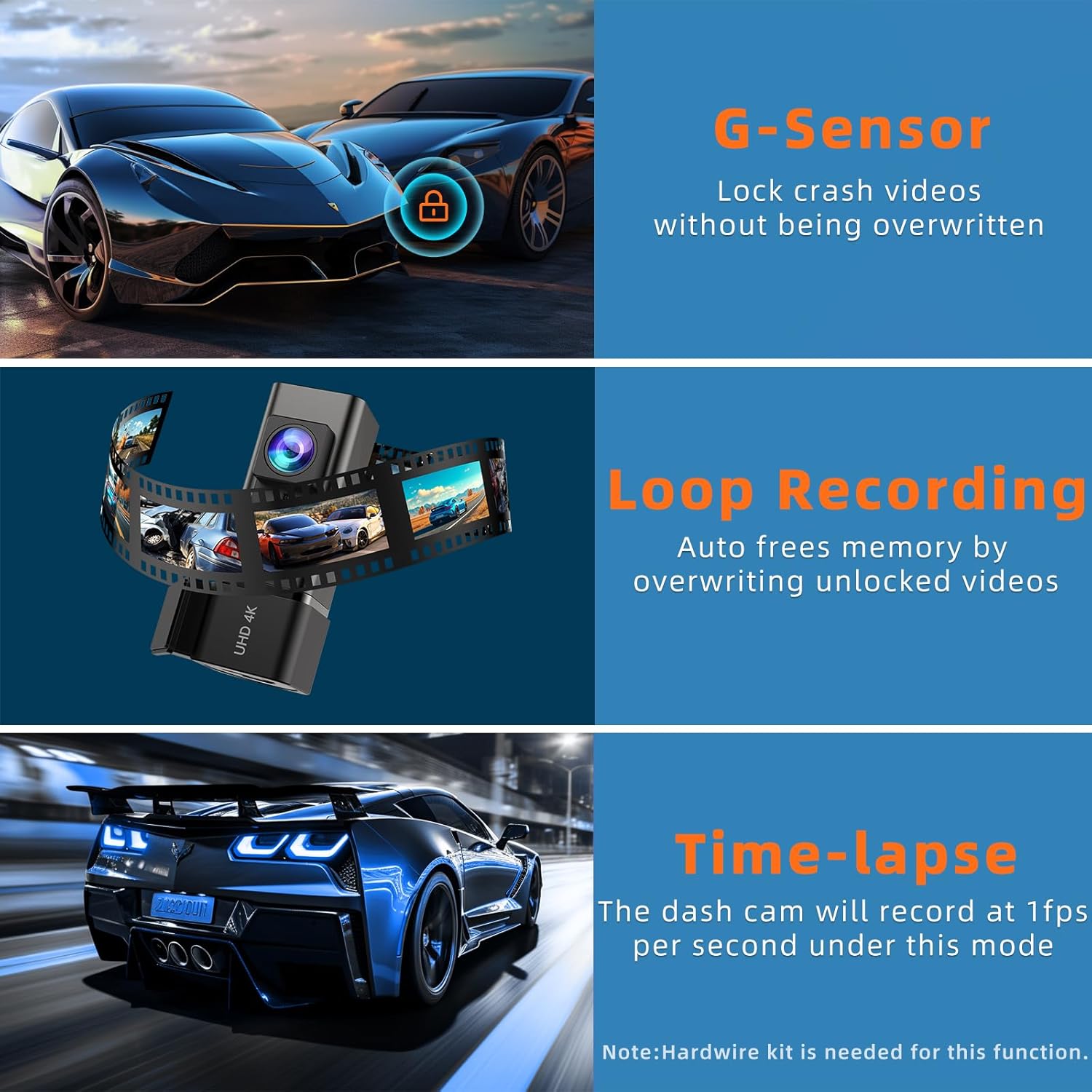
Figure 6.3: G-Sensor and Loop Recording Functionality
6.4 Time-Lapse Recording
When enabled (requires hardwire kit), the dash cam can record in time-lapse mode at 1 frame per second (1fps). This compresses long periods of recording (e.g., 30 minutes) into shorter video clips (e.g., 1 minute), saving significant memory space while still capturing events.

Figure 6.4: Time-Lapse Recording
7. Memory Card Management
The V100PRO comes with a free 32GB SD card. It supports a maximum capacity of 256GB. For optimal performance and reliability, it is recommended to use a well-known brand U1 or above SD card.
| SD Card Capacity | Approximate Recording Time (4K) |
|---|---|
| 32GB | ~3 hours |
| 64GB | ~6 hours |
| 128GB | ~12 hours |
| 256GB | ~24 hours |
The dash cam utilizes H.265 video encoding technology, which saves approximately 50% storage space compared to H.264 without compromising image quality or frame rate.

Figure 7.1: SD Card Support and Recording Times

Figure 7.2: H.265 Encoding Efficiency
8. Maintenance and Care
- Cleaning: Use a soft, dry cloth to clean the camera lens and body. Avoid using abrasive cleaners or solvents.
- Temperature: The dash cam is designed to operate within a temperature range of 14°F to 150°F (-10°C to 65°C). Avoid prolonged exposure to extreme temperatures.
- SD Card Formatting: It is recommended to format the SD card regularly (e.g., once a month) through the app settings to maintain optimal recording performance and prevent data corruption.
- Firmware Updates: Check the E-YEEGER official website or app periodically for firmware updates to ensure your dash cam has the latest features and bug fixes.
- Power Source: Always use the provided car charger or a compatible hardwire kit. The device does not have a built-in lithium battery and will shut down when power is unplugged, which enhances safety and durability.

Figure 8.1: Stable and Safe Design
9. Troubleshooting
| Problem | Possible Cause / Solution |
|---|---|
| Dash cam does not power on. |
|
| Recording stops or footage is corrupted. |
|
| Wi-Fi connection issues or app not working. |
|
| Video quality is poor or not 4K. |
|
| G-Sensor is too sensitive or not sensitive enough. |
|
10. Specifications
| Feature | Detail |
|---|---|
| Model Name | V100PRO |
| Video Capture Resolution | 4K (3820*2160P@30fps) |
| Lens Angle | 160° Wide-Angle |
| Aperture | F1.8 (Note: image states F1.6) |
| Connectivity Technology | Wi-Fi (2.4G) |
| Special Features | 24H Parking Monitor (Hardwire Kit Needed), App Control, Built-In WiFi, Free 32GB SD Card, Compact Mini Design, G-Sensor, Loop Recording, Smart Voice Prompt, H.265 Encoding |
| Max SD Card Support | 256GB (U1 or above recommended) |
| Product Dimensions | 1.68 x 1.28 x 1.91 inches |
| Item Weight | 8.8 ounces |
| Color | Black |
| Mounting Type | Dashboard Mount |
| Manufacturer | E-YEEGER |
11. Warranty and Support
For warranty information, technical support, or any inquiries regarding your E-YEEGER V100PRO Dash Cam, please contact E-YEEGER customer service through the contact information provided on the product packaging or the official E-YEEGER website. Please retain your purchase receipt for warranty claims.