
SIBIONICS English (mm/L)
SIBIONICS GS1 Continuous Glucose Monitoring (CGM) Sensor User Manual
Model: GS1 (English mm/L)
1. Introduction
This user manual provides comprehensive instructions for the safe and effective use of the SIBIONICS GS1 Continuous Glucose Monitoring (CGM) Sensor. The SIBIONICS GS1 is designed to continuously monitor glucose levels in interstitial fluid, providing real-time data to help individuals manage their diabetes.
The SIBIONICS GS1 CGM system offers a convenient and pain-free method for glucose monitoring, eliminating the need for routine fingerstick calibrations. It provides continuous glucose data for up to 14 days, supporting informed decisions regarding diet, exercise, and medication.
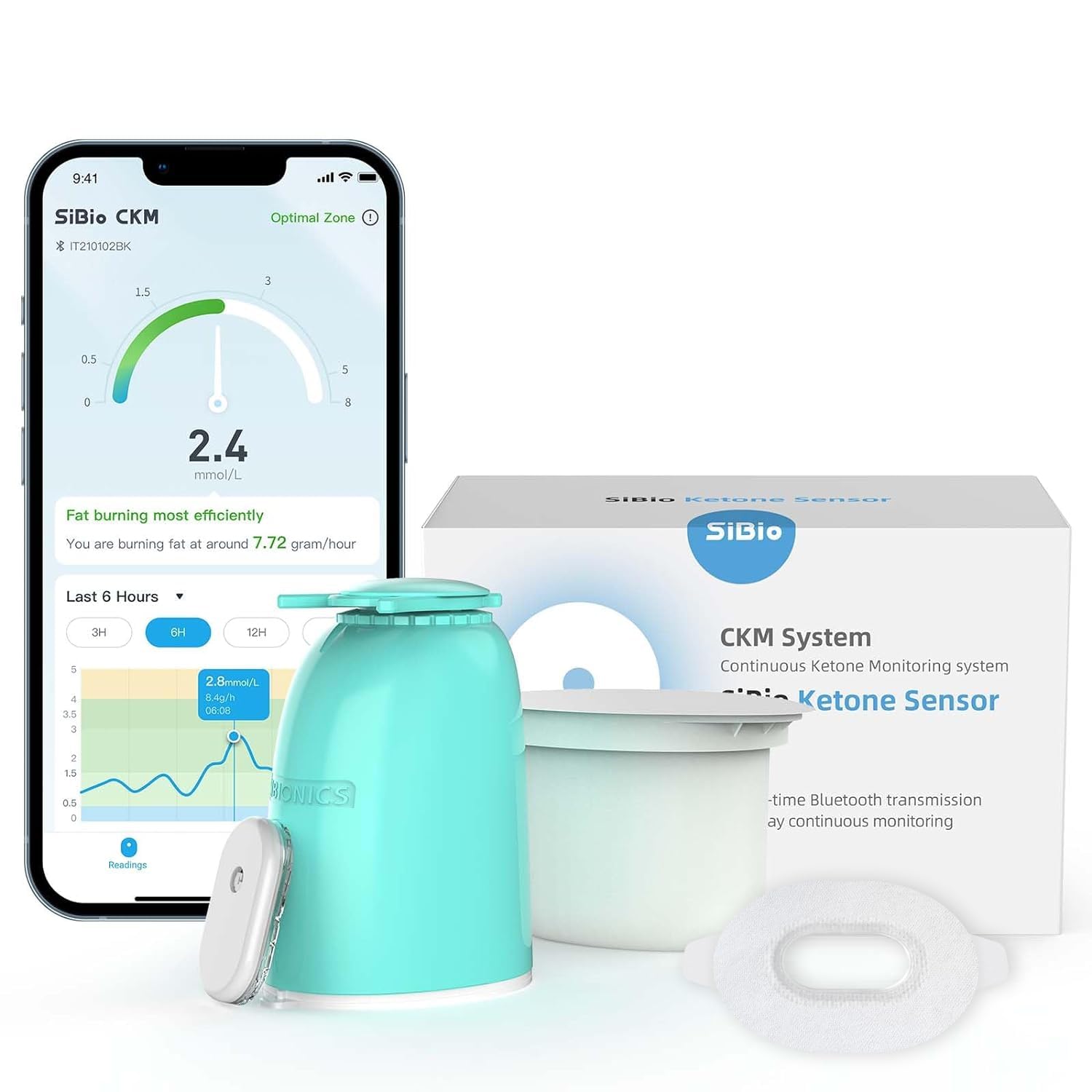
Image: The SIBIONICS GS1 CGM sensor, applicator, and product packaging.
2. Product Components
The SIBIONICS GS1 CGM system includes the following components:
- Sensor Applicator: Device used to apply the sensor to the skin.
- Sensor Pack: Contains the sterile sensor unit.
- Sensor Overpatch: An adhesive patch to secure and protect the sensor.
- Product Insert and User Guide: Additional documentation and detailed instructions.

Image: An infographic detailing the SIBIONICS GS1 features, including its lightweight design, patented overpatch, and waterproof capabilities.
3. Setup and Application
Follow these steps to properly set up and apply your SIBIONICS GS1 sensor:
- Choose Application Site: Select a clean, dry area on the back of your upper arm. Avoid areas with scars, moles, or recent injections.
- Clean the Skin: Use an alcohol wipe to clean the chosen application site. Allow the skin to air dry completely before proceeding.
- Prepare the Applicator: Remove the sensor pack from its sterile packaging. Align the sensor applicator with the sensor pack and firmly push them together until they click.
- Apply the Sensor: Place the assembled applicator firmly on the prepared skin site. Press down on the applicator button to insert the sensor. You will hear a click when the sensor is correctly applied.
- Secure with Overpatch: Carefully remove the applicator, leaving the sensor attached to your skin. Apply the provided sensor overpatch over the sensor to ensure it remains secure and protected for the full 14-day wear period.
- Activate the Sensor: Open the SIBIONICS app on your smartphone. Follow the in-app instructions to scan and activate your new sensor. The sensor will begin recording glucose data after a brief warm-up period.

Image: A person demonstrating the application of the SIBIONICS GS1 sensor to the back of the upper arm.
4. Operating the SIBIONICS GS1 System
The SIBIONICS GS1 sensor continuously transmits glucose data to your smartphone via Bluetooth. No manual scanning is required.
4.1 Real-Time Glucose Monitoring
- Once activated, the sensor automatically sends glucose readings to the SIBIONICS app every few minutes.
- View your current glucose level, trend arrows indicating the direction and rate of change, and historical data directly within the app.
4.2 Glucose Alarms and Alerts
- Customize glucose alarms within the SIBIONICS app for high and low glucose levels.
- Receive notifications when your glucose levels fall outside your target range, allowing for timely intervention.
4.3 Data Analysis and Reports
- The SIBIONICS app provides comprehensive daily and Ambulatory Glucose Profile (AGP) reports.
- Analyze glucose patterns, time in range, and variability to gain insights into your glucose management.
- Share your data with healthcare professionals or family members for collaborative care.

Image: Various screenshots of the SIBIONICS mobile application, demonstrating its comprehensive daily and AGP reporting features.
5. Maintenance and Care
Proper care of your SIBIONICS GS1 sensor ensures optimal performance and comfort:
- Sensor Durability: The sensor is designed for 14 days of continuous use. Do not attempt to reapply a sensor once it has been removed.
- Water Resistance: The SIBIONICS GS1 sensor is IPX8 water resistant, allowing for showering, swimming, and other water activities. However, avoid prolonged submersion beyond recommended depths and durations.
- Skin Care: Keep the area around the sensor clean and dry. If skin irritation occurs, consult a healthcare professional.
- Overpatch Replacement: If the overpatch becomes loose or damaged, replace it with a new one to ensure the sensor remains securely attached.
- Disposal: Dispose of used sensors and applicators according to local regulations for medical waste.
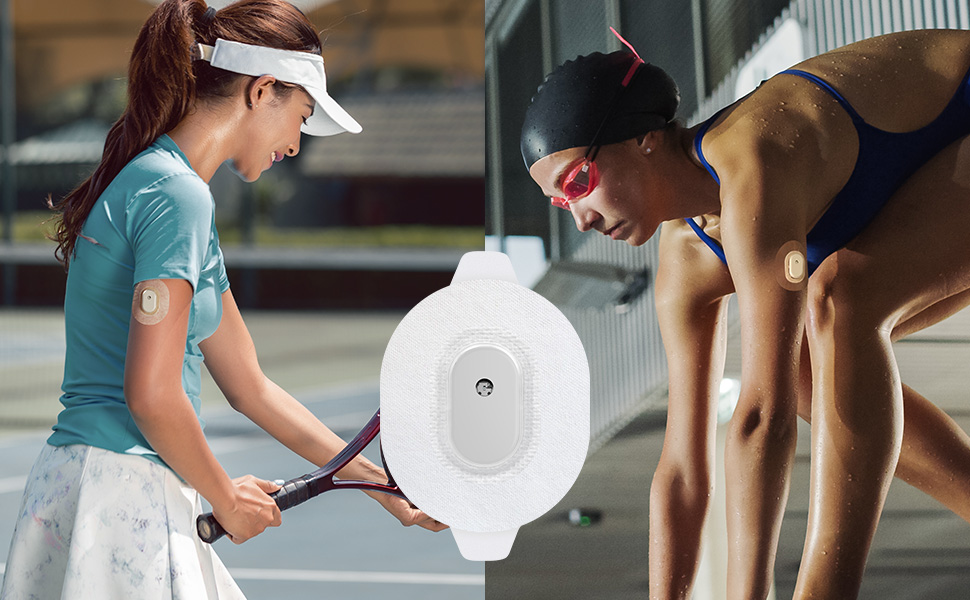
Image: Individuals participating in activities like tennis and swimming, demonstrating the IPX8 water resistance of the SIBIONICS GS1 sensor.
6. Troubleshooting
If you encounter issues with your SIBIONICS GS1 sensor, refer to the following common problems and solutions:
| Problem | Possible Cause | Solution |
|---|---|---|
| No glucose readings in app | Sensor not activated, Bluetooth disconnected, app not running in background. | Ensure sensor is activated in app. Check Bluetooth connection. Keep app running or allow background refresh. |
| Inaccurate readings | Sensor warm-up period, sensor dislodged, extreme temperature changes. | Wait for warm-up to complete. Check sensor adhesion. Avoid extreme temperatures. If persistent, replace sensor. |
| Skin irritation at application site | Allergic reaction to adhesive, improper skin preparation. | Ensure skin is clean and dry before application. If irritation persists, remove sensor and consult a healthcare professional. |
| Sensor falls off prematurely | Improper application, excessive sweating, friction from clothing. | Ensure firm application and use overpatch. Avoid applying to areas with high friction. Reapply a new sensor if necessary. |
For issues not listed here, please refer to the full Product Insert and User Guide included with your product or contact SIBIONICS customer support.
7. Technical Specifications
| Feature | Detail |
|---|---|
| Product Model | GS1 (English mm/L) |
| Monitoring Duration | Up to 14 days continuous use |
| Calibration | Factory calibrated, no fingerstick calibration required |
| Water Resistance | IPX8 (suitable for showering and swimming) |
| Connectivity | Bluetooth |
| Weight | Approximately 3.84g (sensor) |
| Dimensions (Product) | 6.6 x 7 x 11.4 cm |
| Power Source | 1 Lithium Metal battery (included) |
| Manufacturer | SIBIONICS |
8. Warranty and Support
For information regarding product warranty, returns, or technical support, please refer to the official SIBIONICS website or contact their customer service directly. Contact details are typically provided in the Product Insert and User Guide included with your purchase.
You can also visit the SIBIONICS Brand Store on Amazon for additional product information and support resources.
Related Documents - English (mm/L)
 |
GS1 Continuous Glucose Monitoring System App User Guide User guide for the SIBIONICS GS1 Continuous Glucose Monitoring (CGM) System. Learn how to download the app, set up the system, monitor glucose levels, and understand safety information and troubleshooting. |
 |
SIBIONICS GS1 System Ciągłego Monitorowania Glukozy i Aplikacja: Instrukcja Używania Instrukcja obsługi systemu SIBIONICS GS1 do ciągłego monitorowania poziomu glukozy we krwi. Dowiedz się o instalacji, użytkowaniu, bezpieczeństwie, alarmach, raportach i rozwiązywaniu problemów dla pacjentów z cukrzycą. Obejmuje aplikację na smartfon i smartwatch. |
 |
SIBIONICS GS1 Continuous Glucose Monitoring System User Guide Comprehensive user guide for the SIBIONICS GS1 Continuous Glucose Monitoring System. Learn how to use the sensor and SIBIONICS app for real-time glucose monitoring, trend analysis, and effective diabetes management. Includes safety information, setup instructions, and troubleshooting tips. |
 |
SIBIONICS GS1 CGM System Quick Start Guide | Continuous Glucose Monitoring Get started with your SIBIONICS GS1 CGM System. This quick start guide provides step-by-step instructions for setup, sensor application, and using the SiJoy app for continuous glucose monitoring. |
 |
SIBIONICS GS1 Continuous Glucose Monitoring System: User Guide and Product Information Comprehensive guide to the SIBIONICS GS1 Continuous Glucose Monitoring System, covering intended use, contraindications, warnings, storage, and application instructions for diabetes management. |
 |
Guia do Usuário do App SIBIONICS GS1: Monitoramento Contínuo de Glicose Guia completo para o Sistema de Monitoramento Contínuo de Glicose SIBIONICS GS1 e seu aplicativo. Inclui instruções de uso, segurança, instalação e gerenciamento de diabetes. |
Ask a question about this manual
Ask about setup, troubleshooting, compatibility, parts, safety, or missing instructions. Manuals+ will review the question and use this page’s manual context to help answer it.