
Introduction
This manual provides detailed instructions for the safe installation, operation, and maintenance of your Duclsaty 42-inch 3-blade ceiling fan. Please read this manual thoroughly before installation and keep it for future reference.
Safety Information
- Always disconnect power at the circuit breaker before installation or servicing.
- Ensure all electrical connections comply with local codes and ordinances.
- Consult a qualified electrician if you are unsure about wiring procedures.
- Do not power on the fan motor before installing the fan blades.
- Ensure the ceiling structure can support the weight of the fan.
- Keep hands and objects clear of the fan blades during operation.
Package Contents
Verify that all components are present before beginning installation:
- Fan Motor Assembly
- 3 Fan Blades
- Ceiling Mounting Bracket
- Motor Cover
- Remote Control
- Hardware Pack (screws, wire nuts, etc.)
- Instruction Manual

Image: All components of the Duclsaty ceiling fan, including the motor, blades, remote, and hardware, ready for assembly.
Specifications
| Feature | Detail |
|---|---|
| Brand | Duclsaty |
| Model Number | zys001 |
| Product Dimensions | 42"D x 42"W x 9.8"H |
| Number of Blades | 3 |
| Motor Type | Pure Copper DC Motor |
| Number of Speeds | 6 |
| Noise Level | ≤35 Decibels |
| Air Flow Capacity | 4800 Cubic Feet Per Minute |
| Controller Type | Remote Control |
| Timer Functions | 1H/2H/4H |
| Reversible Function | Yes |
| Indoor/Outdoor Usage | Indoor (rated for indoor or outdoor moisture protection) |
| Material | Iron cover, Bracket, Plastic ABS Blades, 100% Copper Motor |
| Voltage | 110 Volts |
| Wattage | 35 watts |

Image: Detailed dimensions and key specifications for the 42-inch flush mount ceiling fan.
Installation
Follow these steps carefully to install your ceiling fan. It is highly recommended to watch the official installation video for visual guidance.
Official Installation Video Guide
Video: A comprehensive guide demonstrating the step-by-step installation process for the Duclsaty ceiling fan without a light.
General Installation Tips:
- Ensure all electrical connections are secure and comply with local codes.
- When mounting the ceiling bracket, confirm it is firmly attached to a structural support capable of holding the fan's weight.
- Before powering on, double-check that all screws are tightened, especially those securing the fan blades.
- To minimize noise, ensure all wires are neatly tucked away and do not interfere with the fan motor or moving parts.

Image: Visual guide on proper wiring management during installation to ensure quiet fan operation.
Operation
Your Duclsaty ceiling fan is operated using the included remote control. Ensure AAA batteries are correctly installed in the remote.
Product Features Overview
Video: An overview highlighting the best features of the Duclsaty ceiling fan, including its quiet operation and remote control capabilities.
Remote Control Functions:
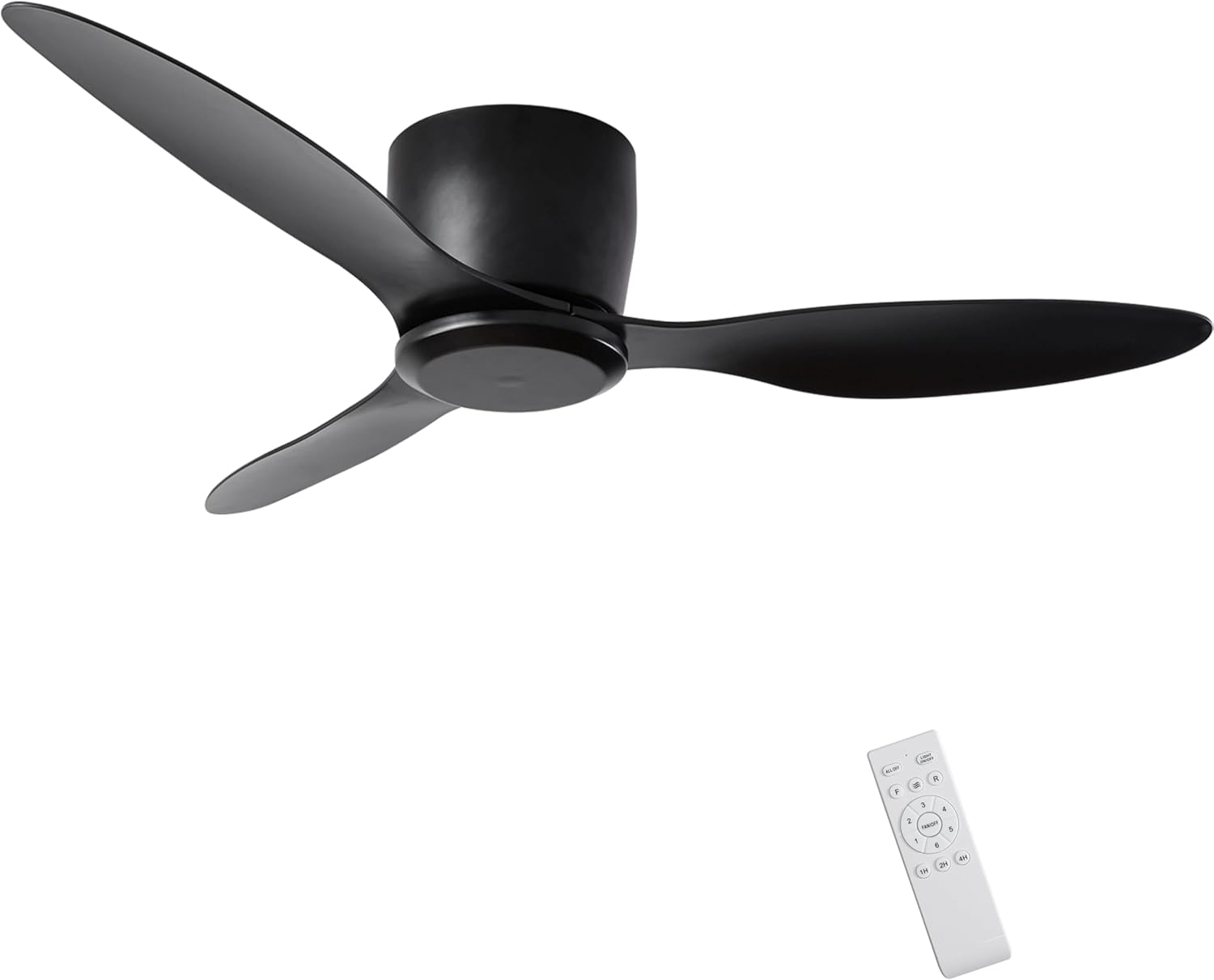
Image: The remote control for the Duclsaty ceiling fan, showing buttons for speed, timer, and direction.
- Power On/Off: Press the FAN/OFF button to turn the fan on or off.
- Speed Control: Select from 6 wind speeds (1-6) to adjust airflow intensity.
- Speed 1-2: Ideal for sleeping or reading.
- Speed 3-4: Suitable for entertainment or parties.
- Speed 5-6: Best for sports or fitness activities.
- Timer Function: Set the fan to automatically turn off after 1 hour, 2 hours, or 4 hours using the 1H/2H/4H buttons.
- Reversible Function: The fan features a reverse airflow function.
- Summer Mode: Blades rotate counter-clockwise to create a cooling downdraft.
- Winter Mode: Blades rotate clockwise to circulate warm air upwards, enhancing air circulation without a direct draft.

Image: The Duclsaty ceiling fan in a living room setting, highlighting the 6 wind speed options for various uses.

Image: Illustration of the reversible DC motor function, showing airflow direction for cooling in summer and circulating warm air in winter.
For optimal quiet operation, the fan motor is designed to emit less than 35 dB of noise.

Image: A Duclsaty ceiling fan operating quietly in a bedroom, emphasizing its low noise level and timer functions.
Maintenance
- Cleaning: To clean the fan, wipe with a soft, damp cloth. Do not use abrasive cleaners or solvents.
- Blade Inspection: Periodically check the fan blades for any signs of damage or imbalance.
- Tighten Screws: Ensure all screws on the fan motor and blades remain tight to prevent wobbling or noise.
- No Lubrication Needed: The motor is permanently lubricated and does not require oiling.
Troubleshooting
If you encounter any issues, please refer to the following troubleshooting guide. If the problem persists, contact customer support.
A. Ceiling fan Does Not Work After Installation?
- Make sure all wire connections are correct and secure.
- Verify that the power supply is turned on and reaching the receiver.
- Verify that the batteries in the handheld remote controller are installed with the correct polarity, ensuring the +(positive) end of the batteries is on the solid end and the -(negative) end on the spring.
- Re-code the control set: First, turn off power to the fan at the circuit breaker for 10 seconds. Restore power, then immediately press the FAN/OFF button for 6 seconds. If the red signal light flickers, re-coding is successful. Try turning on the fan again.
B. The Fan Makes a Humming Noise?
- Ensure the remote control you use is the one supplied with your fan.
- Make sure all accessories are securely fastened. Loose parts can cause vibrating or buzzing sounds.
- Disassembling and reinstalling the fan can sometimes remedy resonant vibrating noise.
- Double-check that the fan wires at the top of the ceiling do not scrape the working fan motor.
Warranty and Support
Duclsaty provides a 12-month warranty for all parts and a 5-year warranty on the motor. If you encounter any situation not mentioned in this manual or require professional support, please contact us.
- Customer Service: Available 24 hours.
- Warranty: 1 year limited warranty on accessories, 5 year warranty on motor.

Image: Information regarding Duclsaty's professional after-sales support, 24-hour customer service, and warranty details for parts and motor.


