1. Product Overview
The XY-AP100L is a high-performance Bluetooth 5.0 stereo amplifier board designed for various audio applications. It features a 100W x 2 output, supporting multiple audio input methods including Bluetooth, AUX, and USB sound card functionality. This manual provides essential information for the proper setup, operation, and maintenance of your amplifier board.
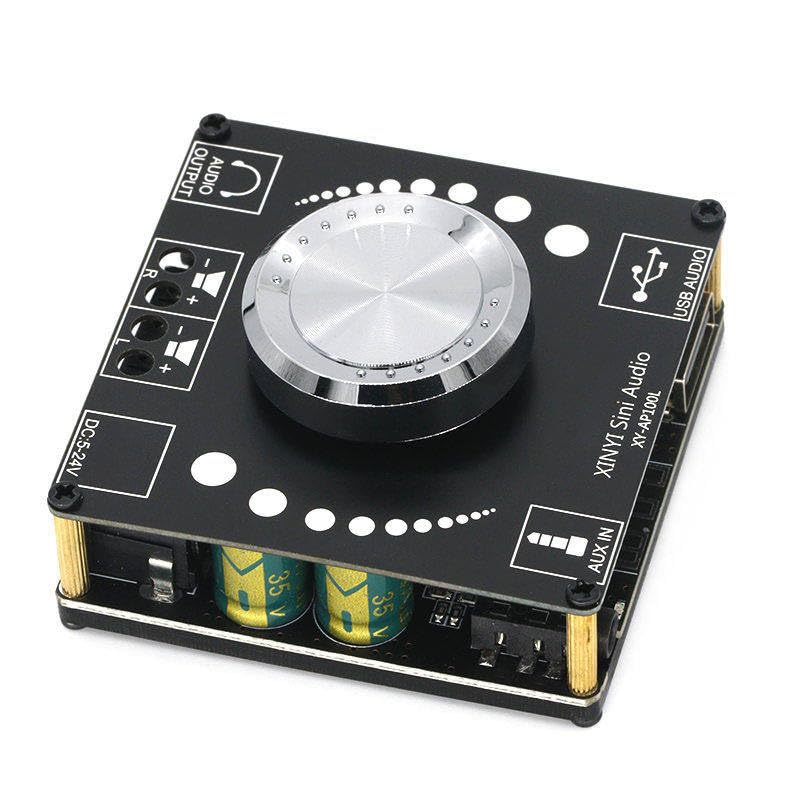
Figure 1: Front view of the XY-AP100L amplifier board, showing the main controls and connection ports including Audio Output, DC power input, AUX IN, and USB Audio input.
2. Specifications
| Feature | Description |
|---|---|
| Model Number | XY-AP100L |
| Output Power | 200 Watts (100W x 2 Channels) |
| Number of Channels | 2 (Stereo) |
| Voltage Input | DC 12V - 24V |
| Maximum Supply Voltage | 24 Volts |
| Bluetooth Version | 5.0 |
| Audio Inputs | Bluetooth, AUX (3.5mm), USB Audio (Sound Card) |
| Mounting Type | Freestanding |
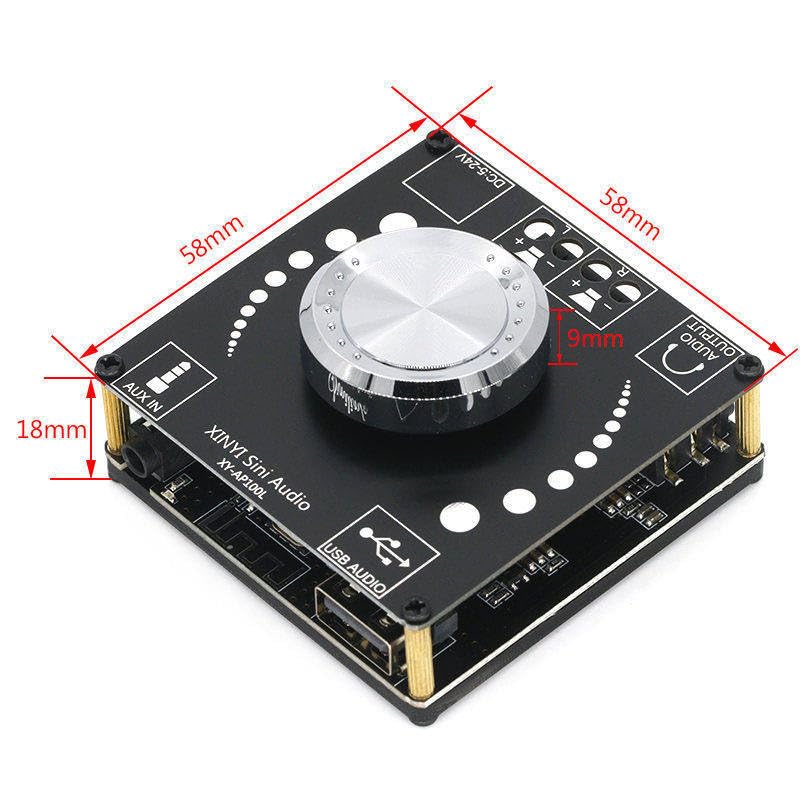
Figure 2: Dimensions of the XY-AP100L amplifier board, indicating its compact size for integration into various projects.
3. Setup Instructions
Follow these steps to correctly set up your XY-AP100L amplifier board:
- Power Connection: Connect a DC power supply (12V-24V) to the 'DC 5-24V' input terminal. Ensure correct polarity. A 24V power supply is recommended for optimal 100W x 2 output.
- Speaker Connection: Connect your passive speakers to the 'AUDIO OUTPUT' terminals. The 'L' terminal is for the left channel speaker, and 'R' for the right channel speaker. Ensure positive (+) and negative (-) terminals are matched correctly.
- Audio Input Selection: The board supports three input modes: Bluetooth, AUX IN, and USB Audio. The board will automatically switch modes or you can manually select via the rotary encoder (if applicable, refer to operating instructions).
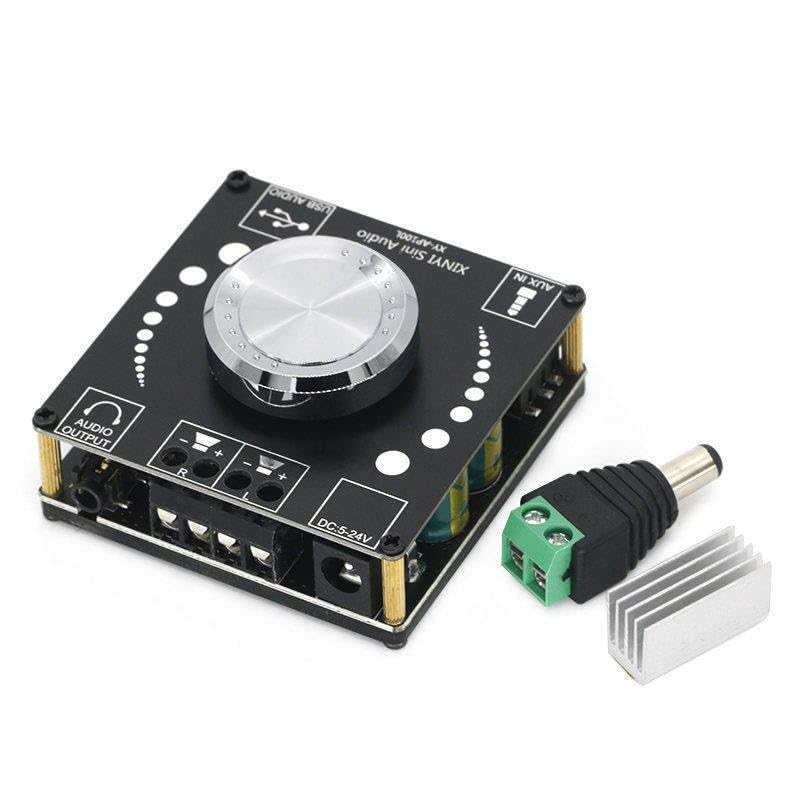
Figure 3: The XY-AP100L amplifier board shown with a heatsink and power adapter, illustrating typical setup components.
4. Operating Instructions
Once the amplifier board is set up, follow these steps for operation:
- Power On: Apply power to the DC input. The board will power on automatically.
- Volume Control: Use the central rotary knob to adjust the output volume. Rotate clockwise to increase volume, counter-clockwise to decrease.
- Bluetooth Pairing:
- Ensure the board is in Bluetooth mode (indicated by an LED or voice prompt).
- On your mobile device, search for Bluetooth devices and select 'XY-AP100L'.
- Once paired, you can stream audio wirelessly.
- AUX Input: Connect an audio source (e.g., smartphone, MP3 player) to the 'AUX IN' 3.5mm jack using an audio cable. The board should automatically switch to AUX mode.
- USB Audio (Sound Card): Connect the 'USB AUDIO' port to a computer using a USB cable. The computer should recognize the board as an audio output device. Select it as your playback device to use the board as an external sound card.
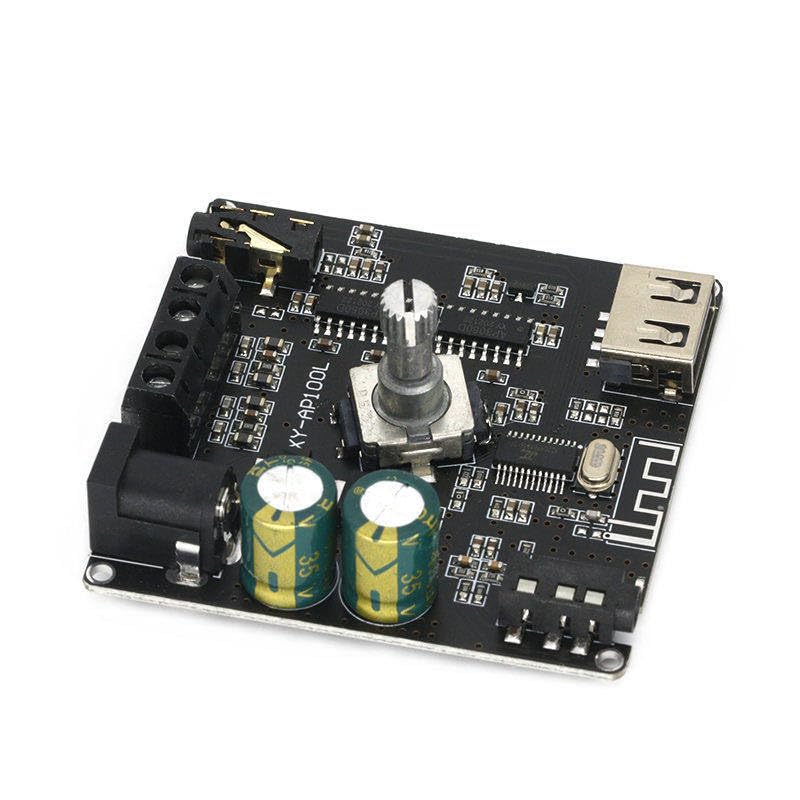
Figure 4: Side view of the XY-AP100L amplifier board, showing various components and connection points from a different angle.
5. Maintenance
To ensure the longevity and optimal performance of your amplifier board, follow these maintenance guidelines:
- Cleaning: Use a soft, dry cloth to clean the board. Avoid using liquid cleaners or solvents.
- Ventilation: Ensure the board is placed in a well-ventilated area to prevent overheating, especially during prolonged use at high volumes.
- Storage: When not in use for extended periods, store the board in a cool, dry place away from direct sunlight and moisture.
- Handling: Handle the board with care to avoid damaging components. Avoid static discharge.
6. Troubleshooting
If you encounter issues with your XY-AP100L amplifier board, refer to the following common problems and solutions:
- No Power:
- Check if the DC power supply is correctly connected and providing the specified voltage (12V-24V).
- Ensure the power adapter is functional.
- No Sound Output:
- Verify speaker connections are secure and correct polarity is observed.
- Check the volume level on both the amplifier board and the audio source.
- Ensure the correct input mode (Bluetooth, AUX, USB) is selected and the audio source is playing.
- Test with a different audio source or speakers to isolate the problem.
- Bluetooth Disconnection/Pairing Issues:
- Ensure no other devices are actively connected to the amplifier board via Bluetooth.
- Move your Bluetooth device closer to the amplifier board.
- Try forgetting the device on your phone/computer and re-pairing.
- Distorted Sound:
- Reduce the volume on both the amplifier and the audio source.
- Ensure the power supply is adequate for the desired output level. A weak power supply can cause distortion at higher volumes.
- Check speaker impedance compatibility.
7. Warranty and Support
This product is manufactured by Generic. For specific warranty information or technical support, please refer to the retailer or manufacturer's official website where the product was purchased. Keep your purchase receipt as proof of purchase.