1. Introduction
This manual provides instructions for the safe and efficient use of your SHIQUN KD-C1 Charger Base. This charger is designed to provide convenient and rapid charging for compatible two-way radios and their batteries. Please read this manual thoroughly before use and retain it for future reference.
2. Package Contents
The package includes:
- 1 x SHIQUN KD-C1 Charging Dock
Note: Two-way radios and batteries are not included and must be purchased separately.
3. Product Overview
The KD-C1 Charger Base features dedicated slots for charging both a two-way radio and a spare battery simultaneously. It includes an LED indicator to show charging status.
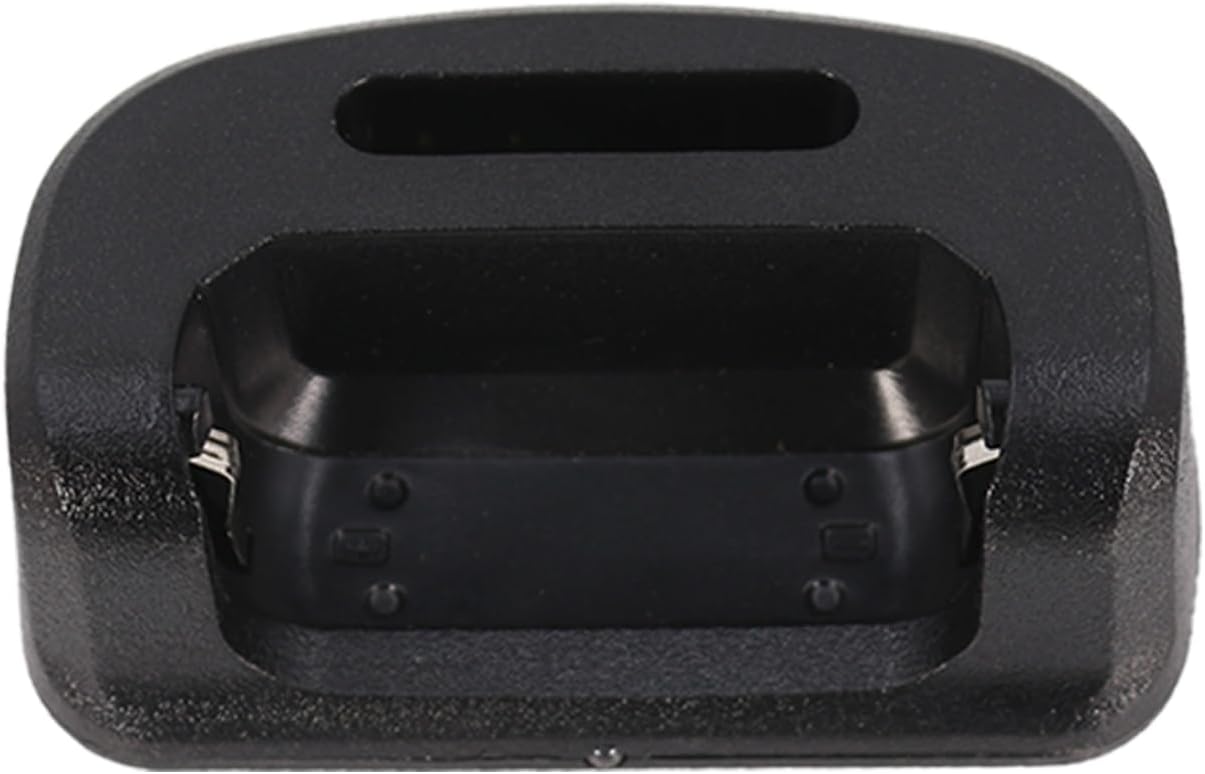
Figure 1: Top view of the KD-C1 Charger Base, showing the two charging slots.

Figure 2: The charger base with labels indicating the "For Battery" slot and the "For Radio" slot.
4. Setup Instructions
- Unpack the Charger: Carefully remove the KD-C1 Charger Base from its packaging.
- Connect Power: Connect a compatible 5V power adapter (not included) to the USB port on the charger base. Plug the power adapter into a standard electrical outlet.
- Placement: Place the charger on a stable, flat surface away from direct sunlight, heat sources, and moisture.
5. Operating Instructions
5.1 Charging a Two-Way Radio
- Ensure the charger is powered on.
- Carefully place your compatible two-way radio into the designated "For Radio" charging slot on the base. Ensure it is seated correctly and makes proper contact with the charging terminals.
- Observe the LED indicator. It will illuminate red to indicate that the radio is charging.
- Once the radio's battery is fully charged, the LED indicator will turn green. Remove the radio from the charger.
5.2 Charging a Spare Battery
- Ensure the charger is powered on.
- Carefully place your compatible spare battery into the designated "For Battery" charging slot on the base. Ensure it is seated correctly and makes proper contact with the charging terminals.
- Observe the LED indicator. It will illuminate red to indicate that the battery is charging.
- Once the battery is fully charged, the LED indicator will turn green. Remove the battery from the charger.
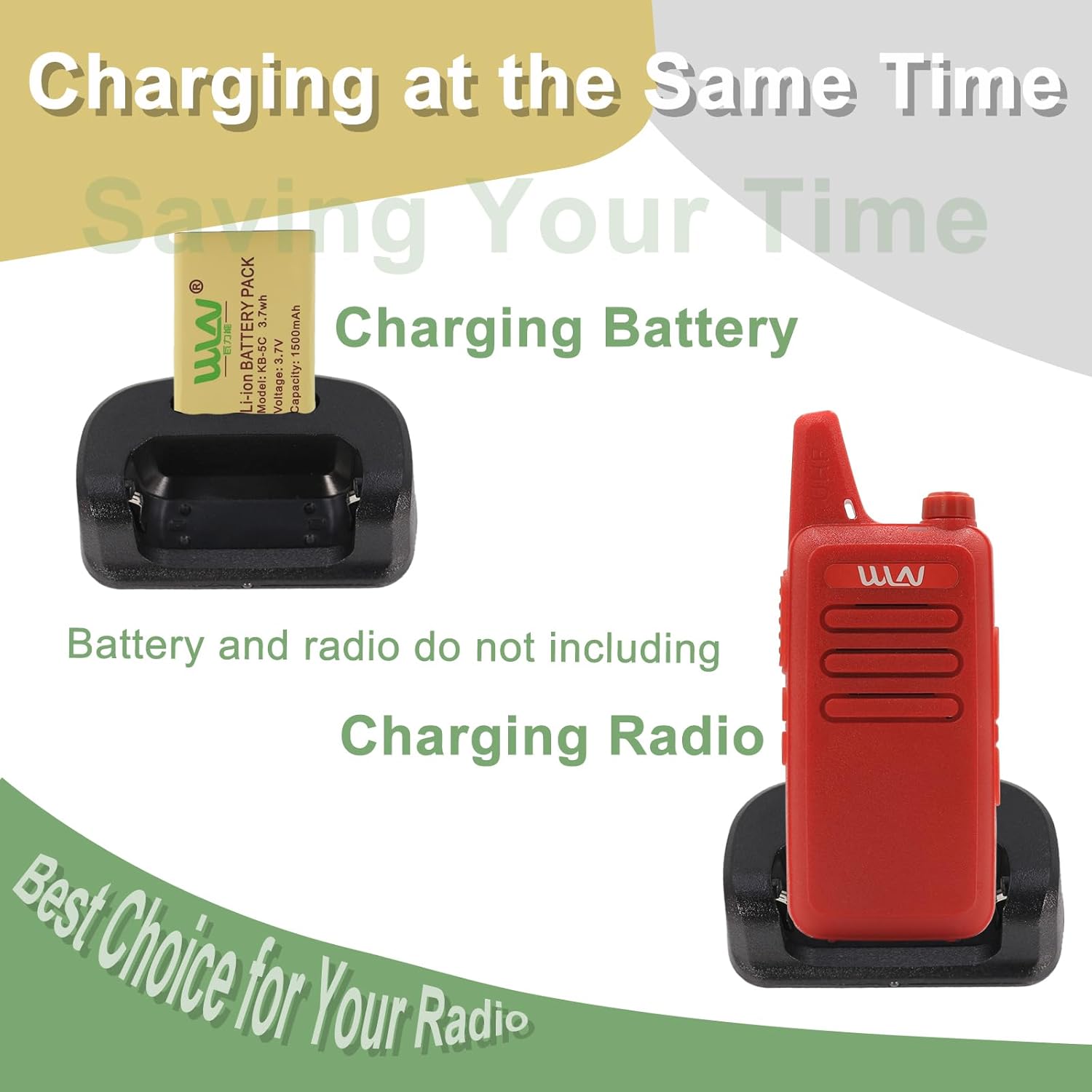
Figure 3: Example of a radio and a battery placed in their respective charging slots.
5.3 LED Indicator Status
- Red Light: Indicates that the device (radio or battery) is currently charging.
- Green Light: Indicates that the device is fully charged.

Figure 4: Visual guide to the LED indicator colors and their meanings.
6. Maintenance and Care
- Cleaning: Disconnect the charger from power before cleaning. Use a soft, dry cloth to wipe the surface. Do not use liquid cleaners or abrasive materials.
- Storage: When not in use, store the charger in a cool, dry place.
- Avoid Damage: Do not drop the charger or expose it to extreme temperatures or humidity.
7. Troubleshooting
- Charger not powering on:
- Ensure the power adapter is securely connected to both the charger and the electrical outlet.
- Verify that the electrical outlet is functional.
- Check if the power adapter is compatible (5V output).
- Device not charging (LED not red):
- Ensure the radio or battery is correctly seated in its respective slot and making proper contact with the charging terminals.
- Verify that the radio/battery is compatible with the KD-C1 charger (e.g., KD-C1, KD-C1 Plus, RT22, RT22S, TD-M8, RT-10, NK-U1, X6, LT-316, AP-100, RB19, RB19P, T20).
- Clean the charging contacts on both the charger and the device with a dry cloth.
- LED remains red after extended charging:
- The battery may be faulty or at the end of its lifespan. Try charging a different battery or radio.
- Ensure the ambient temperature is within the recommended operating range.
8. Specifications
| Feature | Detail |
|---|---|
| Model | KD-C1 Charger Base |
| Input Voltage | 5V DC (via USB port) |
| Output Voltage | 7.2V DC (for radio/battery charging) |
| Color | Black |
| Product Dimensions | 1.93 x 3.78 x 1.22 inches (4.9 x 9.6 x 3.1 cm) |
| Item Weight | 1.41 ounces (40 grams) |
| Compatible Models | KD-C1, KD-C1 Plus, RT22, RT22S, TD-M8, RT-10, NK-U1, X6, LT-316, AP-100, RB19, RB19P, T20 |
9. Warranty Information
This product comes with a 3-month warranty provided by Shiqun Electronics Co., Ltd. This warranty covers manufacturing defects and issues arising from normal use. Please retain your proof of purchase for warranty claims.
For warranty service, please contact Shiqun Electronics Co., Ltd. directly.
10. Customer Support
If you encounter any problems or have questions regarding your SHIQUN KD-C1 Charger Base, please contact the manufacturer or your retailer for assistance. When contacting support, please have your product model and purchase details ready.
Manufacturer: Shiqun Electronics Co., Ltd
Note: For issues with compatible models, please reach out to the manufacturer.