Important Safety Instructions
Please read this manual thoroughly before operating the appliance and retain it for future reference. Failure to follow these instructions may result in electric shock, fire, or serious injury.
- Always ensure the voltage on the rating label matches the mains voltage.
- Do not operate the fan with a damaged cord or plug.
- Keep the fan away from water and moisture. Do not immerse in water.
- Unplug the fan from the power outlet when not in use, before cleaning, or before performing any maintenance.
- Do not insert fingers or foreign objects into the fan's openings.
- This appliance is not intended for use by persons (including children) with reduced physical, sensory or mental capabilities, or lack of experience and knowledge, unless they have been given supervision or instruction concerning use of the appliance by a person responsible for their safety.
- Children should be supervised to ensure they do not play with the appliance. The bladeless design enhances safety around children and pets.
- Ensure the fan is placed on a stable, flat surface to prevent tipping.
Product Overview
The Pro Breeze® OmniAir Bladeless Tower Fan with Air Purifier combines powerful cooling with advanced air purification for a healthier home environment.

Image: The Pro Breeze OmniAir 41-inch Bladeless Tower Fan in white, shown alongside its remote control. The fan features a sleek, modern design with a tall, open air outlet and a sturdy base. The remote control is compact and white, with clearly marked buttons for various functions.
Components:
- Bladeless Tower Fan Unit
- Remote Control
- HEPA 13 Air Purifier Filter (pre-installed)
- Power Cord
Setup
1. Unpacking
Carefully remove the fan and all accessories from the packaging. Inspect for any damage. Retain packaging for future storage or transport.
2. Placement
Place the fan on a firm, level surface. Ensure there is adequate space around the fan for optimal airflow and oscillation. Avoid placing it directly against walls or furniture that might obstruct air intake or output.

Image: A diagram illustrating the dimensions of the Pro Breeze OmniAir 41-inch Bladeless Tower Fan. The height is 1056mm, width is 255mm, and depth is 255mm, highlighting its slim and space-saving design suitable for various room settings.
3. Power Connection
Plug the power cord into a standard 120 Volt AC electrical outlet. Ensure the connection is secure.
Operating Instructions
Control Panel and Remote Control
The fan can be operated using the touch control panel on the unit's top or the included wireless remote control. The LED display provides visual feedback on settings.

Image: A close-up of the top control panel of the Pro Breeze OmniAir 41-inch Bladeless Tower Fan, showing its touch-sensitive buttons and LED display. The remote control is also depicted, highlighting its 6-meter operating range.
1. Power On/Off
Press the Power button (symbol of a circle with a vertical line) on the control panel or remote to turn the fan on or off.
2. Fan Speed Adjustment
The fan offers 10 speed settings. Use the '+' and '-' buttons on the remote or control panel to increase or decrease the fan speed.
3. Operating Modes
Press the Mode button (symbol 'M') to cycle through the 5 available operating modes:
- Standard Mode: Provides a continuous airflow at the selected speed.
- Night Mode: Gradually lowers the fan speed over time to provide quiet operation for undisturbed sleep. The noise level can be as low as 38dB.
- Natural Mode: Simulates natural breeze by auto-cycling through different fan speeds.
- Auto Mode: The fan automatically adjusts its speed based on the ambient room temperature, optimizing cooling and energy efficiency.
- Max Mode: Operates the fan at its highest speed for maximum cooling.
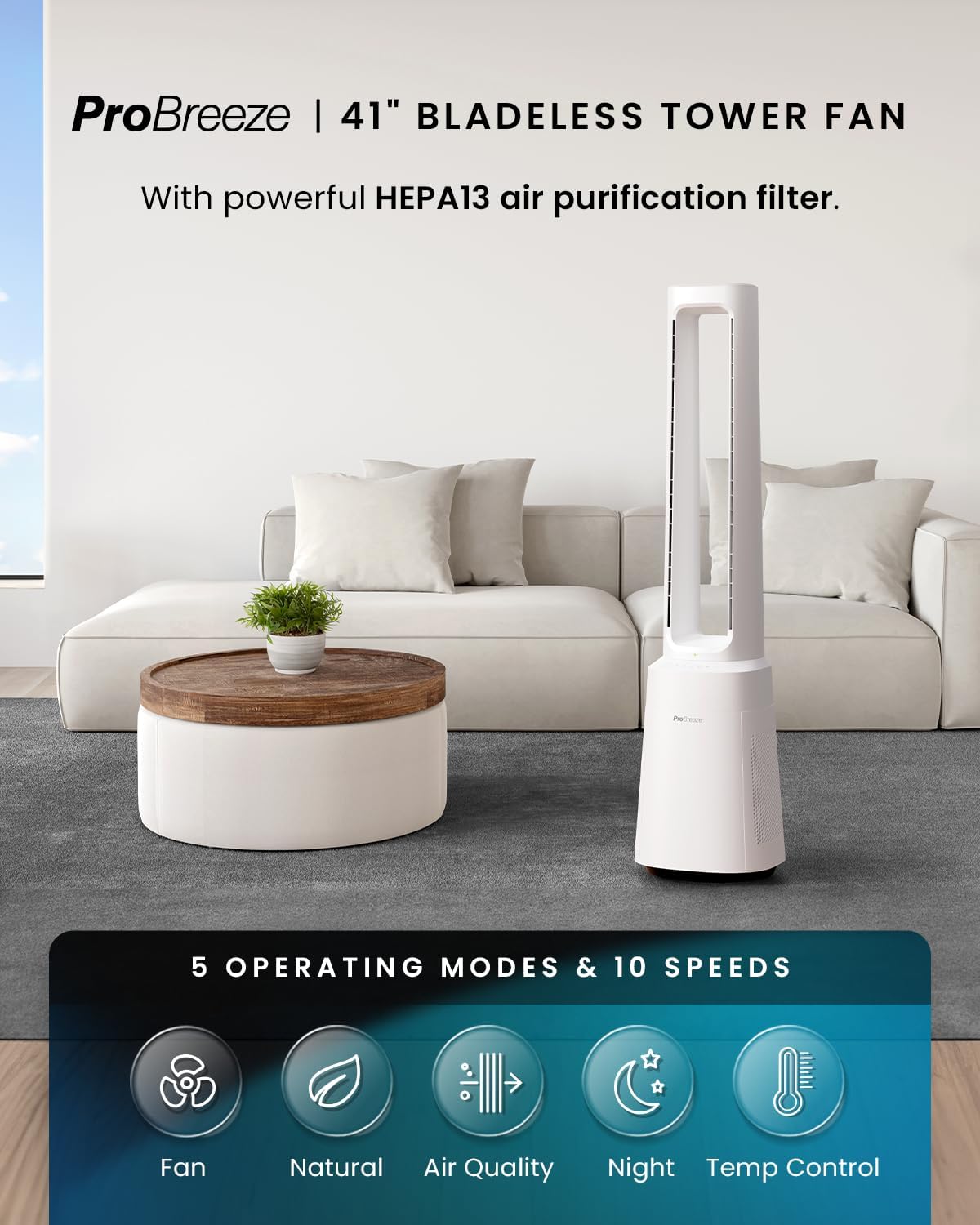
Image: The Pro Breeze OmniAir 41-inch Bladeless Tower Fan positioned in a living room. Below the fan, icons represent the five operating modes: Fan, Natural, Air Quality, Night, and Temp Control, indicating the fan's versatility.
4. Oscillation
Press the Oscillation button (symbol of two arrows forming a circle) to activate or deactivate the 75° automatic oscillation, distributing cool air across a wider area.

Image: A diagram showing the Pro Breeze OmniAir 41-inch Bladeless Tower Fan in a room, with an arc indicating its 75-degree oscillation range, demonstrating its ability to distribute air widely.
5. Timer Function
Press the Timer button (symbol of a clock) to set the automatic shut-off timer for up to 7 hours. Each press increases the timer by one hour.

Image: The Pro Breeze OmniAir 41-inch Bladeless Tower Fan placed in a bedroom. A graphic below shows a 12-hour timer split between day and night, illustrating the fan's programmable shut-off feature for uninterrupted comfort.
6. Air Purification Function
The integrated HEPA 13 air purifier filter removes 99.99% of microparticles, including pet dander, bacteria, dust, and allergens. The fan features an air quality sensor that displays current air quality via a color-coded light (blue for excellent, green for good, yellow for ok, red for poor).
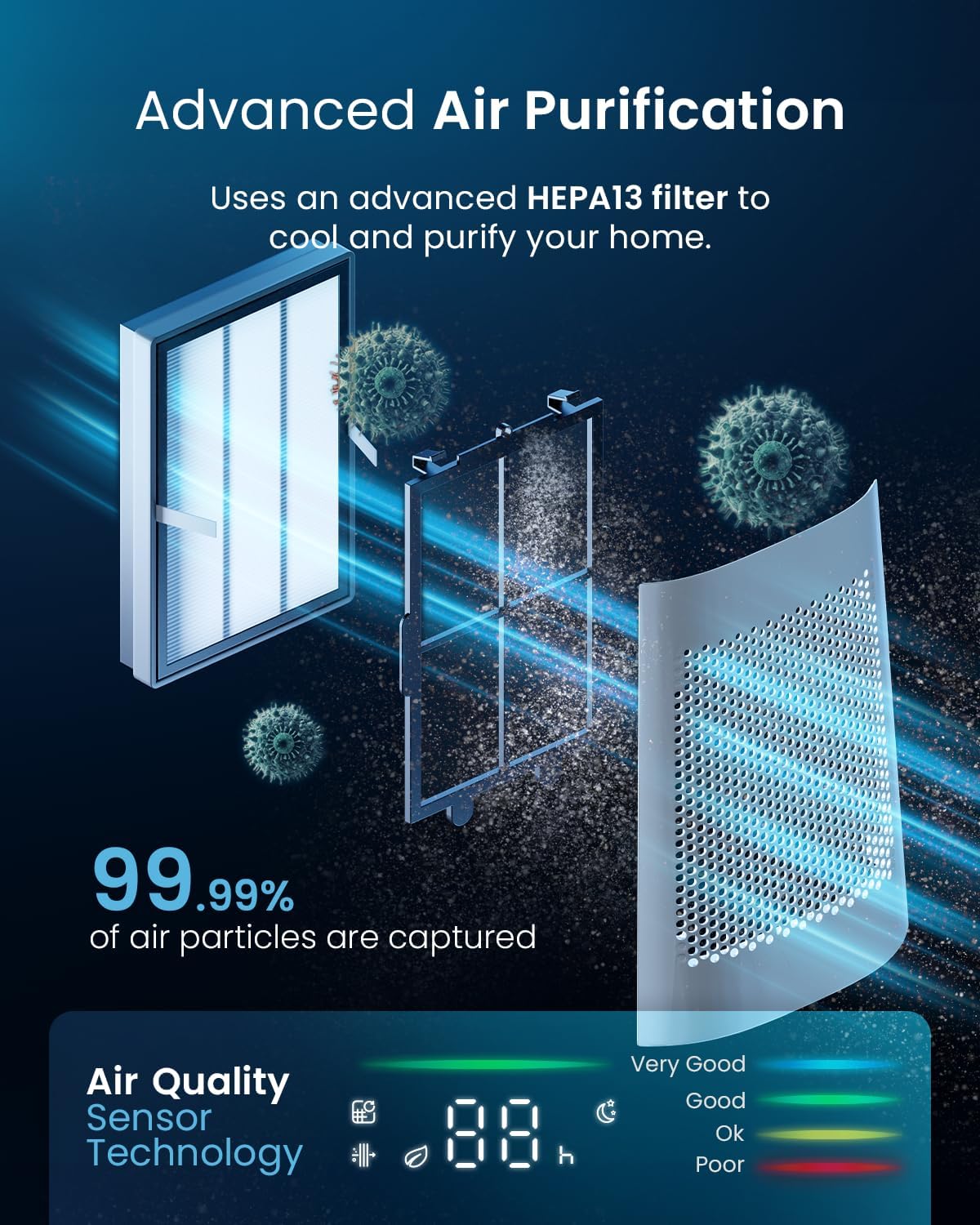
Image: A detailed diagram illustrating the advanced HEPA13 filter system within the Pro Breeze OmniAir 41-inch Bladeless Tower Fan, showing how it captures 99.99% of air particles. An air quality sensor display is also shown, indicating air quality levels.
Maintenance
1. Cleaning the Exterior
Before cleaning, always unplug the fan from the power outlet. Use a soft, damp cloth to wipe the exterior surfaces. Do not use abrasive cleaners or solvents. The bladeless design makes cleaning easier and safer.
2. HEPA Filter Replacement
The HEPA 13 filter should be replaced periodically, depending on usage and air quality. Refer to the filter compartment for instructions on how to access and replace the filter. Replacement filters can be purchased from authorized Pro Breeze retailers.
3. Storage
When storing the fan for extended periods, unplug it and clean it thoroughly. Store it in a cool, dry place, preferably in its original packaging, to protect it from dust and damage.
Troubleshooting
| Problem | Possible Cause | Solution |
|---|---|---|
| Fan does not turn on. | Not plugged in; Power outlet not working; Power button not pressed. | Ensure power cord is securely plugged into a working outlet. Press the Power button. |
| Weak airflow. | Fan speed too low; Air intake/output blocked; Filter needs cleaning/replacement. | Increase fan speed. Clear any obstructions. Check and clean/replace the HEPA filter. |
| Fan makes unusual noise. | Fan not on a level surface; Internal obstruction. | Place fan on a flat, stable surface. Unplug and check for any foreign objects inside the air vents. |
| Remote control not working. | Batteries dead/incorrectly inserted; Obstruction between remote and fan. | Replace batteries (ensure correct polarity). Ensure clear line of sight to the fan's receiver. |
| Air quality indicator always red/poor. | High particulate matter in the air; Sensor dirty; Filter needs replacement. | Ensure proper ventilation. Clean the air quality sensor (refer to maintenance). Replace HEPA filter. |
Specifications
| Brand | Pro Breeze |
| Model Number | PB-F-22W |
| Product Dimensions | 25.5 x 25.5 x 105.6 cm |
| Item Weight | 8.93 kg |
| Voltage | 120 Volts |
| Noise Level (Min) | 38 dB |
| Noise Level (Max) | 62 dB |
| Fan Speeds | 10 |
| Operating Modes | 5 (Standard, Night, Natural, Auto, Max) |
| Oscillation Angle | 75° |
| Timer | Up to 7 hours |
| Air Filter Type | HEPA 13 |
Warranty and Support
Pro Breeze products come with a standard manufacturer's warranty. For detailed warranty information, product support, or to purchase replacement parts (such as HEPA filters), please visit the official Pro Breeze website or contact their customer service department.
You can find more information and contact details on the Pro Breeze Store on Amazon.