
1. Introduction
This manual provides detailed instructions for the assembly, operation, and maintenance of your Itaar 40-inch Lift Top Coffee Table. Designed for versatility, this 4-in-1 coffee table features a lift-top mechanism, partitioned hidden storage, an open storage shelf, two fabric drawers, a storage cabinet, and integrated LED lighting. It is suitable for various activities such as eating, working, studying, and playing games, optimizing space utilization in living and dining areas.
2. Safety Information
- Children are not permitted to climb or play on the product for safety reasons.
- Caution: When operating the lift-top mechanism, the lower tabletop must be raised first to avoid damage.

3. Assembly
To ensure a smooth assembly process, please follow the clear and detailed instructions provided in the included assembly kit. All parts are numbered for easy identification. A screwdriver and wrench are recommended for assembly, and all necessary tools are included.
Assembly Overview

Assembly Video Guide
Video: A detailed assembly guide for the Itaar 40-inch Lift Top Coffee Table, demonstrating step-by-step construction including the fabric drawers.
4. Operating the Coffee Table
Lift-Top Mechanism
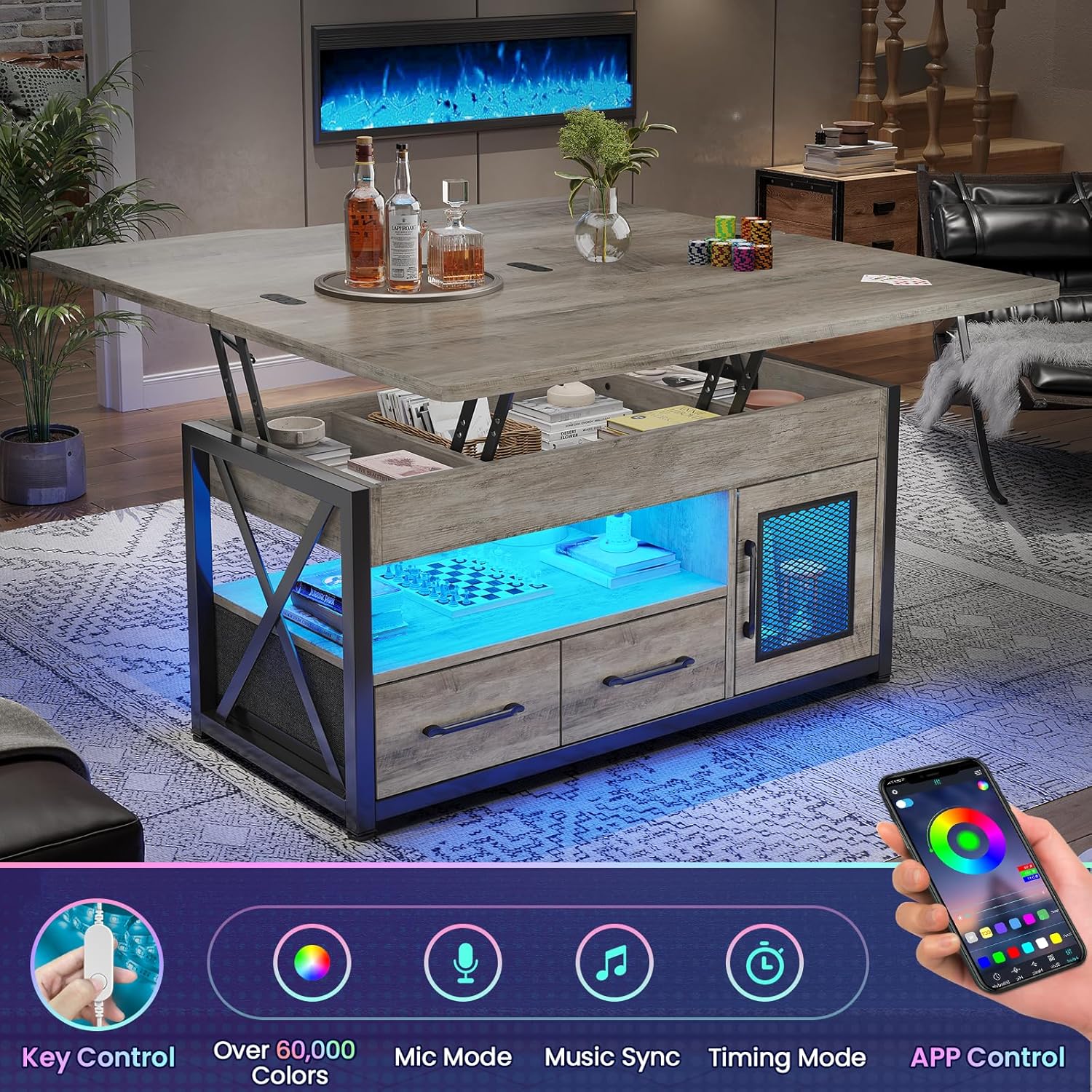
The coffee table features a high-quality metal gas support mechanism for smooth and quiet lifting. To operate, gently lift the main tabletop. Remember to raise the lower tabletop first to prevent any potential damage. The lift-top can be adjusted to various heights and configurations, transforming the table for different uses.
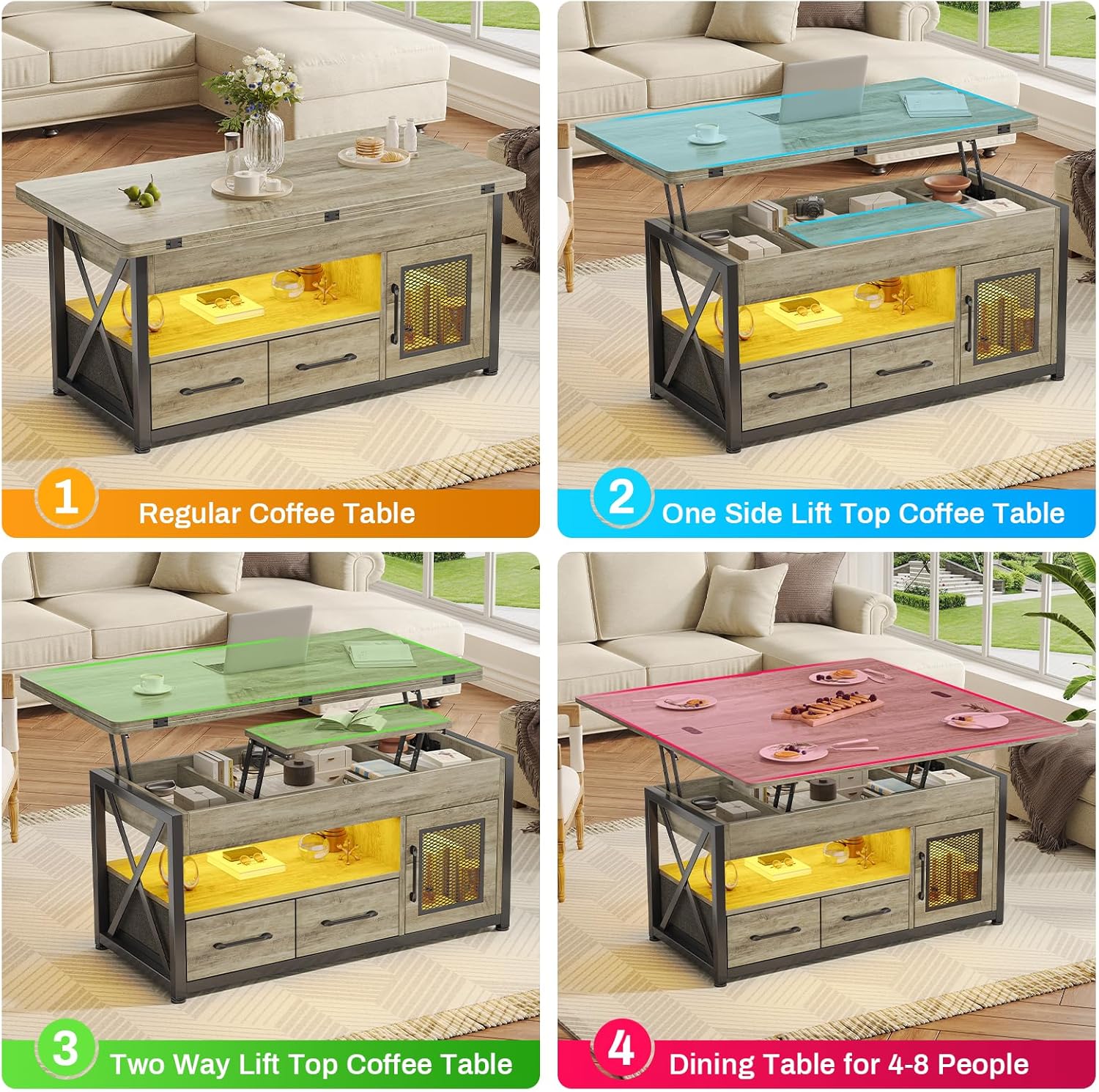
4-in-1 Design Configurations
This unique design allows for four primary uses:
- Regular Coffee Table: Top closed, ideal for storing sundries.
- One Side Lift Top: One side lifted, suitable for individual use as a workstation.
- Two Way Lift Top: Both sides lifted, creating a larger workstation for two people.
- Dining Table for 4-8 People: Fully unfolded, transforming into a dining or gaming table.
Lift-Top Operation Video
Video: A demonstration of the Itaar 40-inch Lift Top Coffee Table's various functionalities, including the lifting mechanism and different table configurations.
5. Storage Features
The Itaar Lift Top Coffee Table offers extensive storage solutions to keep your living space organized:
- Partitioned Hidden Storage: The hidden compartment beneath the lift-top is divided into three sections, perfect for blankets, snacks, or electronic devices.
- Open Storage Shelf: A lower open shelf provides easy access storage for items like laptops, chess sets, or remote controls.
- Fabric Drawers: Two fabric drawers offer additional concealed storage for smaller items or personal belongings.
- Storage Cabinet: A large capacity cabinet with mesh visual door panels and magnetic handles provides ample space for various living room storage needs.

6. LED Light Operation
Enhance your living space with the integrated RGB LED light strip. Control the lighting remotely via a dedicated app, choosing from multiple colors and 29 flashing modes to create your desired ambiance.

7. Maintenance
To maintain the appearance and longevity of your coffee table, wipe it regularly with a damp cloth. Avoid using harsh chemicals or abrasive cleaners.
8. Troubleshooting
If you encounter any issues during assembly or use, please refer to the detailed instructions provided in the assembly kit. For persistent problems or if your item arrives damaged, scratched, or with missing parts, please contact Itaar customer service for assistance. They can provide a free replacement or offer a partial refund.
9. Specifications
| Feature | Detail |
|---|---|
| Brand | Itaar |
| Model Name | 40'' Lift Top Coffee Table |
| Product Dimensions | 39.4"D x 39.4"W x 26"H |
| Item Weight | 66 Pounds |
| Maximum Weight Recommendation | 66 Pounds |
| Color | Grey |
| Material Type | Engineered Wood, Metal |
| Number of Drawers | 2 |
| Special Features | Expandable, Lift Top, LED Light, Storage |
| Recommended Uses | Eating, Working, Studying, Playing Games, Displaying |
| Required Assembly | Yes |
| Recommended People for Assembly | 2 |

10. Warranty and Support
Itaar is committed to customer satisfaction. If your product arrives damaged, scratched, or with any missing parts, please contact our customer service team immediately. We will arrange for a free replacement or offer a partial refund as appropriate. For any questions or support needs, please reach out to us directly.