
1. Introduction
Thank you for choosing the Hop-Sport HS-2090HB Weight Bench. This manual provides essential information for the safe and effective assembly, operation, and maintenance of your new fitness equipment. Please read this manual thoroughly before use and keep it for future reference.

Figure 1.1: The Hop-Sport HS-2090HB Weight Bench, showcasing its robust design and adjustable features. This bench is designed for comprehensive strength training.
2. Safety Instructions
Before beginning any exercise program, consult with your physician. It is crucial to follow these safety guidelines to prevent injury and ensure the longevity of your equipment.
- Always inspect the bench for loose parts, damage, or wear before each use. Do not use if damaged.
- Ensure all bolts and nuts are securely tightened before and during use.
- Place the bench on a flat, stable surface. Do not use on uneven ground.
- Keep children and pets away from the equipment during use.
- Do not exceed the maximum weight capacity of 300 kg (661 lbs).
- Wear appropriate athletic footwear and clothing.
- Perform exercises in a controlled manner. Avoid sudden or jerky movements.
- If you experience pain, dizziness, or shortness of breath, stop exercising immediately.
- Adjust the bench only when no weight is applied and ensure adjustment mechanisms are fully engaged.
3. Package Contents
Carefully unpack all components and verify that all parts are present and undamaged. If any parts are missing or damaged, do not proceed with assembly and contact customer support.
- Main Frame Components (Base, Upright Supports)
- Backrest Pad
- Seat Pad
- Leg Rollers/Pads
- Adjustment Mechanisms (Pins, Levers)
- Assembly Hardware (Bolts, Nuts, Washers, Wrenches)
- User Manual
4. Setup and Assembly
Assembly typically requires two people. Follow the steps below carefully. Refer to the included assembly diagram for detailed illustrations.
- Prepare the Area: Clear a spacious area for assembly. Lay out all components and hardware.
- Assemble the Base: Attach the front and rear stabilizer bars to the main frame using the provided bolts and nuts. Ensure they are securely fastened.
- Attach Upright Supports: Secure the main upright supports to the base frame.
- Install Seat and Backrest: Mount the seat pad and backrest pad onto their respective frames. Ensure they are aligned correctly.
- Attach Leg Rollers: Slide the foam rollers onto the leg support bar and secure them.
- Connect Adjustment Mechanisms: Install the backrest and seat adjustment pins/levers. Test their functionality to ensure smooth operation.
- Final Check: Double-check all bolts, nuts, and connections to ensure they are tight and secure before first use.

Figure 4.1: An illustration showing the various components of the weight bench during assembly, highlighting the frame structure and attachment points.

Figure 4.2: Detail of the wide base and non-slip feet, ensuring stability during workouts.
5. Operating and Usage
The HS-2090HB weight bench offers versatile training options with its adjustable backrest and seat.
5.1. Adjusting the Backrest
The backrest can be adjusted to 10 different positions, from decline to incline, to accommodate various exercises.
- Ensure no weight is on the bench.
- Locate the backrest adjustment pin/lever.
- Pull the pin/lever out, adjust the backrest to the desired angle, and release the pin/lever, ensuring it locks securely into place.
5.2. Adjusting the Seat
The seat can be adjusted to 3 levels to provide optimal support and comfort for different backrest angles and user heights.
- Ensure no weight is on the bench.
- Locate the seat adjustment pin/lever.
- Pull the pin/lever out, adjust the seat to the desired height, and release the pin/lever, ensuring it locks securely into place.
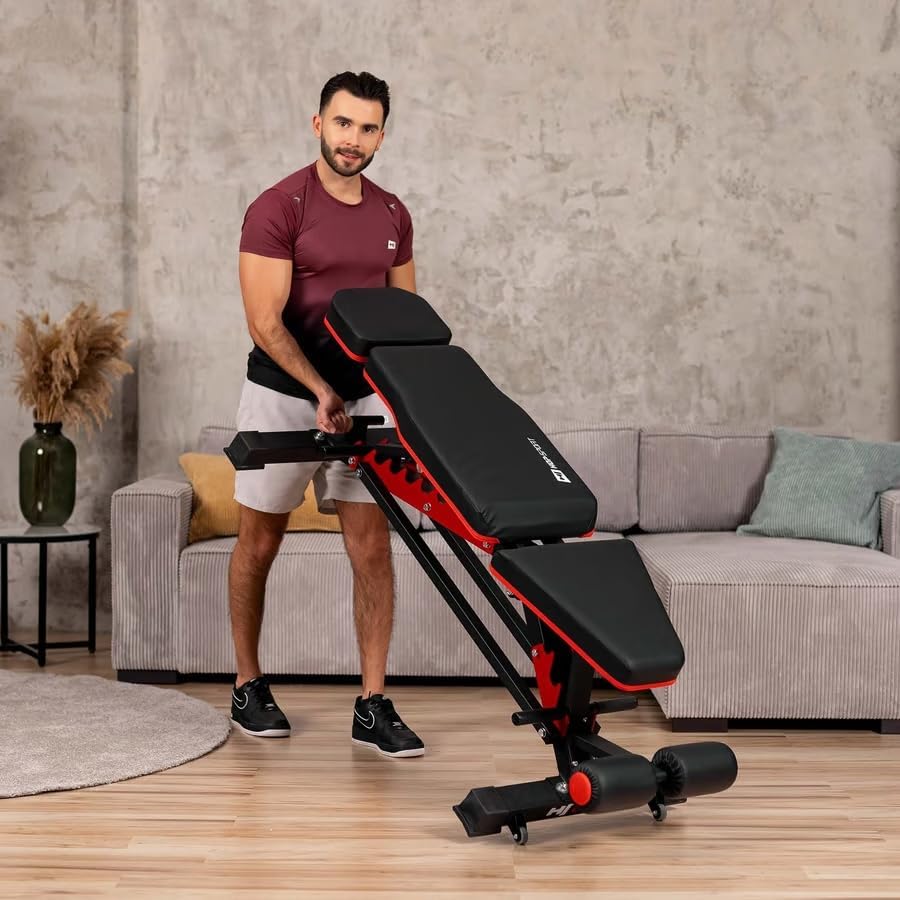
Figure 5.1: Visual representation of the backrest's multiple angle adjustments, ranging from decline to various incline positions.

Figure 5.2: Examples of multi-functional training, including dumbbell presses and bodyweight exercises, demonstrating the bench's versatility.
5.3. Transport and Storage
The bench is equipped with transport wheels for easy relocation.
- Ensure the bench is in a flat or slightly inclined position.
- Lift the rear end of the bench slightly to engage the transport wheels.
- Roll the bench to its desired location.
- For storage, the bench can be folded or adjusted to a compact position if applicable (refer to product specifications for folding capability).
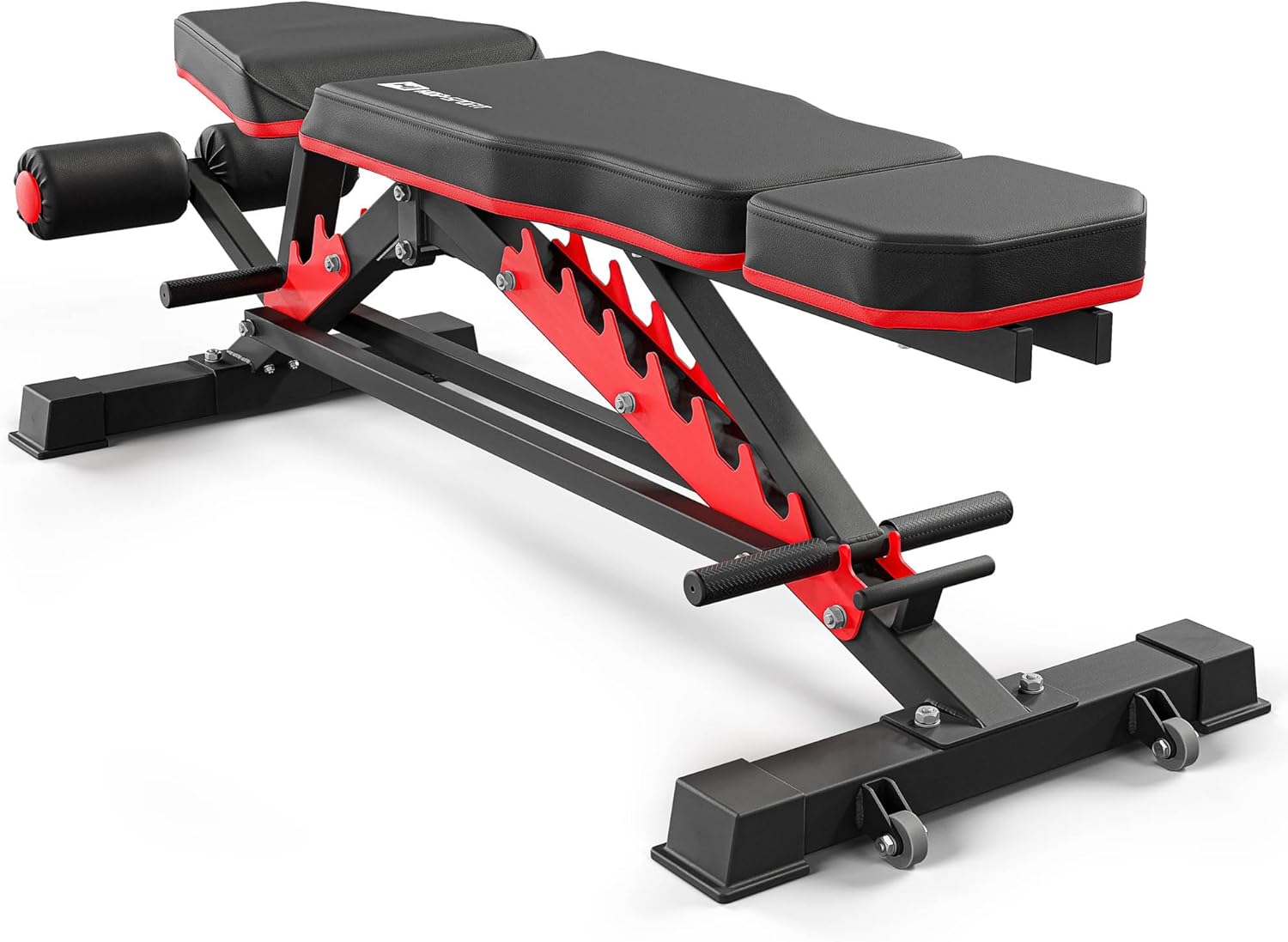
Figure 5.3: A user demonstrating how to easily move the weight bench using its integrated transport wheels.
6. Maintenance
Regular maintenance will ensure the longevity and safe operation of your weight bench.
- Cleaning: Wipe down the upholstery and frame with a damp cloth after each use to remove sweat and dirt. Use mild soap if necessary, then wipe dry. Avoid abrasive cleaners.
- Inspection: Periodically check all bolts, nuts, and moving parts for tightness. Tighten any loose fasteners.
- Wear and Tear: Inspect the upholstery for tears or excessive wear. Check the foam rollers for damage. Replace worn parts as needed.
- Lubrication: Moving parts, such as adjustment mechanisms, may benefit from occasional light lubrication with a silicone-based spray to ensure smooth operation.
7. Troubleshooting
| Problem | Possible Cause | Solution |
|---|---|---|
| Bench feels unstable or wobbly. | Loose bolts or uneven surface. | Ensure all assembly bolts are tightened. Move the bench to a flat, level surface. |
| Adjustment mechanism is stiff or stuck. | Dirt/debris in mechanism or lack of lubrication. | Clean the mechanism. Apply a small amount of silicone lubricant. Ensure no weight is on the bench during adjustment. |
| Squeaking noises during use. | Loose connections or friction between metal parts. | Check and tighten all bolts. Apply lubricant to pivot points if necessary. |
8. Specifications
| Feature | Detail |
|---|---|
| Model Number | HS-2090HB |
| Brand | HS HOP-SPORT |
| Color | Black |
| Material | Alloy Steel |
| Maximum Weight Capacity | 300 Kilograms (661 lbs) |
| Product Dimensions (L x W x H) | 135 x 36 x 40 cm (53.1 x 14.2 x 15.7 inches) |
| Item Weight | 29 Kilograms (63.9 lbs) |
| Backrest Adjustment Positions | 10 positions |
| Seat Adjustment Levels | 3 levels |

Figure 8.1: Detailed dimensions of the HS-2090HB weight bench, providing measurements for length, width, and height.
9. Warranty Information
Your Hop-Sport HS-2090HB Weight Bench is covered by a manufacturer's warranty against defects in materials and workmanship. Please refer to the warranty card included with your product for specific terms, conditions, and duration. Keep your proof of purchase for warranty claims.
10. Customer Support
For any questions, assistance with assembly, or troubleshooting, please contact Hop-Sport customer support:
- Email: boutique@hop-sport.com
- Phone: +49 (0)40 228 690 201
- Operating Hours: Monday to Friday, 9:00 AM - 3:00 PM (CET)
You can also visit the official HS HOP-SPORT store for more information and products: HS HOP-SPORT Store