
1. Introduction
This manual provides detailed instructions for the safe operation and maintenance of your KUNOQXHA K101Max drone. Please read this manual thoroughly before first use to ensure proper functionality and to prevent damage or injury. The K101Max is a lightweight, foldable mini-drone equipped with a 1080P HD dual camera, designed for both beginners and experienced users, featuring advanced flight modes and obstacle avoidance capabilities.
2. Safety Precautions
- Flight Environment: Operate the drone in open areas, away from people, animals, buildings, and power lines. Avoid flying in strong winds or adverse weather conditions.
- Battery Safety: Use only the provided batteries and charging cable. Do not overcharge or puncture batteries. Discontinue use if batteries show signs of damage or swelling.
- Propeller Safety: Keep fingers, hair, and loose clothing away from rotating propellers. Ensure propellers are securely attached before flight.
- Legal Compliance: Adhere to all local regulations regarding drone operation, including weight restrictions and no-fly zones. The K101Max is under 100g, which may exempt it from certain registration requirements in some regions, but always verify local laws.
- Supervision: Adult supervision is recommended for younger users.
3. Package Contents
Verify that all items are present in your package:

Image: The KUNOQXHA K101Max drone, remote controller, three batteries, USB charging cable, spare propellers, propeller guards, a screwdriver, and a storage case are shown.
- K101Max Drone (x1)
- Remote Transmitter (x1)
- 1800mAh Battery (x3)
- USB Charging Cable (x1)
- Spare Propellers (x4)
- Propeller Protective Covers (x4)
- Screwdriver (x1)
- Storage Bag (x1)
- User Manual (x1)
4. Product Overview
4.1 Drone Components

Image: An illustration of the K101Max drone highlighting its 4K HD camera, electronic control dual camera, 3-way obstacle avoidance, optical flow fixed-point hover, one-click takeoff/landing, 360-degree roll, and trajectory flight features.
The K101Max drone features a foldable design for portability, dual cameras for versatile photography, and intelligent sensors for enhanced flight stability and safety.
4.2 Remote Controller Layout

Image: The remote controller for the K101Max drone, with a smartphone mounted. Labels indicate buttons for camera up/down, obstacle avoidance switch, 360-degree tumbling, headless mode (short press), return (long press), forward/backward fine-tuning, left/right fine-tuning, throttle stick, direction stick, one-key takeoff/landing, and speed control.
Familiarize yourself with the remote controller's buttons and their functions before flight. A smartphone can be mounted to view the camera feed and access additional features via the dedicated app.
5. Setup
5.1 Battery Installation and Charging

Image: A modular 3.7V battery being inserted into the K101Max drone, illustrating its easy installation and 15-minute flight duration.
- Insert the fully charged 1800mAh battery into the drone's battery compartment until it clicks into place.
- To charge, connect the battery to the USB charging cable and plug it into a 5V/1A USB power source. The charging indicator will show the charging status.
- Ensure the remote controller batteries (not specified, typically AA or AAA) are installed correctly.
5.2 Propeller Installation and Guards
Attach the propellers according to the markings (A and B) on the propellers and motor arms. Secure them with the provided screws. Install the propeller protective covers for added safety, especially for beginners.
5.3 Connecting to the Remote Controller and App
- Power on the drone and place it on a flat surface.
- Power on the remote controller. The indicator lights will flash.
- Push the left joystick up and then down to pair the drone with the controller. The lights will become solid when paired.
- Download the dedicated drone app on your smartphone. Connect your phone to the drone's Wi-Fi network (usually named "K101Max-XXXX").
- Open the app to view the live camera feed and access advanced flight functions.
6. Operating Instructions
6.1 Basic Flight Controls
- One-Key Takeoff/Landing: Press the dedicated button on the remote controller for automatic takeoff or landing.
- Throttle Stick (Left Joystick): Control altitude (up/down) and rotation (left/right).
- Direction Stick (Right Joystick): Control forward/backward and left/right movement.
- Speed Switching: Adjust flight speed (low, medium, high) using the speed control button.
6.2 Advanced Flight Features
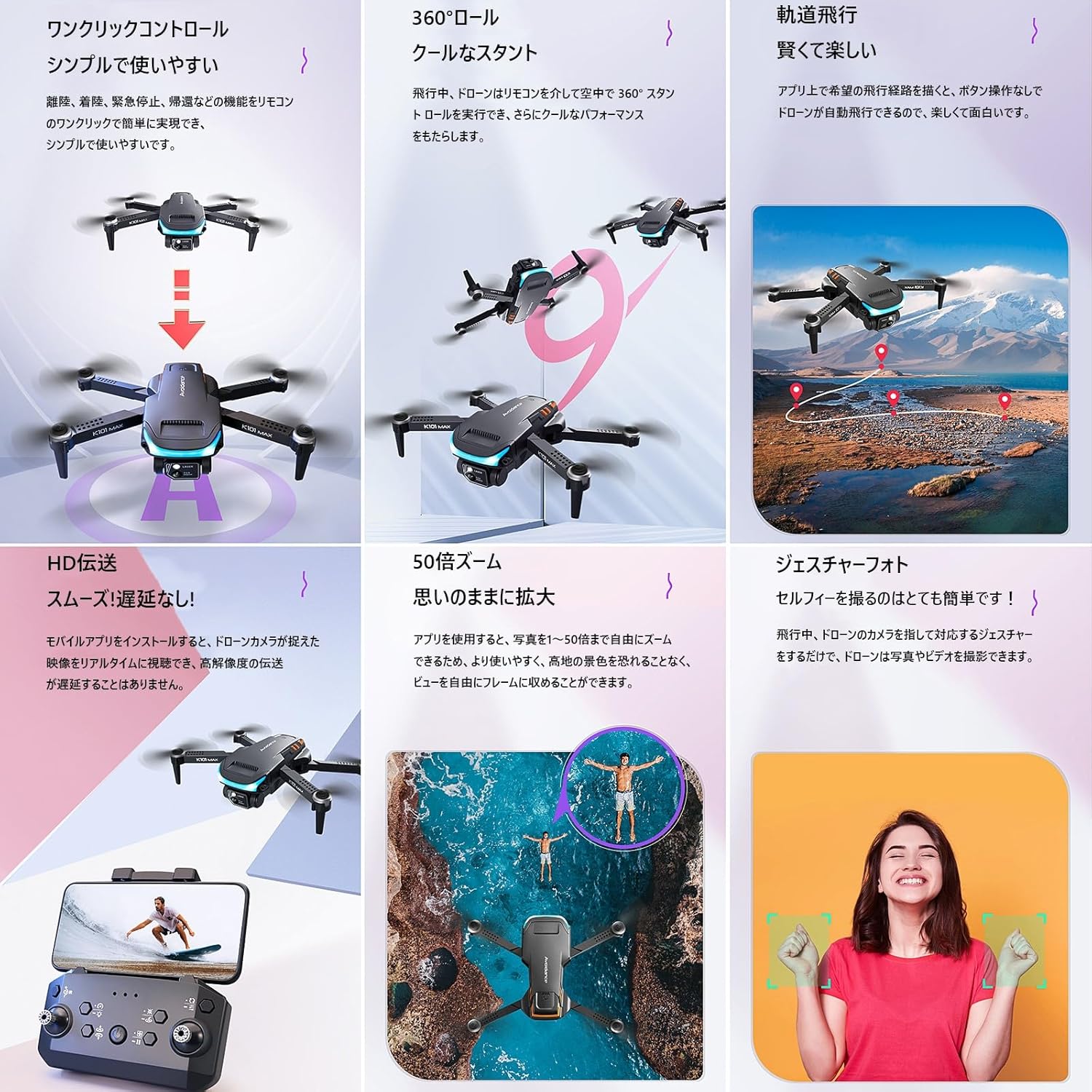
Image: A collage illustrating the K101Max drone's features: one-click control, 360-degree roll, trajectory flight, HD transmission, 50x zoom, and gesture photo.
- 3-Way Obstacle Avoidance: The drone is equipped with infrared sensors for obstacle detection in front, left, and right directions. This feature helps prevent collisions during low-speed flight.

Image: The K101Max drone demonstrating its 3-way obstacle avoidance system, showing how it detects and avoids objects from the front, left, and right sides.
- Optical Flow Positioning & Altitude Hold: Utilizes a downward-facing camera and air pressure sensor for stable hovering and precise positioning, making it easier for beginners to control.
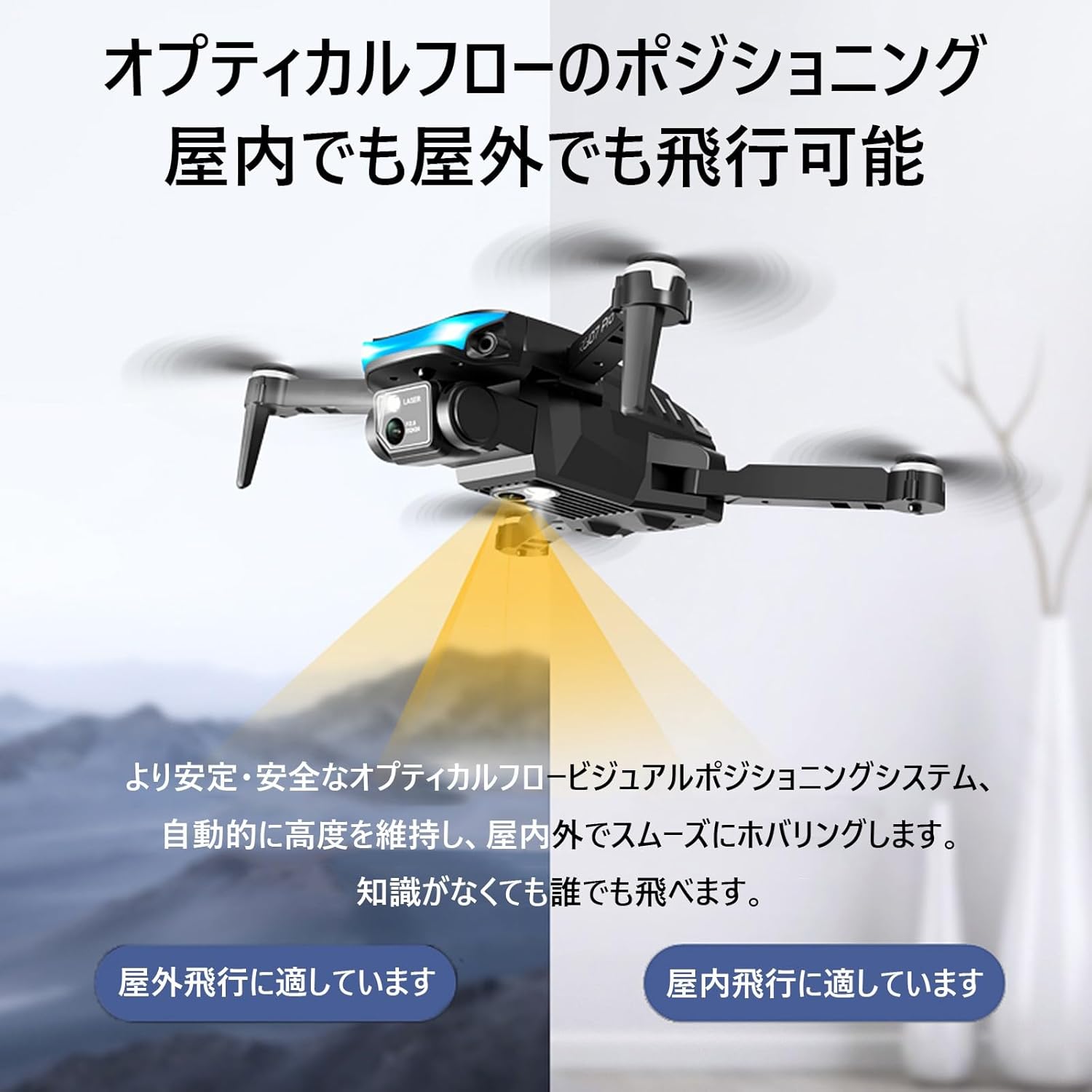
Image: The K101Max drone hovering, illustrating the optical flow positioning system that allows for stable indoor and outdoor flight by maintaining altitude automatically.
- Headless Mode: In headless mode, the drone's orientation is relative to the pilot, simplifying control regardless of the drone's front direction. Activate by short-pressing the headless mode button.
- 360° Flip: Execute impressive aerial stunts with a single button press.
- Trajectory Flight: Draw a flight path on your smartphone screen, and the drone will automatically follow it.

Image: The K101Max drone flying over a landscape, following a pre-drawn trajectory path indicated by red pins and a white line.
- Gravity Sensing Control: Control the drone's movement by tilting your smartphone.
6.3 Camera Operation

Image: The K101Max drone's 1080P HD dual camera, showing its 90-degree adjustable angle and 120-degree wide-angle view, capable of capturing high-quality images and videos.
- 1080P HD Dual Camera: The drone features a front 1080P HD camera and a bottom camera for diverse perspectives.
- Adjustable Camera Angle: The front camera angle can be adjusted electrically from 0° to 90° via the remote controller.
- Photo/Video Capture: Use the dedicated buttons on the remote controller or the app interface to take photos or record videos.
- Gesture Photo/Video: Perform specific hand gestures in front of the camera to trigger photo or video recording.

Image: A person smiling and making hand gestures, indicating the drone's gesture control feature for taking photos or videos.
7. Maintenance
- Cleaning: Gently wipe the drone and remote controller with a soft, dry cloth. Avoid using harsh chemicals or solvents.
- Propeller Inspection: Regularly check propellers for damage (cracks, bends). Replace damaged propellers immediately to ensure safe flight.
- Battery Storage: Store batteries in a cool, dry place, away from direct sunlight and extreme temperatures. Do not store fully charged or completely depleted batteries for extended periods.
- Storage: When not in use, store the drone and its accessories in the provided storage bag to protect them from dust and damage.
8. Troubleshooting
| Problem | Possible Cause | Solution |
|---|---|---|
| Drone does not respond to controller. | Not paired; low battery (drone or controller); out of range. | Re-pair the drone and controller; charge batteries; ensure within operating range. |
| Drone drifts during flight. | Not calibrated; uneven surface at takeoff; strong wind. | Calibrate the drone on a flat surface; fly in calm conditions. |
| Camera feed is not visible on smartphone. | Not connected to drone's Wi-Fi; app not open; Wi-Fi interference. | Connect to the drone's Wi-Fi network; open the app; try a different location. |
| Obstacle avoidance not working. | Feature only active at low speeds; sensors obstructed or dirty. | Ensure drone is flying at low speed; clean sensors; check for obstructions. |
9. Specifications
- Model: K101Max
- Weight: Under 100g (including battery)
- Camera: 1080P HD Dual Camera (Front & Bottom)
- Camera Angle: 0-90° Electric Adjustment
- Flight Time: Up to 15 minutes (per 1800mAh battery)
- Control Frequency: 2.4GHz
- Obstacle Avoidance: 3-Way Infrared (Front, Left, Right)
- Positioning: Optical Flow Positioning, Air Pressure Sensor (Altitude Hold)
- Special Features: One-Key Takeoff/Landing, Headless Mode, 360° Flip, Trajectory Flight, Gravity Sensing Control, Gesture Photo/Video
10. Warranty and Support
For any functional questions or issues, please contact our customer service. You can reach us via email through your order details page. Please provide your order number and a detailed description of the issue for prompt assistance.
While specific warranty details are not provided in this manual, please retain your proof of purchase for any potential warranty claims. We are committed to providing support for your KUNOQXHA K101Max drone.


