
1. Introduction
Thank you for choosing the Kalence T10 Wireless Bluetooth Ski Helmet Speakers. These drop-in headphones are designed to provide high-quality audio and communication for various activities such as skiing, snowboarding, and motorcycling. This manual provides essential information for the proper setup, operation, and maintenance of your device.

The Kalence T10 speakers are suitable for a range of outdoor activities including skiing, snowboarding, cycling, and motorcycling.
2. Product Overview
2.1 Package Contents
Ensure all items are present in the package:
- Kalence T10 Wireless Bluetooth Ski Helmet Speakers (2 units)
- Protective Charging Case
- USB-C Charging Cable
- User Manual

Contents of the Kalence T10 package, including speakers, charging case, cable, and manual.
2.2 Key Features
- True Wireless Bluetooth 5.3: Stable connection up to 15 meters (50 feet).
- Glove-Friendly Control: Large, easy-to-press buttons for operation with gloves.
- HDR Audio Technology: 40mm high-efficiency drivers for clear sound.
- Long Battery Life: Up to 10 hours of playtime on a single charge, 50 hours total with charging case.
- Built-in Microphone: For hands-free calls and voice assistant activation.
- Water Repellent: IP54 rating for protection against splashes.
- Durable Design: Operates in temperatures down to -20°C (-4°F).
- Compact Design: Each speaker is approximately 52mm (2.1 inches) in diameter and 12mm (0.47 inches) thick, weighing 27g (0.95 oz).
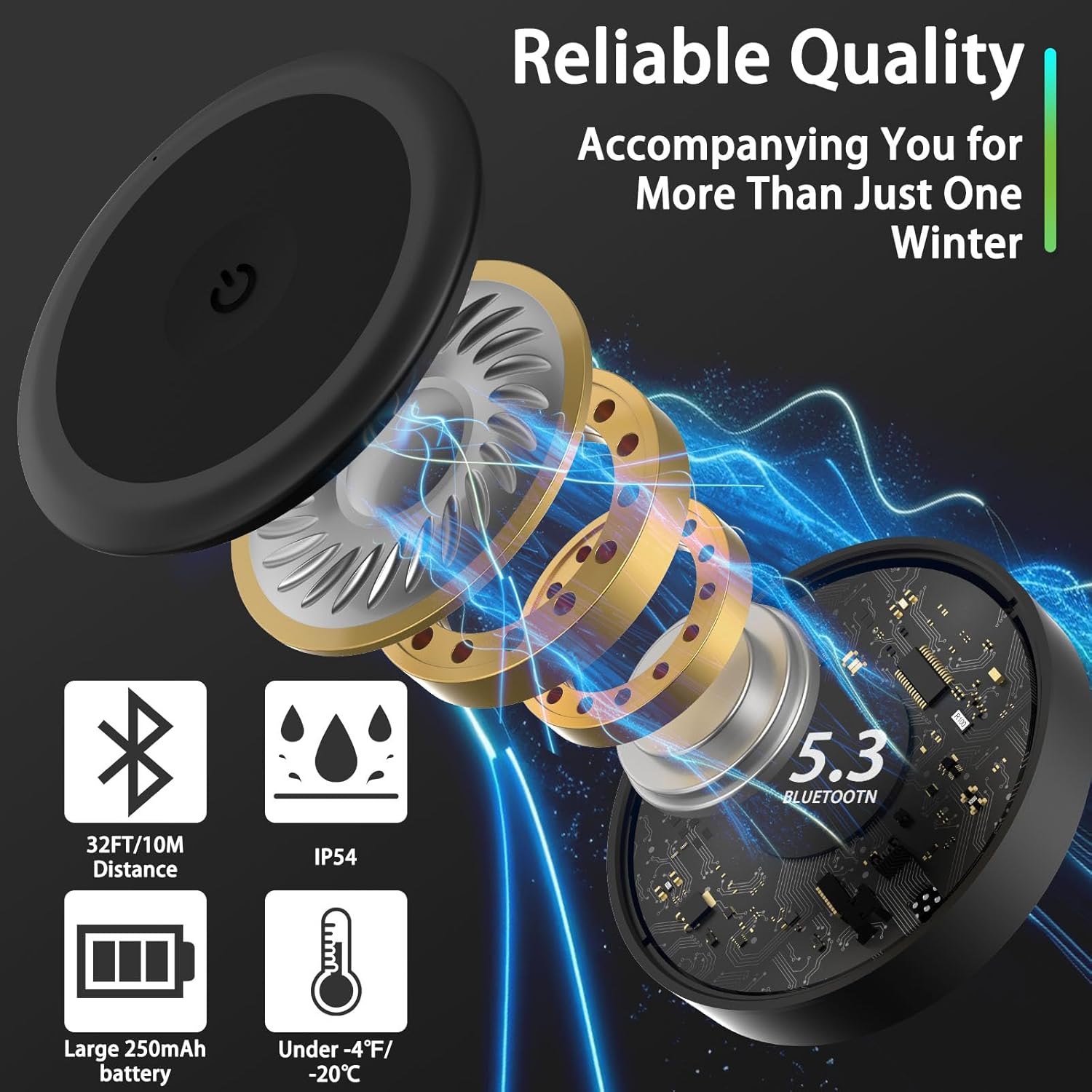
Detailed view of the speaker's internal technology and key features.

Compact design and dimensions of the Kalence T10 speakers for easy helmet integration.
3. Setup
3.1 Charging the Speakers
Before first use, fully charge the speakers and the charging case.
- Place the speakers into the charging case.
- Connect the USB-C charging cable to the charging port on the case and to a power source (e.g., USB wall adapter, computer USB port).
- The LED indicator on the case will show charging status. A full charge takes approximately 1 hour. The digital display on the case indicates the battery percentage.

Charging case displaying full charge.

Connecting the USB-C charging cable.
3.2 Installing into a Helmet
The Kalence T10 speakers are designed to fit into most audio-compatible helmets with insert slots. Compatible helmet brands include Bern, Giro, Smith, Anon, Pro-TEC, Bolle, and more.
- Locate the audio insert slots in your helmet's ear pads.
- Gently slide each speaker into the designated slot. Ensure the control button faces outwards for easy access.
- Adjust the speakers for a comfortable fit.

Inserting the speaker into the helmet's ear pad slot.
3.3 Pairing with a Bluetooth Device
- Ensure the speakers are charged and powered on. They will automatically enter pairing mode when taken out of the charging case.
- On your smartphone or Bluetooth-enabled device, go to the Bluetooth settings.
- Search for available devices and select "T10" from the list.
- Once connected, you will hear an audio confirmation, and the device will show as 'Connected'.
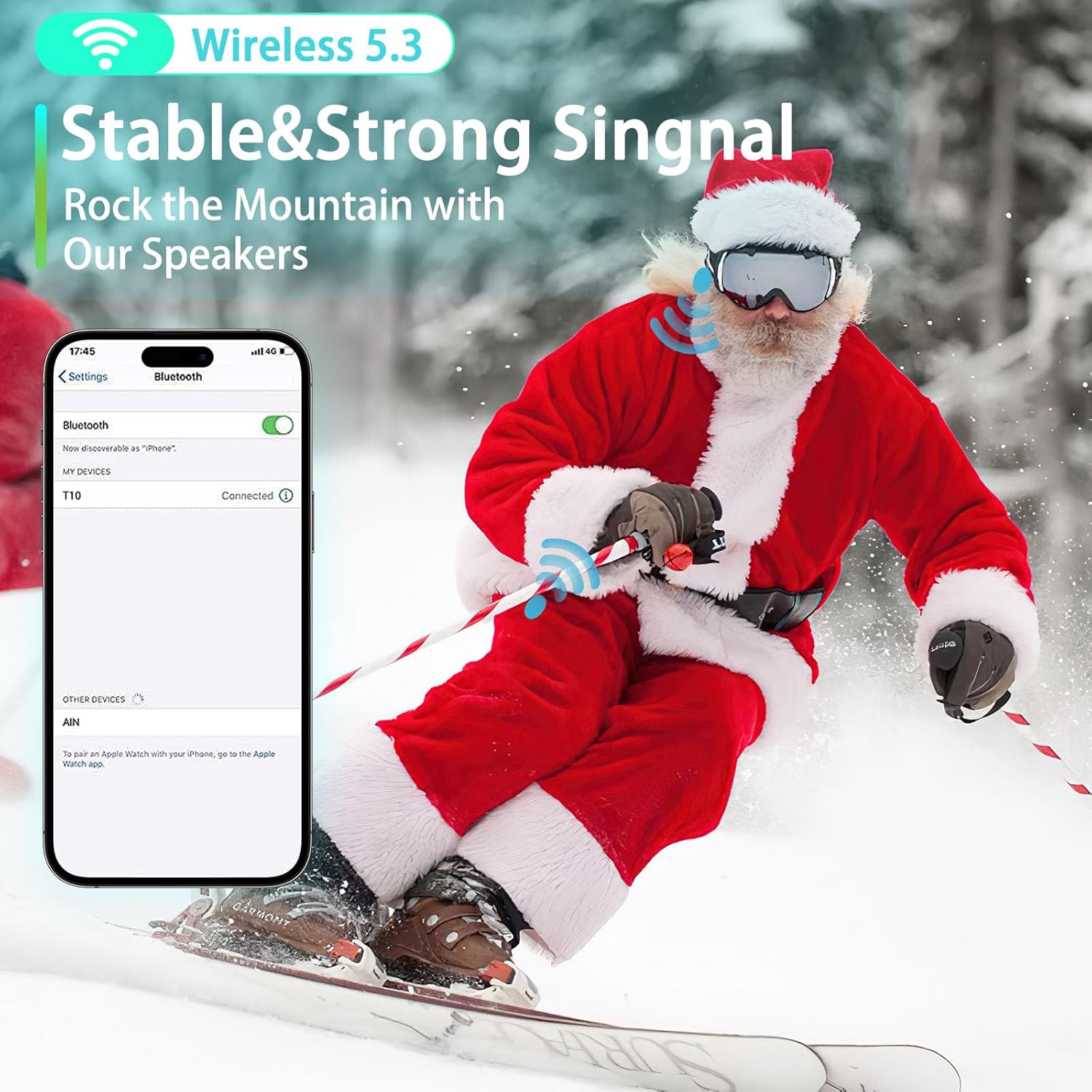
Connecting the Kalence T10 speakers to a smartphone via Bluetooth.
4. Operating Instructions
4.1 Power On/Off
- Power On: The speakers automatically power on when removed from the charging case. Alternatively, press and hold the main button on either speaker for 3 seconds.
- Power Off: Place the speakers back into the charging case. Alternatively, press and hold the main button on either speaker for 5 seconds.
4.2 Music Playback
The large, glove-friendly button on each speaker allows for easy control.
- Play/Pause: Press the main button once.
- Next Track: Double-press the main button.
- Previous Track: Triple-press the main button.
- Volume Control: Use your connected device to adjust volume.

The large button design ensures easy control even with gloves on.
4.3 Call Management
- Answer/End Call: Press the main button once during an incoming call or to end an active call.
- Reject Call: Press and hold the main button for 2 seconds during an incoming call.
- Voice Assistant (Siri/Google Assistant): Press the main button for 2 seconds to activate your device's voice assistant.
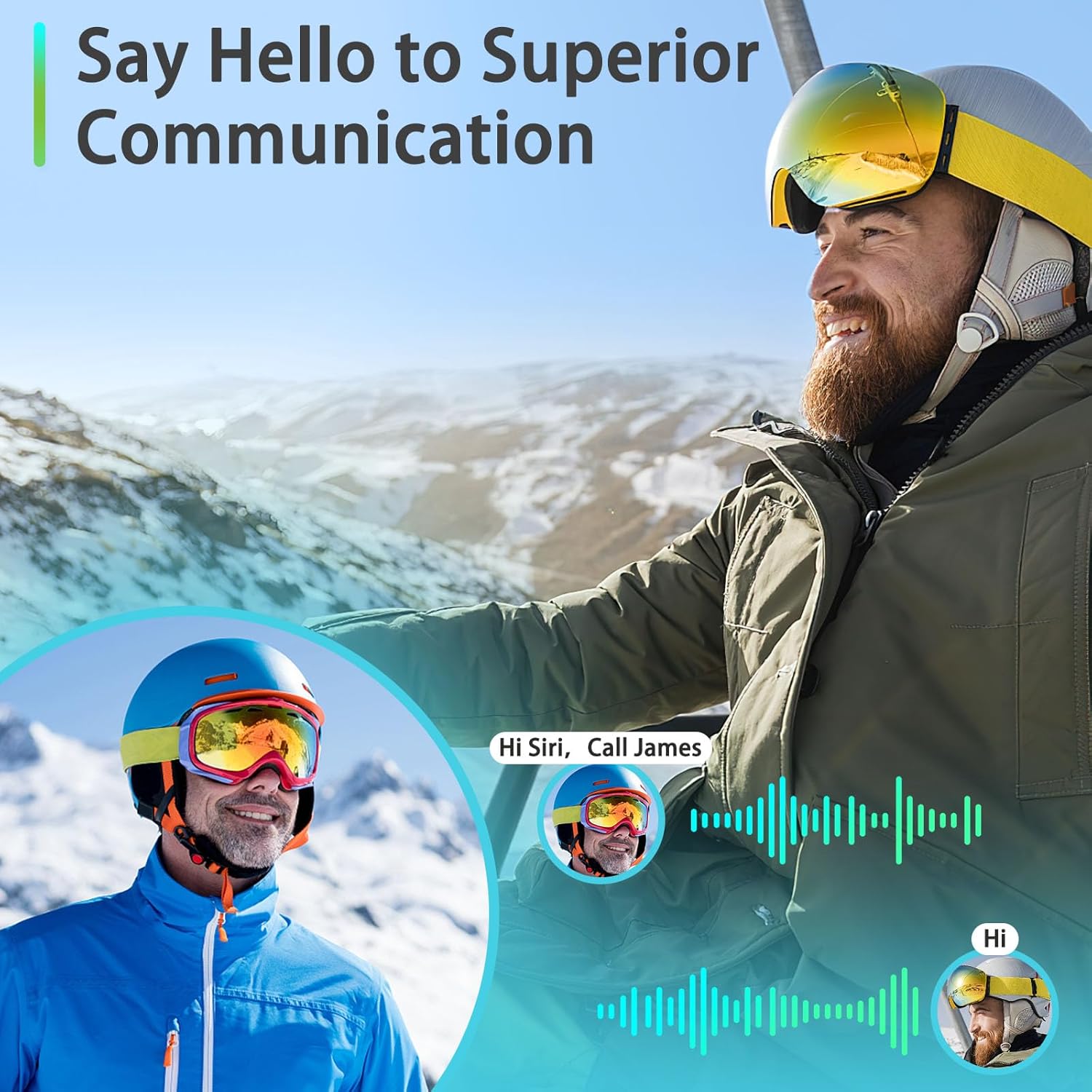
Using the built-in microphone for hands-free communication and voice assistant.
5. Maintenance
5.1 Cleaning
- Wipe the speakers and charging case with a soft, dry cloth.
- Do not use abrasive cleaners or solvents.
- Avoid submerging the speakers or case in water, despite their water-repellent rating.
5.2 Storage
- When not in use, store the speakers in their protective charging case.
- Store in a cool, dry place away from direct sunlight and extreme temperatures.
- For long-term storage, ensure the speakers and case are partially charged (around 50%) to preserve battery health.
5.3 Battery Life Optimization
The Kalence T10 offers up to 10 hours of continuous playtime and 50 hours total with the charging case.
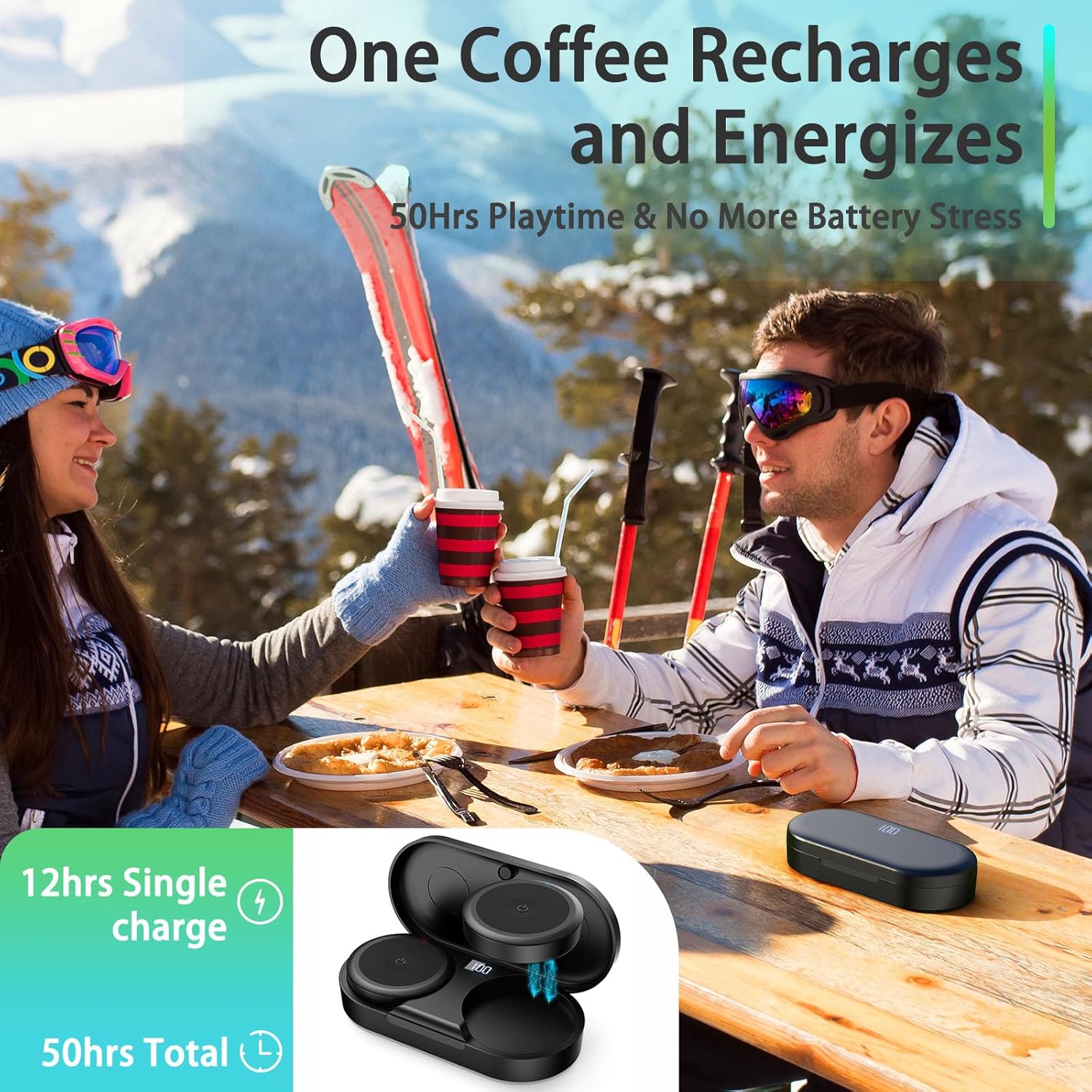
Enjoy extended listening with 50 hours of total playtime.
6. Troubleshooting
| Problem | Possible Cause | Solution |
|---|---|---|
| Speakers do not power on. | Low battery. | Charge the speakers and charging case fully. |
| Cannot pair with device. | Bluetooth not enabled on device; speakers not in pairing mode; too far from device. | Ensure Bluetooth is on. Take speakers out of case to enter pairing mode. Move device closer to speakers (within 15 meters). |
| No sound or poor sound quality. | Volume too low; speakers not properly seated in helmet; poor Bluetooth connection. | Increase volume on your device. Adjust speaker position in helmet. Re-pair the speakers with your device. |
| Microphone not working during calls. | Microphone obstructed; poor positioning in helmet. | Ensure the microphone port is not covered. Adjust speaker position to ensure microphone is clear. |
7. Specifications
- Model Name: Kalence T10
- Connectivity Technology: Wireless
- Wireless Communication Technology: Bluetooth 5.3
- Bluetooth Range: Up to 15 meters (50 feet)
- Audio Driver Size: 40mm
- Battery Life (Speakers): Up to 10 hours
- Total Battery Life (with Charging Case): Up to 50 hours
- Charging Time: Approximately 1 hour
- Water Resistance Level: IP54 (Water Repellent)
- Operating Temperature: Down to -20°C (-4°F)
- Control Type: Button, Touch
- Included Components: Protective Case
- Speaker Dimensions (each): 52mm (Diameter) x 12mm (Thickness)
- Speaker Weight (each): 27g (0.95 oz)
- Carrying Case Dimensions: 12 x 5 x 2 cm
- Carrying Case Weight: 45g
- Batteries: 2 Lithium Ion batteries (included)
8. Warranty and Support
Kalence offers a 365-day satisfaction guarantee for this product. If you have any inquiries or require assistance, please contact the Kalence customer service team. We aim to respond within 24 hours.
For support, please refer to the contact information provided on the product packaging or the official Kalence website.