
Introduction
Thank you for choosing the ACTFLAME Walking Pad with Incline, Model P15-A. This manual provides essential information for the safe and efficient use of your new walking pad. Please read it thoroughly before initial use and retain it for future reference.

Image: The ACTFLAME Walking Pad with Incline, Model P15-A, shown with a user walking on it and another user utilizing it under a standing desk. The remote control is also visible.
Important Safety Information
To reduce the risk of serious injury, read all important precautions and instructions in this manual before using the walking pad. ACTFLAME assumes no responsibility for personal injury or property damage sustained by or through the use of this product.
- Always place the walking pad on a level, stable surface.
- Ensure adequate clear space around the walking pad during operation.
- Keep children and pets away from the walking pad during use.
- Do not operate the walking pad if it is damaged or malfunctioning.
- Consult a physician before starting any exercise program.
- The maximum user weight capacity is 265 lbs (120 kg).
Package Contents
Verify that all components are present before assembly and initial use:
- ACTFLAME Walking Pad with Incline (Model P15-A)
- Remote Control (with 2 Lithium Metal batteries included)
- Power Cord
- Lubricant
- User Manual (this document)
Product Features
- Automatic Incline: Features a staged automatic incline with options for 3%, 6%, and 9% to enhance workout intensity.
- LED Display: Extended display shows real-time data including calories, time, incline, speed, and distance.
- Shock Absorption System: 5-layer running belt and 6 absorption cushions reduce impact on joints.
- Powerful Motor: 2.5 HP motor provides speeds up to 4 MPH and supports users up to 265 lbs.
- Cooling System: Integrated motor cooling system prevents overheating for extended use.
- Compact Design: Easy to transport and store, suitable for home and office environments.

Image: Illustration of the electric auto-lift incline feature, showing 3%, 6%, and 9% incline levels and their associated calorie burn.

Image: Close-up of the LED display showing real-time exercise data such as speed, calories, incline, time, and distance, along with the remote control.

Image: Diagram illustrating the shock absorber system with icons for non-slip, 5-layer belt, durability, and less impact, highlighting the internal mechanism.

Image: Comparison showing the 16.7-inch wide and 40.5-inch long running area of the ACTFLAME walking pad compared to narrower or shorter alternatives.

Image: Detailed view of the 2.5HP motor, emphasizing its quiet operation (less than 45dB) and power, with specifications for speed and weight capacity.
Setup Instructions
- Unpacking: Carefully remove the walking pad and all components from the packaging.
- Placement: Place the walking pad on a flat, stable surface, ensuring at least 2 feet of clear space behind and on each side of the unit.
- Power Connection: Plug the power cord into a grounded electrical outlet. Ensure the power switch on the walking pad is in the OFF position before plugging it in.
- Remote Control Batteries: The remote control comes with 2 Lithium Metal batteries pre-installed. If needed, replace them according to the markings inside the battery compartment.
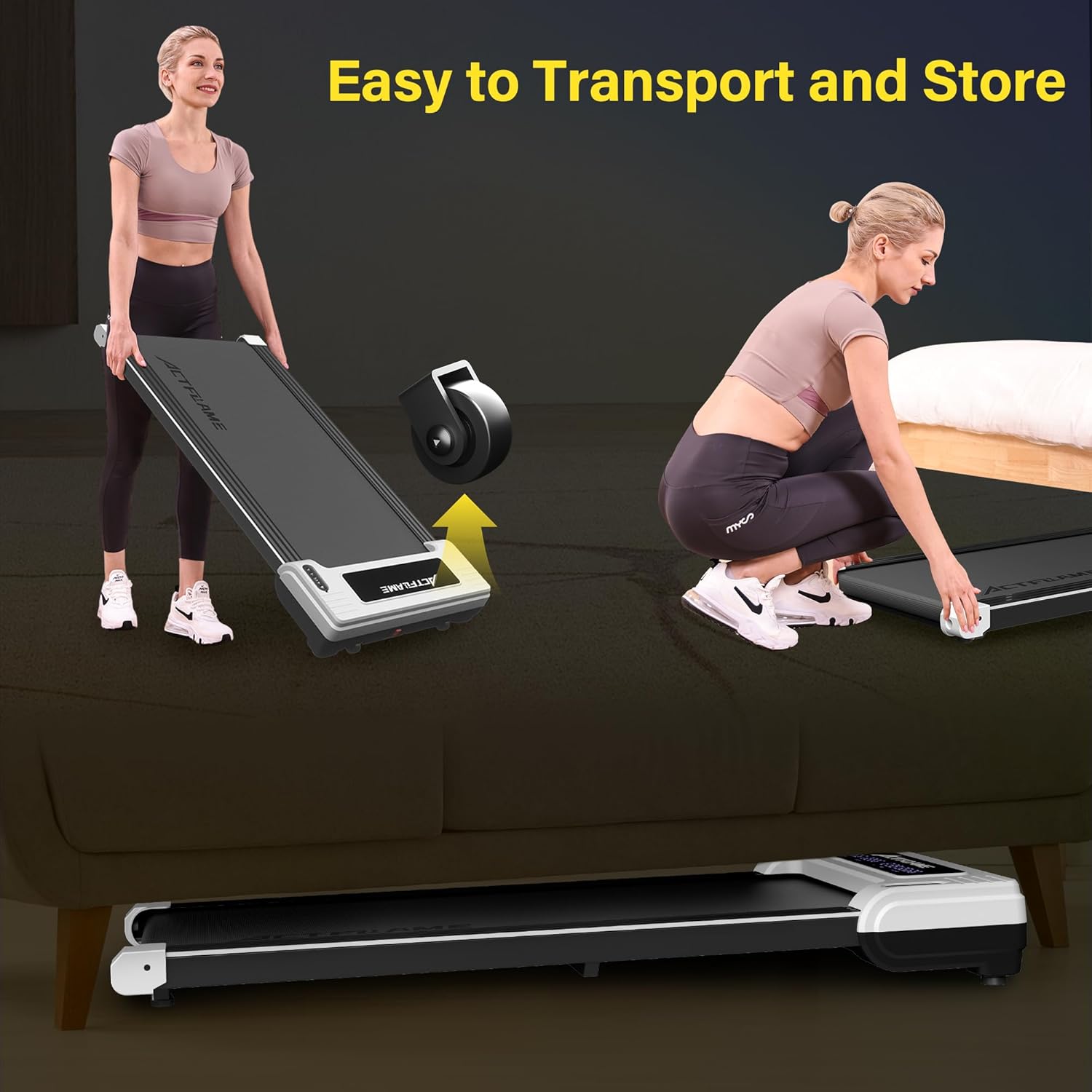
Image: Demonstrates the walking pad being easily transported using built-in wheels and stored flat under furniture, highlighting its compact design.
Operating Instructions
Getting Started
- Power On: Flip the main power switch on the walking pad to the ON position. The LED display will illuminate.
- Remote Control: Ensure the remote control is within range and has working batteries.
- Start/Stop: Press the "Start" button on the remote control to begin your workout. Press "Stop" to pause or end your workout.
Adjusting Speed and Incline
- Speed Adjustment: Use the "+" and "-" buttons on the remote control to increase or decrease the walking speed. Speed adjusts in 0.2 MPH increments. The maximum speed is 4 MPH.
- Incline Adjustment: Use the incline buttons on the remote control to select your desired incline level (3%, 6%, or 9%). The walking pad will automatically adjust to the selected incline.
Monitoring Your Workout
The LED display provides real-time feedback on your workout:
- Time: Duration of your workout.
- Distance: Total distance walked.
- Speed: Current walking speed.
- Calories: Estimated calories burned.
- Incline: Current incline percentage.
The data retention feature allows you to pause your workout and resume later, continuing to track your progress towards your goals.
Maintenance
Cleaning
- Always unplug the walking pad before cleaning.
- Wipe down the display and exterior surfaces with a soft, damp cloth. Avoid abrasive cleaners or solvents.
- Regularly vacuum or wipe dust from around the motor cover to ensure proper ventilation.
Lubrication
The walking belt requires periodic lubrication to ensure smooth operation and prolong its lifespan. Use the provided lubricant or a silicone-based treadmill lubricant.
- Unplug the walking pad from the power outlet.
- Loosen the rear roller bolts slightly to lift the belt.
- Apply a small amount of lubricant evenly under the center of the walking belt.
- Tighten the rear roller bolts.
- Plug in the walking pad and run it at a low speed (e.g., 1 MPH) for 2-3 minutes to distribute the lubricant.
Frequency of lubrication depends on usage. For moderate use (3-5 hours/week), lubricate every 3-6 months.
Troubleshooting
| Problem | Possible Cause | Solution |
|---|---|---|
| Walking pad does not power on. | Power cord not plugged in; power switch off; circuit breaker tripped. | Ensure power cord is securely plugged in. Turn power switch ON. Check household circuit breaker. |
| Walking belt slips or hesitates. | Belt too loose; insufficient lubrication. | Adjust belt tension (refer to maintenance section). Lubricate the walking belt. |
| Remote control not responding. | Dead batteries; remote out of range. | Replace remote control batteries. Ensure remote is pointed towards the walking pad's receiver. |
| Unusual noise during operation. | Loose components; foreign object; motor issue. | Inspect for loose parts and tighten. Check for any objects under the belt. If noise persists, contact customer support. |
Specifications
| Feature | Detail |
|---|---|
| Model Number | P15-A |
| Brand | ACTFLAME |
| Motor Horsepower | 2.5 HP |
| Speed Range | 0.6 - 4 MPH |
| Incline Levels | 3%, 6%, 9% (Automatic) |
| Running Area (L x W) | 40.5 x 16.7 inches (102.87 x 42.42 cm) |
| Maximum User Weight | 265 lbs (120 kg) |
| Product Dimensions (L x W x H) | 122.43 x 54.86 x 14.48 cm (48.2 x 21.6 x 5.7 inches) |
| Item Weight | 24.5 kg (54 lbs) |
| Display Type | LED |
| Frame Material | Alloy Steel |
| Power Source | Corded Electric |
| Included Components | Lubricant, Remote Control |
Warranty and Customer Support
ACTFLAME offers a 1-year manufacturer guarantee for this walking pad. This warranty covers defects in materials and workmanship under normal use.
For any questions, concerns, or warranty claims, please contact ACTFLAME customer support. Please have your model number (P15-A) and purchase information ready when contacting support.
Contact information can typically be found on the ACTFLAME official website or through your purchase platform.

