
1. Introduction
This document provides comprehensive instructions for the proper installation of the TV base screws compatible with Xiaomi L55M6-6AEU television models. Adhering to these instructions ensures the secure and stable attachment of your TV's original stand.
1.1. Product Overview
This set includes four (4) OEM-compatible screws specifically designed for securing the base stand/legs to your Xiaomi L55M6-6AEU television. These screws are precisely sized and threaded to ensure a perfect fit and reliable connection.
1.2. Compatibility
These screws are exclusively compatible with the Xiaomi L55M6-6AEU television model. It is crucial to verify your TV's model number before proceeding with installation. The model number can typically be found on a sticker on the back of your TV or within the 'About TV' section of your television's settings menu.
Important: These screws are intended solely for attaching the original TV stand/legs. They are NOT suitable for wall mounting applications or for universal stands.
2. Package Contents
Please ensure all items listed below are present in your package:
- 4 x TV Base Screws (Phillips head, black finish)
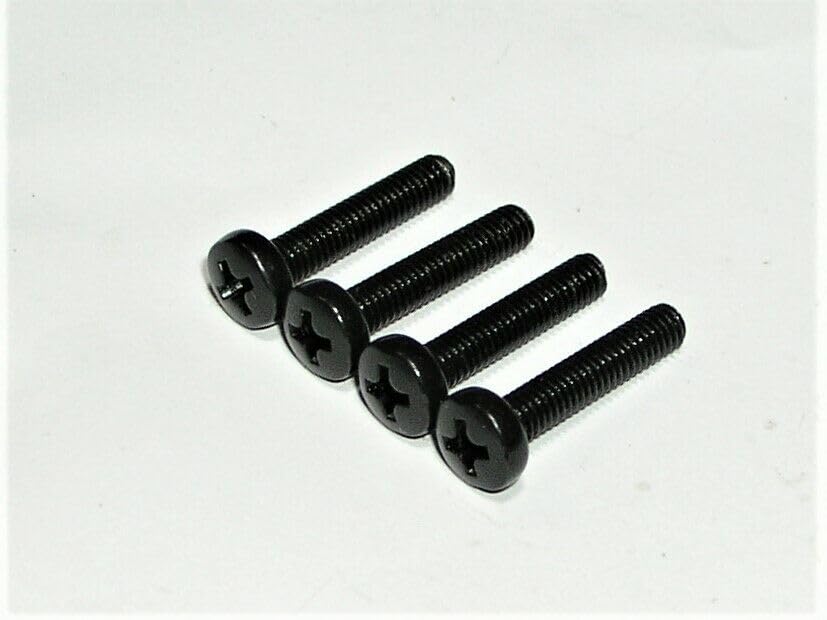
Image 1: A set of four black Phillips head screws, designed for securing a TV base stand.
3. Tools Required
The following tool is necessary for installation:
- Phillips Head Screwdriver
4. Setup and Installation
Follow these steps carefully to install the TV base screws:
- Prepare the TV: Carefully place your Xiaomi L55M6-6AEU television face down on a soft, clean, and stable surface (e.g., a blanket or foam padding) to prevent screen damage. Ensure the surface is large enough to support the entire TV.
- Position the Stand: Align the TV's original base stand/legs with the designated mounting holes on the back or bottom of the television. Ensure the stand is oriented correctly according to your TV's specific design.
- Insert Screws: Take one of the provided TV base screws and insert it into a mounting hole, passing through the stand and into the TV chassis.
- Tighten Screws: Using a Phillips head screwdriver, gently turn the screw clockwise until it is snug. Do not overtighten, as this can strip the threads or damage the TV casing. Repeat this process for all four screws, ensuring each is securely fastened.
- Verify Stability: Once all screws are installed, carefully lift the TV and place it upright on a flat, stable surface. Gently test the stability of the stand by lightly rocking the TV to ensure it is securely attached and does not wobble.
5. Usage Guidelines
These screws are designed to provide a secure connection between your Xiaomi L55M6-6AEU television and its original base stand. Proper installation ensures the TV remains stable on a flat surface. Always ensure the TV is placed on a sturdy, level surface to prevent accidental tipping.
6. Care and Safety
- Periodic Check: Periodically inspect the screws to ensure they remain tight. Loose screws can compromise the stability of the TV stand.
- Cleaning: If necessary, clean the screws with a dry, soft cloth. Avoid using harsh chemicals.
- Storage: If removing the stand for any reason, store the screws in a safe place to prevent loss.
- Child Safety: Ensure the TV is placed in a location where it cannot be easily pulled over by children or pets.
7. Troubleshooting
- Screws do not fit:
- Double-check your TV model number. These screws are only compatible with Xiaomi L55M6-6AEU.
- Ensure you are attempting to attach the original TV stand/legs, not a universal stand or wall mount.
- TV wobbles after installation:
- Ensure all four screws are fully tightened (but not overtightened).
- Verify that the TV stand/legs are correctly seated in their designated slots on the TV.
- Confirm the surface the TV is placed on is level and stable.
If you continue to experience issues, please refer to the 'Support' section for assistance.
8. Specifications
| Feature | Detail |
|---|---|
| Compatible Model | Xiaomi L55M6-6AEU |
| Quantity | 4 screws per set |
| Head Style | Phillips |
| Metal Type | Stainless Steel |
| Thread Size | 3/8 |
| Product Dimensions (L x W x H) | 6.5 x 3.75 x 0.5 inches (packaging) |
| Manufacturer | Generic |
| ASIN | B0CP82S959 |
9. Support
If your TV model is not listed as compatible, or if you require further assistance with installation or troubleshooting, please do not hesitate to contact the seller or manufacturer. They will gladly help you find the correct part or provide support for your specific television model.
Please have your TV's model number and the product's ASIN (B0CP82S959) ready when contacting support.


