
1. Product Overview
The Yoomigle Screen Protector is designed to provide maximum protection for your SWGOTA CS2Pro 1.8" and FitCloudPro CS2 Pro 1.8" smartwatches. This product is a high-definition, anti-scratch, and bubble-free film made from Thermoplastic Polyurethane (TPU), offering clarity and durability without the rigidity of tempered glass.

This image displays the Yoomigle 6-pack screen protector packaging alongside a gold smartwatch with a screen protector partially applied. The packaging is black with a carbon fiber texture and the 'Yoomigle Screen Protector' logo. The smartwatch features a digital time display and a floral background.
2. Package Contents
Each Yoomigle Screen Protector package includes the following items:
- 1 x Packing Box
- 6 x Screen Protectors
- 6 x Cleaning Wipes (Wet & Dry)
- 6 x Dust Stickers

This image provides a visual breakdown of the package contents. It shows a packing box labeled 'Yoomigle Screen Protector', six rectangular outlines representing the screen protectors, six packets of cleaning wipes (labeled 1 and 2), and six blue dust stickers. Each item is numbered for clarity.
3. Setup and Installation
Follow these steps for a bubble-free installation of your screen protector:
- Clean the Screen: Use the provided cleaning wipes (wet first, then dry) to thoroughly clean your smartwatch screen. Ensure there are no dust particles, smudges, or fingerprints.
- Remove Dust: Use the dust sticker to gently dab the screen and remove any remaining fine dust particles.
- Align the Protector: Carefully peel off the protective layer from the screen protector. Align the protector with your smartwatch screen, ensuring it is centered and straight.
- Apply: Gently lay the screen protector onto the smartwatch screen. The adhesive will begin to attach.
- Smooth Out Bubbles: Use a soft cloth or a card (not included) to gently push any large air bubbles towards the edges of the screen. Small bubbles are normal and typically disappear within 24 to 48 hours due to the film's self-healing properties.
Tip: For best results, install the screen protector in a dust-free environment, preferably at night. This allows small bubbles to dissipate overnight.

This image shows a hand holding and bending the transparent screen protector film, highlighting its flexibility. The text 'Soft TPU Film Not Tempered Glass' is prominently displayed, indicating its material and distinguishing it from rigid glass protectors.
4. Operating and Features
The Yoomigle Screen Protector is designed to maintain the full functionality and visual quality of your smartwatch screen.
- High Definition Clarity: With 99.9% transparency, the protector preserves the original screen brightness and color, ensuring an optimal visual experience.
- Highly Responsive Touch: The ultra-thin film ensures that touch sensitivity is unaffected, allowing for smooth and accurate interaction with your smartwatch.
- Scratch Resistance: Provides robust protection against daily scratches, scuffs, and minor impacts, safeguarding your watch from wear and tear.
- Oleophobic Coating: The special coating repels oil, water, and fingerprints, making the screen easy to clean and maintain its pristine look.

This image highlights the key features of the Yoomigle screen protector. A gold smartwatch is centered, surrounded by six icons: a finger tapping a phone (Highly Responsive), bubbles with a cross (Zero Bubbles), a key scratching a surface (Scratch Resistant), an eye (99.9% High Transparency), a fingerprint with a cross (Oleophobic Coating), and a double-headed arrow indicating 0.15mm thickness (Ultra Thin).
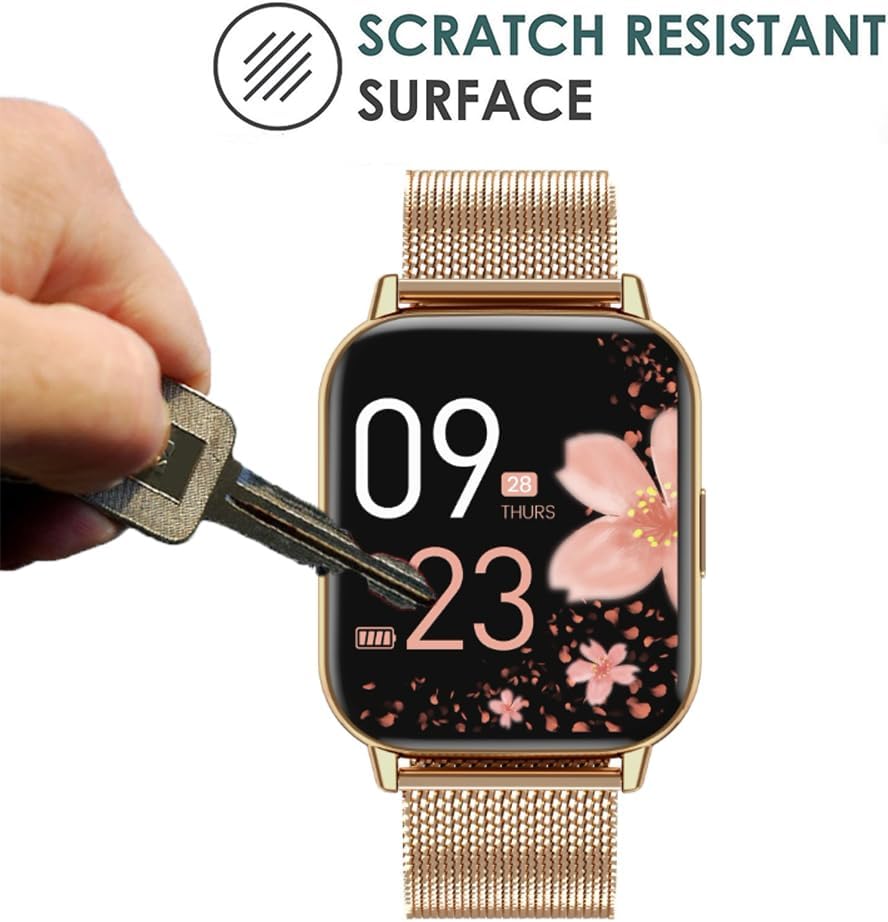
This image illustrates the scratch-resistant quality of the screen protector. A hand holds a metal key, pressing its teeth against the surface of a smartwatch screen. The text 'SCRATCH RESISTANT SURFACE' is visible, indicating the protector's durability against sharp objects.
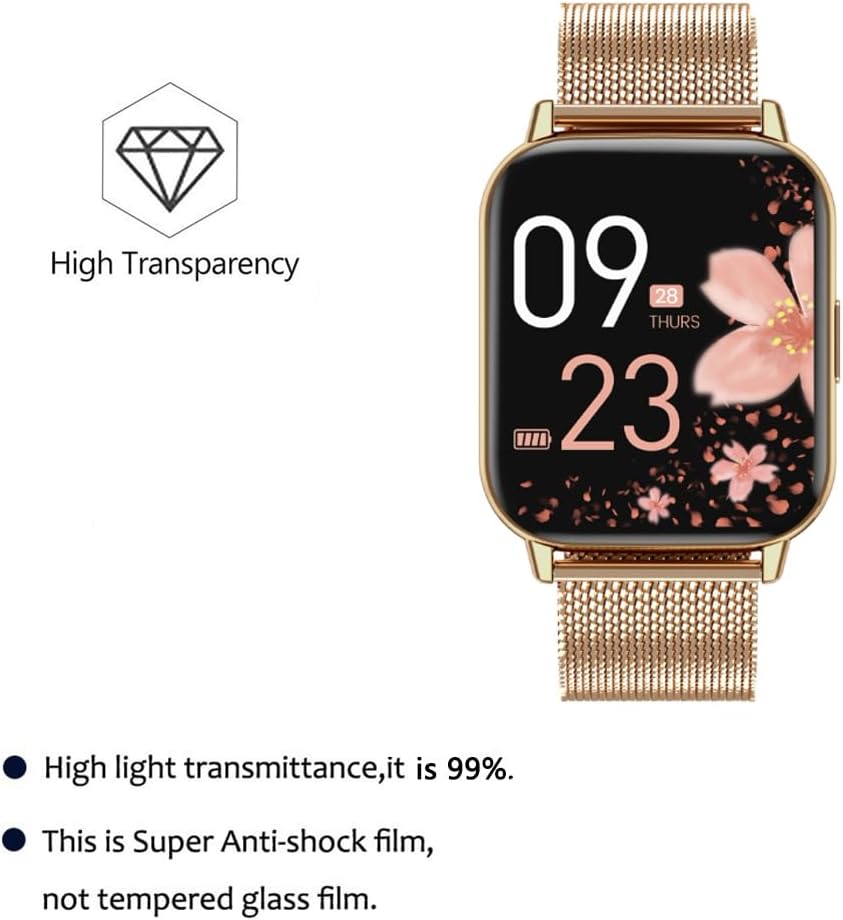
This image focuses on the optical properties and material of the screen protector. A gold smartwatch is shown next to text stating 'High light transmittance, it is 99%.' and 'This is Super Anti-shock film, not tempered glass film.' A diamond icon above 'High Transparency' further emphasizes clarity.
5. Maintenance
To keep your screen protector in optimal condition:
- Cleaning: Due to the oleophobic coating, simply wipe the screen with a soft, clean cloth to remove fingerprints or smudges. Avoid harsh chemicals.
- Self-Repairing: The advanced nano-technology material allows the film to self-repair minor scratches over time. Small scratches may disappear within 24-48 hours.

This image demonstrates the self-repairing capabilities of the screen protector. Two identical smartwatches are shown. The first smartwatch has visible small bubbles and minor scratches on its screen protector. An arrow points to the second smartwatch, which shows a clear screen protector with the bubbles and scratches having disappeared, with text indicating 'About 24 hours' for the repair process. Text also mentions 'New Self-Repairing Material' and 'Discharge some little bubbles with advanced Nano-technology'.
6. Troubleshooting
If you encounter issues during or after installation:
- Persistent Small Bubbles: If small bubbles remain immediately after installation, allow 24-48 hours for them to naturally dissipate. The film's material is designed to release these over time.
- Large Bubbles: For larger air bubbles, gently push them towards the nearest edge using a soft cloth or a credit card wrapped in a cloth.
- Misalignment or Damage: If the protector is significantly misaligned or damaged during installation, you can carefully peel it off and use one of the other protectors from the 6-pack.
7. Specifications
| Brand | Yoomigle |
| Compatible Devices | SWGOTA CS2Pro 1.8", FitCloudPro CS2 Pro 1.8" Smartwatches |
| Material | Thermoplastic Polyurethane (TPU) |
| Product Dimensions | 12L x 8W centimeters |
| Special Features | Anti-fingerprint, Rounded Edge, Scratch Resistant, Self-Healing |
| Finish Type | Glossy |
| Screen Size Compatibility | 1.8 Inches |
| Clarity | 99.9% |
| Number of Items | 6 |
8. Warranty and Support
Information regarding product warranty and customer support is not provided within this manual. For details on warranty coverage or to contact customer support, please refer to the product packaging, the retailer's website, or the manufacturer's official website.